Skip to content
Skip
3k

Blog

Skip Showcase: Securing your secrets with SkipKeychain

Skip is a technology that enables the creation of dual-platform iOS/Android apps from a single shared Swift and SwiftUI codebase. The headline feature of Skip is that it takes your SwiftUI interface and automatically translates it into the equivalent Jetpack Compose interface, so your app is genuinely native on both platforms.

However, there is much more to Skip than just SwiftUI: there is a whole suite of optional modules that you can add to your project that provide additional integrations with the underlying platform. These are primarily distributed as free and open-source Swift Package Manager repositories under the skiptools GitHub organization, but many developers have also created their own. The equivalent package index in the Flutter world would be pub.dev, and the closest thing for React might be expo.dev.

This first post in the “Exploring Showcase” series will discuss the SkipKeychain module, which provides a common API for accessing encrypted secrets on both iOS and Android. Future entries will cover other integrations, such as native embedded web views and video players, Lottie animations, Firebase support, local SQLite persistence, Bluetooth and NFC hardware, and device sensor access.

As with many of Skip’s features, we provide a demonstration in our eponymous “Showcase” app, which is available on both the Apple App Store and Google Play Store, and whose full source code is available in the skipapp-showcase repository.

Download on the Google Play Store Download on the Apple App Store

The SkipKeychain module provides the ability to store and retrieve “secrets” on the device. These are small pieces of data, such as passwords, notes, and encryption keys, that need to be secured locally.

Apple offers a set of Keychain services1 APIs that provide access to their Keychain on iOS (as well as macOS and others). On Android, the EncryptedSharedPreferences is a Jetpack security library feature that encrypts key-value pairs before storing them in a SharedPreferences file.

SkipKeychain is a great example of the power of Skip’s integration capabilities, because it is so simple. The whole thing is implemented in a single ~300 line file, SkipKeychain.swift. This is a transpiled module, but it is bridged to native Swift, so it can be used equally well from a Skip Lite or Skip Fuse app2.

The API surface is quite simple:

import SkipKeychain
let keychain = Keychain.shared
try keychain.set("value", forKey: "key")
assert(keychain.string(forKey: "key") == "value")
try keychain.removeValue(forKey: "key")
assert(keychain.string(forKey: "key") == nil)

The Showcase playground for the Keychain uses this API like so:

import SwiftUI
import SkipKeychain
struct KeychainPlayground: View {
@State var allKeys: [String] = []
/// load all the keys from the keychain
func loadKeys() {
allKeys = ((try? Keychain.shared.keys()) ?? []).sorted()
}
var body: some View {
List {
Section {
ForEach(allKeys, id: \.self) { key in
NavigationLink {
KeychainValueEditor(key: key, isNewKey: false)
} label: {
Text(key)
}
}
.onDelete { indices in
for keyIndex in indices {
try? Keychain.shared.removeValue(forKey: allKeys[keyIndex])
}
loadKeys()
}
}
}
.onAppear {
loadKeys()
}
}
}

The result is a very simple yet functional secret manager which behaves identically on both iOS and Android:

One takeaway from this very simple and useful framework is just how simple it is to develop and iterate on, unlike the cumbersome bridging technologies needed by other cross-platform frameworks, which often force the developer to implement platform support across multiple separate projects with a variety of languages and build tools.

In contrast, Skip’s framework support is as simple as can be: a single standard Swift Package Manage project using the skipstone plugin. Kotlin and Java APIs for Android can be dropped right into #if SKIP blocks, and the whole thing can be tested using SwiftPM’s built-in testing support. And using the framework is just as standard: it is a simple Swift Package Manager dependency, added like:

let package = Package(
name: "skipapp-showcase",
products: [
.library(name: "Showcase", type: .dynamic, targets: ["Showcase"]),
],
dependencies: [
.package(url: "https://source.skip.tools/skip.git", from: "1.0.0"),
.package(url: "https://source.skip.tools/skip-ui.git", from: "1.0.0"),
.package(url: "https://source.skip.tools/skip-keychain.git", "0.3.0"..<"2.0.0"),
],
targets: [
.target(name: "Showcase", dependencies: [
.product(name: "SkipUI", package: "skip-ui"),
.product(name: "SkipKeychain", package: "skip-keychain"),
], plugins: [.plugin(name: "skipstone", package: "skip")]),
]
)

The Skip philosophy is to take modern iOS-first development practices, and build on top of them to provide the ability to reach the entire marketplace. It does not add a whole new language and runtime on top of the platform, but instead enables unintermediated access to the platform using the native development language for each: Swift on iOS and Kotlin on Android. This results in the smallest app size possible, the most efficient performance, and the absolute best user experience possible, while still enabling the development of your app from a single codebase.

As always, Happy Skipping!

  1. Keychain services: “Securely store small chunks of data on behalf of the user.” — https://developer.apple.com/documentation/security/keychain-services

  2. For more on the distinction between transpiled Skip Lite and compiled Skip Fuse apps, see Skip Fuse vs. Lite.

Skip on the Swift Package Indexing Podcast

I was thrilled to be interviewed by Dave and Sven from the Swift Package Indexing podcast the other day! We talked about a wide range of topics around the founding of the Swift Android Workgroup, the progress that Swift is making in expanding into other platforms, and how Skip builds on the Swift Android SDK to enable building both iOS and Android apps from the same SwiftUI codebase.

We also discussed some tips for Swift package developers to make their own packages compatible with Android, and talked about the recent addition of Android compatibility to the supported platforms matrix for packages on https://swiftpackageindex.com.

You can check out Episode 61: “People have been working on it for ten years” for the full transcript and show notes.

Peter and Sven are gracious hosts, and I greatly enjoyed our conversation.

Skip and the next generation of mobile user interfaces

When you write dual-platform Swift and SwiftUI apps with Skip, the user interface of your app is always truly native to the platform - on both iOS and Android. This means that your app’s widgets and navigation idioms will feel truly “at home” to all of your users, and all the accessibility features of the underlying operating system will automatically work. This is true regardless of whether you are using Skip Lite’s transpiled mode or Skip Fuse’s more recent natively-compiled Swift.

A platform-native user interface matters, not just visually and for performance reasons, but also because it keeps up with system changes without needing to play “catch up” when the underlying system’s frameworks are updated. As a case in point, this week’s unveiling of iOS 26’s new “Liquid Glass” user interface at the Apple Worldwide Developer Conference (WWDC) was followed by this exhortation about the importance of using native frameworks1:

When you use Apple’s native frameworks, you can write better apps with less code. Some other frameworks promise the ability to write code once for Android and iOS.

And that may sound good, but by the time you’ve written custom code to adapt each platform’s conventions, connected to hardware with platform-specific APIs, implemented accessibility, and then filled in functionality gaps by adding additional logic and relying on a host of plugins, you’ve likely written a lot more code than you’d planned on.

And you are still left with an app that could be slower, look out of place, and can’t directly take advantage of features like Live Activities and widgets. Apple’s frameworks are uncompromisingly focused on helping you build the best apps.

We couldn’t agree more. Skip is uncompromisingly focused on helping you create the very best app experience using Apple’s frameworks on Apple devices, as well as the best experience using Android’s frameworks on Android devices. We describe Skip as a “dual-platform” technology rather than a “cross-platform” technology for a reason: we do not try to create our own lowest-common denominator imitation of the native experience. Rather, we let Apple be Apple and let Android be Android by embracing the platform-native interface and idioms that makes each operating system unique and beloved by their adherents.

This makes Skip unique among technologies that facilitate building universal apps from a single codebase. For example, shortly after the iOS interface redesign was previewed, an issue was filed in the Flutter project by a contributor:

With the introduction of iOS 26, Apple has begun rolling out the new Liquid Glass design language. This introduces significant changes to the visual styling and interaction behavior across native iOS apps. As a result, Flutter apps using the existing Cupertino widgets risk appearing visually outdated on the latest iOS devices, leading to a degraded user experience and a perception of apps being “non-native.”

For developers targeting iOS users who expect modern, fluid design aesthetics, this represents a significant challenge. There is currently no way to adopt these design changes through Flutter’s existing Cupertino widget set.

After some concerned discussion, the Flutter team issued a proclamation:

As with Material 3 Expressive, we are not developing the new Apple’26 UI design features in the Cupertino library right now, and we will not be accepting contributions for these updates at this time.

And with that statement, the door is closed on Flutter apps ever feeling genuinely native on future versions of either iOS or Android. A similar fate awaits any other technology that relies on mimicry to simulate the platform’s native user interface on iOS, such as Compose Multiplatform.

In contrast, Skip apps automatically work with the next generation of interface advances. Build and launch our sample Showcase app an iOS 26 device or simulator and you will be presented with the new “Liquid Glass” interface automatically.

Similarly, Skip will allow you to opt into Material 3’s Expressive redesign as it matures, giving your Android users the latest iteration of the Material design language. Skip achieves this by doing precisely nothing on iOS, and by bridging your shared Swift and SwiftUI to the recommended system frameworks on Android. The result is a universal app that uses the native toolkits for each platform: SwiftUI on iOS, and Jetpack Compose on Android.

Whether you are contemplating building a brand new app or considering your options for the future of your existing app(s), we encourage you to consider the advantages of Skip’s philosophy. We summarize the benefits of Skip compared to other multi-platform app building technology on our comparison page.

You can follow us on Mastodon at https://mas.to/@skiptools, and join in the Skip discussions at http://forums.skip.dev/. The Skip FAQ at /docs/faq/ is there to answer any questions, and be sure to check out the video tours at /tour/. And, as always, you can reach out directly to us on our Slack channel at /slack/.

  1. Matthew Firlik, Senior Director, Developer Relations at Platforms State of the Union (timecode 40:50)

Fully Native Cross-Platform Swift Apps

Screenshot

In our series on using native Swift on Android, we have covered the basics of the Swift-Android toolchain in Part 1, bridging between compiled Swift and Kotlin in Part 2, and the creation of a cross-platform app with a shared Swift model layer in Part 3.

We are pleased to unveil the culmination of all of this work: Skip 1.5 now has the ability to create a 100% native Swift and SwiftUI app for both iOS and Android! You can now enjoy the safety, efficiency, and expressiveness of pure Swift throughout your entire cross-platform app, including the ability to tap into the vast ecosystem of Swift packages to support your app development.

This blog post will go over the process of creating and developing a Swift cross-platform app, explore the underlying technologies, and discuss our current status and next steps.

Ensure that you are on a macOS 14+ machine with Xcode 16, Android Studio 2025, and Homebrew installed.

First, create and launch an Android emulator for testing.

Next, open Terminal and type the following commands to install Skip and the native Swift-Android toolchain.

$ brew install skiptools/skip/skip
$ skip upgrade
$ skip android sdk install

Verify that everything is working with an additional Terminal command:

$ skip checkup --native

You’re now ready to create your first fully native cross-platform Swift app:

$ skip init --native-app --open-xcode --appid=bundle.id.HowdySkip howdy-skip HowdySkip

Assuming the app initialized successfully, your project will open in Xcode. Run the app against an iPhone simulator destination (the first build may take some time) and your app will launch on both the iOS simulator and the running Android emulator at the same time!

The skip init command creates a template app to get you started. It is a TabView containing a “Welcome” view, a list of editable and re-orderable “Items”, and a “Settings” view:

Screenshot of the Howdy Swift native app Welcome Tab

Rather than importing SwiftUI, you will notice that the Sources/HowdySkip/ContentView.swift file instead imports SkipFuseUI. When building for iOS, this simply redirects to a SwiftUI import. Skip’s philosophy is to not intrude on the iOS side of the application: on Darwin platforms you are still using direct, non-intermediated SwiftUI, just as if you were building an app without Skip at all.

On Android, however, the SkipFuseUI module bridges the SwiftUI API onto Jetpack Compose, Android’s modern Kotlin UI toolkit. It does this through the intermediate SkipUI module. Bridging to pure Jetpack Compose gives Android users a fully native user experience rather than the uncanny-valley replica generated by many cross-platform frameworks.

Diagram of Skip's Swift-on-Android build process

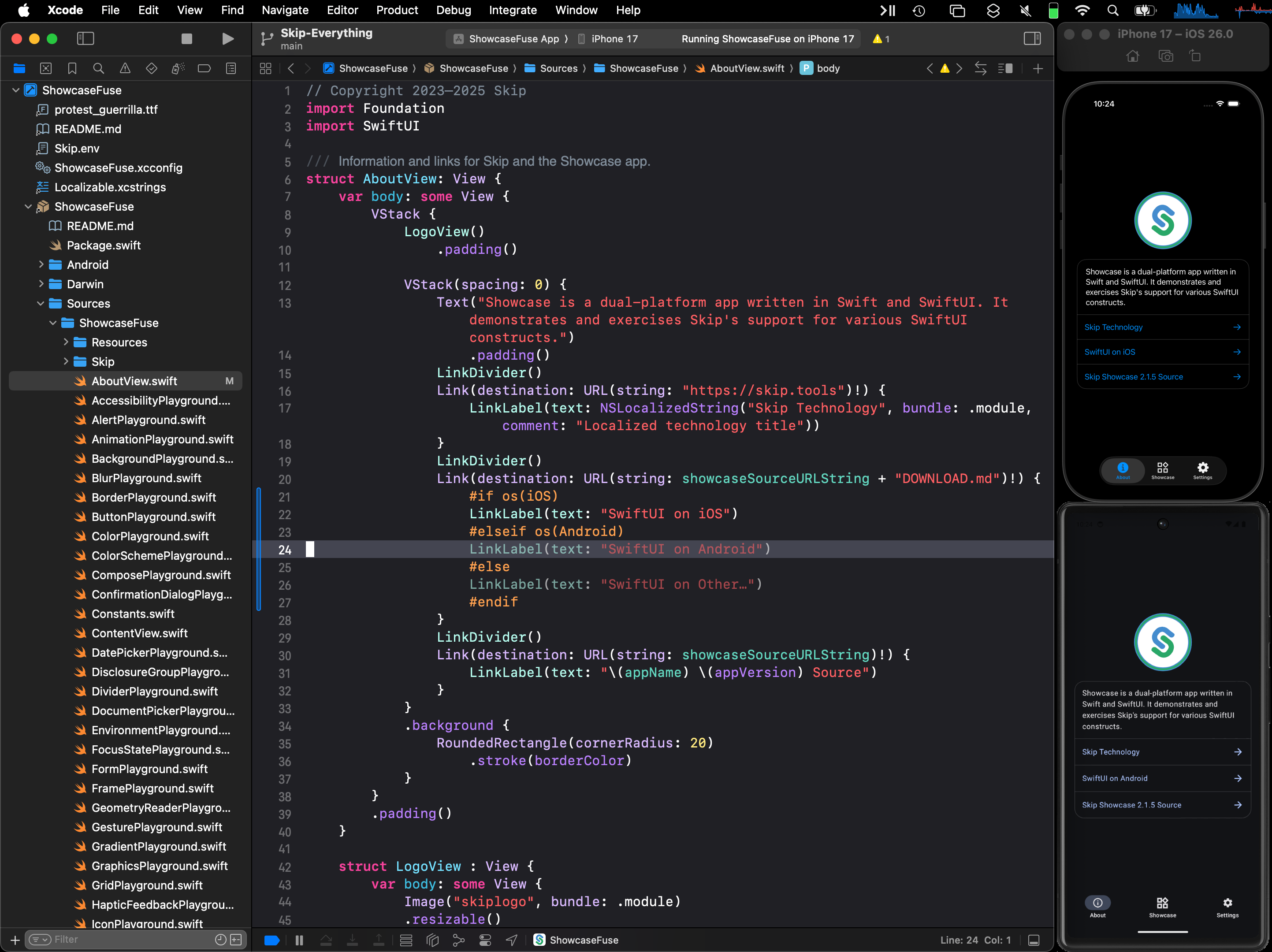
Consult the SkipUI module’s documentation for a listing of currently-supported SwiftUI constructs on Android. You can also examine the ShowcaseFuse cross-platform sample app, which displays and exercises most supported SwiftUI components:

Screen recording

The “Items” tab displays an editable list of items which are managed by Sources/HowdySkip/ViewModel.swift, which handles loading and saving the list of items to a simple JSON file. This code uses standard Foundation types (URL, Data, Date, FileManager, JSONEncoder, JSONDecoder, etc.) to handle the management and persistence of the items. Note that unlike the SwiftUI in ContentView, none of this code is bridged into Kotlin: it is using the Apple swift-foundation types directly, just as on iOS.

Screenshot of the Howdy Swift native app List Tab

Despite only using native Foundation types, you will notice that ViewModel.swift imports SkipFuse. Just as SkipFuseUI bridges your UI to Android, SkipFuse bridges model-layer code. We use it here to enable our @Observable view model to communicate changes to the Jetpack Compose user interface. This is discussed further in Part 2 of the series. You generally don’t need to be concerned with the details other than to remember to import SkipFuse (or SkipFuseUI) any time you implement an @Observable.

The final tab of the sample app is the “Settings” screen. This exposes various settings and displays some information about the app. It also presents a little heart emoji, which is blue on iOS and green on Android.

Screenshot of the Howdy Swift native app Settings Tab

We use the green heart emoji to demonstrate a powerful feature of Skip: the ability to embed code that directly calls Kotlin and Jetpack Compose APIs! Examining the SettingsView in ContentView.swift, you will see the inclusion of a PlatformHeartView, whose implementation looks like this:

/// A view that shows a blue heart on iOS and a green heart on Android.
struct PlatformHeartView : View {
var body: some View {
#if !os(Android)
Text(verbatim: "💙")
#else
ComposeView {
HeartComposer()
}
#endif
}
}
#if SKIP
/// Use a ContentComposer to integrate Compose content. This code will be transpiled to Kotlin.
struct HeartComposer : ContentComposer {
@Composable func Compose(context: ComposeContext) {
androidx.compose.material3.Text("💚", modifier: context.modifier)
}
}
#endif

What is going on here? Notice that on Android, we’re rendering the heart with a ComposeView, a special SwiftUI view for including Jetpack Compose content in the form of a ContentComposer.

/// Encapsulation of Composable content.
public protocol ContentComposer {
@Composable func Compose(context: ComposeContext)
}

But how can we define @Composable functions and call Android APIs from within our native Swift code?

The magic lies in Skip’s ability to transpile Swift code into Kotlin, and SkipFuse’s ability to bridge between Kotlin and your compiled Swift. Any code in a #if SKIP block will be transformed into the equivalent Kotlin, so it is free to call other Kotlin and Java APIs directly. The generated #if SKIP Kotlin will also be automatically bridged so that you can call it from your native Swift.

Diagram of Skip's custom Compose view embedding

Screen recording

The ability to effectively embed Kotlin code is immensely powerful. It not only provides direct access Jetpack Compose and the Android SDK, but also enables you to tap into the complete Android ecosystem of libraries through Kotlin and Java dependencies.

Of course, using native Swift allows you to take advantage of the vast and growing ecosystem of available Swift packages as well. In our post on Bringing Swift Packages to Android we introduced the swift-everywhere.org site that tracks packages that are successfully building for Android. Since that post, community members have been implementing Android support, bringing the number of known packages that can be used on Android to 2,240! Popular projects like Alamofire, flatbuffers, SwiftSoup, swift-protobuf, and swift-sqlcipher (just to name a few) can be added directly to your app and used in the same way on both iOS and Android.

Skip’s unique ability to directly call both Swift and Kotlin/Java APIs separates it from most cross-platform development frameworks, where integrating with the host system often requires bespoke adapters and extra layers of indirection.

As a demonstration and validation of this technology, we have published one of our sample apps, Skip Showcase, to both the Google Play Store and Apple App Store. This fully native Swift app demonstrates parity between SwiftUI components on iOS and Android.

Download on the Google Play Store Download on the Apple App Store

Despite being generally available, Skip’s native support is currently a technology preview. We are working on updating our documentation, finding and squashing remaining bugs and limitations, reducing build times, and generating smaller Android binaries. Even as a preview, however, you can build complete, production-ready cross-platform Swift apps, as Skip Notes demonstrates.

Cross-platform Swift and SwiftUI have been a dream of ours for a long time. We are immensely excited about the possibilities this unlocks for creating truly best-in-class apps for both iOS and Android from a single codebase!

Swift Everywhere: Bringing Swift Packages to Android

Swift Android Logo {: style=“text-align: center; width: 200px; margin: auto;”}

  • Table of contents {:toc}

In recent weeks, the Skip team has submitted patches to numerous Swift projects to add Android support to their packages. We’ve been tracking the progress of Android build-ability on our swift-everywhere.org web site, which catalogs a list of many popular Swift packages and whether they compile for Android. At the time of writing, nearly two thousand Swift packages are building successfully for Android, with more being added every day.

This article will go over what our experience porting Swift packages has taught us, and how you can apply this knowledge to turn your parochial Apple-only Swift package into a universal multi-platform package that can build for not just iOS and macOS, but also for Android.

What sorts of Swift packages are good candidates for Android? The best litmus test is whether the package offers general-purpose functionality, as opposed to having an integral dependency on iOS-specific frameworks. Some examples of good candidates are:

  • Business logic
  • Algorithms and generic data structures
  • Networking utilities
  • Online web service and API clients
  • Data persistence
  • Parsers and formatters

On the flip side, examples of packages that would be challenging to bring to Android might be:

  • Custom UIKit components
  • HealthKit, CarPlay, Siri integration libraries
  • Other Apple-specific *Kit library integrations

Now, just because a Swift package is designed to work with an Apple-specific framework doesn’t mean that it is impossible to port to Android. It just means that it would be a signifiant amount of work and involve creating a bridge to the equivalent Kotlin or Java framework. This is by all means possible – and will be the topic of a future post – but the subject of this article is how to bring naturally portable Swift packages to Android.

Say you have a conventional Swift package that contains a Package.swift file at the root and has the usual Sources/ and (hopefully) Tests/ folders that contain the individual targets and source files.

Does running swift build and swift test in the package directory work from the Terminal? If so, then you already have a cross-platform package that works on multiple platforms: iOS and macOS! That, by itself, is a good sign that your package might be suitable for Android. Many frameworks that are available on iOS are not present on macOS, so either your package doesn’t use too many iOS frameworks, or it is smart enough to only reference them conditionally (more on that below). But how do we build and test for Android?

First, install Skip and the native Android SDK by following the instructions in our documentation. Then try to build your Swift package with the Android toolchain. The very abbreviated quick start looks like:

$ brew tap skiptools/skip
$ brew install skiptools/skip/skip
skip was successfully installed!
$ skip android sdk install
[✓] Install Swift Android SDK (2.4s)
$ cd MySwiftPackage/
$ skip android build
Building for debugging...
[0/2] Write sources
[4/4] Emitting module DemoPackage
Build complete! (1.85s)

If you see “Build complete!” then congratulations! Your package already builds for Android, and you can move on to the Testing section. But if you encounter errors from the build command, you will need to port your package over to Android. Read on…

Wikipedia defines porting as the “process of adapting software for the purpose of achieving some form of execution in a computing environment that is different from the one that a given program (meant for such execution) was originally designed for”.

In other words, you made your Swift package with iOS in mind, and now you want it to work on Android. The following sections will go over some of the most common issues you may hit when first trying to build your package on this new platform.

Conditionally Importing and Using Platform-Specific Modules

Section titled “Conditionally Importing and Using Platform-Specific Modules”

Suppose your Swift package defines an Event protocol with a simple default implementation:

protocol Event {
var dateRange: Range<Date> { get }
var isConfirmed: Bool { get }
}
struct SimpleEvent : Hashable, Codable {
let start, end: Date
let confirmed
}
extension SimpleEvent : Event {
var dateRange: Range<Date> { self.start..<self.end }
var isConfirmed: Bool { confirmed }
}

Your package also includes an extension to implement Event using the iOS EventKit framework, like so:

import EventKit
extension EKEvent : Event {
var dateRange: Range<Date> { self.startDate..<self.endDate }
var isConfirmed: Bool { self.status == .confirmed }
}

EventKit is an Apple-only framework, so when you try to build the package for Android, you will hit an error:

$ skip android build
7 | import EventKit
| `- error: no such module 'EventKit'

The solution to this is simple: wrap any code that references the missing module in #if canImport(EventKit), which conditionally compiles the code only when the specified module is available:

protocol Event {
var dateRange: Range<Date> { get }
var isConfirmed: Bool { get }
}
struct SimpleEvent : Hashable, Codable {
let start, end: Date
let confirmed
}
extension SimpleEvent : Event {
var dateRange: Range<Date> { self.start..<self.end }
var isConfirmed: Bool { confirmed }
}
#if canImport(EventKit)
import EventKit
extension EKEvent : Event {
var dateRange: Range<Date> { self.startDate..<self.endDate }
var isConfirmed: Bool { self.status == .confirmed }
}
#endif

Now you will have all the general functionality of the package available to Android, which you can adapt for any Android-specific data structures you may create in the future.

Consider the following simple utility that fetches a URL and decodes it into an Item struct:

import Foundation
struct Item: Decodable {
let id: Int
let name: String
}
func fetch(_ url: URL) async throws -> Item {
let (data, response) = try await URLSession.shared.data(from: url)
return try JSONDecoder().decode(Item.self, from: data)
}

You may be surprised to see this fail to compile for Android:

$ skip android build
Building for debugging...
Fetcher.swift:9:49: error: type 'URLSession' (aka 'AnyObject') has no member 'shared'
7 |
8 | func fetch(_ url: URL) async throws -> Item {
9 | let (data, response) = try await URLSession.shared.data(from: url)
| `- error: type 'URLSession' (aka 'AnyObject') has no member 'shared'
10 | return try JSONDecoder().decode(Item.self, from: data)
11 | }

This somewhat confusing error message just means that it can’t find the URLSession type, because it isn’t present in the Foundation module on Android.

On Darwin platforms (macOS, iOS, and other Apple operating systems), the Foundation module is an umbrella for a wide variety of functionality. But on other platforms, such as Android and Linux, Foundation is broken up into multiple separate sub-components:

  • FoundationEssentials: All the basic Foundation types: Date, Calendar, URL, IndexSet, etc.
  • FoundationInternationalization: DateFormatter, NumberFormatter, and other localization utilities
  • FoundationNetworking: URLSession, URLCache, and other networking utilities
  • FoundationXML: XMLParser

The solution to this is simple: add a conditional import of FoundationNetworking to any file that uses any networking functionality, like so:

import Foundation
#if canImport(FoundationNetworking)
import FoundationNetworking
#endif
struct Item: Decodable {
let id: Int
let name: String
}
func fetch(_ url: URL) async throws -> Item {
let (data, response) = try await URLSession.shared.data(from: url)
return try JSONDecoder().decode(Item.self, from: data)
}

This will include the required FoundationNetworking module for platforms like Android and Linux that need it, but quietly ignore it on Darwin platforms like iOS and macOS where the networking types are included with the monolithic Foundation framework.

Swift has excellent integration with C, and many useful functions come in from the system’s C library, which is called Darwin on macOS and iOS. Take the simple example of calculating the hypotenuse of a triangle, which uses some math functions brought in from the standard C library:

import Darwin
func hypotenuse(a: Double, b: Double) -> Double {
return sqrt(pow(a, 2) + pow(b, 2))
}

If you try to build this for Android, you will hit the error:

1 | import Darwin
| `- error: no such module 'Darwin'

This is because the Darwin module doesn’t exist for Android. It is instead simply called Android. Again, we solve this with our handy conditional canImport:

#if canImport(Darwin)
import Darwin
#elseif canImport(Android)
import Android
#else
#error("Unknown platform")
#endif
func hypotenuse(a: Double, b: Double) -> Double {
return sqrt(pow(a, 2) + pow(b, 2))
}

In this case, we import either Darwin on iOS and macOS, or Android on Android. Both of these will provide access to the system’s standard C library.

Simple C functions (like pow and sqrt) will generally be surfaced in exactly the same way on Darwin and Android platforms. But the definition of some functions and data structures in the Android C library can sometimes differ in subtle ways. For example, the following code uses the FILE type and fopen and fwrite C functions on Darwin platforms:

import Darwin
let fd: UnsafeMutablePointer<FILE> = fopen("file.txt", "w")
var buffer: [UInt8] = [1, 2, 3]
let count: Int = buffer.withUnsafeBufferPointer { ptr in
fwrite(ptr.baseAddress, MemoryLayout<UInt8>.stride, ptr.count, fd)
}

This will fail to build for Android:

$ skip android build
FileWrite.swift:15:30: error: cannot find type 'FILE' in scope
13 | #endif
14 |
15 | let fd: UnsafeMutablePointer<FILE> = fopen("file.txt", "w")
| `- error: cannot find type 'FILE' in scope
16 | var buffer: [UInt8] = [1, 2, 3]
17 | let count: Int = buffer.withUnsafeBufferPointer { ptr in
FileWrite.swift:18:16: error: value of optional type 'UnsafePointer<UInt8>?' must be unwrapped to a value of type 'UnsafePointer<UInt8>'
16 | var buffer: [UInt8] = [1, 2, 3]
17 | let count: Int = buffer.withUnsafeBufferPointer { ptr in
18 | fwrite(ptr.baseAddress, MemoryLayout<UInt8>.stride, ptr.count, fd)
| |- error: value of optional type 'UnsafePointer<UInt8>?' must be unwrapped to a value of type 'UnsafePointer<UInt8>'
| |- note: coalesce using '??' to provide a default when the optional value contains 'nil'
| `- note: force-unwrap using '!' to abort execution if the optional value contains 'nil'
19 | }
20 |

There are two separate issue here:

  • FILE doesn’t exist on Android, so UnsafeMutablePointer<FILE> must be replaced with OpaquePointer
  • Functions like fwrite that take a file pointer will not accept an optional, and so must be force-unwrapped from their pointer’s rawValue

The following conditional typealias will handle the first issue, and simply force-unwrapping the pointer’s address (which should be valid on all platforms) addresses the second:

#if canImport(Darwin)
import Darwin
#elseif canImport(Android)
import Android
#else
#error("Unknown platform")
#endif
#if os(Android)
typealias Descriptor = OpaquePointer
#else
typealias Descriptor = UnsafeMutablePointer<FILE>
#endif
let fd: Descriptor = fopen("file.txt", "w")
var buffer: [UInt8] = [1, 2, 3]
let count: Int = buffer.withUnsafeBufferPointer { ptr in
fwrite(ptr.baseAddress!, MemoryLayout<UInt8>.stride, ptr.count, fd)
}

Unless you are developing very low-level code that interfaces with the platform’s C library, you will rarely encounter these sorts of issues. But when you do, it is good to know that the solutions tend the be fairly simple. The most difficult part is often just deciphering the compilation failure message.

So now your package builds for Android with the command: skip android build. Amazing!

But you are only halfway there: you need to make sure your code not only builds for Android, but that it actually works. Hopefully, your Swift package includes test cases in the Test/ folder, and running the tests locally on your macOS machine with swift test works. For example, with the swift-algorithms package:

$ swift test
Building for debugging...
[78/78] Linking swift-algorithmsPackageTests
Build complete! (12.67s)
Test Suite 'All tests' started at 2025-01-21 19:25:03.841.
Test Suite 'swift-algorithmsPackageTests.xctest' started at 2025-01-21 19:25:03.842.
Test Suite 'AdjacentPairsTests' started at 2025-01-21 19:25:03.842.
Test Case '-[SwiftAlgorithmsTests.AdjacentPairsTests testEmptySequence]' started.
Test Case '-[SwiftAlgorithmsTests.AdjacentPairsTests testEmptySequence]' passed (0.002 seconds).
Test Case '-[SwiftAlgorithmsTests.AdjacentPairsTests testIndexTraversals]' started.
Test Case '-[SwiftAlgorithmsTests.AdjacentPairsTests testIndexTraversals]' passed (0.002 seconds).
Test Suite 'All tests' passed at 2025-01-21 19:25:05.718.
Executed 212 tests, with 0 failures (0 unexpected) in 1.870 (1.876) seconds

In order to run your tests on Android, you will need to either plug in an Android device (with USB debugging enabled), or else configure and launch an Android emulator, either from the command line or Android Studio).

Once you have your Android development target setup, you can run your package’s test cases with the skip android test command, which will compile the test cases, bundle them up (along with any associated resources), copy them to the Android device or emulator, and then execute the test cases remotely.

For example, for the swift-algorithms package:

% skip android test
[0/1] Planning build
Building for debugging...
[83/84] Linking swift-algorithmsPackageTests.xctest
Build complete! (11.68s)
[✓] Check Swift Package (0.87s)
[✓] Connecting to Android (0.18s)
[✓] Copying test files (0.88s)
Test Suite 'All tests' started at 2025-01-21 21:02:09.086
Test Suite 'swift-algorithms-1C77777B-CEC3-4075-8853-E77CECFCF30B.xctest' started at 2025-01-21 21:02:09.105
Test Suite 'AdjacentPairsTests' started at 2025-01-21 21:02:09.105
Test Case 'AdjacentPairsTests.testEmptySequence' started at 2025-01-21 21:02:09.105
Test Case 'AdjacentPairsTests.testEmptySequence' passed (0.014 seconds)
Test Case 'AdjacentPairsTests.testIndexTraversals' started at 2025-01-21 21:02:09.120
Test Case 'AdjacentPairsTests.testIndexTraversals' passed (0.004 seconds)
Test Suite 'All tests' passed at 2025-01-21 21:02:21.697
Executed 212 tests, with 0 failures (0 unexpected) in 12.579 (12.579) seconds

If there are any test failures, this is where you will delve into the details of your test case, isolate the problem, and apply fixes. There are many reasons why tests may fail, such as assumptions about the filesystem layout. These will need to be examined and resolved on a case-by-case basis.

Once all your tests pass, you’ve successfully brought your Swift package to Android!

Once you have your package building and your tests passing, you will want to ensure that they continue to pass. Maintaining a package that supports multiple platforms can be more challenging than just a single platform, because often when a new feature is implemented or a bug is fixed, the change will only be tested on the platform the developer is currently working with. For example, if you are working on the iOS side of your application and make a bug fix in one of your packages, you may only test the changes on that one platform, but it may inadvertently break something on another platform.

This is where continuous integration (CI) can be useful. If you use GitHub as your package’s source code management system, you can utilize GitHub Actions to automatically build and test your package on multiple platforms whenever you push to the repository or, for example, whenever a pull request is created from a branch or fork.

In order to facilitate Android CI, we provide the swift-android-action, which enables you to build and test your package against Android in a single line of configuration.

The following example of a .github/workflows/ci.yml script will build and test your package on each of macOS, iOS, Linux, and Android whenever a commit is pushed or a PR is created:

name: swift package ci
on:
push:
branches:
- '*'
workflow_dispatch:
pull_request:
branches:
- '*'
jobs:
linux-android:
runs-on: ubuntu-latest
steps:
- uses: actions/checkout@v4
- name: "Test Swift Package on Linux"
run: swift test
- name: "Test Swift Package on Android"
uses: skiptools/swift-android-action@v2
macos-ios:
runs-on: macos-latest
steps:
- uses: actions/checkout@v4
- name: "Test Swift Package on macOS"
run: swift test
- name: "Test Swift Package on iOS"
run: xcodebuild test -sdk "iphonesimulator" -destination "platform=iOS Simulator,name=iPhone 15" -scheme "$(xcodebuild -list -json | jq -r '.workspace.schemes[-1]')"

You can see this workflow in play in many of the packages on GitHub that support Android, such as Skip’s own swift-sqlcipher package.

In this way, you can be assured that once you have done the hard work of getting your package working with Android, it continues to work on all your supported platforms.

Expanding your Swift packages to support platforms beyond iOS may at first seem daunting, but using the advice from this article, you can follow a few simple steps that will put you on the right track:

  1. Setup Skip and the Swift Android SDK
  2. Try to build your package with skip android build
  3. Identify build errors and resolve them with conditional imports and by accommodating platform differences
  4. Set up an Android emulator or device for testing
  5. Test your package with skip android test
  6. Identify test failures and resolve them on a case-by-case basis

This is the sequence we have used to add Android support to dozens of popular Swift packages, such as GraphQL, CryptoSwift, and PromiseKit. With nearly 2,000 Swift packages currently building for Android, we feel the platform has achieved enough critical mass to make Swift an attractive language for many parts of your apps on both major mobile platforms: iOS and Android. And if you have a popular GitHub package that builds for Android, expect it to show up at swift-everywhere.org in the near future!

To learn more about running Swift on Android and how it integrates with Skip’s tools for creating dual-platform mobile apps, please see our ongoing blog series on the topic: