
Skip to content
Skip
3.1k

liquid-glass

3 posts with the tag “liquid-glass”

Android development is now Compose First

Last week at Google I/O, the Android team announced (to audience cheers1) that all new Android UI will be Jetpack Compose going forward. The Android is Compose-first page on the developer site now states2:

Jetpack Compose is Android’s declarative UI toolkit, built for modern user interfaces, with dynamic data, rich graphics, and beautiful animations. It’s replacing the View toolkit, which has served Android development well for years, but was not designed for the latest demands and best practices.
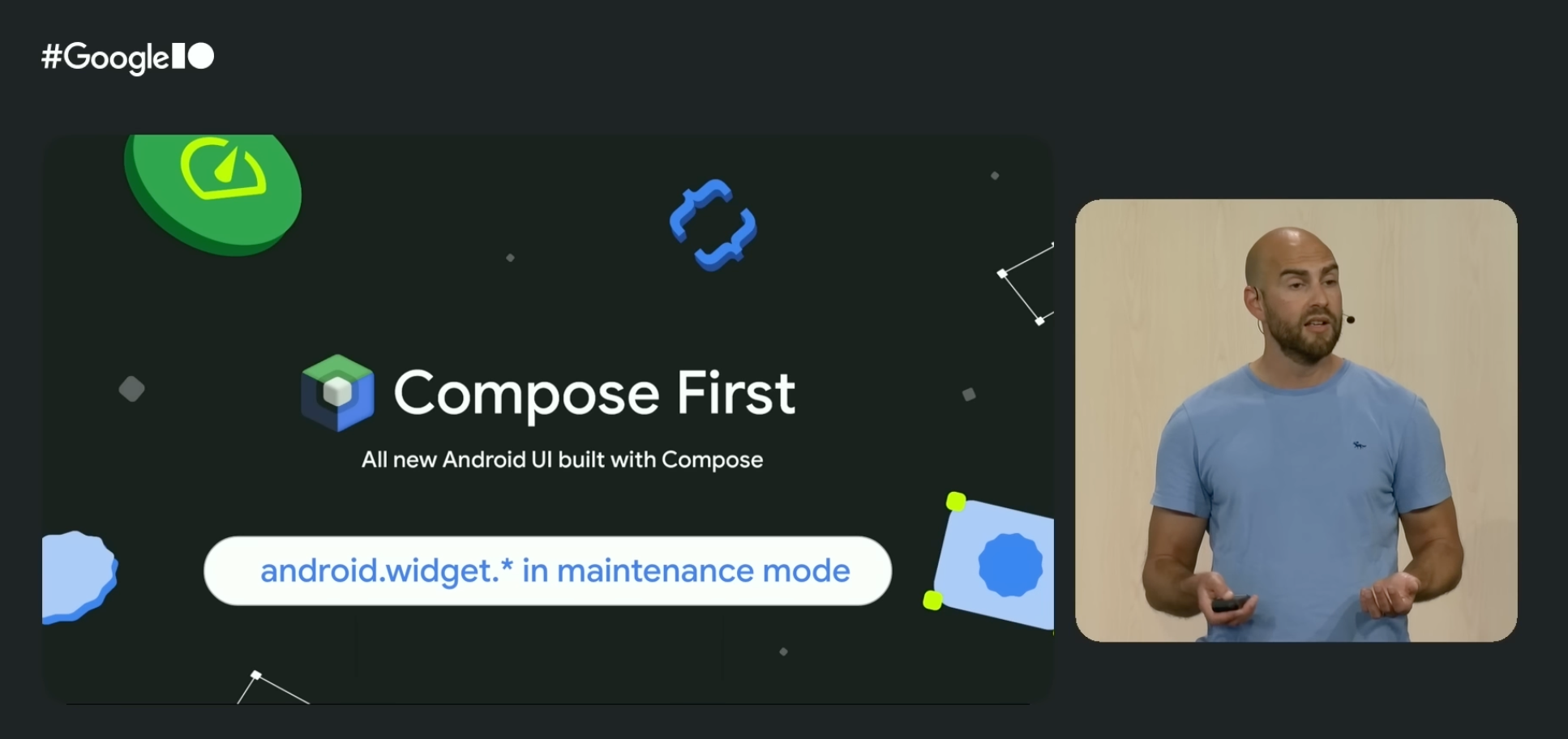
Slide from the Google I/O 2026 What's new in Android session reading 'Compose First — all new Android UI built with Compose' with the chip 'android.widget.* in maintenance mode' below it.

The same page declares that the old View system is, without quite saying “deprecated”, moribund technology:

We now consider the View toolkit (for example, classes in android.widget such as TextView and ListView) to be in maintenance mode — this means that it will only receive highly critical fixes.

The companion announcement covers the Jetpack libraries and Android Studio’s UI tooling as well: the View-based libraries are frozen at “critical fixes only”, and any new tooling in Android Studio will target Compose only. Existing View-era tools such as the Layout Editor and Navigation Editor will continue to receive only critical fixes in maintenance mode, but will not be enhanced and improved going forward.

For anyone tracking the Android platform over the last several years, this should come as no surprise: Compose has been the recommended toolkit for new development since 2021. But it is the clearest signal yet that the long transition is now effectively over. Compose is the future, and the Android View system — like UIKit on iOS — is legacy technology.

This is the right outcome for Android developers. Compose is a modern toolkit that embraces the industry’s trend towards a declarative state-driven user interface paradigm. It is where the platform’s investment is going, and it is what new APIs will be built around.

It is also an outcome that validates Skip’s unique approach. Skip has been “Compose-first” on Android since the day we first shipped, both in Skip Lite (where we transpile SwiftUI into idiomatic Compose) and in Skip Fuse (where we bridge native Swift to Compose directly). When you write List, NavigationStack, or TextField in your SwiftUI source, the Android side of your app builds a real Jetpack Compose tree using the same components that a Kotlin Android developer would reach for. There is no parallel widget hierarchy or custom renderer, and no second-class “Compose interop” mode. The Compose tree is the Android UI, just as the SwiftUI tree is the iOS UI.

Apple issued a symmetric declaration four years earlier in their Platforms State of the Union3:

The best way to build an app is with Swift and SwiftUI.
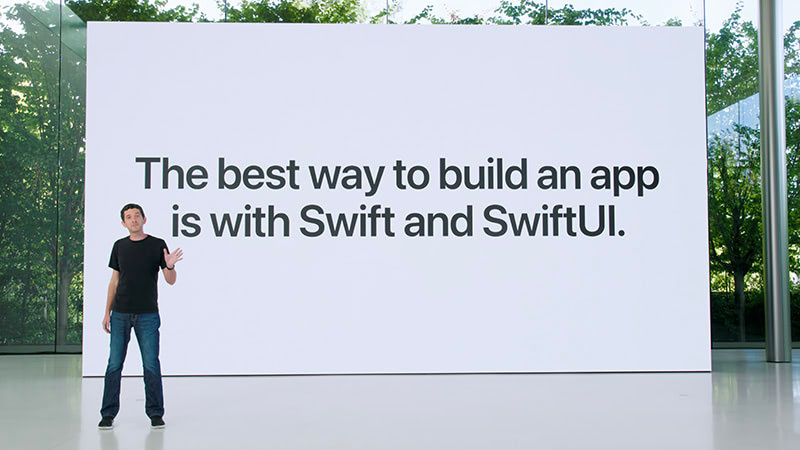
WWDC 2022 slide reading "The best way to build an app is with Swift and SwiftUI."

One of the fundamental principles of Skip is that it simply doesn’t exist on iOS. The Apple side of a Skip app is the same Xcode project and App struct and SwiftUI view hierarchy that an iOS-only team would produce. While we do have plenty of platform and integration frameworks that help provide unified API surfaces between iOS and Android libraries, the Skip toolchain itself, on iOS, is invisible at runtime. Skip’s build plugin assembles and launches the Android counterpart of your app side-by-side with the iOS build, but it does not wrap or intermediate your SwiftUI views. When you write Text("Hello") in a Skip project, the iOS binary contains a Text("Hello") — nothing more and nothing less.

This is what we mean when we say Skip is not an intermediation layer on iOS. There is no abstraction between your code and Apple’s frameworks for a SwiftUI compiler to optimize through, and no compatibility layer for an OS upgrade to break. You are not running a “Skip-flavoured” SwiftUI: you are running SwiftUI.

A practical consequence showed up last summer, when Apple unveiled their new Liquid Glass design language at WWDC 2025. Regardless of how one feels about this aesthetic redesign, every existing Skip app automatically picked it up the day the first developer beta shipped. There was no Skip update required and no SwiftUI compatibility layer to upgrade. Liquid Glass is implemented inside Apple’s frameworks, and Skip apps use Apple’s frameworks directly; therefore Skip apps look like the rest of iOS automatically. The same will be true for the next design refresh, and the one after that. This sort of guaranteed future-compatibility is essential for teams that prioritize harmony with the platform and alignment with the first-party SDKs.

Why other cross-platform frameworks struggle to keep up

Section titled “Why other cross-platform frameworks struggle to keep up”

The Compose-first Android announcement, along with last year’s Liquid Glass unveiling, are both instructional opportunities to scrutinize the structural issues that other cross-platform UI tools have.

Cross-platform UI frameworks generally fall into one of two camps:

  1. Pixel-painted widgets: Flutter is the most obvious example. Flutter draws its own buttons, switches, scrollbars, and navigation chrome by using Skia (now Impeller) to paint raw pixels into a canvas. The result is a single widget set that looks similar on every platform, along with optional “Cupertino” and “Material” widget sets that try to mimic the real native look and feel of the platform. Compose Multiplatform, on the iOS side, also falls into this category: while it is real Jetpack Compose on Android, on iOS it takes the same pixel-painting approach to mimicking the native UI as Flutter does.

  2. Legacy-technology bridges: React Native sits a bit closer to the platform but still maintains its own component hierarchies on each side. It exposes a limited set of platform widgets to a JavaScript runtime through a bridge. This has the benefit of using “real” components (typically UIKit views on iOS and Android Views on Android), but lays them out using their own CSS-derived styling that can deviate from evolving platform conventions.

Both approaches share the same downside: when the platform changes, the framework must catch up. Each new design language is a project and every new control variant has to be re-implemented. When Apple shipped Liquid Glass, the response from the Flutter team was straightforward about their architectural limitations in their response on the subject:

As with Material 3 Expressive, we are not developing the new Apple’26 UI design features in the Cupertino library right now, and we will not be accepting contributions for these updates at this time.

A year on, Liquid Glass support has still not landed in any major cross-platform UI toolkit’s iOS layer. Flutter’s Cupertino widgets still look like iOS 18, and will be stuck there for the foreseeable future. Compose Multiplatform on iOS still renders like an Android Material Design app painted onto an iPhone screen. React Native apps inherit whatever underlying native control they wrap, but the parts of the app the framework draws itself — sheets, navigation transitions, list rows — do not change.

Skip avoids — or “skips” — this entire class of problem altogether. On Android the toolkit is Compose because Skip emits Compose. On iOS the toolkit is SwiftUI because Skip doesn’t exist there. Skip is the only cross-platform development tool that uses the platform-recommended UI toolkit on both iOS and Android; that is the value proposition.

We expand on this topic at length in our comparison of cross-platform options. The short version is that an app built with a UI framework that mimics the platform always trails the platform; an app built with a UI framework that is the platform never does.

Apple’s WWDC conference starts next week. We don’t know what will be on the keynote stage. There is the usual swirl of rumor and speculation, and our guess is as good as anyone else’s. What we do know is that whatever ships, Skip apps will adopt it on day one, for the same reason that we supported Liquid Glass on day one: Skip does not stand between your code and SwiftUI. And now that Android is an officially supported platform for the Swift language, we can state with confidence that nothing that happens in the language itself will ever be unsupportable on the Android side, regardless of whether you use Skip Lite’s transpiled mode or Skip Fuse’s compiled mode.

We at Skip have always said:

Squint hard enough and Kotlin looks like Swift.

Squint really hard, and Jetpack Compose looks like SwiftUI.

These two declarative state-driven reactive toolkits are aligned in theory, they just happen to be drastically different in implementation. At its essence, all Skip does is bridge the divide, allowing you to create a single unified codebase that targets both native toolkits without having to write — and maintain — your app twice.

We are excited about what is coming. We will be watching the keynote and “State of the Union” with the rest of you, and we will be ready to write about whatever lands. The one thing we will not have to write about is “when will Skip support this.” We already have the answer: day one, now and forever.

  1. Nick Butcher, Ash Nohe, and Daniel Galpin, What’s new in Android, Google I/O 2026.

  2. Android is Compose-first, Android Developers, May 2026.

  3. Sebastien Marineau-Mes, Platforms State of the Union, WWDC 2022.

Skip 2025 Retrospective and 2026 Roadmap

As 2025 comes to a close, we’ve been reflecting on how far Skip has advanced this year. What began nearly three years ago with a simple desire to enable cross-platform app development with Swift and SwiftUI has grown into a thriving ecosystem, a strong community of developers and contributors, and a platform powering real production apps across iOS and Android.

This year wasn’t just about growth in numbers. It was about expanding depth and breadth: deeper integrations, stronger foundations, and a clearer vision for the future of native Swift across the dominant mobile platforms.

Native Swift on Android Becomes Officially Supported

Section titled “Native Swift on Android Becomes Officially Supported”

The highlight of 2025 by far was the official release of the Swift SDK for Android on swift.org, along with Skip’s support in the form of Skip Fuse. Prior to the advent of Skip Fuse, Skip operated solely in transpiled mode (now called “Skip Lite”), which converts Swift source code to Kotlin. Skip Fuse, on the other hand, builds natively-compiled Swift targeting the Android platform, which both eliminates the limitations imposed by source transpilation, as well as unlocks the universe of thousands of native Swift packages that are compatible with the Android platform.

Interest in the Swift SDK for Android has exploded since the initial announcement and follow-up blog posts on swift.org. We at Skip are proud to be founding members of the Swift Android workgroup, and we are committed to the platform’s enduring stability and support. And where the scope of the workgroup ends, we complete the picture by providing the tooling, libraries, and support needed to build universal apps from a single Swift codebase.

Liquid Glass and the Wisdom of Staying Native

Section titled “Liquid Glass and the Wisdom of Staying Native”

The launch of iOS 26 and the emergence of Liquid Glass as the new interface style was a pivotal moment for the cross-platform app development technosphere, as well as a powerful validation of Skip’s core philosophy. From day one, Skip has avoided intermediating or re-implementing SwiftUI on iOS or other Apple platforms. By staying fully native, Skip was able to support Liquid Glass on Day 1, automatically benefiting every Skip-based app without rewrites or workarounds (see our blog post on the topic).

In contrast, other cross-platform toolkits — such as Flutter and Compose Multiplatform — have found themselves stranded, incapable of adopting Liquid Glass and stuck on the previous UI generation with their mimicked faux-native components. For iOS users, that means outdated interfaces and an exacerbation of an already uncanny-valley non-native experience. For developers, it means frustration, limitation, and an inability to achieve the highest-quality app experience that their businesses demand.

Skip’s belief is that by embracing native platforms wholly — not abstracting them away — is the best path forward, both for users and developers. SkipUI maps un-intermediated SwiftUI on iOS to native Jetpack Compose on Android, guaranteeing that the user experience is always performant and familiar to users of the respective platforms.

A stock Skip app has just a few core dependencies: SkipUI, which provides a bridge from the SwiftUI API to a native Compose UI on Android, along with SkipFoundation, SkipModel, and SkipLib. But Skip also facilitates a thriving ecosystem of optional libraries, providing features and integrations that unlock the vast capabilities of third-party libraries and services and provide a unified dual-platform API surface.

Throughout 2025, Skip’s library ecosystem has matured and expanded dramatically. The community and core team introduced a wide range of new dual-platform frameworks designed to solve real-world problems without compromise. Some of our most popular integrations, like SQLite, Bluetooth, Firebase, Supabase, and WebView, have improved greatly through the help of outside contributions. These APIs were refined, edge cases were resolved, documentation improved, and real production feedback shaped work on of these frameworks.

In addition, we have some newer entrants to the Skip ecosystem, including:

  • SkipNFC and SkipDevice for unlocking low-level hardware capabilities
  • SkipStripe for Stripe for payments and subscriptions
  • SkipPostHog for analytics and product insights
  • SkipAuth0 for authentication and identity
  • SkipSocketIO for real-time communication through the Socket.IO libraries

These integration frameworks aren’t always just simple wrappers; they are designed to feel idiomatic in Swift, be composable with SwiftUI, and act faithfully with each platform’s underlying capabilities. And all of these platforms work equally with with transpiled Skip Lite as well as compiled Skip Fuse. A partial list of these Skip modules can be found at the Skip Module Index.

As exciting as 2025 was, we’re even more energized by what’s ahead. Our roadmap for 2026 includes:

  • A growing catalog of integration frameworks for popular libraries, services, and backend platforms
  • Continued expansion and refinement of SkipFuse and Swift-on-Android tooling
  • Performance improvements, better diagnostics, and enhanced developer ergonomics
  • Enhanced IDE integration, both with our existing Xcode support as well as emerging alternatives for iOS development
  • A new series of deep-dive blog posts exploring real-world Skip architectures, advanced SwiftUI patterns, and platform-specific best practices

Most importantly, we’ll continue building Skip in close collaboration with the community that made this year possible. If you haven’t yet tried Skip, there’s no better time than now to sign up for your free evaluation and start creating universal mobile apps that are free from compromises.

As always, Happy Skipping, and Happy New Year!

Skip and the next generation of mobile user interfaces

When you write dual-platform Swift and SwiftUI apps with Skip, the user interface of your app is always truly native to the platform - on both iOS and Android. This means that your app’s widgets and navigation idioms will feel truly “at home” to all of your users, and all the accessibility features of the underlying operating system will automatically work. This is true regardless of whether you are using Skip Lite’s transpiled mode or Skip Fuse’s more recent natively-compiled Swift.

A platform-native user interface matters, not just visually and for performance reasons, but also because it keeps up with system changes without needing to play “catch up” when the underlying system’s frameworks are updated. As a case in point, this week’s unveiling of iOS 26’s new “Liquid Glass” user interface at the Apple Worldwide Developer Conference (WWDC) was followed by this exhortation about the importance of using native frameworks1:

When you use Apple’s native frameworks, you can write better apps with less code. Some other frameworks promise the ability to write code once for Android and iOS.

And that may sound good, but by the time you’ve written custom code to adapt each platform’s conventions, connected to hardware with platform-specific APIs, implemented accessibility, and then filled in functionality gaps by adding additional logic and relying on a host of plugins, you’ve likely written a lot more code than you’d planned on.

And you are still left with an app that could be slower, look out of place, and can’t directly take advantage of features like Live Activities and widgets. Apple’s frameworks are uncompromisingly focused on helping you build the best apps.

We couldn’t agree more. Skip is uncompromisingly focused on helping you create the very best app experience using Apple’s frameworks on Apple devices, as well as the best experience using Android’s frameworks on Android devices. We describe Skip as a “dual-platform” technology rather than a “cross-platform” technology for a reason: we do not try to create our own lowest-common denominator imitation of the native experience. Rather, we let Apple be Apple and let Android be Android by embracing the platform-native interface and idioms that makes each operating system unique and beloved by their adherents.

This makes Skip unique among technologies that facilitate building universal apps from a single codebase. For example, shortly after the iOS interface redesign was previewed, an issue was filed in the Flutter project by a contributor:

With the introduction of iOS 26, Apple has begun rolling out the new Liquid Glass design language. This introduces significant changes to the visual styling and interaction behavior across native iOS apps. As a result, Flutter apps using the existing Cupertino widgets risk appearing visually outdated on the latest iOS devices, leading to a degraded user experience and a perception of apps being “non-native.”

For developers targeting iOS users who expect modern, fluid design aesthetics, this represents a significant challenge. There is currently no way to adopt these design changes through Flutter’s existing Cupertino widget set.

After some concerned discussion, the Flutter team issued a proclamation:

As with Material 3 Expressive, we are not developing the new Apple’26 UI design features in the Cupertino library right now, and we will not be accepting contributions for these updates at this time.

And with that statement, the door is closed on Flutter apps ever feeling genuinely native on future versions of either iOS or Android. A similar fate awaits any other technology that relies on mimicry to simulate the platform’s native user interface on iOS, such as Compose Multiplatform.

In contrast, Skip apps automatically work with the next generation of interface advances. Build and launch our sample Showcase app an iOS 26 device or simulator and you will be presented with the new “Liquid Glass” interface automatically.

Similarly, Skip will allow you to opt into Material 3’s Expressive redesign as it matures, giving your Android users the latest iteration of the Material design language. Skip achieves this by doing precisely nothing on iOS, and by bridging your shared Swift and SwiftUI to the recommended system frameworks on Android. The result is a universal app that uses the native toolkits for each platform: SwiftUI on iOS, and Jetpack Compose on Android.

Whether you are contemplating building a brand new app or considering your options for the future of your existing app(s), we encourage you to consider the advantages of Skip’s philosophy. We summarize the benefits of Skip compared to other multi-platform app building technology on our comparison page.

You can follow us on Mastodon at https://mas.to/@skiptools, and join in the Skip discussions at http://forums.skip.dev/. The Skip FAQ at /docs/faq/ is there to answer any questions, and be sure to check out the video tours at /tour/. And, as always, you can reach out directly to us on our Slack channel at /slack/.

  1. Matthew Firlik, Senior Director, Developer Relations at Platforms State of the Union (timecode 40:50)