Android development is now Compose First
Compose-First Android Development
Section titled “Compose-First Android Development”Last week at Google I/O, the Android team announced (to audience cheers1) that all new Android UI will be Jetpack Compose going forward. The Android is Compose-first ↗ page on the developer site now states2:
Jetpack Compose is Android’s declarative UI toolkit, built for modern user interfaces, with dynamic data, rich graphics, and beautiful animations. It’s replacing the View toolkit, which has served Android development well for years, but was not designed for the latest demands and best practices.
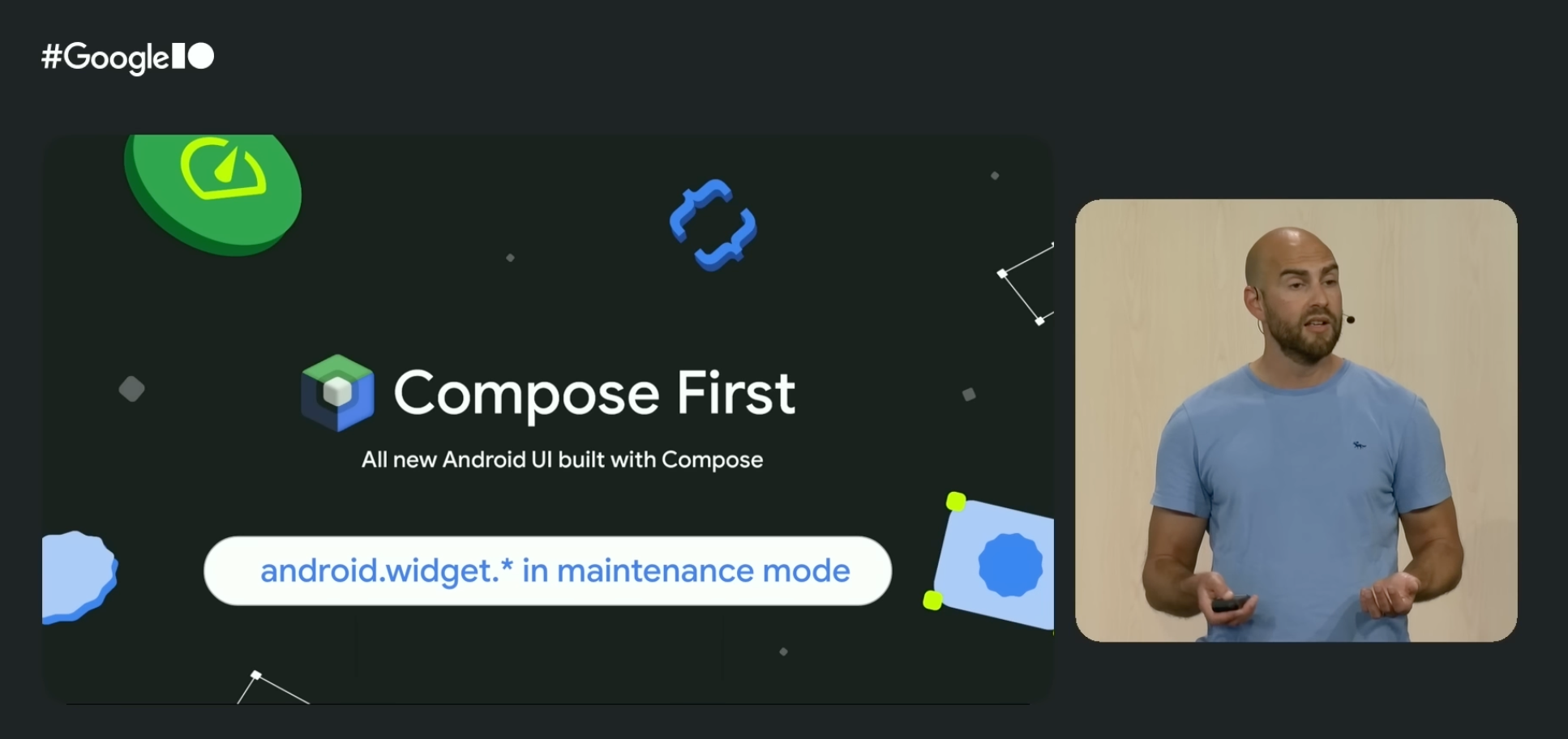
The same page declares that the old View system is, without quite saying “deprecated”, moribund technology:
We now consider the View toolkit (for example, classes in
android.widgetsuch asTextViewandListView) to be in maintenance mode — this means that it will only receive highly critical fixes.
The companion announcement covers the Jetpack libraries and Android Studio’s UI tooling as well: the View-based libraries are frozen at “critical fixes only”, and any new tooling in Android Studio will target Compose only. Existing View-era tools such as the Layout Editor and Navigation Editor will continue to receive only critical fixes in maintenance mode, but will not be enhanced and improved going forward.
For anyone tracking the Android platform over the last several years, this should come as no surprise: Compose has been the recommended toolkit for new development since 2021. But it is the clearest signal yet that the long transition is now effectively over. Compose is the future, and the Android View system — like UIKit on iOS — is legacy technology.
This is the right outcome for Android developers. Compose is a modern toolkit that embraces the industry’s trend towards a declarative state-driven user interface paradigm. It is where the platform’s investment is going, and it is what new APIs will be built around.
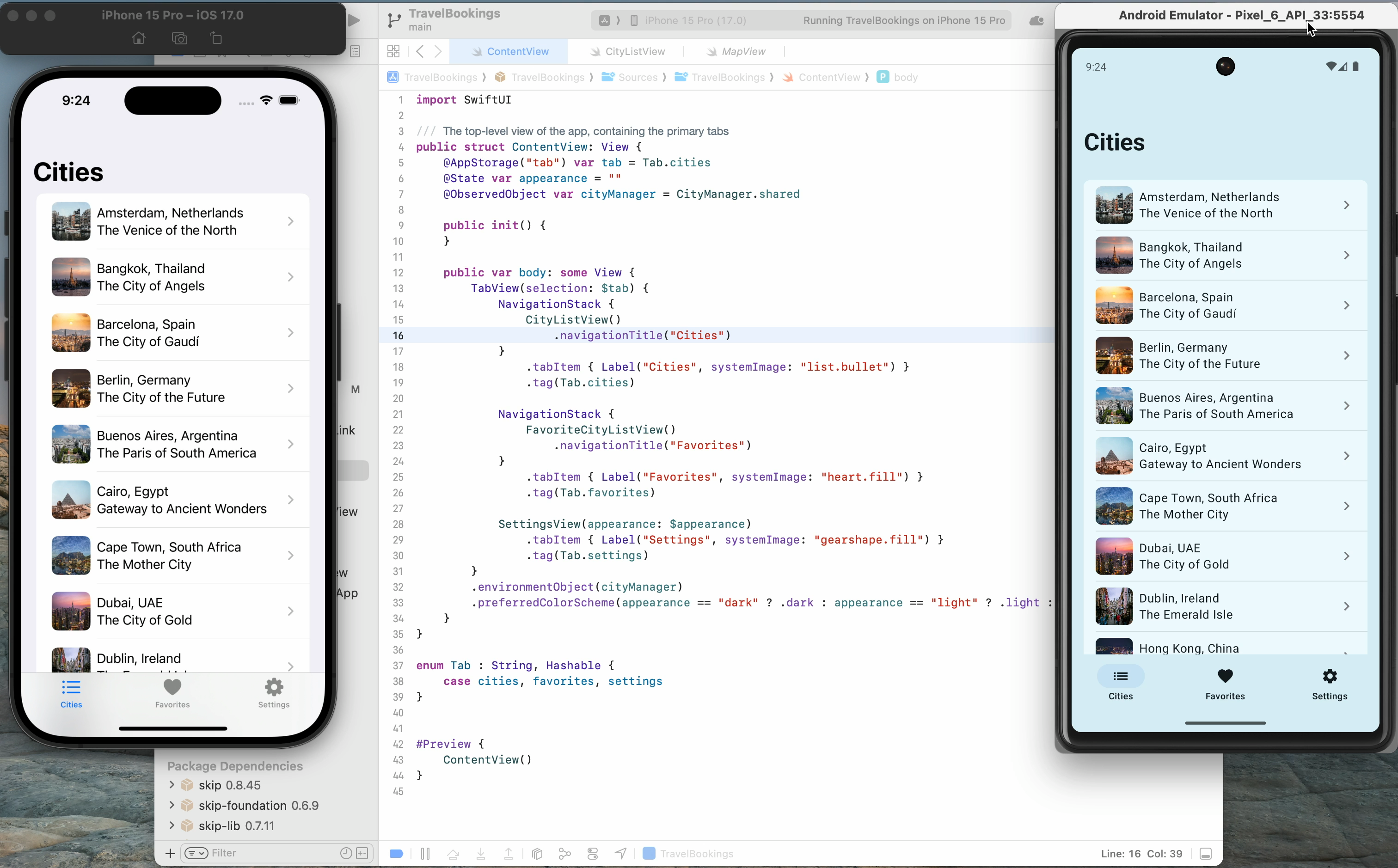
It is also an outcome that validates Skip’s unique approach. Skip has been “Compose-first” on Android since the day we first shipped, both in Skip Lite (where we transpile SwiftUI into idiomatic Compose) and in Skip Fuse (where we bridge native Swift to Compose directly). When you write List, NavigationStack, or TextField in your SwiftUI source, the Android side of your app builds a real Jetpack Compose tree using the same components that a Kotlin Android developer would reach for. There is no parallel widget hierarchy or custom renderer, and no second-class “Compose interop” mode. The Compose tree is the Android UI, just as the SwiftUI tree is the iOS UI.
SwiftUI-First iOS Development
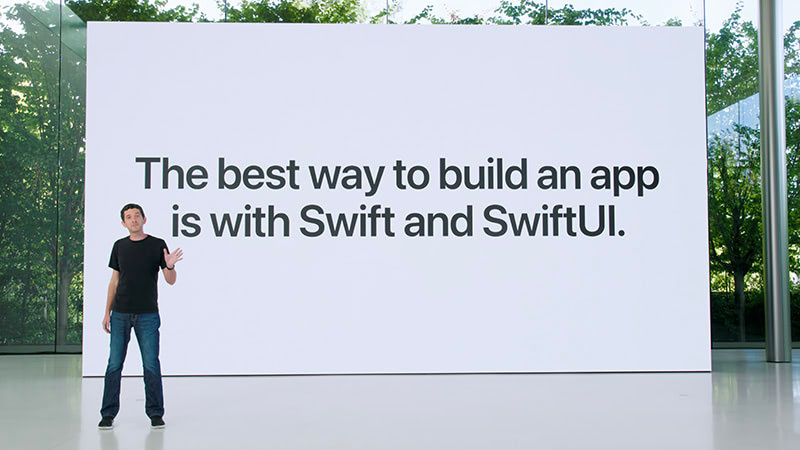
Section titled “SwiftUI-First iOS Development”Apple issued a symmetric declaration four years earlier in their Platforms State of the Union3:
The best way to build an app is with Swift and SwiftUI.
One of the fundamental principles of Skip is that it simply doesn’t exist on iOS. The Apple side of a Skip app is the same Xcode project and App struct and SwiftUI view hierarchy that an iOS-only team would produce. While we do have plenty of platform and integration frameworks that help provide unified API surfaces between iOS and Android libraries, the Skip toolchain itself, on iOS, is invisible at runtime. Skip’s build plugin assembles and launches the Android counterpart of your app side-by-side with the iOS build, but it does not wrap or intermediate your SwiftUI views. When you write Text("Hello") in a Skip project, the iOS binary contains a Text("Hello") — nothing more and nothing less.
This is what we mean when we say Skip is not an intermediation layer on iOS. There is no abstraction between your code and Apple’s frameworks for a SwiftUI compiler to optimize through, and no compatibility layer for an OS upgrade to break. You are not running a “Skip-flavoured” SwiftUI: you are running SwiftUI.
A practical consequence showed up last summer, when Apple unveiled their new Liquid Glass design language at WWDC 2025. Regardless of how one feels about this aesthetic redesign, every existing Skip app automatically picked it up the day the first developer beta shipped. There was no Skip update required and no SwiftUI compatibility layer to upgrade. Liquid Glass is implemented inside Apple’s frameworks, and Skip apps use Apple’s frameworks directly; therefore Skip apps look like the rest of iOS automatically. The same will be true for the next design refresh, and the one after that. This sort of guaranteed future-compatibility is essential for teams that prioritize harmony with the platform and alignment with the first-party SDKs.
Why other cross-platform frameworks struggle to keep up
Section titled “Why other cross-platform frameworks struggle to keep up”The Compose-first Android announcement, along with last year’s Liquid Glass unveiling, are both instructional opportunities to scrutinize the structural issues that other cross-platform UI tools have.
Cross-platform UI frameworks generally fall into one of two camps:
-
Pixel-painted widgets: Flutter is the most obvious example. Flutter draws its own buttons, switches, scrollbars, and navigation chrome by using Skia (now Impeller) to paint raw pixels into a canvas. The result is a single widget set that looks similar on every platform, along with optional “Cupertino” and “Material” widget sets that try to mimic the real native look and feel of the platform. Compose Multiplatform, on the iOS side, also falls into this category: while it is real Jetpack Compose on Android, on iOS it takes the same pixel-painting approach to mimicking the native UI as Flutter does.
-
Legacy-technology bridges: React Native sits a bit closer to the platform but still maintains its own component hierarchies on each side. It exposes a limited set of platform widgets to a JavaScript runtime through a bridge. This has the benefit of using “real” components (typically UIKit views on iOS and Android Views on Android), but lays them out using their own CSS-derived styling that can deviate from evolving platform conventions.
Both approaches share the same downside: when the platform changes, the framework must catch up. Each new design language is a project and every new control variant has to be re-implemented. When Apple shipped Liquid Glass, the response from the Flutter team was straightforward about their architectural limitations in their response on the subject ↗:
As with Material 3 Expressive, we are not developing the new Apple’26 UI design features in the Cupertino library right now, and we will not be accepting contributions for these updates at this time.
A year on, Liquid Glass support has still not landed in any major cross-platform UI toolkit’s iOS layer. Flutter’s Cupertino widgets still look like iOS 18, and will be stuck there for the foreseeable future. Compose Multiplatform on iOS still renders like an Android Material Design app painted onto an iPhone screen. React Native apps inherit whatever underlying native control they wrap, but the parts of the app the framework draws itself — sheets, navigation transitions, list rows — do not change.
Skip avoids — or “skips” — this entire class of problem altogether. On Android the toolkit is Compose because Skip emits Compose. On iOS the toolkit is SwiftUI because Skip doesn’t exist there. Skip is the only cross-platform development tool that uses the platform-recommended UI toolkit on both iOS and Android; that is the value proposition.
We expand on this topic at length in our comparison of cross-platform options. The short version is that an app built with a UI framework that mimics the platform always trails the platform; an app built with a UI framework that is the platform never does.
Skip is ready on Day One, Now and Forever
Section titled “Skip is ready on Day One, Now and Forever”Apple’s WWDC conference starts next week. We don’t know what will be on the keynote stage. There is the usual swirl of rumor and speculation, and our guess is as good as anyone else’s. What we do know is that whatever ships, Skip apps will adopt it on day one, for the same reason that we supported Liquid Glass on day one: Skip does not stand between your code and SwiftUI. And now that Android is an officially supported platform for the Swift language, we can state with confidence that nothing that happens in the language itself will ever be unsupportable on the Android side, regardless of whether you use Skip Lite’s transpiled mode or Skip Fuse’s compiled mode.
We at Skip have always said:
Squint hard enough and Kotlin looks like Swift.
Squint really hard, and Jetpack Compose looks like SwiftUI.
These two declarative state-driven reactive toolkits are aligned in theory, they just happen to be drastically different in implementation. At its essence, all Skip does is bridge the divide, allowing you to create a single unified codebase that targets both native toolkits without having to write — and maintain — your app twice.
We are excited about what is coming. We will be watching the keynote and “State of the Union” with the rest of you, and we will be ready to write about whatever lands. The one thing we will not have to write about is “when will Skip support this.” We already have the answer: day one, now and forever.
Footnotes
Section titled “Footnotes”-
Nick Butcher, Ash Nohe, and Daniel Galpin, What’s new in Android ↗, Google I/O 2026. ↩
-
Android is Compose-first ↗, Android Developers, May 2026. ↩
-
Sebastien Marineau-Mes, Platforms State of the Union, WWDC 2022 ↗. ↩