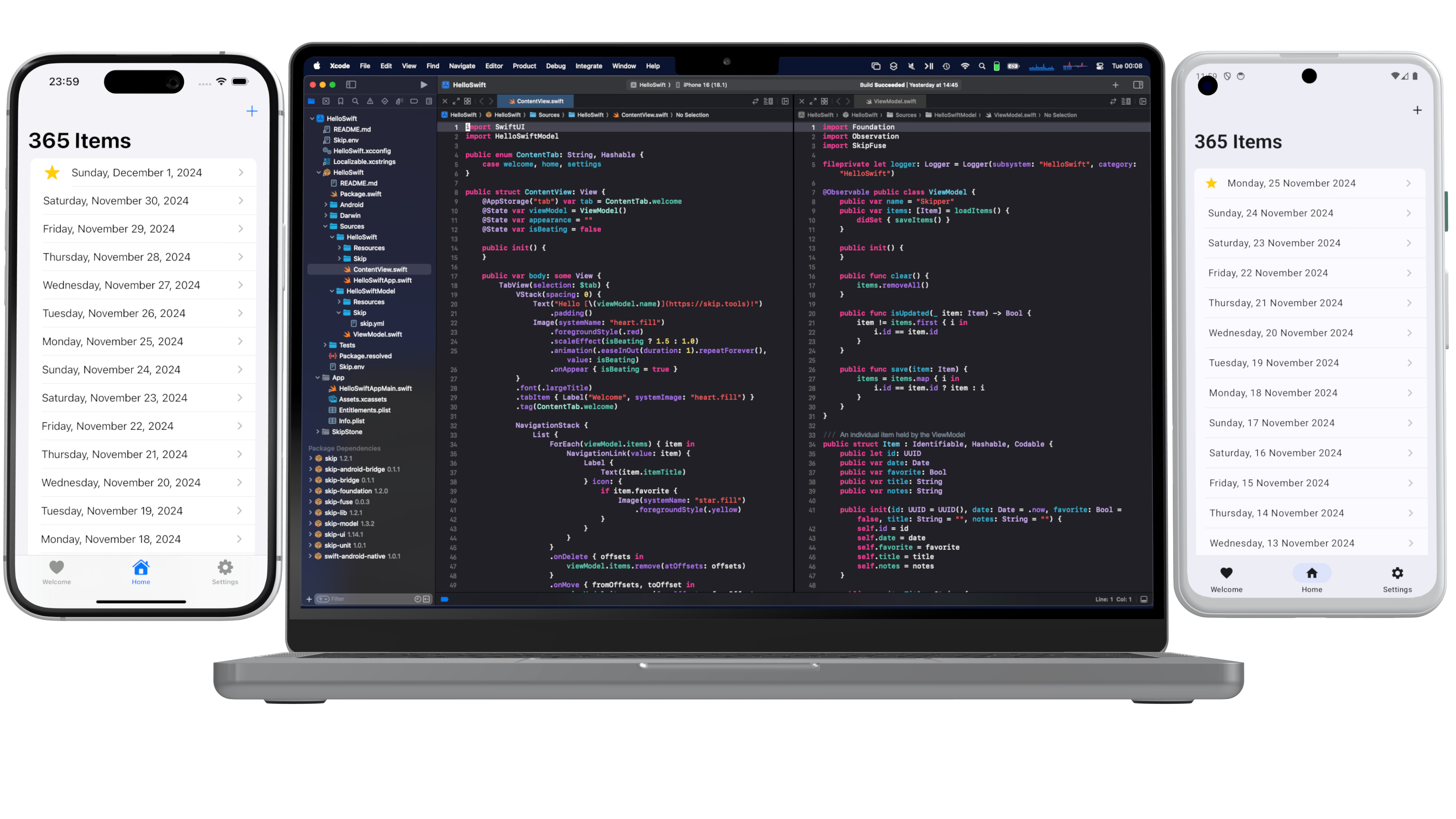
Skip to content

android

19 posts with the tag “android”

Skip 2025 Retrospective and 2026 Roadmap

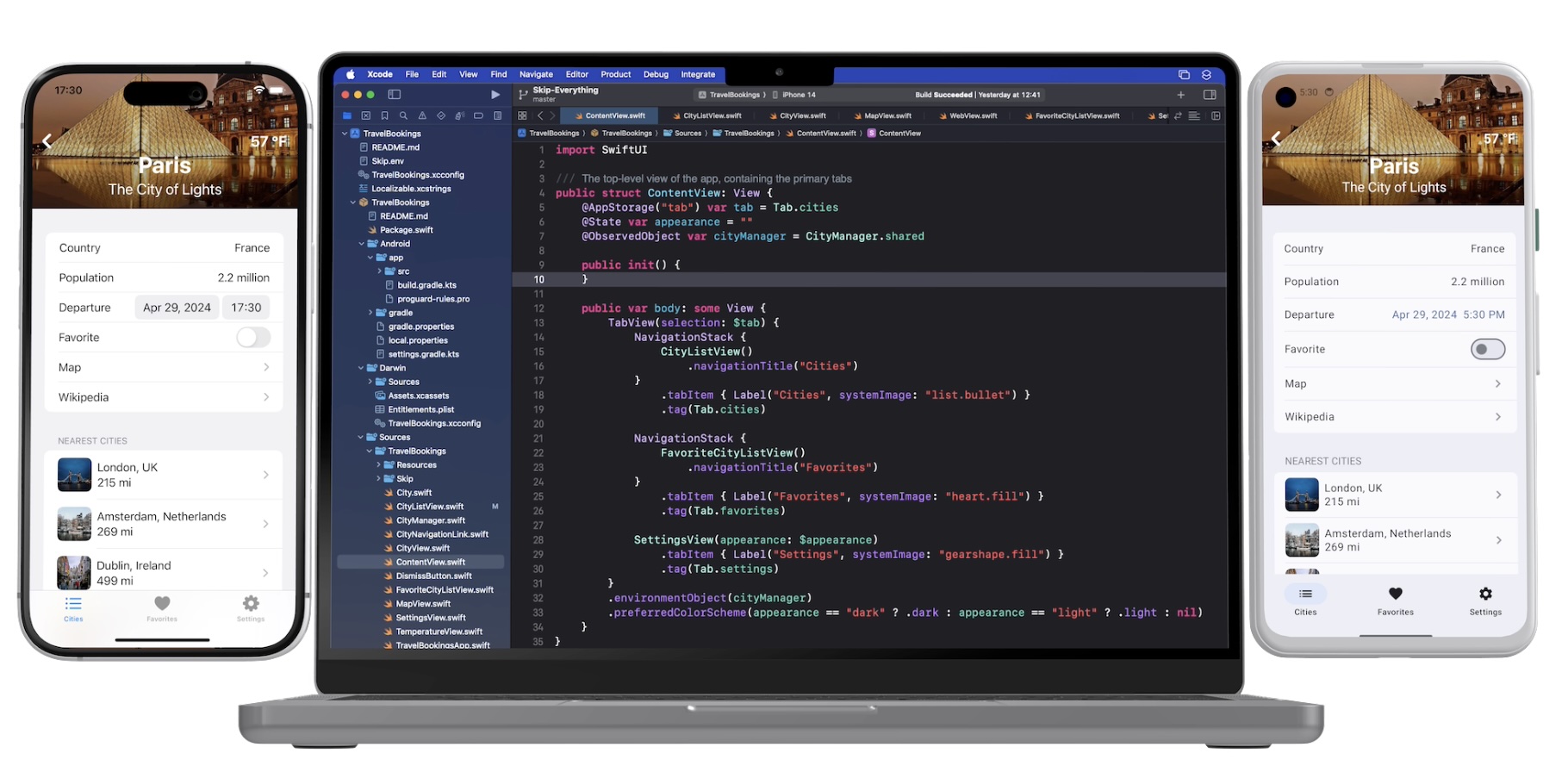
As 2025 comes to a close, we’ve been reflecting on how far Skip has advanced this year. What began nearly three years ago with a simple desire to enable cross-platform app development with Swift and SwiftUI has grown into a thriving ecosystem, a strong community of developers and contributors, and a platform powering real production apps across iOS and Android.

This year wasn’t just about growth in numbers. It was about expanding depth and breadth: deeper integrations, stronger foundations, and a clearer vision for the future of native Swift across the dominant mobile platforms.

Native Swift on Android Becomes Officially Supported

Section titled “Native Swift on Android Becomes Officially Supported”

The highlight of 2025 by far was the official release of the Swift SDK for Android on swift.org, along with Skip’s support in the form of Skip Fuse. Prior to the advent of Skip Fuse, Skip operated solely in transpiled mode (now called “Skip Lite”), which converts Swift source code to Kotlin. Skip Fuse, on the other hand, builds natively-compiled Swift targeting the Android platform, which both eliminates the limitations imposed by source transpilation, as well as unlocks the universe of thousands of native Swift packages that are compatible with the Android platform.

Interest in the Swift SDK for Android has exploded since the initial announcement and follow-up blog posts on swift.org. We at Skip are proud to be founding members of the Swift Android workgroup, and we are committed to the platform’s enduring stability and support. And where the scope of the workgroup ends, we complete the picture by providing the tooling, libraries, and support needed to build universal apps from a single Swift codebase.

Liquid Glass and the Wisdom of Staying Native

Section titled “Liquid Glass and the Wisdom of Staying Native”

The launch of iOS 26 and the emergence of Liquid Glass as the new interface style was a pivotal moment for the cross-platform app development technosphere, as well as a powerful validation of Skip’s core philosophy. From day one, Skip has avoided intermediating or re-implementing SwiftUI on iOS or other Apple platforms. By staying fully native, Skip was able to support Liquid Glass on Day 1, automatically benefiting every Skip-based app without rewrites or workarounds (see our blog post on the topic).

In contrast, other cross-platform toolkits — such as Flutter and Compose Multiplatform — have found themselves stranded, incapable of adopting Liquid Glass and stuck on the previous UI generation with their mimicked faux-native components. For iOS users, that means outdated interfaces and an exacerbation of an already uncanny-valley non-native experience. For developers, it means frustration, limitation, and an inability to achieve the highest-quality app experience that their businesses demand.

Skip’s belief is that by embracing native platforms wholly — not abstracting them away — is the best path forward, both for users and developers. SkipUI maps un-intermediated SwiftUI on iOS to native Jetpack Compose on Android, guaranteeing that the user experience is always performant and familiar to users of the respective platforms.

A stock Skip app has just a few core dependencies: SkipUI, which provides a bridge from the SwiftUI API to a native Compose UI on Android, along with SkipFoundation, SkipModel, and SkipLib. But Skip also facilitates a thriving ecosystem of optional libraries, providing features and integrations that unlock the vast capabilities of third-party libraries and services and provide a unified dual-platform API surface.

Throughout 2025, Skip’s library ecosystem has matured and expanded dramatically. The community and core team introduced a wide range of new dual-platform frameworks designed to solve real-world problems without compromise. Some of our most popular integrations, like SQLite, Bluetooth, Firebase, Supabase, and WebView, have improved greatly through the help of outside contributions. These APIs were refined, edge cases were resolved, documentation improved, and real production feedback shaped work on of these frameworks.

In addition, we have some newer entrants to the Skip ecosystem, including:

  • SkipNFC and SkipDevice for unlocking low-level hardware capabilities
  • SkipStripe for Stripe for payments and subscriptions
  • SkipPostHog for analytics and product insights
  • SkipAuth0 for authentication and identity
  • SkipSocketIO for real-time communication through the Socket.IO libraries

These integration frameworks aren’t always just simple wrappers; they are designed to feel idiomatic in Swift, be composable with SwiftUI, and act faithfully with each platform’s underlying capabilities. And all of these platforms work equally with with transpiled Skip Lite as well as compiled Skip Fuse. A partial list of these Skip modules can be found at the Skip Module Index.

As exciting as 2025 was, we’re even more energized by what’s ahead. Our roadmap for 2026 includes:

  • A growing catalog of integration frameworks for popular libraries, services, and backend platforms
  • Continued expansion and refinement of SkipFuse and Swift-on-Android tooling
  • Performance improvements, better diagnostics, and enhanced developer ergonomics
  • Enhanced IDE integration, both with our existing Xcode support as well as emerging alternatives for iOS development
  • A new series of deep-dive blog posts exploring real-world Skip architectures, advanced SwiftUI patterns, and platform-specific best practices

Most importantly, we’ll continue building Skip in close collaboration with the community that made this year possible. If you haven’t yet tried Skip, there’s no better time than now to sign up for your free evaluation and start creating universal mobile apps that are free from compromises.

As always, Happy Skipping, and Happy New Year!
An official Swift SDK for Android

When we first launched Skip in 2023, the notion of using Swift to create universal mobile applications was novel. While some projects had dabbled with custom Swift toolchains to share some of their business logic between iOS and Android, no one had ever undertaken the effort to enable building the entire application stack — from the low-level networking and persistence all the way up to the user interface — using just the Swift language.

But the time was right. SwiftUI was just reaching maturity, and its declarative design was flexible enough to target not only the mobile phone form factor, but also to scale all the way up to the full desktop and all the way down to the smartwatch. Expanding SwiftUI’s architecture to the “other” mobile platform was a daunting engineering challenge, but it made perfect sense from the standpoint of facilitating the creation of a whole app using a single language.

Developers who have adopted Skip for their dual-platform app development have loved it. But there has always been an undercurrent of caution and reservation about the future of the project, especially from larger enterprises for whom the architecture decisions were central to their business’ future. As we’ve written in the past, the best-in-class apps that top the charts on both the App Store and Play Store are not written once, but twice: they are written first in Swift for iOS, and then they are re-written in Kotlin for Android. Despite being enormously laborious to coordinate and maintain, writing the app twice has always been considered the safe choice, not just because it enables optimal performance and a truly native user interface, but also because they are using the languages and APIs that are recommended and supported by the operating system vendors themselves. How could an independent project by a small team possibly offer the same guarantees of technological durability?

Such concerns have presented a challenge and barrier against the adoption of Skip for cross-platform app development since the beginning. And so we joined together with some other visionaries and founded the Swift on Android Community Working Group1 earlier this year. Our goal was to collaborate in harnessing and coordinating the energies of various developers and businesses that had each dabbled in using Swift in some way for their Android apps.

The workgroup had so much excitement behind it that a few months later, it was blessed by the Swift Platform Steering Group as an official workgroup2, which meant that we had the backing and support of the Swift community as a whole. This was huge: Swift on Android was no longer a niche interest for risk-taking startups and indie developers, but was going to evolve into a fully-supported platform for the Swift language.

Work began in earnest. Since last year, Skip has been using an unofficial preview build of the toolchain and native Swift SDK for Android to power our “Skip Fuse” mode3. Using this technology as a base — which had evolved over the years in a somewhat haphazard fashion — we began the long process of getting it in shape for official approval and release: cleanup, bug fixes, ripping out unsupported dependencies, harmonizing the structure with other Swift SDKs, packaging, quality control, and continuous integration.

The culmination of all these efforts has at last arrived! As announced on the swift.org blog4, we are now publishing the Swift SDK as an officially supported platform. The Swift SDK for Android is available alongside the Static Linux (Musl) and WebAssembly (Wasm) SDKs, and will be available in nightly snapshot releases throughout the Swift 6.3 release cycle.

As mentioned, Skip is currently using our own preview release build of this SDK for our native Skip Fuse mode. So switching over to this official SDK will be smooth and painless for our current customers. We anticipate that the final Swift 6.3 release will be the point where we include it by default in the Skip installation and setup instructions.

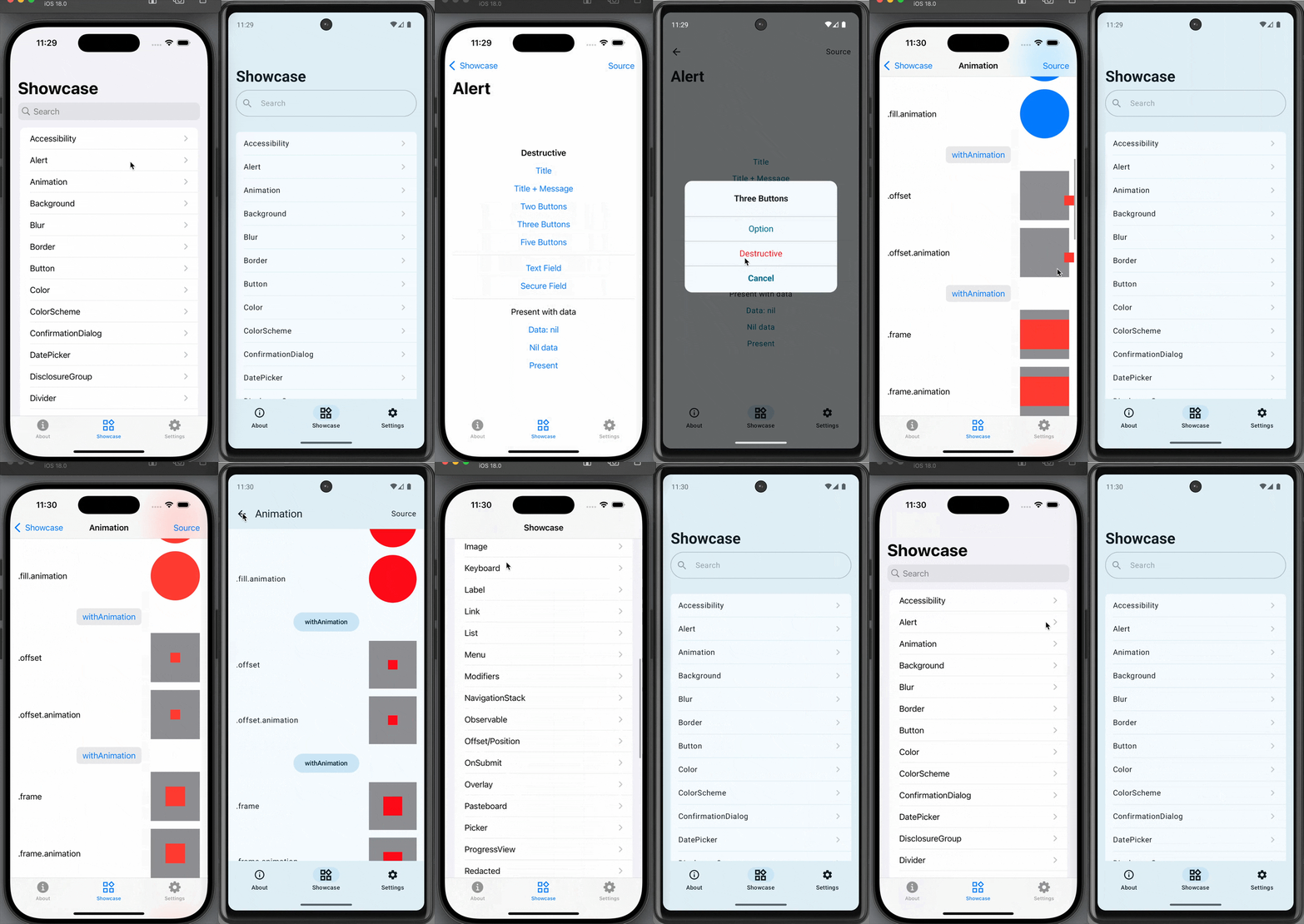
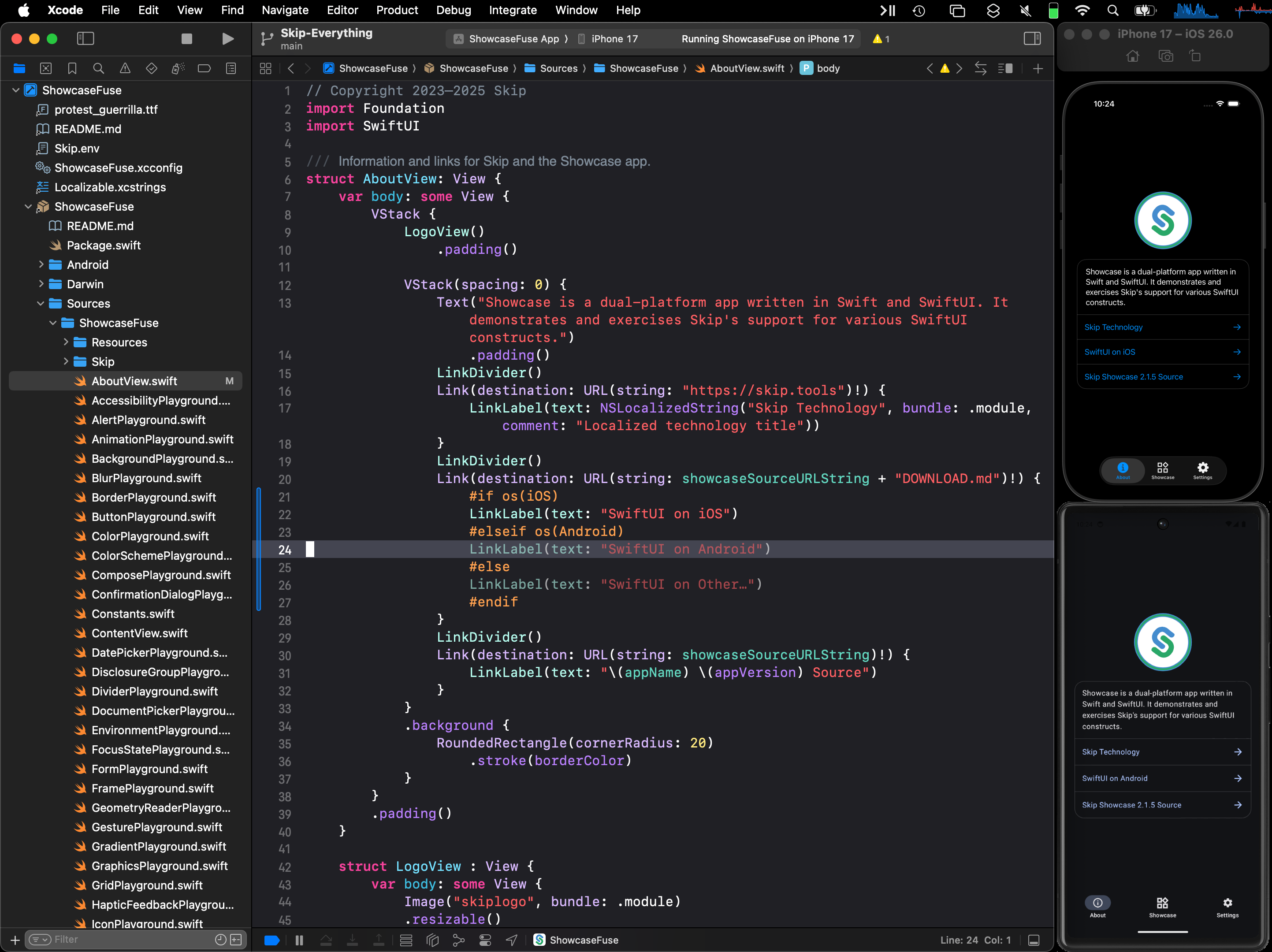
Note that this SDK is not just theoretical, but is in active use today in many Skip-powered applications. Our own Skip Showcase5 app has been running using this SDK, and provides a comprehensive sample of what is possible when you combine native Swift with Skip’s SwiftUI implementation for Android.

Since we announced the availability of the Swift SDK for Android, there has been an explosion of interest in the project. Many heretofore skeptics are realizing that this is real, and are seeing that Swift is a viable choice as the one language for their entire application stack — on all platforms. No longer do developers need to make the agonizing choice between writing an application in two separate native languages, versus settling on an inefficient and alien language like JavaScript or Dart for their shared codebase.

For Skip itself, this development grants us an enormous amount of confidence-building support. Swift on Android is here to stay. And so even if Skip as a product were to somehow disappear tomorrow, any investment that is made in Swift for Android development would continue be a viable and supported path going forward. Swift on Android is available today, it has official backing by the Swift project, and it is here to stay. The future is bright!

Screenshot of Skip Showcase native app
Download on the Google Play Store Download on the Apple App Store
  1. Swift on Android Working Group, Community Showcase, February 10, 2025: https://forums.swift.org/t/swift-on-android-working-group/77780

  2. Announcing the Android Workgroup, June 25, 2025: https://forums.swift.org/t/announcing-the-android-workgroup/80666

  3. Native Swift on Android, Part 1: Setup, Compiling, Running, and Testing: /blog/native-swift-on-android-1/

  4. Announcing the Swift SDK for Android: https://www.swift.org/blog/nightly-swift-sdk-for-android/

  5. Skip Showcase /docs/samples/skipapp-showcase-fuse/

Skip on the Swift Package Indexing Podcast

I was thrilled to be interviewed by Dave and Sven from the Swift Package Indexing podcast the other day! We talked about a wide range of topics around the founding of the Swift Android Workgroup, the progress that Swift is making in expanding into other platforms, and how Skip builds on the Swift Android SDK to enable building both iOS and Android apps from the same SwiftUI codebase.

We also discussed some tips for Swift package developers to make their own packages compatible with Android, and talked about the recent addition of Android compatibility to the supported platforms matrix for packages on https://swiftpackageindex.com.

You can check out Episode 61: “People have been working on it for ten years” for the full transcript and show notes.

Peter and Sven are gracious hosts, and I greatly enjoyed our conversation.

Skip and the next generation of mobile user interfaces

When you write dual-platform Swift and SwiftUI apps with Skip, the user interface of your app is always truly native to the platform - on both iOS and Android. This means that your app’s widgets and navigation idioms will feel truly “at home” to all of your users, and all the accessibility features of the underlying operating system will automatically work. This is true regardless of whether you are using Skip Lite’s transpiled mode or Skip Fuse’s more recent natively-compiled Swift.

A platform-native user interface matters, not just visually and for performance reasons, but also because it keeps up with system changes without needing to play “catch up” when the underlying system’s frameworks are updated. As a case in point, this week’s unveiling of iOS 26’s new “Liquid Glass” user interface at the Apple Worldwide Developer Conference (WWDC) was followed by this exhortation about the importance of using native frameworks1:

When you use Apple’s native frameworks, you can write better apps with less code. Some other frameworks promise the ability to write code once for Android and iOS.

And that may sound good, but by the time you’ve written custom code to adapt each platform’s conventions, connected to hardware with platform-specific APIs, implemented accessibility, and then filled in functionality gaps by adding additional logic and relying on a host of plugins, you’ve likely written a lot more code than you’d planned on.

And you are still left with an app that could be slower, look out of place, and can’t directly take advantage of features like Live Activities and widgets. Apple’s frameworks are uncompromisingly focused on helping you build the best apps.

We couldn’t agree more. Skip is uncompromisingly focused on helping you create the very best app experience using Apple’s frameworks on Apple devices, as well as the best experience using Android’s frameworks on Android devices. We describe Skip as a “dual-platform” technology rather than a “cross-platform” technology for a reason: we do not try to create our own lowest-common denominator imitation of the native experience. Rather, we let Apple be Apple and let Android be Android by embracing the platform-native interface and idioms that makes each operating system unique and beloved by their adherents.

This makes Skip unique among technologies that facilitate building universal apps from a single codebase. For example, shortly after the iOS interface redesign was previewed, an issue was filed in the Flutter project by a contributor:

With the introduction of iOS 26, Apple has begun rolling out the new Liquid Glass design language. This introduces significant changes to the visual styling and interaction behavior across native iOS apps. As a result, Flutter apps using the existing Cupertino widgets risk appearing visually outdated on the latest iOS devices, leading to a degraded user experience and a perception of apps being “non-native.”

For developers targeting iOS users who expect modern, fluid design aesthetics, this represents a significant challenge. There is currently no way to adopt these design changes through Flutter’s existing Cupertino widget set.

After some concerned discussion, the Flutter team issued a proclamation:

As with Material 3 Expressive, we are not developing the new Apple’26 UI design features in the Cupertino library right now, and we will not be accepting contributions for these updates at this time.

And with that statement, the door is closed on Flutter apps ever feeling genuinely native on future versions of either iOS or Android. A similar fate awaits any other technology that relies on mimicry to simulate the platform’s native user interface on iOS, such as Compose Multiplatform.

In contrast, Skip apps automatically work with the next generation of interface advances. Build and launch our sample Showcase app an iOS 26 device or simulator and you will be presented with the new “Liquid Glass” interface automatically.

Similarly, Skip will allow you to opt into Material 3’s Expressive redesign as it matures, giving your Android users the latest iteration of the Material design language. Skip achieves this by doing precisely nothing on iOS, and by bridging your shared Swift and SwiftUI to the recommended system frameworks on Android. The result is a universal app that uses the native toolkits for each platform: SwiftUI on iOS, and Jetpack Compose on Android.

Whether you are contemplating building a brand new app or considering your options for the future of your existing app(s), we encourage you to consider the advantages of Skip’s philosophy. We summarize the benefits of Skip compared to other multi-platform app building technology on our comparison page.

You can follow us on Mastodon at https://mas.to/@skiptools, and join in the Skip discussions at http://community.skip.tools/. The Skip FAQ at https://skip.tools/docs/faq/ is there to answer any questions, and be sure to check out the video tours at https://skip.tools/tour/. And, as always, you can reach out directly to us on our Slack channel at https://skip.tools/slack/.

  1. Matthew Firlik, Senior Director, Developer Relations at Platforms State of the Union (timecode 40:50)

Fully Native Cross-Platform Swift Apps

Screenshot

In our series on using native Swift on Android, we have covered the basics of the Swift-Android toolchain in Part 1, bridging between compiled Swift and Kotlin in Part 2, and the creation of a cross-platform app with a shared Swift model layer in Part 3.

We are pleased to unveil the culmination of all of this work: Skip 1.5 now has the ability to create a 100% native Swift and SwiftUI app for both iOS and Android! You can now enjoy the safety, efficiency, and expressiveness of pure Swift throughout your entire cross-platform app, including the ability to tap into the vast ecosystem of Swift packages to support your app development.

This blog post will go over the process of creating and developing a Swift cross-platform app, explore the underlying technologies, and discuss our current status and next steps.

Ensure that you are on a macOS 14+ machine with Xcode 16, Android Studio 2025, and Homebrew installed.

First, create and launch an Android emulator for testing.

Next, open Terminal and type the following commands to install Skip and the native Swift-Android toolchain.

$ brew install skiptools/skip/skip
$ skip upgrade
$ skip android sdk install

Verify that everything is working with an additional Terminal command:

$ skip checkup --native

You’re now ready to create your first fully native cross-platform Swift app:

$ skip init --native-app --open-xcode --appid=bundle.id.HowdySkip howdy-skip HowdySkip

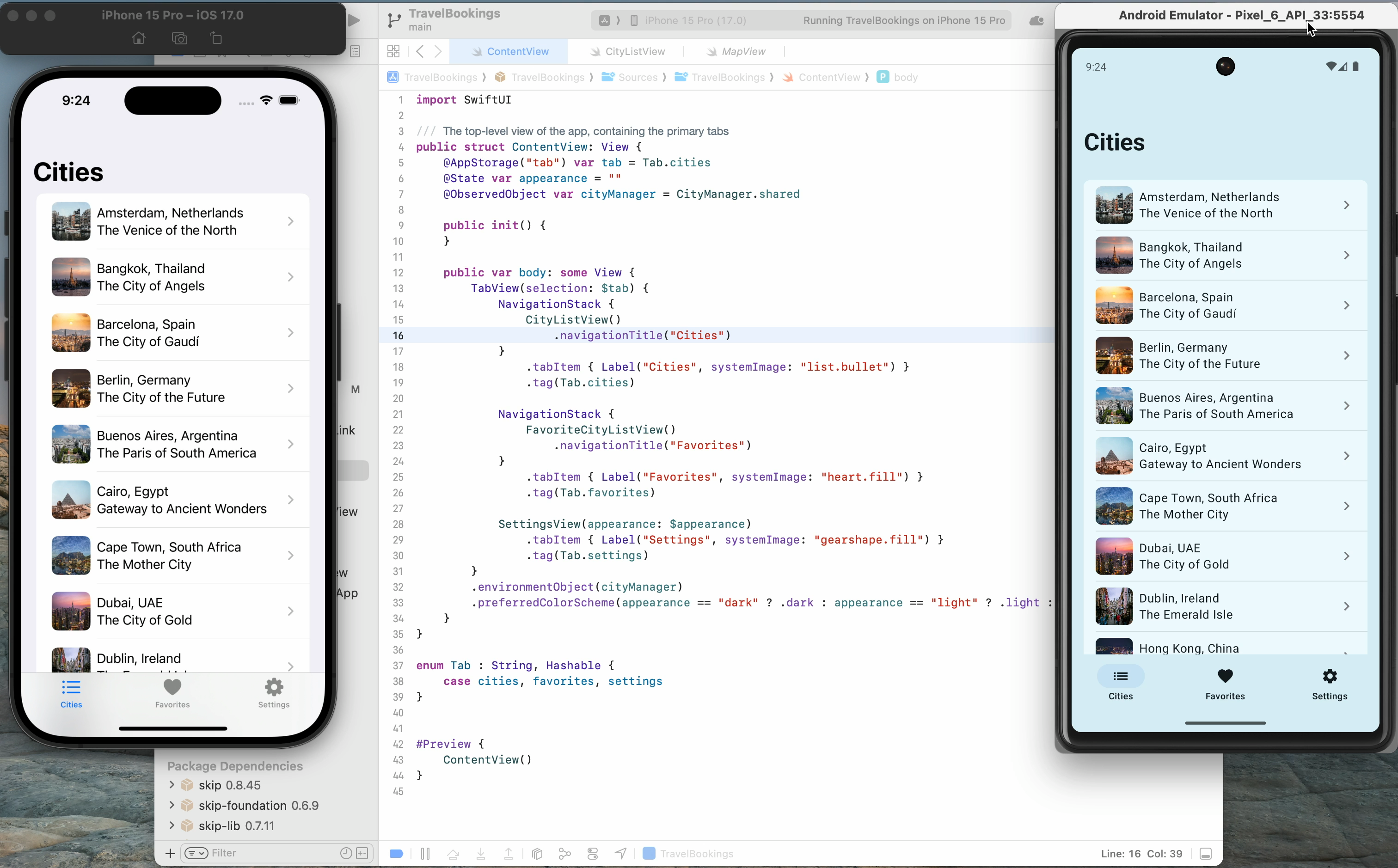
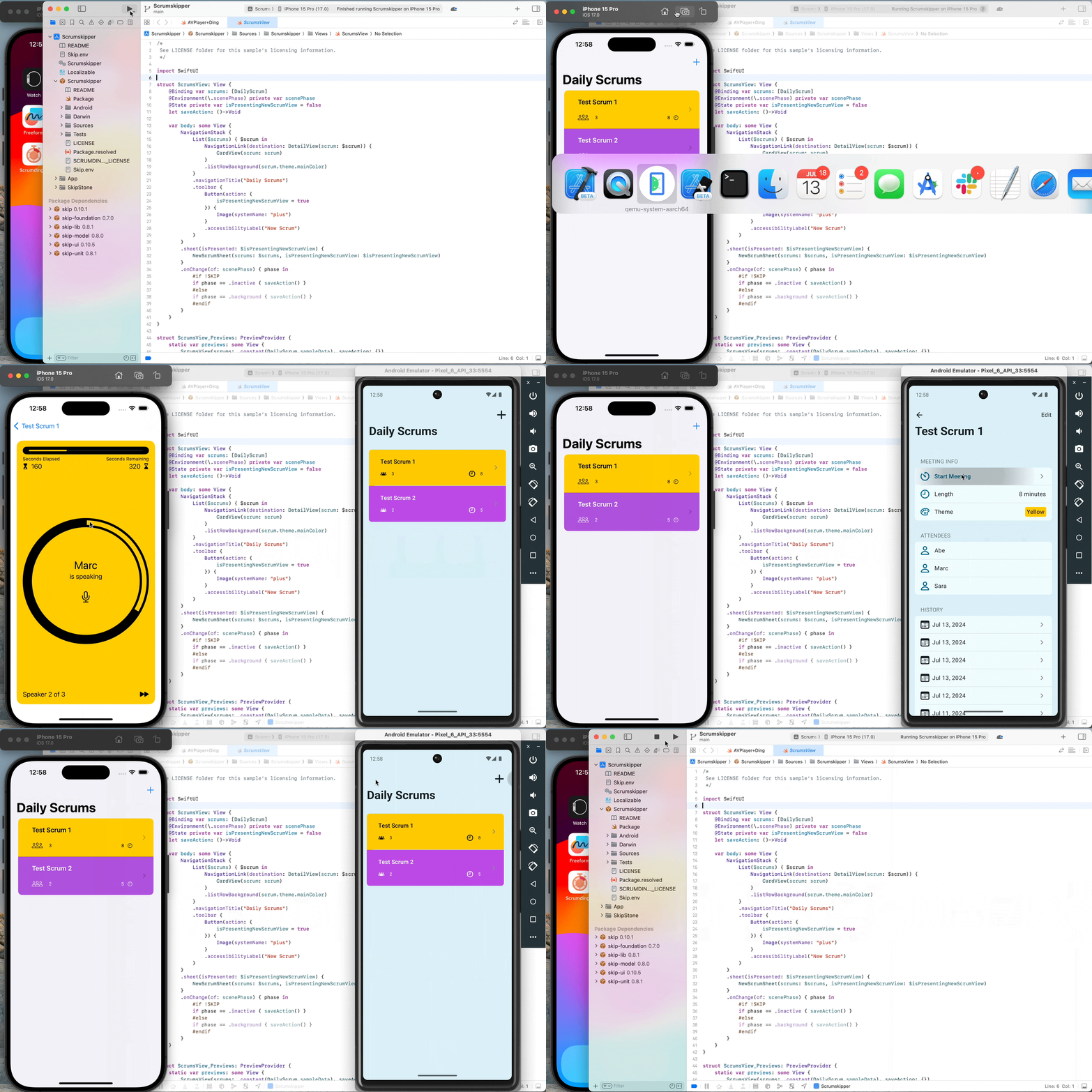
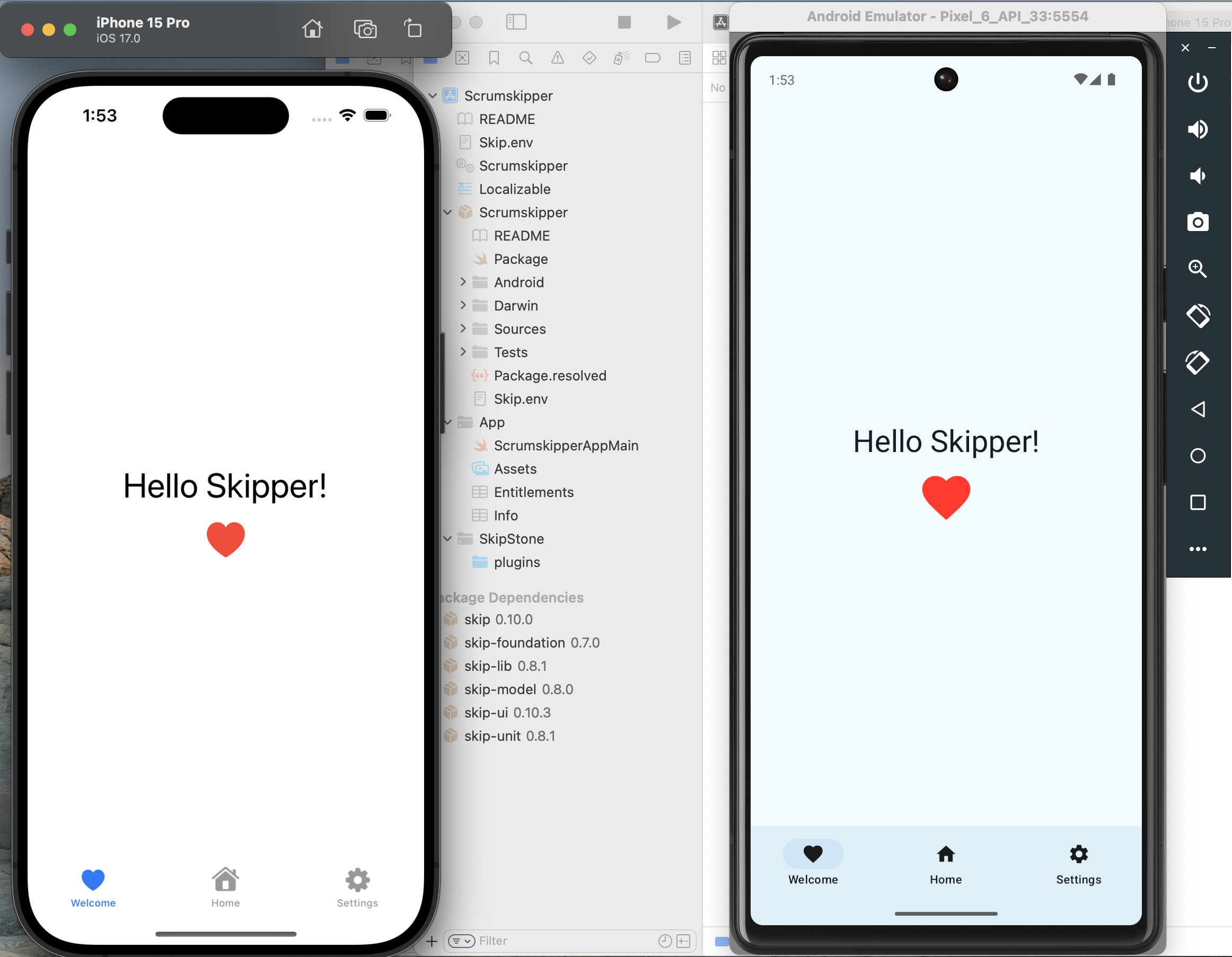
Assuming the app initialized successfully, your project will open in Xcode. Run the app against an iPhone simulator destination (the first build may take some time) and your app will launch on both the iOS simulator and the running Android emulator at the same time!

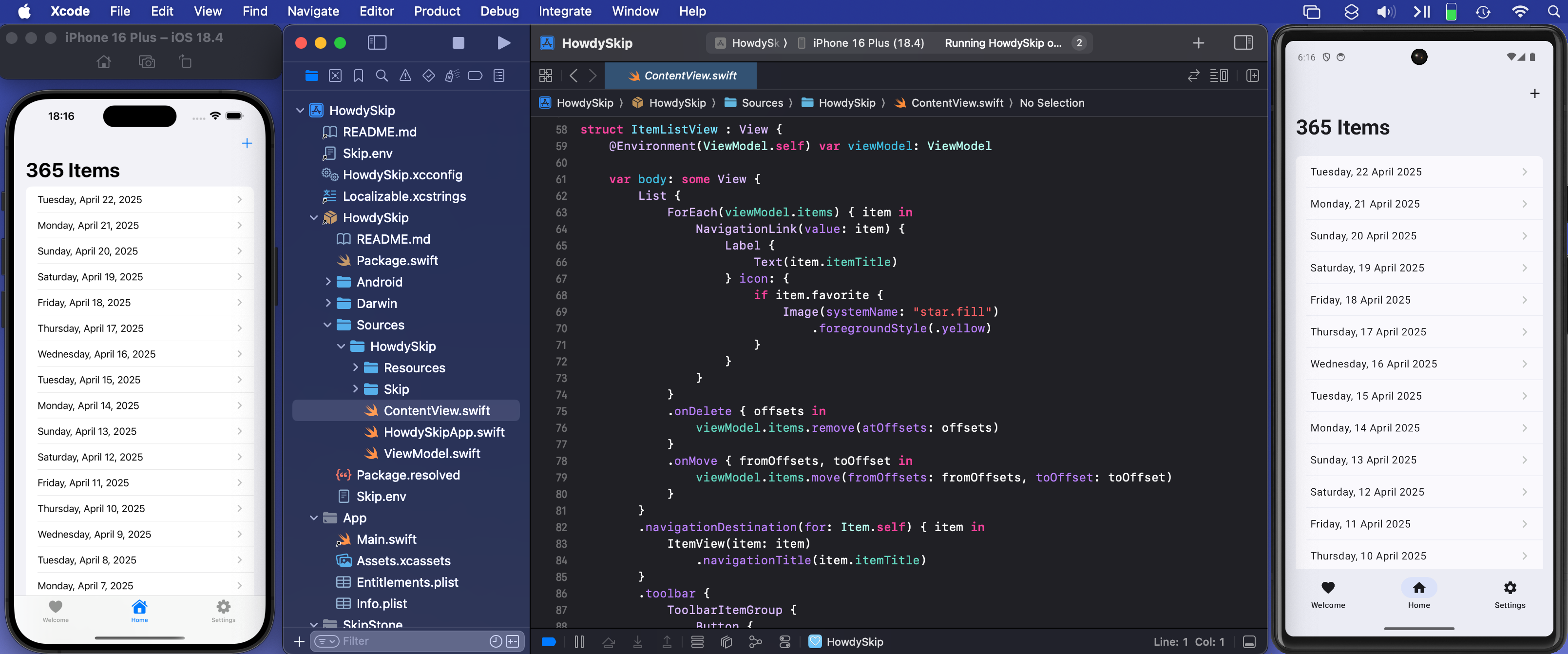
The skip init command creates a template app to get you started. It is a TabView containing a “Welcome” view, a list of editable and re-orderable “Items”, and a “Settings” view:

Screenshot of the Howdy Swift native app Welcome Tab

Rather than importing SwiftUI, you will notice that the Sources/HowdySkip/ContentView.swift file instead imports SkipFuseUI. When building for iOS, this simply redirects to a SwiftUI import. Skip’s philosophy is to not intrude on the iOS side of the application: on Darwin platforms you are still using direct, non-intermediated SwiftUI, just as if you were building an app without Skip at all.

On Android, however, the SkipFuseUI module bridges the SwiftUI API onto Jetpack Compose, Android’s modern Kotlin UI toolkit. It does this through the intermediate SkipUI module. Bridging to pure Jetpack Compose gives Android users a fully native user experience rather than the uncanny-valley replica generated by many cross-platform frameworks.

Diagram of Skip's Swift-on-Android build process

Consult the SkipUI module’s documentation for a listing of currently-supported SwiftUI constructs on Android. You can also examine the ShowcaseFuse cross-platform sample app, which displays and exercises most supported SwiftUI components:

Screen recording

The “Items” tab displays an editable list of items which are managed by Sources/HowdySkip/ViewModel.swift, which handles loading and saving the list of items to a simple JSON file. This code uses standard Foundation types (URL, Data, Date, FileManager, JSONEncoder, JSONDecoder, etc.) to handle the management and persistence of the items. Note that unlike the SwiftUI in ContentView, none of this code is bridged into Kotlin: it is using the Apple swift-foundation types directly, just as on iOS.

Screenshot of the Howdy Swift native app List Tab

Despite only using native Foundation types, you will notice that ViewModel.swift imports SkipFuse. Just as SkipFuseUI bridges your UI to Android, SkipFuse bridges model-layer code. We use it here to enable our @Observable view model to communicate changes to the Jetpack Compose user interface. This is discussed further in Part 2 of the series. You generally don’t need to be concerned with the details other than to remember to import SkipFuse (or SkipFuseUI) any time you implement an @Observable.

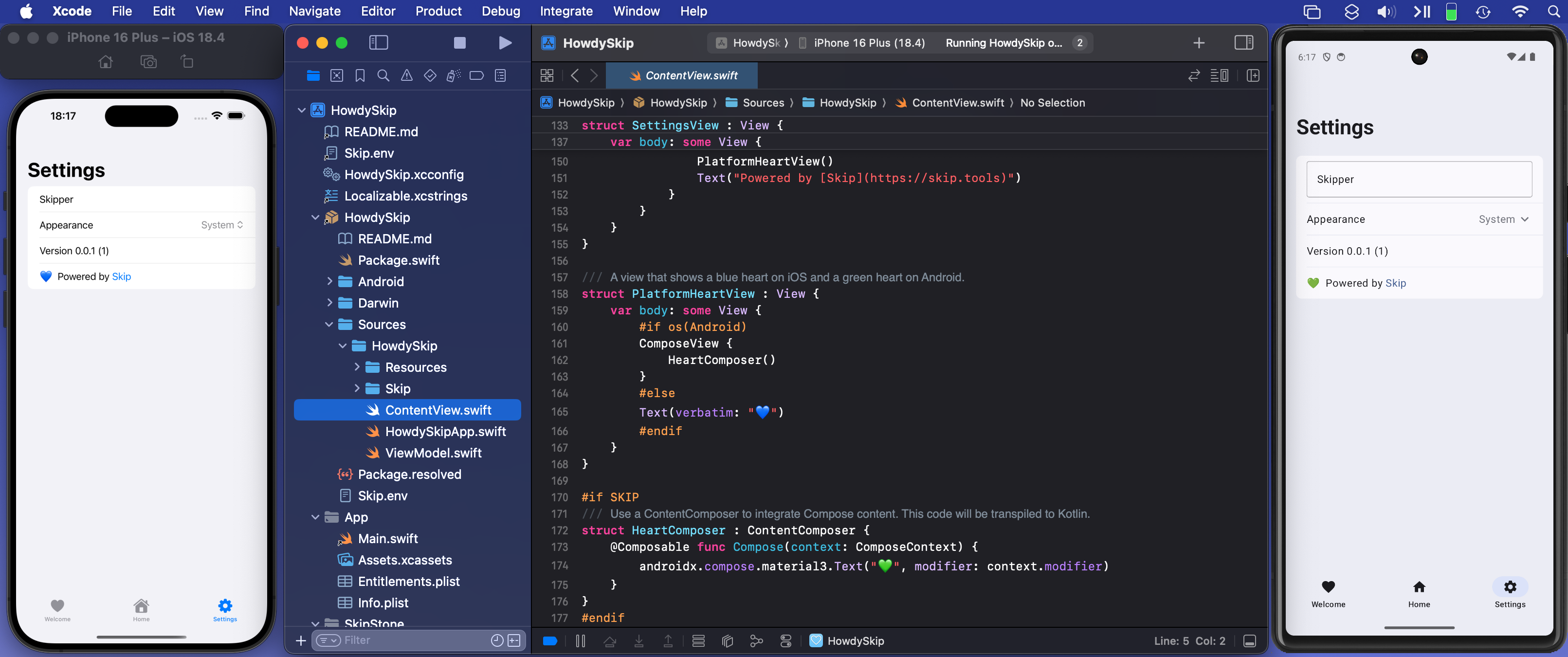
The final tab of the sample app is the “Settings” screen. This exposes various settings and displays some information about the app. It also presents a little heart emoji, which is blue on iOS and green on Android.

Screenshot of the Howdy Swift native app Settings Tab

We use the green heart emoji to demonstrate a powerful feature of Skip: the ability to embed code that directly calls Kotlin and Jetpack Compose APIs! Examining the SettingsView in ContentView.swift, you will see the inclusion of a PlatformHeartView, whose implementation looks like this:

/// A view that shows a blue heart on iOS and a green heart on Android.
struct PlatformHeartView : View {
var body: some View {
#if !os(Android)
Text(verbatim: "💙")
#else
ComposeView {
HeartComposer()
}
#endif
}
}
#if SKIP
/// Use a ContentComposer to integrate Compose content. This code will be transpiled to Kotlin.
struct HeartComposer : ContentComposer {
@Composable func Compose(context: ComposeContext) {
androidx.compose.material3.Text("💚", modifier: context.modifier)
}
}
#endif

What is going on here? Notice that on Android, we’re rendering the heart with a ComposeView, a special SwiftUI view for including Jetpack Compose content in the form of a ContentComposer.

/// Encapsulation of Composable content.
public protocol ContentComposer {
@Composable func Compose(context: ComposeContext)
}

But how can we define @Composable functions and call Android APIs from within our native Swift code?

The magic lies in Skip’s ability to transpile Swift code into Kotlin, and SkipFuse’s ability to bridge between Kotlin and your compiled Swift. Any code in a #if SKIP block will be transformed into the equivalent Kotlin, so it is free to call other Kotlin and Java APIs directly. The generated #if SKIP Kotlin will also be automatically bridged so that you can call it from your native Swift.

Diagram of Skip's custom Compose view embedding

Screen recording

The ability to effectively embed Kotlin code is immensely powerful. It not only provides direct access Jetpack Compose and the Android SDK, but also enables you to tap into the complete Android ecosystem of libraries through Kotlin and Java dependencies.

Of course, using native Swift allows you to take advantage of the vast and growing ecosystem of available Swift packages as well. In our post on Bringing Swift Packages to Android we introduced the swift-everywhere.org site that tracks packages that are successfully building for Android. Since that post, community members have been implementing Android support, bringing the number of known packages that can be used on Android to 2,240! Popular projects like Alamofire, flatbuffers, SwiftSoup, swift-protobuf, and swift-sqlcipher (just to name a few) can be added directly to your app and used in the same way on both iOS and Android.

Skip’s unique ability to directly call both Swift and Kotlin/Java APIs separates it from most cross-platform development frameworks, where integrating with the host system often requires bespoke adapters and extra layers of indirection.

As a demonstration and validation of this technology, we have published one of our sample apps, Skip Notes, to both the Google Play Store and Apple App Store. This fully native Swift app integrates with the swift-sqlcipher database library to provide persistence for a simple list of notes.

Get it on the Google Play Store Get it on the Apple App Store {: .centered }

Despite being generally available, Skip’s native support is currently a technology preview. We are working on updating our documentation, finding and squashing remaining bugs and limitations, reducing build times, and generating smaller Android binaries. Even as a preview, however, you can build complete, production-ready cross-platform Swift apps, as Skip Notes demonstrates.

Cross-platform Swift and SwiftUI have been a dream of ours for a long time. We are immensely excited about the possibilities this unlocks for creating truly best-in-class apps for both iOS and Android from a single codebase!

Swift Everywhere: Bringing Swift Packages to Android

Swift Android Logo {: style=“text-align: center; width: 200px; margin: auto;”}

  • Table of contents {:toc}

In recent weeks, the Skip team has submitted patches to numerous Swift projects to add Android support to their packages. We’ve been tracking the progress of Android build-ability on our swift-everywhere.org web site, which catalogs a list of many popular Swift packages and whether they compile for Android. At the time of writing, nearly two thousand Swift packages are building successfully for Android, with more being added every day.

This article will go over what our experience porting Swift packages has taught us, and how you can apply this knowledge to turn your parochial Apple-only Swift package into a universal multi-platform package that can build for not just iOS and macOS, but also for Android.

What sorts of Swift packages are good candidates for Android? The best litmus test is whether the package offers general-purpose functionality, as opposed to having an integral dependency on iOS-specific frameworks. Some examples of good candidates are:

  • Business logic
  • Algorithms and generic data structures
  • Networking utilities
  • Online web service and API clients
  • Data persistence
  • Parsers and formatters

On the flip side, examples of packages that would be challenging to bring to Android might be:

  • Custom UIKit components
  • HealthKit, CarPlay, Siri integration libraries
  • Other Apple-specific *Kit library integrations

Now, just because a Swift package is designed to work with an Apple-specific framework doesn’t mean that it is impossible to port to Android. It just means that it would be a signifiant amount of work and involve creating a bridge to the equivalent Kotlin or Java framework. This is by all means possible – and will be the topic of a future post – but the subject of this article is how to bring naturally portable Swift packages to Android.

Say you have a conventional Swift package that contains a Package.swift file at the root and has the usual Sources/ and (hopefully) Tests/ folders that contain the individual targets and source files.

Does running swift build and swift test in the package directory work from the Terminal? If so, then you already have a cross-platform package that works on multiple platforms: iOS and macOS! That, by itself, is a good sign that your package might be suitable for Android. Many frameworks that are available on iOS are not present on macOS, so either your package doesn’t use too many iOS frameworks, or it is smart enough to only reference them conditionally (more on that below). But how do we build and test for Android?

First, install Skip and the native Android SDK by following the instructions in our documentation. Then try to build your Swift package with the Android toolchain. The very abbreviated quick start looks like:

$ brew install skiptools/skip/skip
skip was successfully installed!
$ skip android sdk install
[✓] Install Swift Android SDK (2.4s)
$ cd MySwiftPackage/
$ skip android build
Building for debugging...
[0/2] Write sources
[4/4] Emitting module DemoPackage
Build complete! (1.85s)

If you see “Build complete!” then congratulations! Your package already builds for Android, and you can move on to the Testing section. But if you encounter errors from the build command, you will need to port your package over to Android. Read on…

Wikipedia defines porting as the “process of adapting software for the purpose of achieving some form of execution in a computing environment that is different from the one that a given program (meant for such execution) was originally designed for”.

In other words, you made your Swift package with iOS in mind, and now you want it to work on Android. The following sections will go over some of the most common issues you may hit when first trying to build your package on this new platform.

Conditionally Importing and Using Platform-Specific Modules

Section titled “Conditionally Importing and Using Platform-Specific Modules”

Suppose your Swift package defines an Event protocol with a simple default implementation:

protocol Event {
var dateRange: Range<Date> { get }
var isConfirmed: Bool { get }
}
struct SimpleEvent : Hashable, Codable {
let start, end: Date
let confirmed
}
extension SimpleEvent : Event {
var dateRange: Range<Date> { self.start..<self.end }
var isConfirmed: Bool { confirmed }
}

Your package also includes an extension to implement Event using the iOS EventKit framework, like so:

import EventKit
extension EKEvent : Event {
var dateRange: Range<Date> { self.startDate..<self.endDate }
var isConfirmed: Bool { self.status == .confirmed }
}

EventKit is an Apple-only framework, so when you try to build the package for Android, you will hit an error:

$ skip android build
7 | import EventKit
| `- error: no such module 'EventKit'

The solution to this is simple: wrap any code that references the missing module in #if canImport(EventKit), which conditionally compiles the code only when the specified module is available:

protocol Event {
var dateRange: Range<Date> { get }
var isConfirmed: Bool { get }
}
struct SimpleEvent : Hashable, Codable {
let start, end: Date
let confirmed
}
extension SimpleEvent : Event {
var dateRange: Range<Date> { self.start..<self.end }
var isConfirmed: Bool { confirmed }
}
#if canImport(EventKit)
import EventKit
extension EKEvent : Event {
var dateRange: Range<Date> { self.startDate..<self.endDate }
var isConfirmed: Bool { self.status == .confirmed }
}
#endif

Now you will have all the general functionality of the package available to Android, which you can adapt for any Android-specific data structures you may create in the future.

Consider the following simple utility that fetches a URL and decodes it into an Item struct:

import Foundation
struct Item: Decodable {
let id: Int
let name: String
}
func fetch(_ url: URL) async throws -> Item {
let (data, response) = try await URLSession.shared.data(from: url)
return try JSONDecoder().decode(Item.self, from: data)
}

You may be surprised to see this fail to compile for Android:

$ skip android build
Building for debugging...
Fetcher.swift:9:49: error: type 'URLSession' (aka 'AnyObject') has no member 'shared'
7 |
8 | func fetch(_ url: URL) async throws -> Item {
9 | let (data, response) = try await URLSession.shared.data(from: url)
| `- error: type 'URLSession' (aka 'AnyObject') has no member 'shared'
10 | return try JSONDecoder().decode(Item.self, from: data)
11 | }

This somewhat confusing error message just means that it can’t find the URLSession type, because it isn’t present in the Foundation module on Android.

On Darwin platforms (macOS, iOS, and other Apple operating systems), the Foundation module is an umbrella for a wide variety of functionality. But on other platforms, such as Android and Linux, Foundation is broken up into multiple separate sub-components:

  • FoundationEssentials: All the basic Foundation types: Date, Calendar, URL, IndexSet, etc.
  • FoundationInternationalization: DateFormatter, NumberFormatter, and other localization utilities
  • FoundationNetworking: URLSession, URLCache, and other networking utilities
  • FoundationXML: XMLParser

The solution to this is simple: add a conditional import of FoundationNetworking to any file that uses any networking functionality, like so:

import Foundation
#if canImport(FoundationNetworking)
import FoundationNetworking
#endif
struct Item: Decodable {
let id: Int
let name: String
}
func fetch(_ url: URL) async throws -> Item {
let (data, response) = try await URLSession.shared.data(from: url)
return try JSONDecoder().decode(Item.self, from: data)
}

This will include the required FoundationNetworking module for platforms like Android and Linux that need it, but quietly ignore it on Darwin platforms like iOS and macOS where the networking types are included with the monolithic Foundation framework.

Swift has excellent integration with C, and many useful functions come in from the system’s C library, which is called Darwin on macOS and iOS. Take the simple example of calculating the hypotenuse of a triangle, which uses some math functions brought in from the standard C library:

import Darwin
func hypotenuse(a: Double, b: Double) -> Double {
return sqrt(pow(a, 2) + pow(b, 2))
}

If you try to build this for Android, you will hit the error:

1 | import Darwin
| `- error: no such module 'Darwin'

This is because the Darwin module doesn’t exist for Android. It is instead simply called Android. Again, we solve this with our handy conditional canImport:

#if canImport(Darwin)
import Darwin
#elseif canImport(Android)
import Android
#else
#error("Unknown platform")
#endif
func hypotenuse(a: Double, b: Double) -> Double {
return sqrt(pow(a, 2) + pow(b, 2))
}

In this case, we import either Darwin on iOS and macOS, or Android on Android. Both of these will provide access to the system’s standard C library.

Simple C functions (like pow and sqrt) will generally be surfaced in exactly the same way on Darwin and Android platforms. But the definition of some functions and data structures in the Android C library can sometimes differ in subtle ways. For example, the following code uses the FILE type and fopen and fwrite C functions on Darwin platforms:

import Darwin
let fd: UnsafeMutablePointer<FILE> = fopen("file.txt", "w")
var buffer: [UInt8] = [1, 2, 3]
let count: Int = buffer.withUnsafeBufferPointer { ptr in
fwrite(ptr.baseAddress, MemoryLayout<UInt8>.stride, ptr.count, fd)
}

This will fail to build for Android:

$ skip android build
FileWrite.swift:15:30: error: cannot find type 'FILE' in scope
13 | #endif
14 |
15 | let fd: UnsafeMutablePointer<FILE> = fopen("file.txt", "w")
| `- error: cannot find type 'FILE' in scope
16 | var buffer: [UInt8] = [1, 2, 3]
17 | let count: Int = buffer.withUnsafeBufferPointer { ptr in
FileWrite.swift:18:16: error: value of optional type 'UnsafePointer<UInt8>?' must be unwrapped to a value of type 'UnsafePointer<UInt8>'
16 | var buffer: [UInt8] = [1, 2, 3]
17 | let count: Int = buffer.withUnsafeBufferPointer { ptr in
18 | fwrite(ptr.baseAddress, MemoryLayout<UInt8>.stride, ptr.count, fd)
| |- error: value of optional type 'UnsafePointer<UInt8>?' must be unwrapped to a value of type 'UnsafePointer<UInt8>'
| |- note: coalesce using '??' to provide a default when the optional value contains 'nil'
| `- note: force-unwrap using '!' to abort execution if the optional value contains 'nil'
19 | }
20 |

There are two separate issue here:

  • FILE doesn’t exist on Android, so UnsafeMutablePointer<FILE> must be replaced with OpaquePointer
  • Functions like fwrite that take a file pointer will not accept an optional, and so must be force-unwrapped from their pointer’s rawValue

The following conditional typealias will handle the first issue, and simply force-unwrapping the pointer’s address (which should be valid on all platforms) addresses the second:

#if canImport(Darwin)
import Darwin
#elseif canImport(Android)
import Android
#else
#error("Unknown platform")
#endif
#if os(Android)
typealias Descriptor = OpaquePointer
#else
typealias Descriptor = UnsafeMutablePointer<FILE>
#endif
let fd: Descriptor = fopen("file.txt", "w")
var buffer: [UInt8] = [1, 2, 3]
let count: Int = buffer.withUnsafeBufferPointer { ptr in
fwrite(ptr.baseAddress!, MemoryLayout<UInt8>.stride, ptr.count, fd)
}

Unless you are developing very low-level code that interfaces with the platform’s C library, you will rarely encounter these sorts of issues. But when you do, it is good to know that the solutions tend the be fairly simple. The most difficult part is often just deciphering the compilation failure message.

So now your package builds for Android with the command: skip android build. Amazing!

But you are only halfway there: you need to make sure your code not only builds for Android, but that it actually works. Hopefully, your Swift package includes test cases in the Test/ folder, and running the tests locally on your macOS machine with swift test works. For example, with the swift-algorithms package:

$ swift test
Building for debugging...
[78/78] Linking swift-algorithmsPackageTests
Build complete! (12.67s)
Test Suite 'All tests' started at 2025-01-21 19:25:03.841.
Test Suite 'swift-algorithmsPackageTests.xctest' started at 2025-01-21 19:25:03.842.
Test Suite 'AdjacentPairsTests' started at 2025-01-21 19:25:03.842.
Test Case '-[SwiftAlgorithmsTests.AdjacentPairsTests testEmptySequence]' started.
Test Case '-[SwiftAlgorithmsTests.AdjacentPairsTests testEmptySequence]' passed (0.002 seconds).
Test Case '-[SwiftAlgorithmsTests.AdjacentPairsTests testIndexTraversals]' started.
Test Case '-[SwiftAlgorithmsTests.AdjacentPairsTests testIndexTraversals]' passed (0.002 seconds).
Test Suite 'All tests' passed at 2025-01-21 19:25:05.718.
Executed 212 tests, with 0 failures (0 unexpected) in 1.870 (1.876) seconds

In order to run your tests on Android, you will need to either plug in an Android device (with USB debugging enabled), or else configure and launch an Android emulator, either from the command line or Android Studio).

Once you have your Android development target setup, you can run your package’s test cases with the skip android test command, which will compile the test cases, bundle them up (along with any associated resources), copy them to the Android device or emulator, and then execute the test cases remotely.

For example, for the swift-algorithms package:

% skip android test
[0/1] Planning build
Building for debugging...
[83/84] Linking swift-algorithmsPackageTests.xctest
Build complete! (11.68s)
[✓] Check Swift Package (0.87s)
[✓] Connecting to Android (0.18s)
[✓] Copying test files (0.88s)
Test Suite 'All tests' started at 2025-01-21 21:02:09.086
Test Suite 'swift-algorithms-1C77777B-CEC3-4075-8853-E77CECFCF30B.xctest' started at 2025-01-21 21:02:09.105
Test Suite 'AdjacentPairsTests' started at 2025-01-21 21:02:09.105
Test Case 'AdjacentPairsTests.testEmptySequence' started at 2025-01-21 21:02:09.105
Test Case 'AdjacentPairsTests.testEmptySequence' passed (0.014 seconds)
Test Case 'AdjacentPairsTests.testIndexTraversals' started at 2025-01-21 21:02:09.120
Test Case 'AdjacentPairsTests.testIndexTraversals' passed (0.004 seconds)
Test Suite 'All tests' passed at 2025-01-21 21:02:21.697
Executed 212 tests, with 0 failures (0 unexpected) in 12.579 (12.579) seconds

If there are any test failures, this is where you will delve into the details of your test case, isolate the problem, and apply fixes. There are many reasons why tests may fail, such as assumptions about the filesystem layout. These will need to be examined and resolved on a case-by-case basis.

Once all your tests pass, you’ve successfully brought your Swift package to Android!

Once you have your package building and your tests passing, you will want to ensure that they continue to pass. Maintaining a package that supports multiple platforms can be more challenging than just a single platform, because often when a new feature is implemented or a bug is fixed, the change will only be tested on the platform the developer is currently working with. For example, if you are working on the iOS side of your application and make a bug fix in one of your packages, you may only test the changes on that one platform, but it may inadvertently break something on another platform.

This is where continuous integration (CI) can be useful. If you use GitHub as your package’s source code management system, you can utilize GitHub Actions to automatically build and test your package on multiple platforms whenever you push to the repository or, for example, whenever a pull request is created from a branch or fork.

In order to facilitate Android CI, we provide the swift-android-action, which enables you to build and test your package against Android in a single line of configuration.

The following example of a .github/workflows/ci.yml script will build and test your package on each of macOS, iOS, Linux, and Android whenever a commit is pushed or a PR is created:

name: swift package ci
on:
push:
branches:
- '*'
workflow_dispatch:
pull_request:
branches:
- '*'
jobs:
linux-android:
runs-on: ubuntu-latest
steps:
- uses: actions/checkout@v4
- name: "Test Swift Package on Linux"
run: swift test
- name: "Test Swift Package on Android"
uses: skiptools/swift-android-action@v2
macos-ios:
runs-on: macos-latest
steps:
- uses: actions/checkout@v4
- name: "Test Swift Package on macOS"
run: swift test
- name: "Test Swift Package on iOS"
run: xcodebuild test -sdk "iphonesimulator" -destination "platform=iOS Simulator,name=iPhone 15" -scheme "$(xcodebuild -list -json | jq -r '.workspace.schemes[-1]')"

You can see this workflow in play in many of the packages on GitHub that support Android, such as Skip’s own swift-sqlcipher package.

In this way, you can be assured that once you have done the hard work of getting your package working with Android, it continues to work on all your supported platforms.

Expanding your Swift packages to support platforms beyond iOS may at first seem daunting, but using the advice from this article, you can follow a few simple steps that will put you on the right track:

  1. Setup Skip and the Swift Android SDK
  2. Try to build your package with skip android build
  3. Identify build errors and resolve them with conditional imports and by accommodating platform differences
  4. Set up an Android emulator or device for testing
  5. Test your package with skip android test
  6. Identify test failures and resolve them on a case-by-case basis

This is the sequence we have used to add Android support to dozens of popular Swift packages, such as GraphQL, CryptoSwift, and PromiseKit. With nearly 2,000 Swift packages currently building for Android, we feel the platform has achieved enough critical mass to make Swift an attractive language for many parts of your apps on both major mobile platforms: iOS and Android. And if you have a popular GitHub package that builds for Android, expect it to show up at swift-everywhere.org in the near future!

To learn more about running Swift on Android and how it integrates with Skip’s tools for creating dual-platform mobile apps, please see our ongoing blog series on the topic:

Native Swift on Android, Part 3: Sharing a Swift Model Layer

Native Swift on Android, Part 3: Sharing a Swift Model Layer

This is the third installment in our series exploring native Swift on Android. In Part 1 we discuss bringing the Swift compiler and toolchain to Android. Part 2 introduces Skip’s tooling and technology for Swift Android app development and leads you through the creation of your first cross-platform Swift app.

The app we create in Part 2 uses a compiled Swift model layer and a shared SwiftUI interface, which Skip transpiles to Jetpack Compose on Android. The following diagram illustrates this dual-platform, single-codebase architecture:

Skip Native Diagram {: .diagram-vector }

In this article, by contrast, we create separate iOS and Android apps. The iOS app and shared model layer are written in Swift and SwiftUI using Xcode. The Android app is written in Kotlin and Jetpack Compose using Android Studio, and it imports the compiled Swift model as a dependency. This structure allows you to reuse the lower layers of your app logic while fully embracing the standard IDEs and UI toolkits on each platform:

Skip Shared Model Diagram {: .diagram-vector }

Simulators displaying the same app on iPhone and Android

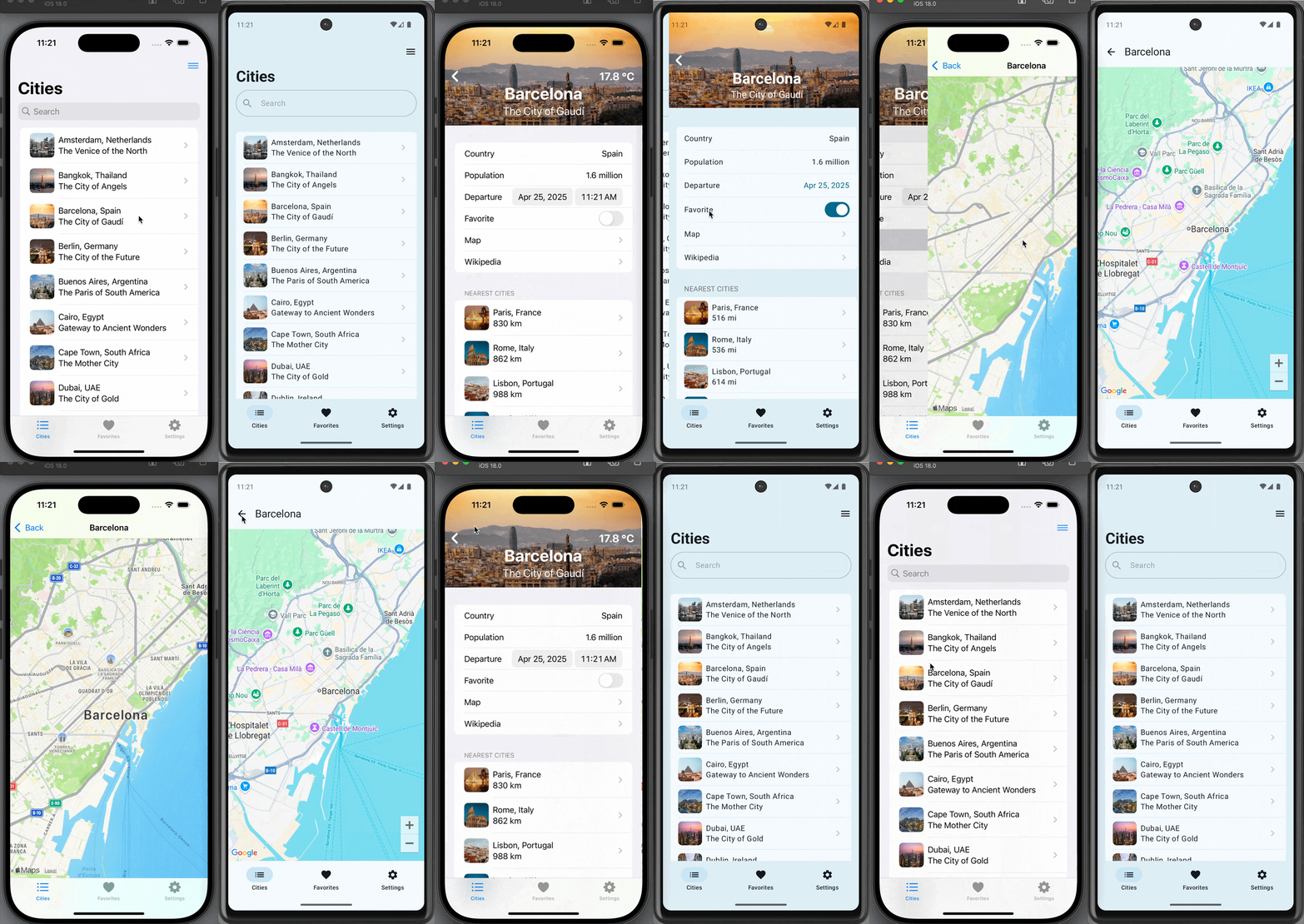
Our sample apps in this installment are iOS and Android versions of TravelPosters, a simple scrolling grid displaying posters of famous cities. Each poster displays the city’s name and current temperature. You can mark your favorites, and these favorites are remembered across app launches.

Our shared TravelPostersModel, therefore, has the following responsibilities:

  • Provide a list of cities. Each city must supply its name and a poster image URL.
  • Fetch the current temperature for each city.
  • Allow the addition and removal of cities from an observable set of favorites.
  • Persist and restore the set of favorites across uses of the app.

And given that our model will power both iOS and Android apps, we should add the following table-stakes Android requirements:

  • We must be able to access our Swift model API naturally in Kotlin, just as in Swift.
  • Our mutable set of favorites must be observable not only to SwiftUI state tracking, but to Jetpack Compose state tracking as well.

Fortunately, Swift is more than up to the task of meeting our model’s general requirements, and Skip’s SkipFuse technology will handle transparently bridging it all to Kotlin and Compose!

If you plan on following along and you haven’t already installed Skip, follow Part 2’s installation instructions. This will quickly get you up and running with Skip, its requirements, and the native Swift Android toolchain.

As a good, modern citizen of the Swift ecosystem, Skip works atop Swift Package Manager. Our shared model will be a Swift package configured to use skipstone, the Skip build plugin. You could create this package and configure its use of Skip by hand, but Skip provides tooling to help.

First, create the folder structure we’ll use to hold our shared model as well as our iOS and Android apps. You do not have to house your apps together, but this is the structure we’ll use in this article.

mkdir travelposters
cd travelposters
mkdir iOS
mkdir Android

Now use the skip tool to create the shared model package:

skip init --native-model travel-posters-model TravelPostersModel
Output of running skip init --native-model

This command generates a travel-posters-model SwiftPM package containing the TravelPostersModel Swift module. The --native-model option ensures that the module will already be configured to compile natively on Android, and to bridge its public API to Kotlin. Our particular needs, however, require a couple of additional steps.

  1. We know that parts of our model will be @Observable. In order for @Observables to work on Android, we need a dependency on skip-model. Edit the generated Package.swift to add it:

    ...
    let package = Package(
    name: "travel-posters-model",
    ...
    dependencies: [
    .package(url: "https://source.skip.tools/skip.git", from: "1.2.0"),
    .package(url: "https://source.skip.tools/skip-model.git", from: "1.0.0"), // <-- Insert
    .package(url: "https://source.skip.tools/skip-fuse.git", "0.0.0"..<"2.0.0")
    ],
    targets: [
    .target(name: "TravelPostersModel",
    dependencies: [
    .product(name: "SkipFuse", package: "skip-fuse"),
    .product(name: "SkipModel", package: "skip-model") // <-- Insert
    ],
    plugins: [.plugin(name: "skipstone", package: "skip")]),
    ...
    ]
    )
  2. The --native-model option we passed to skip init will configure Skip to automatically bridge our model’s public API from compiled Swift to Android’s ART Java runtime. This is done through the skip.yml configuration file included in every Skip module. By default, however, Skip assumes that you’ll be bridging to transpiled Swift and SwiftUI code. Instead, we’ll be consuming the model from pure Kotlin, so we want to optimize the bridging for Kotlin compatibility. We do this by editing the Sources/TravelPostersModel/Skip/skip.yml file to look like this:

    skip:
    mode: 'native'
    bridging:
    enabled: true
    options: 'kotlincompat'

You can read more about the magic of bridging in the documentation.

With these updates in place, we’re now ready to iterate on our shared Swift model code!

The beauty of cross-platform Swift code is how boring it is. You can browse our model’s complete content on GitHub, but it looks more or less exactly as you’d expect given the previously-enumerated requirements. It has some Codable structs to represent cities and weather:

public struct City : Identifiable, Codable {
public typealias ID = Int
public let id: ID
public let name: String
public let imageURL: URL
...
}
public struct WeatherConditions : Hashable, Codable {
public let temperature: Double // 16.2
public let windspeed: Double // 16.6
...
}

The model uses URLSession and JSONDecoder to fetch the current weather:

public struct Weather : Hashable, Codable {
public let latitude: Double // e.g.: 42.36515
public let longitude: Double // e.g.: -71.0618
public let time: Double // e.g.: 0.6880760192871094
...
public let conditions: WeatherConditions
enum CodingKeys: String, CodingKey {
case latitude = "latitude"
case longitude = "longitude"
case time = "generationtime_ms"
...
case conditions = "current_weather"
}
public static func fetch(latitude: Double, longitude: Double) async throws -> Weather {
let factor = pow(10.0, 4.0) // API expects a lat/lon rounded to 4 places
let lat = Double(round(latitude * factor)) / factor
let lon = Double(round(longitude * factor)) / factor
let url = URL(string: "https://api.open-meteo.com/v1/forecast?latitude=\(lat)&longitude=\(lon)&current_weather=true")!
var request = URLRequest(url: url)
request.setValue("skipapp-sample", forHTTPHeaderField: "User-Agent")
let (data, response) = try await URLSession.shared.data(for: request)
return try JSONDecoder().decode(Weather.self, from: data)
}
}

And it includes an @Observable CityManager to provide the list of cities and to persist favorites:

@Observable public final class CityManager {
private static let favoritesURL = URL.applicationSupportDirectory.appendingPathComponent("favorites.json")
public static let shared = CityManager()
private init() {
do {
self.allCities = try JSONDecoder().decode([City].self, from: localCitiesJSON.data(using: .utf8)!).sorted { c1, c2 in
c1.name < c2.name
}
} catch {
logger.log("error loading cities: \(error)")
}
do {
self.favoriteIDs = try JSONDecoder().decode([City.ID].self, from: Data(contentsOf: Self.favoritesURL))
logger.log("loaded favorites: \(self.favoriteIDs)")
} catch {
logger.log("error loading favorites: \(error)")
}
}
public var allCities: [City] = []
public var favoriteIDs: [City.ID] = [] {
didSet {
logger.log("saving favorites: \(self.favoriteIDs)")
do {
try FileManager.default.createDirectory(at: Self.favoritesURL.deletingLastPathComponent(), withIntermediateDirectories: true)
try JSONEncoder().encode(favoriteIDs).write(to: Self.favoritesURL)
} catch {
logger.log("error saving favorites: \(error)")
}
}
}
}
private let localCitiesJSON = """
...
"""

While this code is generally pretty standard, it does contain a few concessions to the realities of current Swift support on Android:

  • In files that create an OSLog.Logger or that define an @Observable type, we also import SkipFuse. In fact, Skip will surface a build warning in Xcode if you attempt to define an @Observable in a bridged file that doesn’t import the SkipFuse framework!

    SkipFuse is an umbrella framework that “fuses” the Swift and Android worlds. It makes sure that your OSLog messages are routed to Android’s Logcat logging service, that your @Observable state is tracked by Jetpack Compose, and more - all without changes to your normal code path.

  • You may notice other unfamiliar import patterns as well. For example, Foundation on Linux and Android is divided into Foundation, FoundationNetworking, FoundationInternationalization, and FoundationXML. So in Weather.swift where we use URLSession, we have the following imports:

    import Foundation
    #if canImport(FoundationNetworking)
    import FoundationNetworking
    #endif
  • Though we do not need them here, you may encounter #if os(Android) checks to conditionalize code for Android or Darwin platforms in other Android-supporting codebases, just as you’ll often find #if os(macOS) conditions in macOS-supporting codebases.

  • We’re loading our cities JSON from a static string, but more tyically you would load the contents from a resource. SkipFuse supports bundling Swift module resources as idiomatic Android assets.

  • While many Swift packages like Apple’s swift-algorithms compile cleanly for Android out of the box, others will require minor changes, and still others - particularly those that tie into the hardware or use one of Apple’s many OS “Kits” - may never work on Android. Swift on Android is still in its infancy, and it will take time for developers to build and test their packages on this new-to-Swift platform.

You can read much more about both the advantages and the limitations of native Swift on Android in our full native Swift documentation. For the most part, though, relax and enjoy coding with the full power and expressiveness of Swift!

Due to limitations on build plugins, building the travel-posters-model package in Xcode does not perform an Android build. It only builds for iOS. Rather, there are two simple ways to build for Android: use skip export to create an Android library archive, which we explore later in this article, or run the unit tests.

Skip configures every native module with an extra unit test that builds the module for Android, transpiles your XCTests to JUnit tests, and runs them. Thus you’ll see two sets of results on every test run: first from XCTest and then from JUnit on Android. Frequently running your tests is a great way to catch both logic bugs and Android compilation errors early. Read more in the native testing documentation.

Because our model is a standard SwiftPM package, you incorporate and use it on iOS like any other package. We briefly outline the steps we took to create and configure our sample iOS app below. Feel free to skip this section!

  1. Use Xcode to create a new Workspace in the travelposters directory alongside the travel-posters-model package.

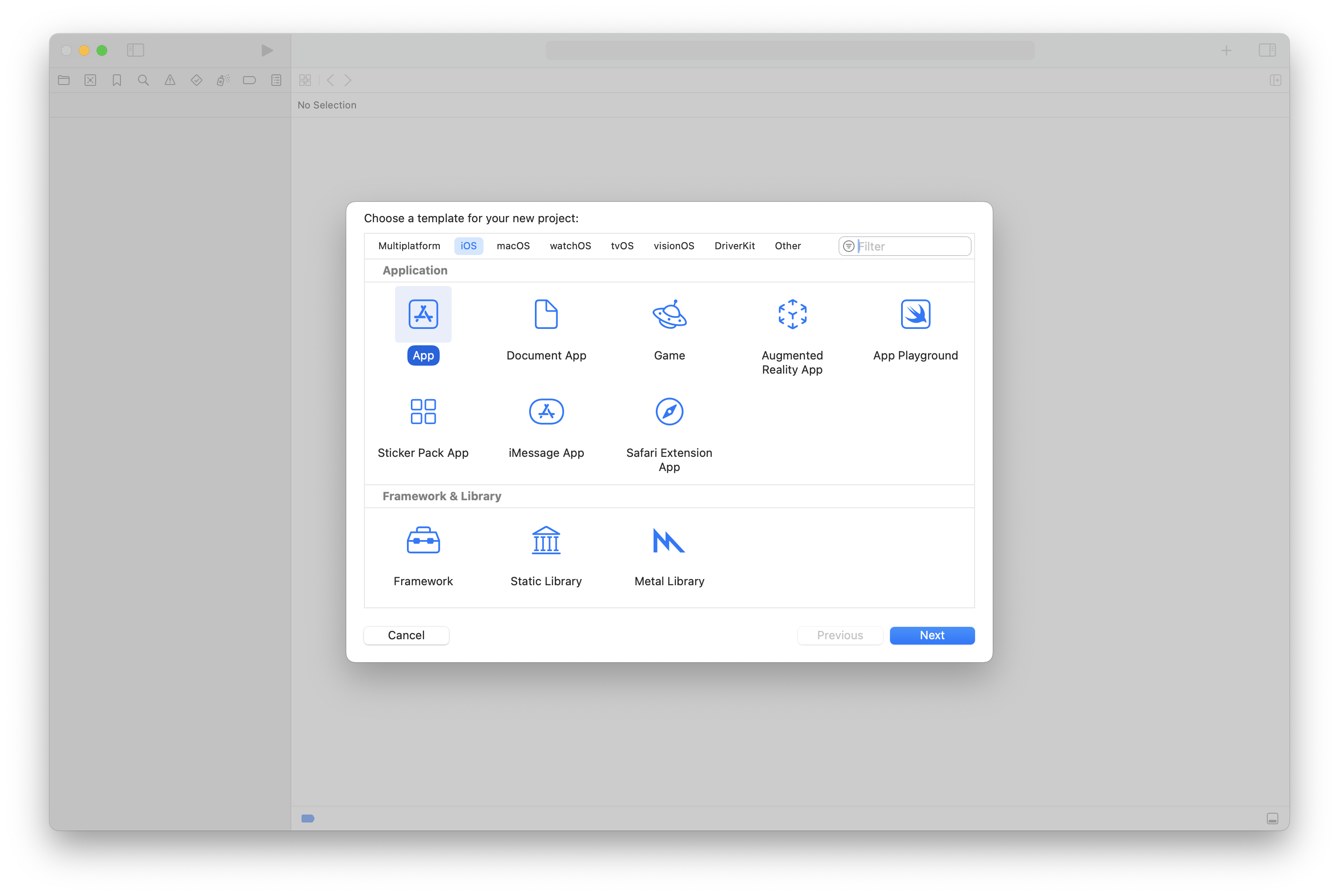
  2. Use Xcode to create a new App project in the travelposters/iOS directory. Close the project after creating it, because we’re going to add it to our Workspace instead.

    Creating a new app project in Xcode
  3. Add the travel-posters-model package to your Workspace.

  4. Add the iOS/TravelPosters/TravelPosters.xcodeproj app to your Workspace.

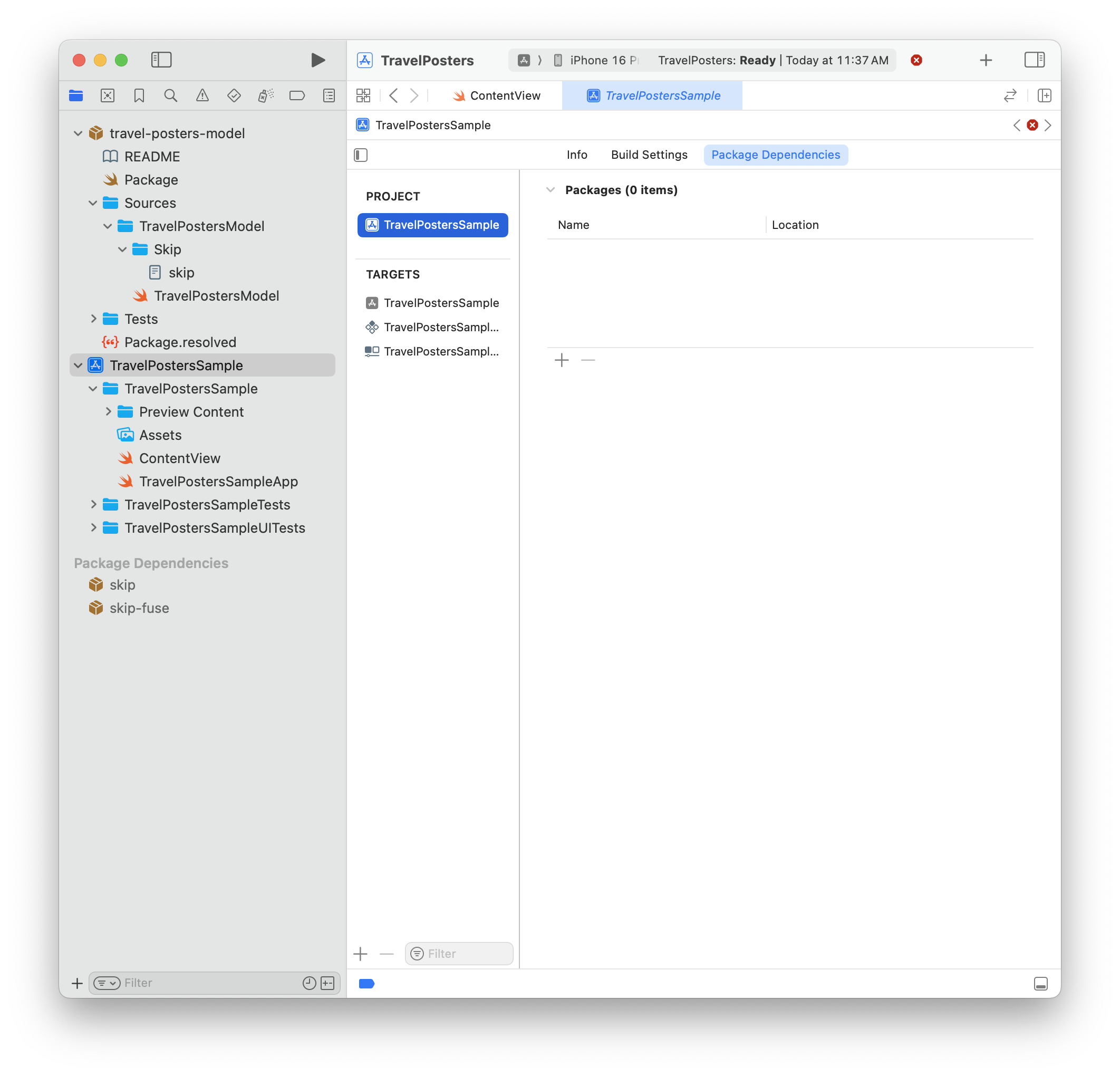
  5. Add a package dependency from the app to the travel-posters-model local package.

    Adding a package dependency in Xcode

You can now use your Xcode Workspace to iterate on both the shared model package and your iOS app. Browse the complete iOS TravelPosters app here.

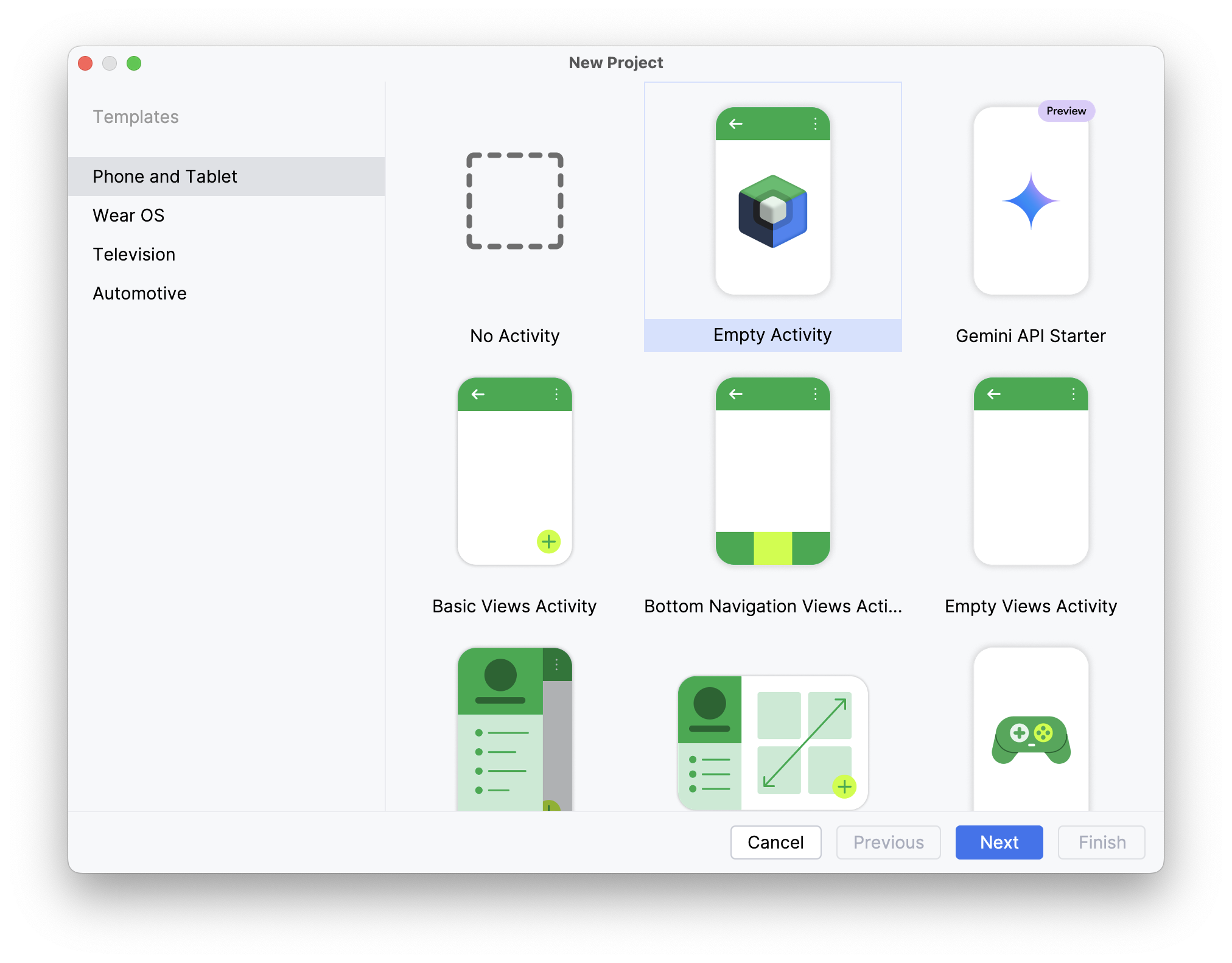
We create our TravelPosters Android app using Android Studio, starting with the “Empty Activity” template. Tell Android Studio to place the app in our travelposters/Android folder.

Creating a new app project in Android Studio

Next, make Android/lib, Android/lib/debug, and Android/lib/release directories. This is where we’ll place our compiled Swift model and Skip libraries.

Creating directories for our compiled Swift model

We must also configure our project to use the new lib directories. Edit the app module’s build.gradle.kts file to add these and other necessary dependencies:

...
dependencies {
...
implementation("org.jetbrains.kotlin:kotlin-reflect:2.1.0") // For reflection used by Skip
implementation("io.coil-kt:coil-compose:2.7.0") // For AsyncImage used to display posters
debugImplementation(fileTree(mapOf(
"dir" to "../lib/debug",
"include" to listOf("*.aar", "*.jar"),
"exclude" to listOf<String>()
)))
releaseImplementation(fileTree(mapOf(
"dir" to "../lib/release",
"include" to listOf("*.aar", "*.jar"),
"exclude" to listOf<String>()
)))
}

To prevent errors in the deployed app, include the following in build.gradle.kts as well:

android {
packaging {
jniLibs {
// doNotStrip is needed to prevent errors like: java.lang.UnsatisfiedLinkError: dlopen failed: empty/missing DT_HASH/DT_GNU_HASH in "/data/app/…/base.apk!/lib/arm64-v8a/libdispatch.so" (new hash type from the future?) (see: https://github.com/finagolfin/swift-android-sdk/issues/67)
keepDebugSymbols.add("**/*.so")
}
}
}

Finally, our app needs internet access permissions to fetch weather and display remote images. Update its AndroidManifest.xml file:

<?xml version="1.0" encoding="utf-8"?>
<manifest xmlns:android="http://schemas.android.com/apk/res/android"
xmlns:tools="http://schemas.android.com/tools">
<uses-permission android:name="android.permission.INTERNET" />
...
</manifest>

Find the complete TravelPosters Android app here. The next sections detail how to export our shared model to the Android app and how to use it from our Kotlin code.

We’ve configured our Android app to look in the Android/lib/debug and Android/lib/release folders for our model, but how do we populate these folders?

The skip export command generates Android archives of a target Swift package and all of its dependencies. It has many options, which you can explore with skip export help. The following Terminal command builds our travel-posters-model and its dependencies for Android in debug mode and places the resulting .aar library archives in the Android/lib/debug directory:

skip export --project travel-posters-model -d Android/lib/debug/ --debug

To generate release archives instead:

skip export --project travel-posters-model -d Android/lib/release/ --release
Syncing Android Studio

There are many ways to automate this process, from simple scripting to git submodules to publishing the Android travel-posters-model output to a local Maven repository. Use whatever system fits your team’s workflow best.

For example, to re-build and re-launch the app after making changes to the Swift code, you might run:

Terminal window
skip export --project travel-posters-model -d Android/lib/debug/ --debug
gradle -p Android installDebug
adb shell am start -a android.intent.action.MAIN -c android.intent.category.LAUNCHER -n tools.skip.travelposters/tools.skip.travelposters.MainActivity

Now that we’ve set up the Android app to depend on our shared Swift model, what is it like to actually use the model in Kotlin and Compose code? The answer is that - thanks to SkipFuse bridging - it’s surprisingly natural!

Before we dive into using our model, though, we have to make a single call in our Android app’s main Activity to initialize integration. Skip has extended Foundation.ProcessInfo for this purpose:

MainActivity.kt
...
class MainActivity : ComponentActivity() {
override fun onCreate(savedInstanceState: Bundle?) {
super.onCreate(savedInstanceState)
skip.foundation.ProcessInfo.launch(context = this) // <-- INSERT
enableEdgeToEdge(statusBarStyle = SystemBarStyle.dark(Color.TRANSPARENT))
setContent {
...
}
}
...
}

No additional changes to Android’s normal startup code path are needed.

This article is not a tutorial on using Jetpack Compose. Rather, we will focus on the places where our Android UI interacts with Swift, starting with the CityList function for displaying the scrolling list of posters:

...
import travel.posters.model.CityManager // <-- 1
@Composable
fun CityList(...) {
val cityManager = CityManager.shared // <-- 2
LazyVerticalGrid(...) {
for (city in cityManager.allCities) { // <-- 3
item {
CityPoster(city, isFavorite = { cityManager.favoriteIDs.contains(city.id) }, setFavorite = { isFavorite ->
// 4
val favoriteIDs = cityManager.favoriteIDs.toMutableList()
if (isFavorite && !favoriteIDs.contains(city.id)) {
favoriteIDs.add(city.id)
cityManager.favoriteIDs = favoriteIDs
} else if (!isFavorite) {
favoriteIDs.remove(city.id)
cityManager.favoriteIDs = favoriteIDs
}
})
}
}
}
}

We’ve annotated the code above with four numbered comments. Let’s explain each:

  1. Our TravelPostersModel module is exposed to Kotlin in the travel.posters.model package. Skip simply divides your CamelCase Swift module names into ”.”-separated Kotlin package names. Single-word packages are reserved in Kotlin, so if your module name consists of a single word, Skip appends “.module”. For example, module Util turns into Kotlin package util.module.
  2. Your Swift types and API have equivalent names and signatures in Kotlin.
  3. The Swift CityManager.allCities property of type [City] bridges to a Kotlin kotlin.collections.List<City>. Consult the bridging reference to learn more about specific type mappings.
  4. Here we’re performing standard Compose state hoisting to manage the favorites list. Notice that we simply update our model - we do not explicitly trigger a change to the UI. Like SwiftUI, Compose automatically reacts to change in observed state, and SkipFuse ensures that our @Observable CityManager is fully and transparently integrated in Compose state tracking.

Each item in the city list is a CityPoster. Let’s examine that function as well:

...
import travel.posters.model.City
import travel.posters.model.Weather
@Composable
fun CityPoster(city: City, isFavorite: () -> Boolean, setFavorite: (Boolean) -> Unit) {
Box {
val url = city.imageURL // <-- 1
AsyncImage(...)
...
Column(...) {
Row(...) {
...
Icon(imageVector = Icons.Filled.Star,
modifier = Modifier.clickable {
setFavorite(!isFavoriteState.value)
}
)
...
Text(text = city.name, ...)
...
Box {
...
LaunchedEffect(city.id, degrees) {
try { // <-- 2
val c = Weather.fetch( // <-- 3
latitude = city.latitude,
longitude = city.longitude
).conditions.temperature
...
} catch (exception: Exception) {
Log.e("TravelPosters", "Error fetching weather: $exception")
}
}
...
}
}
}
}
}

Once again, we’ve added numbered comments to points of interest in the code above:

  1. In addition to bridging your own types as well as built-in types like numbers, strings, arrays, and dictionaries, SkipFuse translates common Foundation types like Data, Date, URL, and UUID to their Kotlin equivalents. In this case the City.imageURL property of type Foundation.URL maps to a java.net.URI. Again, see the bridging reference for details.
  2. Our Weather.fetch Swift function is marked throws. If the native call produces an error, the bridged Kotlin call with throw a standard Kotlin exception.
  3. Weather.fetch is an async Swift function. Skip therefore generates a Kotlin suspend function and integrates the call with Kotlin coroutines. Hence the use of a LaunchedEffect in our Compose code.

As you can see, you invoke your Swift APIs naturally in Kotlin - almost exactly as if they were written in Kotlin themselves! Swift custom types, built-in types, and common Foundation types all translate to Kotlin/Java equivalents, thrown errors cause Kotlin exceptions, async Swift functions use Kotlin coroutines, etc. The goal is that using a module written in Swift should be almost indistinguishable from using a package written in Kotlin.

If you haven’t already, check out Part 1 and especially Part 2 of this series.

If you’d like to learn much more about SkipFuse, bridging, and native Swift on Android, consider reading our Native Swift Tech Preview documentation.

You may also be interested in the nascent swift-java project, which is designed to facilitate communication between server-side Swift and Java libraries. While that is a very different environment than Android apps interacting with modern Kotlin APIs, they do overlap, and you might find swift-java's bridging approach useful. We anticipate that as it matures, this bridge and Skip’s native bridging will begin to align more closely in their techniques and implementation details.

Additional posts in the native Swift on Android series:

Many cross-platform solutions allow you to share code, but they typically come with serious downsides:

  • Performance issues from the use of interpreters and/or complex runtimes (Javascript)
  • High memory watermarks and unpredictable hitches caused by garbage collection (Javascript, Kotlin)
  • Lack of transparent integration with SwiftUI and/or Compose state tracking (C/C++)
  • Portability and memory safety concerns (C/C++)

Swift exhibits none of these problems. Its safety, efficiency, and expressiveness make it an ideal choice for cross-platform development. Swift is already a first-class citizen on Apple platforms, and Skip’s native tooling and technology ensures seamless integration with Android and Compose as well.

Whether you’re creating a single dual-platform app like we did in Part 1, separate iOS and Android apps with a shared model layer and bespoke interfaces like we did in this article, or anything in between, sharing code with Swift can save you significant time and effort when writing your app. More important than the up front savings, though, is the savings over time. A shared Swift codebase will eliminate endless hours of repeated bug fixes, enhancements, team coordination, and general maintenance over the life of your software.

December Skip Newsletter

Skip December Newsletter

Welcome to the December edition of the Skip.tools newsletter! This month we will showcase some of the improvements and advancements we've made to the Skip platform, along with some current events and a peek at our upcoming roadmap.

Skip and Compiled Swift on Android

The big news this month is the release of the Skip's native compiled Swift technology preview! Now you are not limited to just using transpiled packages in Skip apps: you can also embed fully native Swift using our Android toolchain and transparent bridge generation. The SkipFuse framework enables you to move seamlessly between native Swift and your transpiled Jetpack Compose user interface. This unlocks the entire universe of pure-Swift packages for use in your Android app! Read the introductory blog post at https://skip.tools/blog/skip-native-tech-preview/ and then browse the full documentation at https://skip.tools/docs/native/.

Screenshot of native toochain development

New SkipUI Features

SkipUI is the framework that turns your SwiftUI into Jetpack Compose for Android. It enables you to write a single user-interface for both platforms using their platform-native toolkits. SkipUI supports converting nearly all SwiftUI constructs into Compose, but there are sometimes minor deficiencies and quirks that need to be implemented separately for Android. Over the past weeks, we've improved SkipUI with:

  • Support for custom SVG images in asset catalogs
  • Enabling .alert() sheets to containTextField and SecureField views
  • Support for .rotation3DEffect for all views
  • Implementing .interactiveDismissDisabled to conditionally prevent interactive dismissal of sheets

You can always get the latest Skip features and fixes from right within Xcode, by simply clicking File > Packages > Update to Latest Versions. And if you are building from the command-line, swift package update  will do the same thing.

Tip: Customizing with Android-only SwiftUI modifiers

SkipUI supports Android-specific SwiftUI modifiers to customize Material colors, components, and effects. Check out the "Material" section of our SkipUI documentation to see how: https://skip.tools/docs/modules/skip-ui/#material

Skip on Talking Kotlin

We were thrilled to join hosts Sebastian and Márton on the JetBrains Talking Kotlin podcast! The episode was just released, and you can listen to it at https://talkingkotlin.com/going-from-swift-to-kotlin-with-skip/ or watch it at https://www.youtube.com/watch?v=mig81rSWVqM. “Going from Swift to Kotlin with Skip: In a slightly unconventional episode, Sebastian and Márton talk to the founders of Skip, an iOS-to-Android, Swift-to-Kotlin transpiler solution. Marc and Abe have a background working on both Apple platforms and the JVM, and their latest project is a bridge across these two ecosystems.”

Android Police Interview

Another instance of Skip in the press was an interview with the popular Android Police publication, titled: “How the development wall between Android and iOS may soon come down”. You can read the whole thing at: https://www.androidpolice.com/skip-interview

That's all for now

You can follow us on Mastodon at https://mas.to/@skiptools, and join in the Skip discussions at http://community.skip.tools/. The Skip FAQ at https://skip.tools/docs/faq/ is there to answer any questions, and be sure to check out the video tours at https://skip.tools/tour/. And, as always, you can reach out directly to us on our Slack channel at https://skip.tools/slack/.

Happy Skipping!

Native Swift on Android, Part 2: Your First Swift Android App

Native Swift on Android, Part 2: Your First Swift Android App

Swift is Apple’s recommended language for app development, and with good reason. Its safety, efficiency, and expressiveness have made it easier than ever to build fast, polished, and robust apps for the Apple ecosystem. Recent stories about Swift on Windows and Swift on the Playdate highlight developers’ desire to take advantage of Swift on other platforms too. In this series, we explore writing native Swift apps for Android with Skip.

Since its 1.0 release earlier this year, Skip has allowed developers to create cross-platform iOS and Android apps in Swift and SwiftUI by transpiling your Swift to Android’s native Kotlin language. Now, the Skip team is thrilled to give you the ability to use native, compiled Swift for cross-platform development as well.

Part 1 of this series described bringing a native Swift toolchain to Android. Being able to compile Swift on Android, however, is only the first small step towards real-world applications. In this and other installments, we introduce the other pieces necessary to go from printing “Hello World” on the console to shipping real apps on the Play Store:

  • Integration of Swift functionality like logging and networking with the Android operating system.
  • Bridging technology for using Android’s Kotlin/Java API from Swift, and for using Swift API from Kotlin/Java.
  • The ability to power Jetpack Compose and shared SwiftUI user interfaces with native Swift @Observables.
  • Xcode integration and tooling to build and deploy across both iOS and Android.

The best way to learn is often by example. This post introduces you to native Swift apps on Android by exploring the “Hello Swift” app. This is the starter app that Skip generates when you initialize a new project, and it provides a fully-configured launch point for your own cross-platform Swift app development.

Before we can explore the sample, though, we have to install the tools necessary to create it - including Swift for Android!

First, ensure that you are on a macOS 14+ machine with Xcode 16, Android Studio, and Homebrew installed.

Next, open Terminal and type the following commands to install Skip and the native Android toolchain.

brew install skiptools/skip/skip
skip android sdk install

Finally, verify that everything is working with an additional Terminal command:

skip checkup --native

If everything passes successfully, you can now create your first cross-platform native Swift app with the command:

skip init --native-model --open-xcode --appid=com.xyz.HelloSwift hello-swift HelloSwift HelloSwiftModel

That’s a long one! This tells Skip to initialize a new native Swift starter app and open it in Xcode. The app will use the hello-swift project folder, and it will be divided into two modules: a HelloSwift UI layer and a HelloSwiftModel model layer.

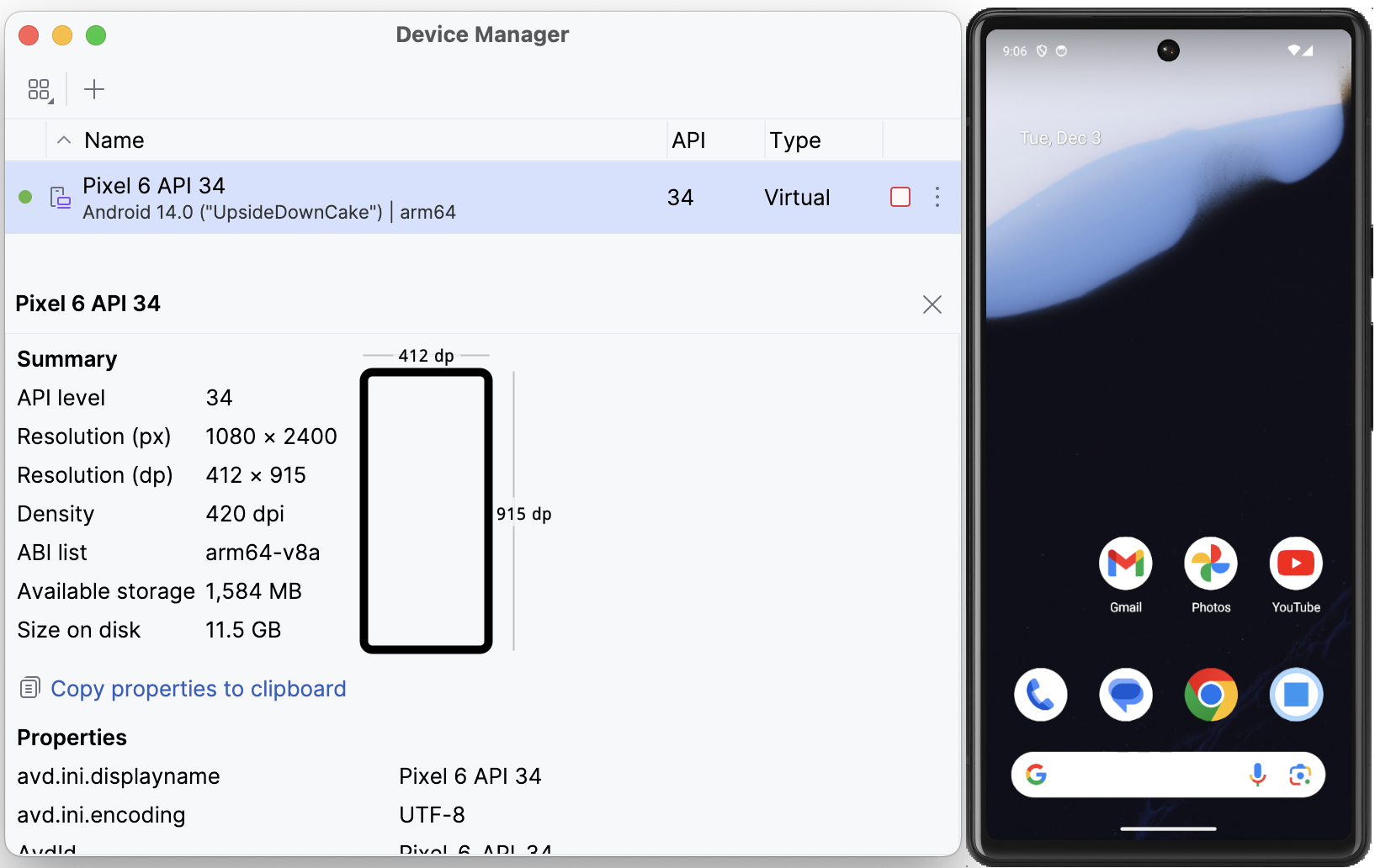
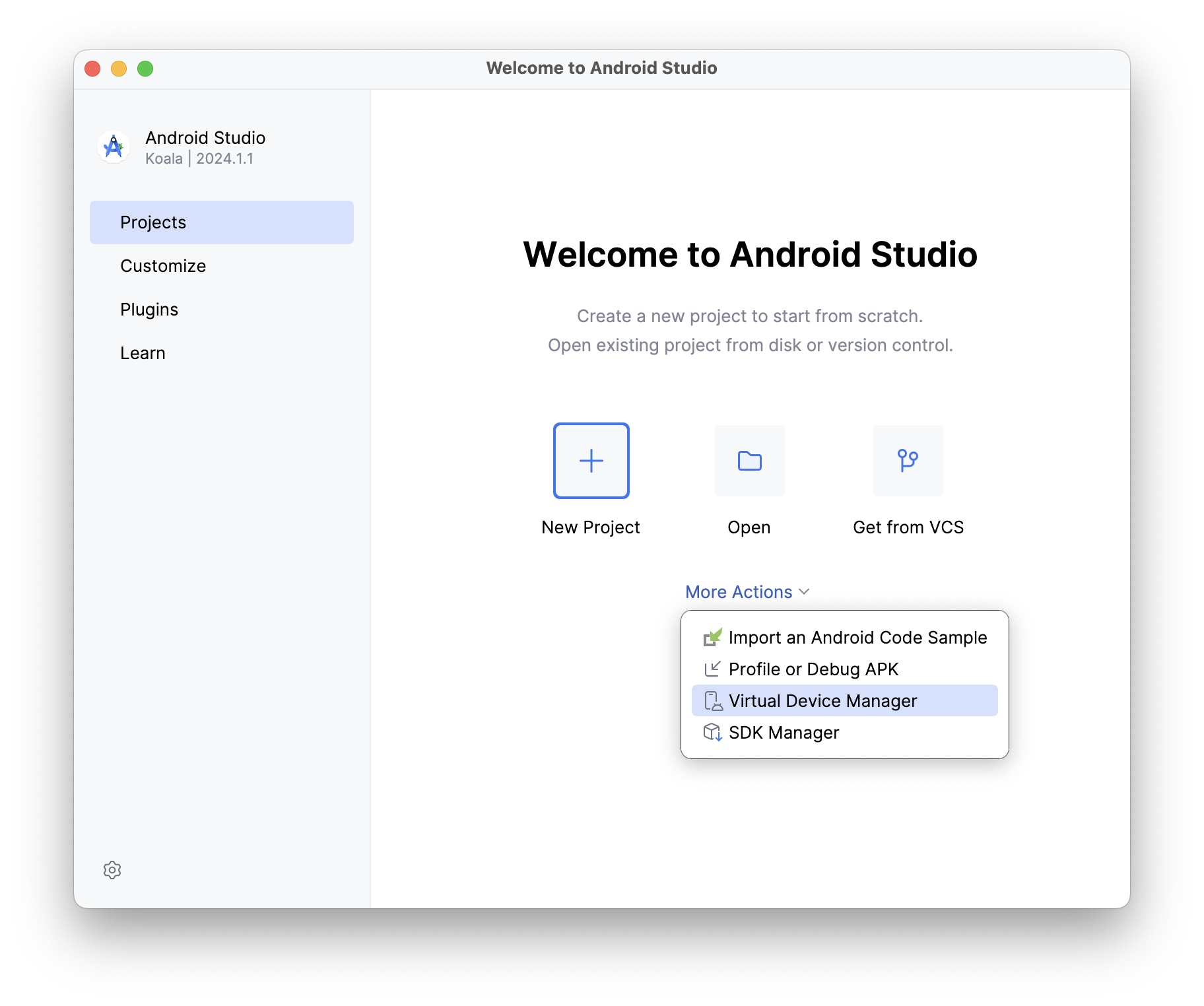
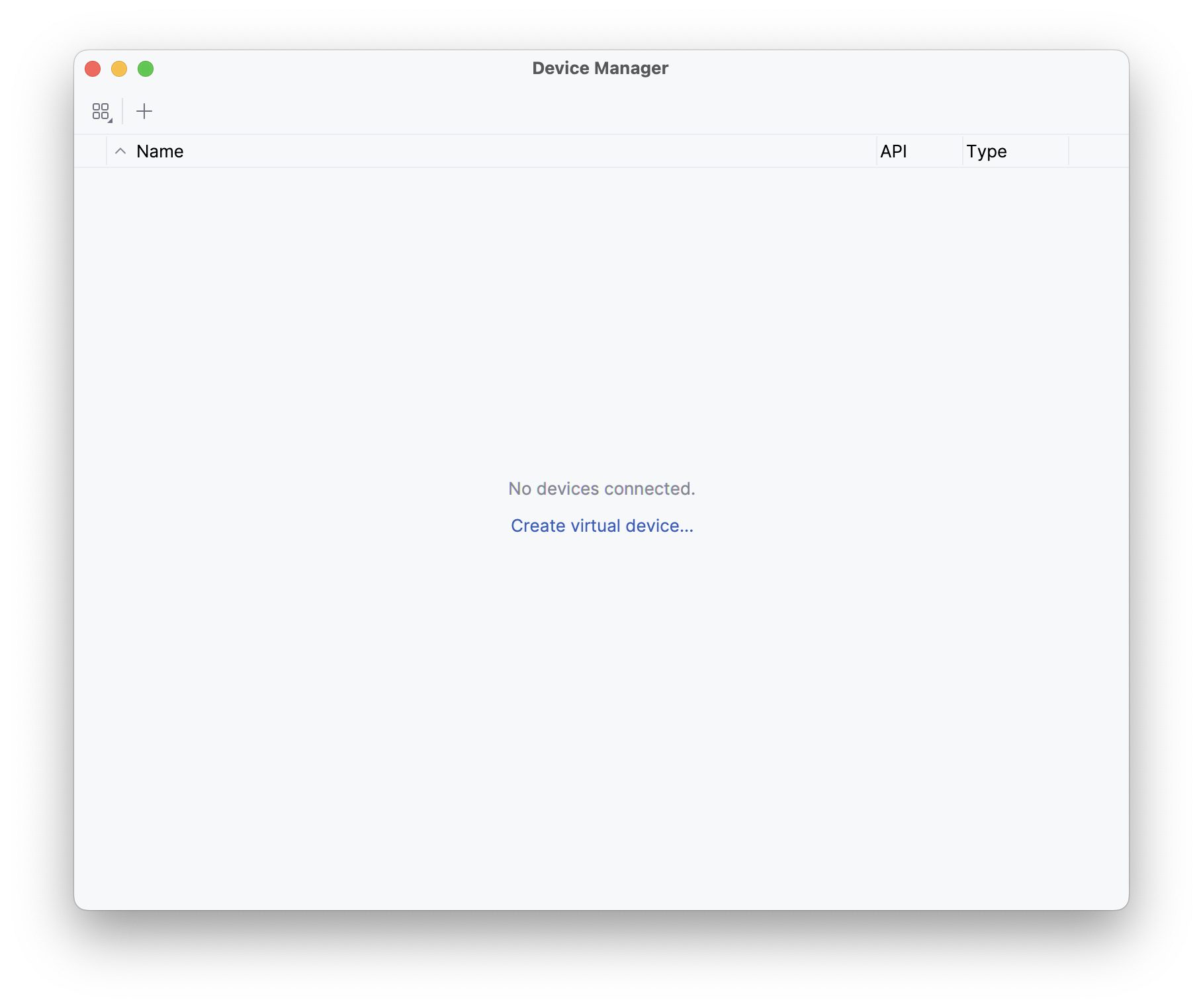
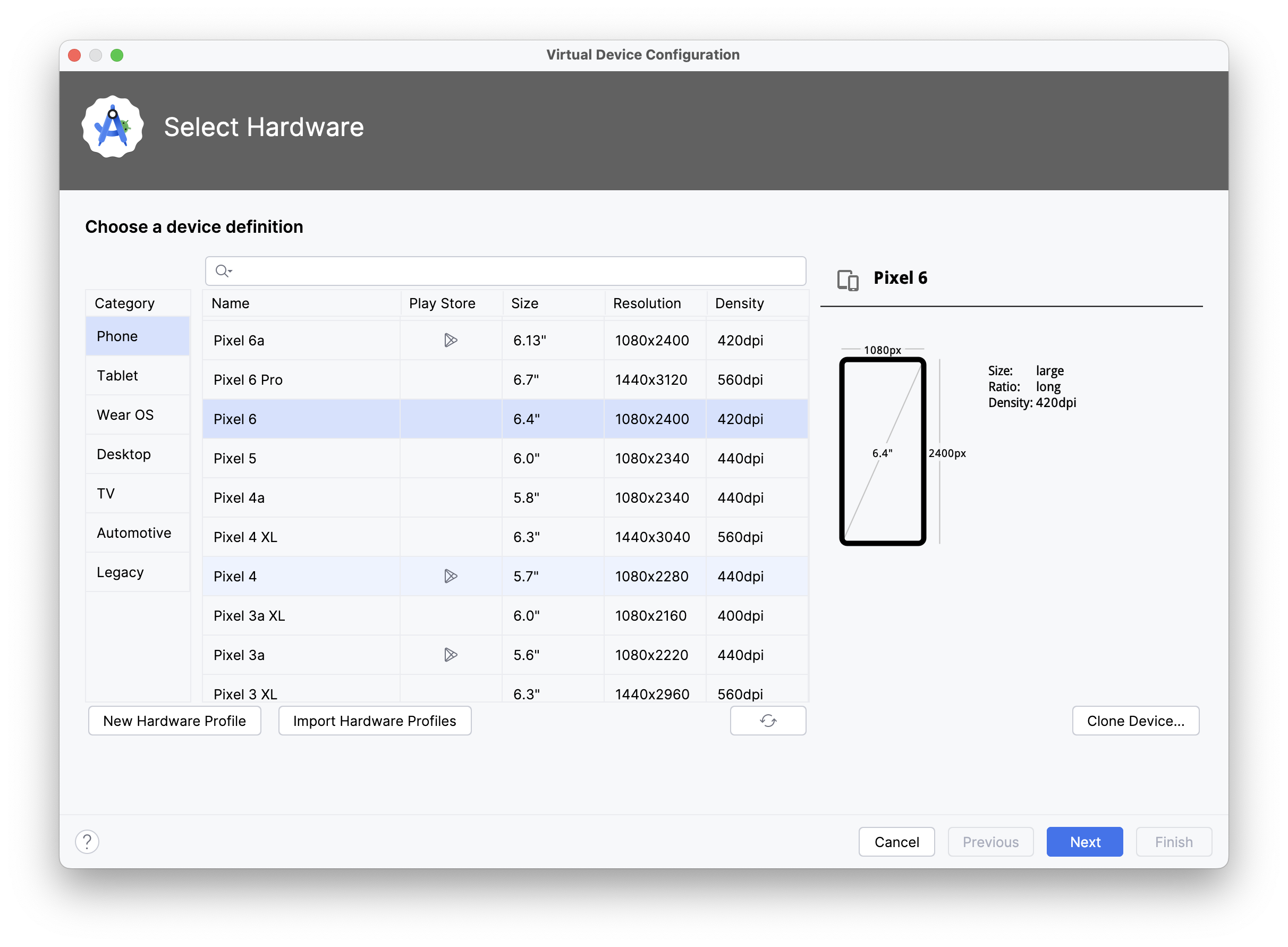
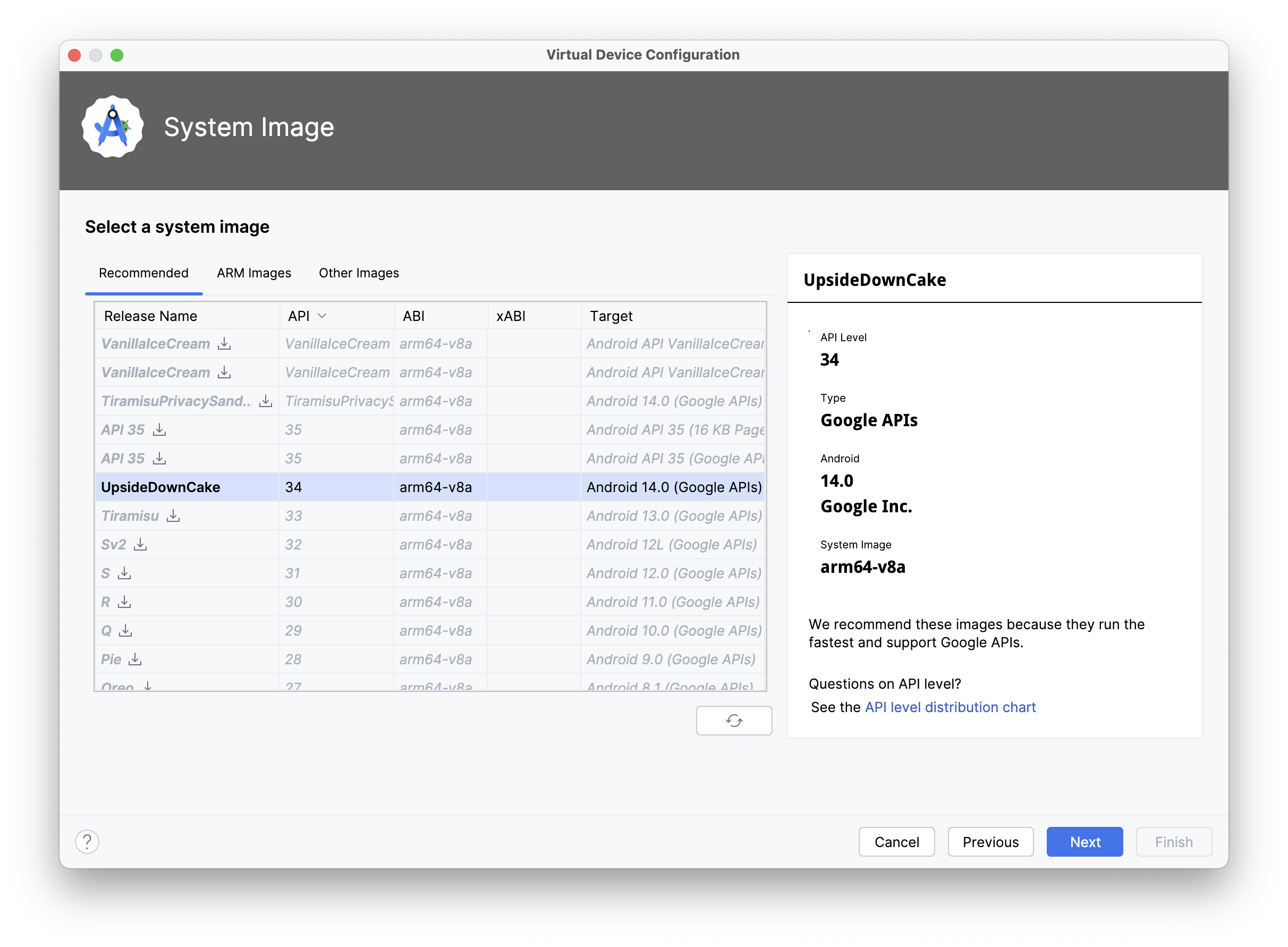
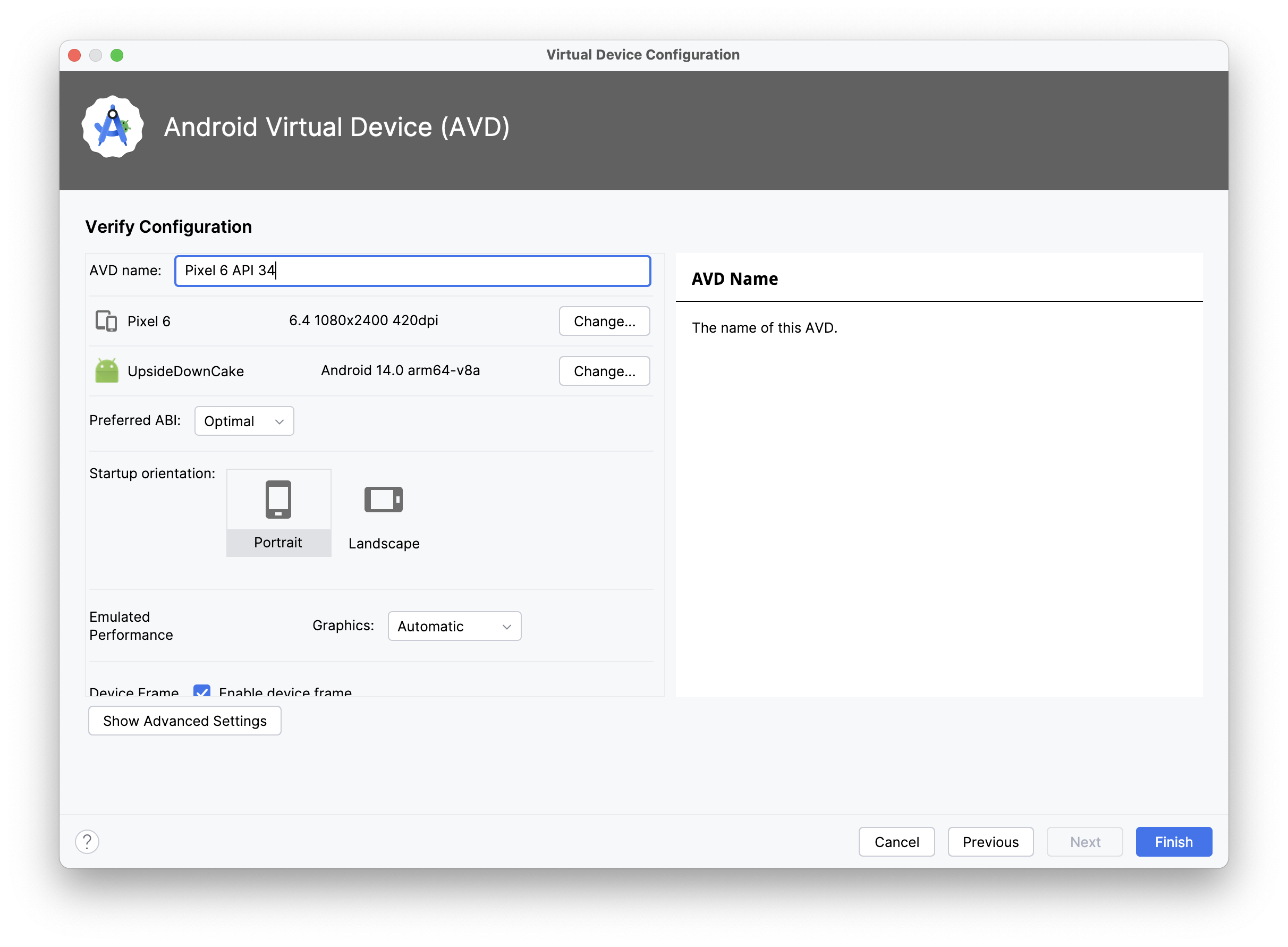
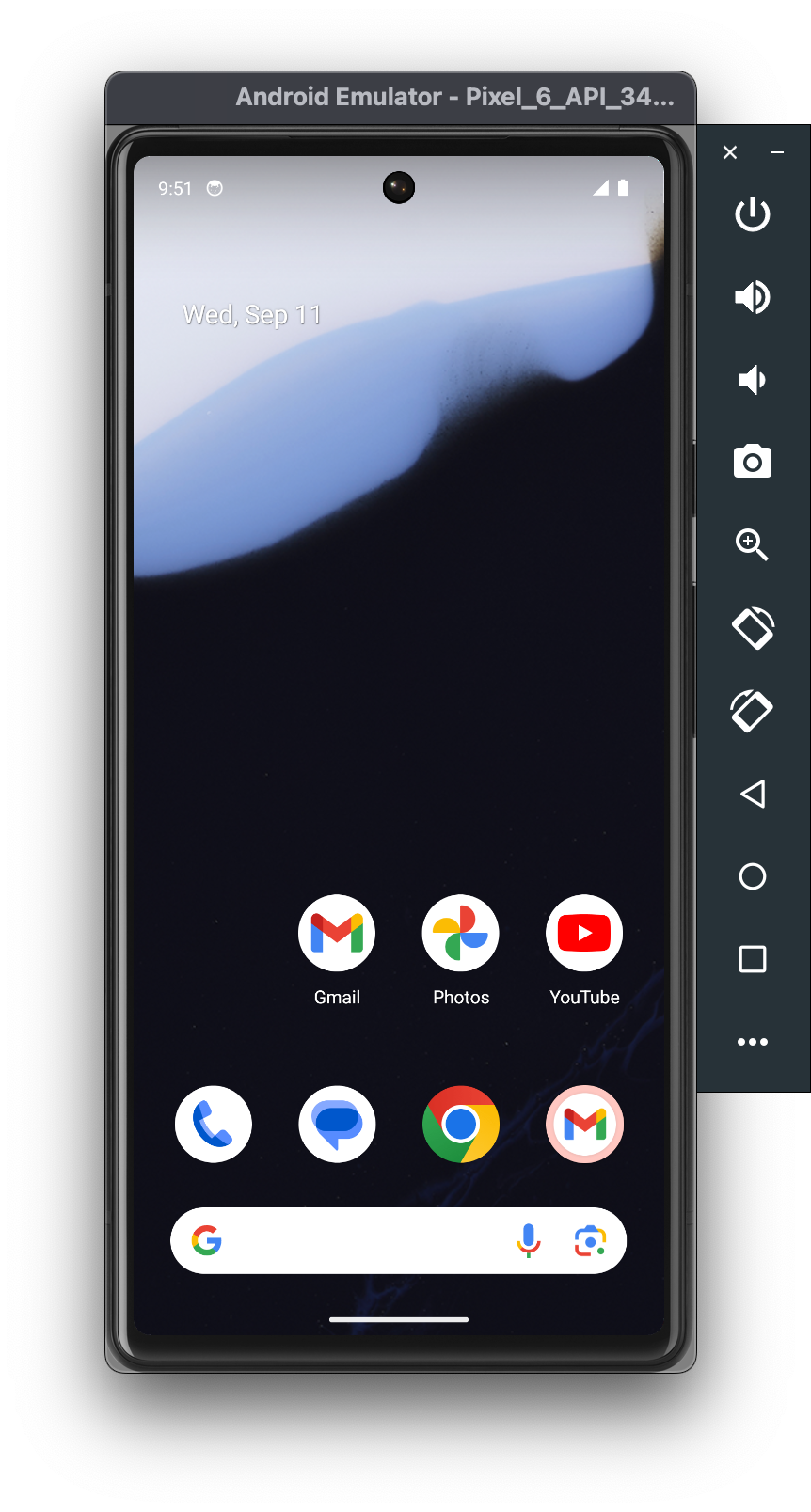
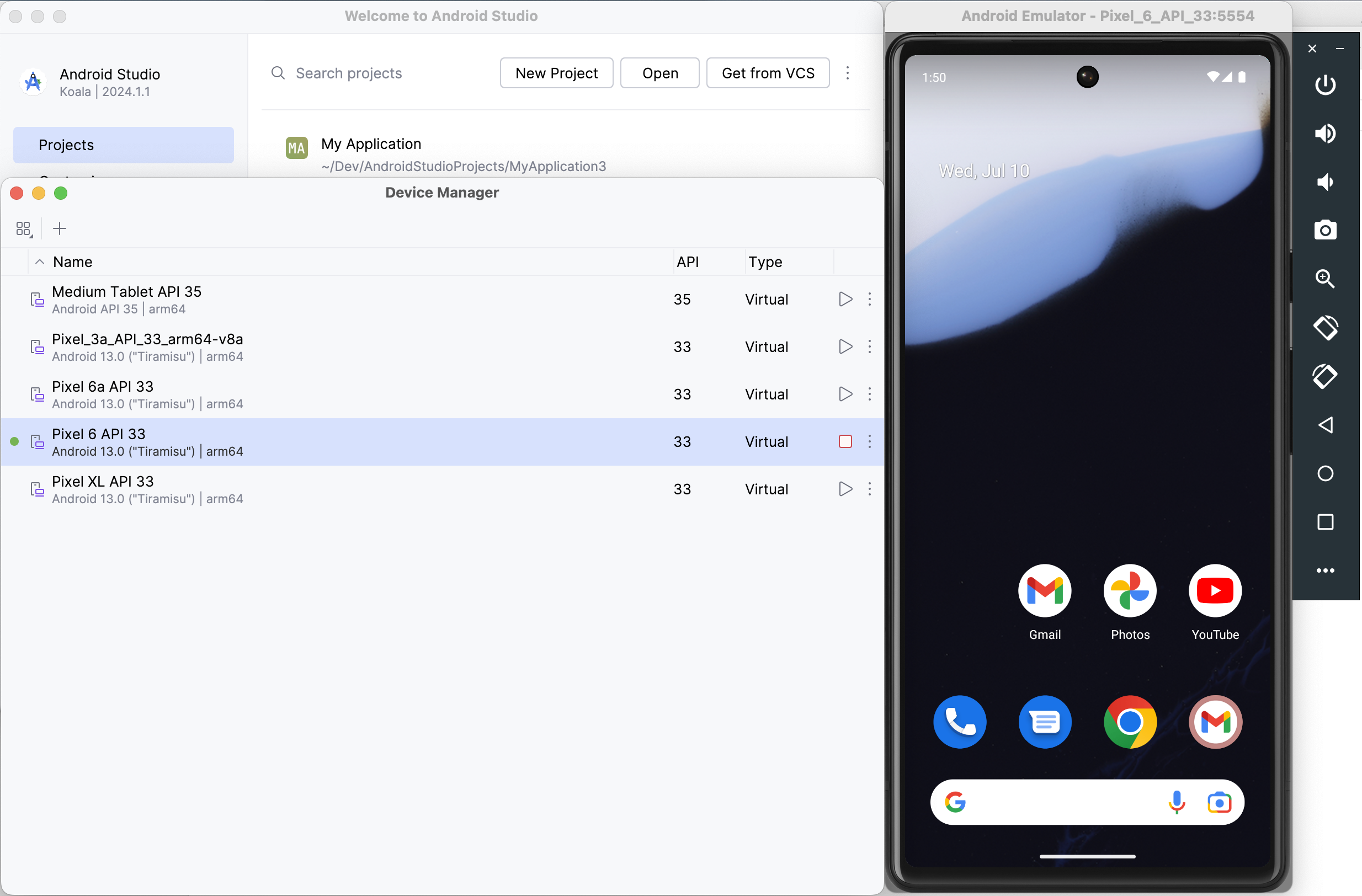
When you enter this command, Skip will generate the project, perform some checks, and then the app will open in Xcode. Before running it, though, you must first launch the Android emulator by opening Android Studio.app and selecting the Virtual Device Manager from the ellipsis menu of the Welcome dialog. From there, use the plus toolbar button to Create Device (e.g., “Pixel 6”) and then Launch the emulator.

Screenshot of the Android Studio Device Manager

Finally, select your desired iOS simulator in Xcode, then build and run the “HelloSwift” target.

The first build will take some time to compile the Skip libraries, and you may be prompted with a dialog to affirm that you trust the Skip plugin. Once the build and run action completes, the app will open in the selected iOS simulator, and at the same time the generated Android app will launch in the currently-running Android emulator.

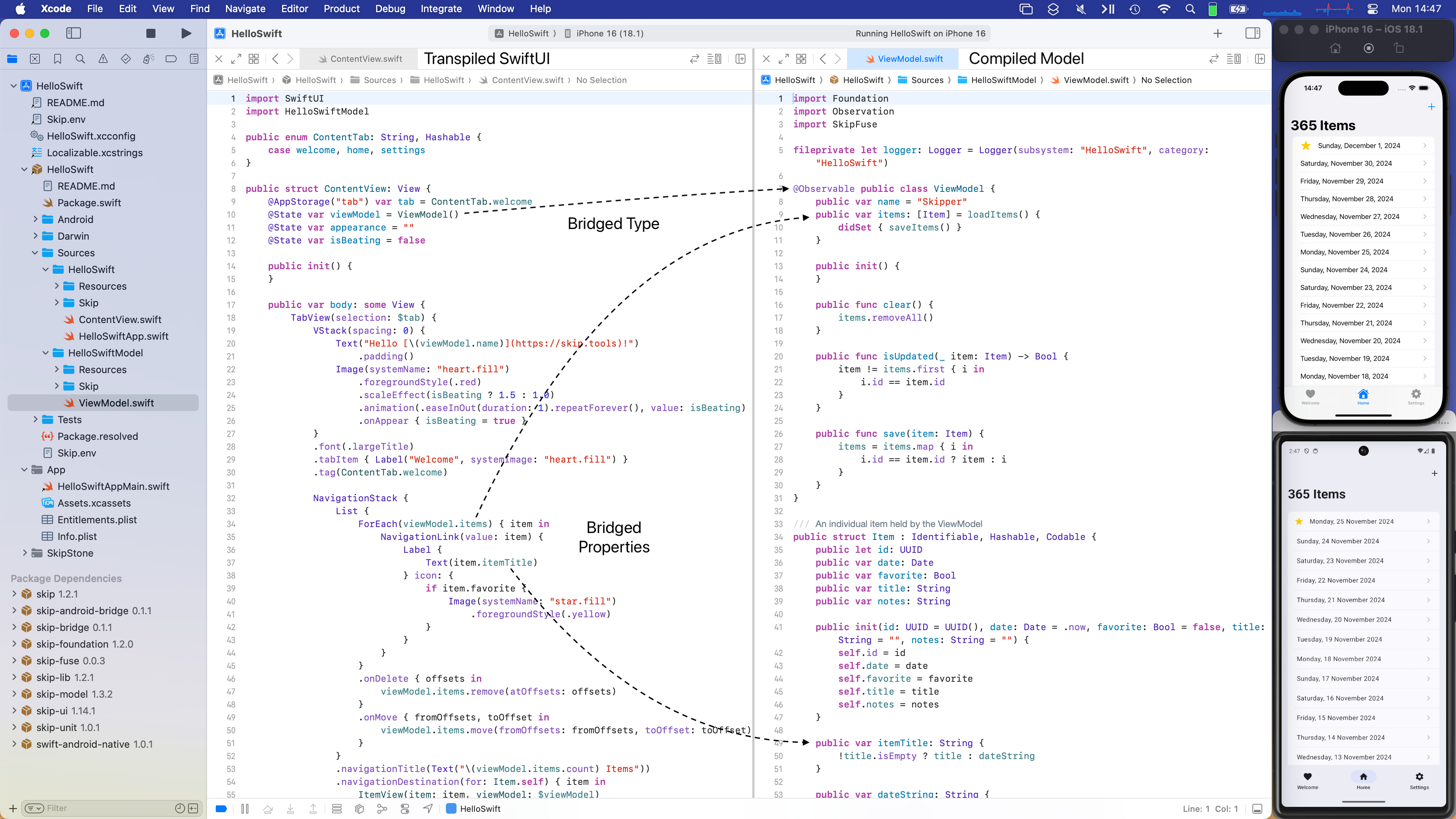
Screenshot of the Hello Swift native app

“Hello Swift” is a very simple CRUD app that contains a list of dated items. You can browse the full source code in Xcode, or online in its GitHub repository. At a high level, the Xcode project embeds a Swift Package Manager package called “HelloSwift”, which contains two targets:

  1. The HelloSwift module contains the SwiftUI for the app’s user interface. It will run natively on iOS and be transpiled by Skip’s “SkipStone” build plugin into Kotlin and Jetpack Compose for Android.
  2. HelloSwiftModel is a pure Swift module that contains an @Observable ViewModel class. It will be compiled natively for both iOS and Android using the Swift toolchain for each platform.

The app allows you to add new items with the plus button, and items can be deleted and re-arranged by swiping and dragging. Tapping an item navigates to a form with editable fields for the various properties: title, date, a favorites toggle, and notes. HelloSwiftModel defines an item as:

public struct Item : Identifiable, Hashable, Codable {
public let id: UUID
public var date: Date
public var favorite: Bool
public var title: String
public var notes: String
}

These items are held by an @Observable ViewModel class:

@Observable public class ViewModel {
public var items: [Item] = loadItems() {
didSet { saveItems() }
}
}

And in the HelloSwift SwiftUI layer, the notes are managed by a SwiftUI List within a NavigationStack:

public struct ContentView: View {
@State var viewModel = ViewModel()
public var body: some View {
NavigationStack {
List {
ForEach(viewModel.items) { item in
NavigationLink(value: item) {
Label {
Text(item.itemTitle)
} icon: {
if item.favorite {
Image(systemName: "star.fill")
.foregroundStyle(.yellow)
}
}
}
}
.onDelete { offsets in
viewModel.items.remove(atOffsets: offsets)
}
.onMove { fromOffsets, toOffset in
viewModel.items.move(fromOffsets: fromOffsets, toOffset: toOffset)
}
}
.navigationTitle(Text("\(viewModel.items.count) Items"))
.navigationDestination(for: Item.self) { item in
ItemView(item: item, viewModel: $viewModel)
.navigationTitle(item.itemTitle)
}
.toolbar {
ToolbarItemGroup {
Button {
withAnimation {
viewModel.items.insert(Item(), at: 0)
}
} label: {
Label("Add", systemImage: "plus")
}
}
}
}
}
}

On iOS, both the HelloSwift and HelloSwiftModel targets are native Swift, so communication between the two layers is seamlessly handled by the Swift dependency. On Android, however, recall that the HelloSwift module’s SwiftUI is transpiled to Kotlin. That Kotlin needs to be able to interact with the HelloSwiftModel module’s compiled Swift, which involves bridging the two languages and runtimes.

Skip’s bridging solution is called “SkipFuse”. Using the SkipStone build plugin, SkipFuse automatically generates bridging code that enables transparent communication between the two layers. This is modeled in the following diagram, which illustrates how the two modules are combined into final iOS and Android app packages:

Skip Native Diagram {: .diagram-vector }

The details of Skip’s bridging are discussed in the documentation. To summarize, the bridging system parses the public types, properties, and functions of your Swift module and exposes them to the transpiled Kotlin layer of your user interface. It supports the Observation framework, so you can use @Observable classes to manage application state in a way that is tracked by your UI, ensuring that your data and user interface are always in sync.

The following screenshot shows a split view between the HelloSwift module’s ContentView.swift and the HelloSwiftModel module’s ViewModel.swift. It demonstrates how the user interface layer communicates with the model layer in exactly the same way on both iOS and Android, although the latter is crossing a language boundary:

Screenshot of the Hello Swift native app

Skip integrates with the Xcode and Swift Package Manager build systems using the SkipStone Xcode plugin. This plugin transpiles your non-native modules from Swift to Kotlin, and it generates the needed bridging code for communication between your native Swift modules and Kotlin or Java.

The skip init command you used to create the “Hello Swift” app also adds a build script to the generated Xcode project. This build script launches Android’s Gradle build tool to compile and package the plugin’s output into an Android APK. When your project has native modules, this includes compiling the native code using the Android toolchain described in Part 1.

But how does Skip know which modules to transpile and which are native? Every Skip module must include a Skip/skip.yml configuration file in its source folder. Here is the configuration for a native Swift module whose public API is bridged to Kotlin:

skip:
mode: 'native'
bridging: true

Once you have specified that a module is bridging, the entire process is automatic. You can iterate on both your native and transpiled code and re-launch the app, and the bridging code will be updated without needing to run an external tool or perform any other manual process.

Now that you’ve created your first native Swift Android app, what’s next? Well, remember that this is just a starter app designed to get you up and running. It is meant to be torn apart and modified, so feel free to experiment by changing the model and UI in Xcode!

If you’d like to learn much more about SkipFuse, bridging, and native Swift on Android, consider reading our Native Swift Tech Preview documentation. Many of the topics it covers are the subjects of additional posts in this series. For example, while we saw “Hello Swift” bridge its native Swift model layer to its transpiled Kotlin user interface, we haven’t discussed bridging Kotlin API for use by native Swift at all. The documentation covers this in depth.

You may also be interested in the nascent swift-java project, which is designed to facilitate communication between server-side Swift and Java libraries. While that is a very different environment than Android apps interacting with modern Kotlin APIs, they do overlap, and you might find swift-java's bridging approach useful. We anticipate that as it matures, this bridge and Skip’s native bridging will begin to align more closely in their techniques and implementation details.

Additional posts in the native Swift on Android series:

Swift’s safety, efficiency, and expressiveness make it an excellent development language, and its use across platforms is spreading. This series focuses on sharing native Swift code between iOS and Android with Skip. Part 1 introduced the native Swift toolchain for Android. Now in Part 2, you’ve created your first cross-platform Swift app. There is a lot of interesting territory that we haven’t yet explored, so check out Part 3 and beyond!

Native Swift on Android, Part 1: Setup, Compiling, Running, and Testing

You may already be familiar with Skip as a tool for bringing your Swift iOS apps to Android. Skip takes a novel transpilation approach, where we integrate with the Xcode build system to convert your Swift code into Kotlin. This allows us to create an Android library for every build of your Swift package, or to launch an Android version of your SwiftUI app on every Xcode Run.

We’ve discussed the advantages of a transpilation-based strategy in the past. But despite the fact that Android is a Java/Kotlin-oriented platform, there are also significant benefits to compiled code. Skip has featured support for integrating with C code on both Android and iOS for a long time. It only makes sense that our transpiled Swift code should also integrate with compiled Swift code.

Swift Android Logo {: style=“text-align: center; width: 200px; margin: auto;”}
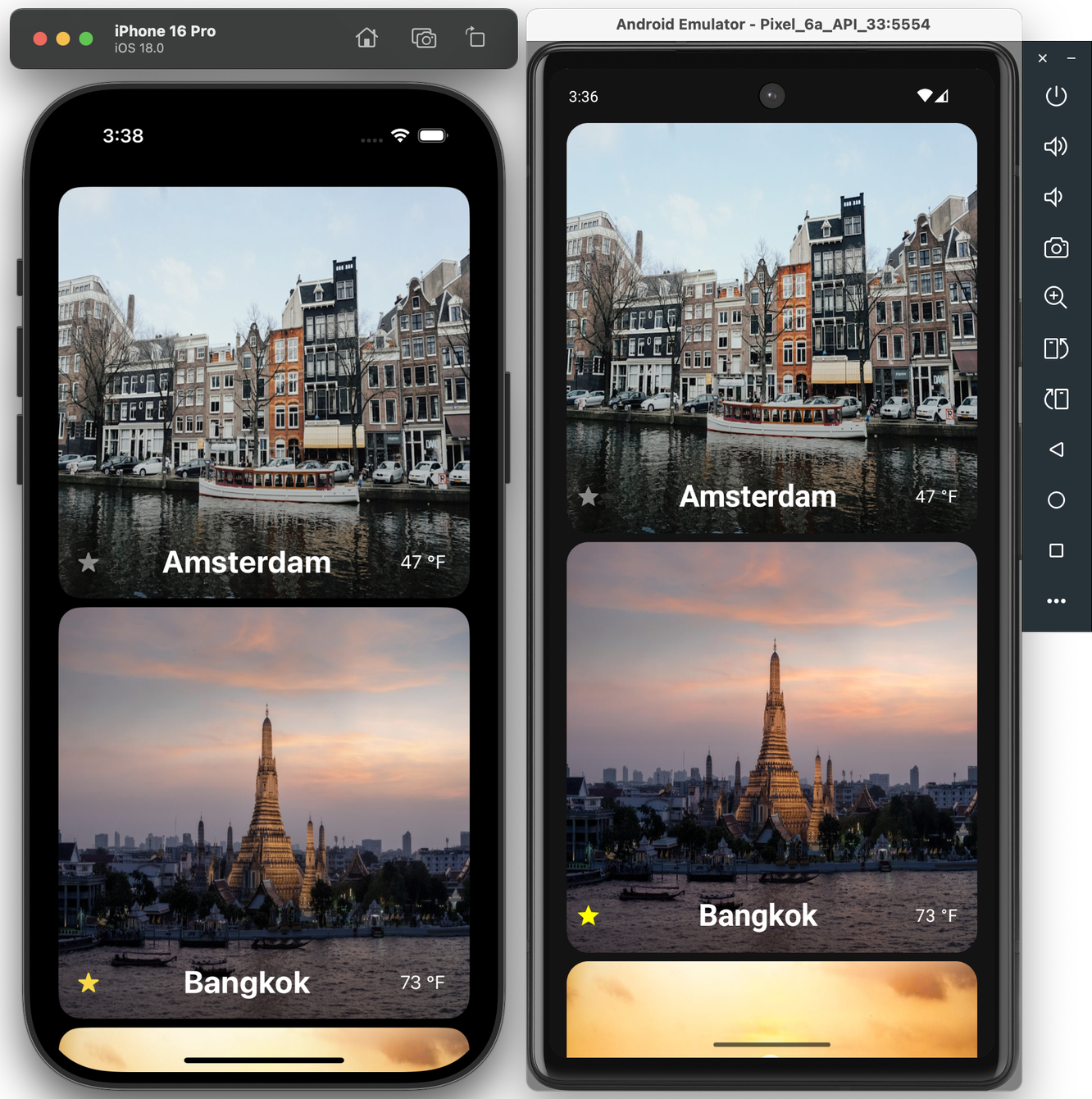
And so we are excited to announce the first technology preview of a native Swift toolchain and driver for Android! This toolset enables developers to build and run Swift executables and test cases on a connected Android device or emulator.

On a macOS development machine with Xcode and Homebrew installed, you can install the Swift 6.0 Android toolchain by opening a terminal and running:

brew install skiptools/skip/swift-android-toolchain@6.0

This will download the Swift Android SDK, along with all the dependencies it needs to build, run, and test Swift packages on Android.

If you’re an existing Skip user, make sure to also update your skip copy to version 1.1.1+:

skip upgrade

Unless you have an Android device handy, you will need to install the Android emulator in order to run executables and test cases in a simulated Android environment. The simplest way to do this is to download and install Android Studio, then launch it and open the “Virtual Device Manager” from the “More Actions” (or ellipsis menu) of the “Welcome to Android Studio” dialog. On the resulting “Device Manager” screen, select “Create virtual device”.

Android Emulator Setup 1: Welcome Screen Android Emulator Setup 2: Device Manager

On the “Select Hardware” screen, select a device (e.g., “Pixel 6”) and then on the “Select a system image” screen select one of the recommended images (e.g., “UpsideDownCake”, a.k.a. API 34), and then on the next screen name the device and select “Finish”. When you return to the “Device Manager” screen, you will see a new device (like “Pixel 6 API 34”), which you can then launch with the triangular play button. A little window titled “Android Emulator” will appear and the operating system will boot.

Android Emulator Setup 3: Select Hardware Android Emulator Setup 4: Select System Image Android Emulator Setup 5: Verify Connfiguration
Android Emulator Setup 6: Device Manager Android Emulator Setup 6: Running Emulator

Running Swift “Hello World” on Android

Section titled “Running Swift “Hello World” on Android”

Now that you have everything set up and have launched an Android emulator (or connected a physical Android device with developer mode enabled), it’s time to run some Swift!

Open a terminal and create a new Swift command-line executable called “HelloSwift”:

% mkdir HelloSwift
% cd HelloSwift
% swift package init --type=executable
Creating executable package: HelloSwift
Creating Package.swift
Creating Sources/main.swift

Just to make sure it works on macOS, run the program with the standard swift run command:

% swift run HelloSwift
Building for debugging...
Build of product 'HelloSwift' complete! (1.80s)
Hello, world!

And now, we will build and run it on the Android emulator (or device) using the Swift Android driver, which we include as part of the skip tool that was installed along with the toolchain:

% skip android run HelloSwift
Building for debugging...
Build complete! (10.90s)
[✓] Check Swift Package (0.68s)
[✓] Connecting to Android (0.05s)
[✓] Copying executable files (0.25s)
Hello, world!

Viola! There’s Swift running on Android. And just to prove to that we are really running on a different host, edit the Sources/main.swift file with your favorite editor (or run xed Sources/main.swift to edit it in Xcode), and add a platform check:

#if os(Android)
print("Hello, Android!")
#elseif os(macOS)
print("Hello, macOS!")
#else
print("Hello, someone other platform…")
#endif

Then run it on both macOS and Android:

% swift run HelloSwift
Building for debugging...
Build of product 'HelloSwift' complete! (0.47s)
Hello, macOS!
% skip android run HelloSwift
Building for debugging...
Build complete! (0.89s)
[✓] Check Swift Package (0.23s)
[✓] Connecting to Android (0.04s)
[✓] Copying executable files (0.23s)
Hello, Android!

Command-line tools are fun, but to really exercise Swift on Android, we want to be able to run test suites. This is how developers interested in creating cross-platform frameworks will be able to check for – and resolve – issues with their Swift code arising from platform differences.

Fortunately the skip android driver includes not just the run command, but also the test command, which will connect to the Android emulator/device and run through an XCTest test suite in the same way as swift test does for macOS.

To demonstrate, we can run the test suite for Apple’s swift-algorithms package, to make sure it runs correctly on Android:

% git clone https://github.com/apple/swift-algorithms.git
Cloning into 'swift-algorithms'...
Resolving deltas: 100% (1054/1054), done.
% cd swift-algorithms
% skip android test
Fetching https://github.com/apple/swift-numerics.git from cache
Fetched https://github.com/apple/swift-numerics.git from cache (0.87s)
Computing version for https://github.com/apple/swift-numerics.git
Computed https://github.com/apple/swift-numerics.git at 1.0.2 (0.57s)
Creating working copy for https://github.com/apple/swift-numerics.git
Working copy of https://github.com/apple/swift-numerics.git resolved at 1.0.2
Building for debugging...
[92/93] Linking swift-algorithmsPackageTests.xctest
Build complete! (25.91s)
[✓] Check Swift Package (0.74s)
[✓] Connecting to Android (0.06s)
[✓] Copying test files (0.27s)
Test Suite 'All tests' started at 2024-09-10 20:24:17.770
Test Suite 'swift-algorithms-C7A0585A-0DC2-4937-869A-8FD5E482398C.xctest' started at 2024-09-10 20:24:17.776
Test Suite 'AdjacentPairsTests' started at 2024-09-10 20:24:17.776
Test Case 'AdjacentPairsTests.testEmptySequence' started at 2024-09-10 20:24:17.776
Test Case 'AdjacentPairsTests.testEmptySequence' passed (0.001 seconds)
Test Case 'WindowsTests.testWindowsSecondAndLast' started at 2024-09-10 20:24:20.480
Test Case 'WindowsTests.testWindowsSecondAndLast' passed (0.0 seconds)
Test Suite 'WindowsTests' passed at 2024-09-10 20:24:20.480
Executed 8 tests, with 0 failures (0 unexpected) in 0.004 (0.004) seconds
Test Suite 'swift-algorithms-C7A0585A-0DC2-4937-869A-8FD5E482398C.xctest' passed at 2024-09-10 20:24:20.480
Executed 212 tests, with 0 failures (0 unexpected) in 2.702 (2.702) seconds
Test Suite 'All tests' passed at 2024-09-10 20:24:20.480
Executed 212 tests, with 0 failures (0 unexpected) in 2.702 (2.702) seconds

Everything passes. Hooray!

Not every package’s tests will pass so easily: Android is based on Linux – unlike the Darwin/BSD heritage of macOS and iOS – so there may be assumptions your code makes for Darwin that don’t hold true on Linux. Running through a comprehensive test suite is the best way to begin isolating, and then addressing, these platform differences.

Command line executables and unit tests are all well and good, but “Hello World” is not an app. To create an actual Android app, with access to device capabilities and a graphical user interface, you need to work with the Android SDK, which is written in Java and Kotlin. And you need to package and distribute the app in Android’s own idiomatic way, with self-contained libraries embedded in the application’s assembly.

This is where integration with Skip’s broader ecosystem comes into play. Additional installments of this series explore Skip’s system for transparently bridging compiled Swift to Java, Kotlin, and transpiled Swift - including Skip’s existing SwiftUI support for Android. This allows the best of all worlds: transpiled Swift to talk to Android libraries, SwiftUI on top of Jetpack Compose, and business logic and algorithms implemented in compiled Swift!

Screenshot

Additional posts in the native Swift on Android series:

The Swift toolchain for Android is the culmination of many years of community effort, in which we (the Skip team) have played only a very small part.

Even before Swift was made open-source, people have been tinkering with getting it running on Android, starting with Romain Goyet’s “Running Swift code on Android” attempts in 2015, which got some basic Swift compiling and running on an Android device. A more practical example came with Geordie J’s “How we put an app in the Android Play Store using Swift” in 2016, where Swift was used in an actual shipping Android app. Then in 2018, Readdle published “Swift for Android: Our Experience and Tools” on integrating Swift into their Spark app for Android. These articles provide valuable technical insight into the mechanics and complexities involved with cross-compiling Swift for a new platform.

In more recent years, the Swift community has had various collaborative and independent endeavors to develop a usable Swift-on-Android toolchain. Some of the most prominent contributors on GitHub are @finagolfin, @vgorloff, @andriydruk, @compnerd, and @hyp. Our work merely builds atop of their tireless efforts, and we expect to continue collaborating with them in the hopes that Android eventually becomes a fully-supported platform for the Swift language.

Looking towards the future, we are eager for the final release of Swift 6.0, which will enable us to publish a toolchain that supports all the great new concurrency features, as well as the Swift Foundation reimplementation of the Foundation C/Objective-C libraries, which will give us the the ability to provide better integration between Foundation idioms (bundles, resources, user defaults, notifications, logging, etc.) and the standard Android patterns. A toolchain is only the first step in making native Swift a viable tool for building high-quality Android apps, but it is an essential component that we are very excited to be adding to the Skip ecosystem.

August Skip Newsletter

Welcome to the August edition of the Skip.tools newsletter! This month we will showcase some of the improvements and advancements we've made to the Skip platform, along with some current events and a peek at our upcoming roadmap.

Skip 1.0

The big news this month was the launch of Skip 1.0! After over a year in development, Skip is finally ready for general production use. The launch has made a big splash, even being featured on the front page of Hacker News. There has never been a better time to start a new project with Skip and bring your app to the entire mobile marketplace!

New FREE Indie Pricing Tier

As part of the general availability of Skip, we are also delighted to announce the new Skip Indie tier, which enables solo developers to use Skip to build their dual-platform projects for free.

Markdown Support

On a technical front, a long-requested feature for SkipUI has been to support SwiftUI's automatic markdown support for Text elements. Well, now it's here! Styling text with simple markdown elements has never been simpler.

Reminder: Skip Showcase on the Stores

The Skip Showcase app (https://skip.tools/docs/samples/skipapp-showcase/) has long been our go-to for providing a side-by-side comparison of SwiftUI components with the Jetpack Compose equivalents that SkipUI provides. Browsing thought these components simultaneously on an iPhone and Android device gives a good sense Skip's capabilities and power, and is a great way to demonstrate Skip's benefits to project managers and stakeholders before breaking ground on a new project.

In order to make it even easier to get this handy app on your devices, we've published the Skip Showcase app to both the Apple App Store (https://apps.apple.com/us/app/skip-showcase/id6474885022) as well as the Google Play Store (https://play.google.com/store/apps/details?id=org.appfair.app.Showcase). This enables you to quickly grab a demo app that highlights Skip's power, and feel for yourself the benefit of using a genuinely native app on both platforms. Download it today and see for yourself what Skip can do!

New Skip Showreel Video

We've published a new 3-minute video summarizing Skip's capabilities. This is a great video to share with your colleagues and management to highlight some of the benefits of using Skip to bring your app to the entire matketplace. Check it out at https://skip.tools/tour/skip-showreel/

Video poster image

That's all for now!

You can follow us on Mastodon at https://mas.to/@skiptools, and join in the Skip discussions at http://community.skip.tools/. The Skip FAQ at https://skip.tools/docs/faq/ is there to answer any questions, and be sure to check out the video tours at https://skip.tools/tour/. And, as always, you can reach out directly to us on our Slack channel at https://skip.tools/slack/.

Happy Skipping!

Skip 1.0 Release

Screenshot

We’re thrilled to announce the release of Skip 1.0!

Skip brings Swift app development to Android. Share Swift business logic, or write entire cross-platform apps in SwiftUI.

Skip is the only tool that enables you to develop genuinely native apps for both major mobile platforms with a single codebase. Under the hood, it uses the vendor-recommended technologies on each OS: Swift and SwiftUI on iOS, Kotlin and Compose on Android. So your apps don’t just “look native”, they are native, with no additional resource-hogging runtime and no uncanny-valley UI replicas.

Skip also gives you complete access to platform libraries. Directly call any Swift or Objective C API on iOS, and any Kotlin or Java API on Android - no complex bridging required!

Skip has been in development for over a year. It has an enthusiastic community of users developing a wide range of apps and continually improving Skip’s ecosystem of cross-platform open source libraries.

Scrumskipper: Running Apple's SwiftUI sample app on Android

Scrumdinger is Apple’s canonical SwiftUI iPhone app. In this post, we’ll use Skip to run Scrumdinger as a native Android app as well!

Recording of Scrumdinger app operating on iOS and Android simultaneously

Honed and updated over the years, Apple’s Scrumdinger tutorial is an hours-long step-by-step guide to building a complete, modern SwiftUI app. It exercises both built-in UI components and custom drawing, and it takes advantage of Swift language features like Codable for persistence. As its rather unique name implies, the Scrumdinger app allows users to create and manage agile programming scrums on their phones.

This blog post begins where Apple’s tutorial ends. We’ll start with the final Scrumdinger source code and walk you through the process of bringing the full app to Android using Skip. You’ll learn the general steps involved in bringing an existing app to Android, and you’ll become familiar with the types of issues you may encounter and how to overcome them. Let’s get started!

You can get the full Scrumdinger source code from the last page of Apple’s SwiftUI tutorial. Here’s a direct link to the zipped Xcode project:

https://docs-assets.developer.apple.com/published/9d1c4a1d2dcd046ee8e30ad15f20f6f3/TranscribingSpeechToText.zip

Download and expand the zip file. Assuming you have the latest Xcode installed, you can run the iPhone app by opening TranscribingSpeechToText/Complete/Scrumdinger.xcodeproj. The first time you attempt to open it, you may need to confirm that you trust the download. Once Xcode has loaded the project, select the iOS Simulator you’d like to use and hit the Run button!

Screenshot of the iOS app's scrum list Screenshot of the iOS app's scrum detail Screenshot of the iOS app's meeting view

Play around with the app - this is what we’re going to bring to Android. First, however, we need to install Skip.

Skip is a tool for building fully native iOS and Android apps from a single Swift and SwiftUI codebase. It works by transpiling your Swift into Android’s Kotlin development language and adapting your SwiftUI to Android’s native Jetpack Compose UI framework.

Skip’s Android version of Scrumdinger won’t be pixel-identical to the iOS version, and it shouldn’t be. Rather, we believe in using the native UI framework and controls on each platform. This gives the best possible user experience, avoiding the uncanny-valley feel of non-native solutions.

Follow the Getting Started guide to install Skip and your Android environment, including Android Studio. Next, launch Android Studio and open the Virtual Device Manager from the ellipsis menu of the Welcome dialog. From there, Create Device (e.g., “Pixel 6”) and then start the Emulator. Skip needs a connected Android device or Emulator to run the Android version of your app.

Screenshot of Android Studio Device Manager

Now we’re ready to turn Scrumdinger into a dual-platform Skip app.

It isn’t too hard to update an existing Swift Package Manager package to use Skip. Updating an existing app, however, is a different story. Building for Android requires a specific folder structure and xcodeproj configuration. We recommend creating a new Skip Xcode project, then importing the old project’s code and resources.

Enter the following command in Terminal to initialize Scrumskipper, your dual-platform version of the Scrumdinger app.

Terminal window
skip init --open-xcode --appid=com.xyz.Scrumskipper scrum-skipper Scrumskipper

This will create a template SwiftUI app and open it in Xcode. Let’s run the template as-is to make sure it’s working: select your desired iOS Simulator in Xcode, and hit the Run button. If you just installed or updated Skip, you may have to trust the Skip plugin:

Xcode's Trust Plugin dialog

If all goes well, you should see something like the following:

Screenshot of template app running in iOS Simulator and Android Emulator

Great! Next, copy Scrumdinger’s source code to Scrumskipper:

  1. Drag the Scrumdinger/Models and Scrumdinger/Views folders from Scrumdinger’s Xcode window into the Scrumskipper/Sources/Scrumskipper/ folder in Scrumskipper’s window.

    Copy source folders from Scrumdinger to Scrumskipper
  2. Replace Scrumskipper’s ContentView body with the content of Scrumdinger’s primary WindowGroup. Scrumskipper’s ContentView should now look like this:

import SwiftUI
public struct ContentView: View {
@StateObject private var store = ScrumStore()
@State private var errorWrapper: ErrorWrapper?
public init() {
}
public var body: some View {
ScrumsView(scrums: $store.scrums) {
Task {
do {
try await store.save(scrums: store.scrums)
} catch {
errorWrapper = ErrorWrapper(error: error,
guidance: "Try again later.")
}
}
}
.task {
do {
try await store.load()
} catch {
errorWrapper = ErrorWrapper(error: error,
guidance: "Scrumdinger will load sample data and continue.")
}
}
.sheet(item: $errorWrapper) {
store.scrums = DailyScrum.sampleData
} content: { wrapper in
ErrorView(errorWrapper: wrapper)
}
}
}
#Preview {
ContentView()
}

That’s it! You’ve now created Scrumskipper, a dual-platform app with all of Scrumdinger’s source code.

It’s the moment of truth: hit that Xcode Run button!

Almost immediately, you’ll get an API unavailable error like this one:

Xcode API unavailable error from Skip

This is our first hint that migrating an existing iOS codebase to Android is not trivial, even with Skip. Starting a new app with Skip can be a lot of fun, because it’s relatively easy to avoid problematic patterns and APIs, and you can tackle any issues one at a time as they appear. But when you take on an existing codebase, you get hit with everything at once. Even if Skip perfectly translates 95+% of your original Swift source and API calls - code that was certainly never intended to be cross-platform - that can leave dozens or even hundreds of errors to deal with!

It’s important to remember, though, that while fixing that remaining 5% can be a slog, it is still 20 times less work than a 100% Android rewrite! And once you’ve worked through the errors, you’ll have a wonderfully maintainable, unified Swift and SwiftUI codebase moving forward. So let’s roll up our sleeves and get started, beginning with the error above.

The pictured error message says that the Color(_ name:) constructor isn’t available in Skip. Each of Skip’s major frameworks includes a listing you can consult of the API that is supported on Android. These listings are constantly expanding as we port additional functionality. For example, here is the table of supported SwiftUI.

When an API is unsupported, that does not mean you can’t use it in your app! Skip never forces you to compromise your iOS app. Rather, it means that you have to find a solution for your Android version. That could mean contributing an implementation for the missing API, but more often you’ll just want to take a different Android code path. To keep your iOS code intact but create an alternate Android code path, use #if SKIP (or #if !SKIP) compiler directives. The Skip documentation covers compiler directives and other platform customization techniques in detail. Let’s update the problematic code in Theme.swift to use named colors on iOS, but fall back to a constant color on Android until we implement a solution:

Change:

var mainColor: Color {
Color(rawValue)
}

To:

var mainColor: Color {
#if !SKIP
Color(rawValue)
#else
// TODO
Color.yellow
#endif
}

This technique works for SwiftUI modifiers as well. For example, while Skip is able to translate many of SwiftUI’s accessibility modifiers for Android (in fact Skip’s native-UI approach excels in accessibility), it doesn’t have a translation for the .accessibilityElement(children:) modifier. So, update from this:

HStack {
Label("Length", systemImage: "clock")
Spacer()
Text("\(scrum.lengthInMinutes) minutes")
}
.accessibilityElement(children: .combine)

To this:

HStack {
Label("Length", systemImage: "clock")
Spacer()
Text("\(scrum.lengthInMinutes) minutes")
}
#if !SKIP
.accessibilityElement(children: .combine)
#endif

The iOS version of the app is unaffected, and the Android build can proceed without the unsupported modifier.

Getting Scrumskipper to successfully build as an iOS and Android app is a repetition of the process we began above:

  1. Hit the Run button.
  2. View the next batch of Xcode errors from the transpiler or the Kotlin compiler.
  3. Use compiler directives to exclude the source causing the error from the Android build.

If you see this process through as we did, you’ll end up using #if SKIP and #if !SKIP approximately 25 times in the ~1,500 lines of Scrumdinger’s Swift and SwiftUI source. In addition to the aforementioned Color(_ name:) and .accessibilityElement(children:) APIs, here is a full accounting of Scrumdinger code that causes errors:

  • The Speech and AVFoundation frameworks used in Scrumdinger are not supported. While Skip does have a minimal AVFoundation implementation for Android, it is not complete as of this writing. These are examples of cases where you would likely use Skip’s dependency support to integrate Android-specific libraries for the missing functionality.
  • Timer.tolerance is not supported.
  • .ultraThinMaterial is not supported.
  • ListFormatter is not supported. We replaced ListFormatter.localizedString(byJoining: attendees.map { $0.name }) with attendees.map { $0.name }.joined(separator: ", ").
  • SwiftUI’s ProgressViewStyle is not yet supported.
  • SwiftUI’s LabelStyle is not yet supported.
  • The Theme enum’s name property causes an error because all Kotlin enums inherit a built-in, non-overridable name property already. We changed the property to themeName.

You can view the final result in the source of our skipapp-scrumskipper sample app.

After using compiler directives to work around these errors, we have liftoff! Scrumskipper launches on both the iOS Simulator and Android Emulator. Clearly, however, it needs additional work.

Screenshot of the Android app's scrum list Screenshot of the Android app's scrum detail Screenshot of the Android app's meeting view

As you explore the app, you’ll find many things that are missing or broken. Fortunately, it turns out that the problems are all easily fixed. View our sample app to see the completed code. We give a brief description of each issue below.

Copying over Scrumdinger’s source code wasn’t quite enough. We forgot to copy its ding.wav resource and more importantly, the Info.plist keys that give the app permission to use the microphone and speech recognition. Without these keys, the iOS app will crash when you attempt to start a meeting.

Scrumdinger uses SF Symbols for all of its in-app images. Android obviously doesn’t include these out of the box, but Skip allows you to easily add symbols to your app. Just place vector images with the desired symbol names in your Module asset catalog, as described here. For the purposes of this demo, we exported the symbols from Apple’s SF Symbols app.

Exporting a SF Symbol Copying SF Symbols to Scrumskipper

We made two additional tweaks to MeetingView. First, the custom MeetingTimerView was not rendering at all on Android. Layout issues like this are rare, but they do occur. Second, we didn’t want the Android navigation bar background to be visible. We added a couple of #if SKIP blocks to the view body to correct these issues:

var body: some View {
ZStack {
...
VStack {
MeetingHeaderView(...)
MeetingTimerView(...)
#if SKIP
.frame(maxWidth: .infinity, maxHeight: .infinity)
#endif
MeetingFooterView(...)
}
}
...
#if SKIP
.toolbarBackground(.hidden, for: .navigationBar)
#endif
}

Scrums were not being saved and restored in the Android version of the app. It turns out that Scrumdinger saved its state on transition to ScenePhase.inactive, but Android doesn’t use this phase! Android apps transition directly from active to background and back. The following simple change fixed the issue:

struct ScrumsView: View {
@Environment(\.scenePhase) private var scenePhase
...
var body: some View {
NavigationStack {
...
}
.onChange(of: scenePhase) { phase in
#if !SKIP
if phase == .inactive { saveAction() }
#else
if phase == .background { saveAction() }
#endif
}
}
}

Remember how we were going to circle back to the Theme enum’s named colors on Android? We decided to forgo the asset catalog colors altogether and just define each color programmatically with RGB values.

The completed native Android app actually looks a lot like its iOS counterpart:

Screenshot of the Android app's scrum list Screenshot of the Android app's scrum detail Screenshot of the Android app's edit view Screenshot of the Android app's meeting view

Take a moment to reflect on how amazing it is that Apple’s canonical SwiftUI iPhone sample now runs as a fully native Android app. Though Skip excels at new development and the process for bringing Scrumdinger’s existing code to Android wasn’t trivial, it was still an order of magnitude faster than a re-write and did not risk regressions to the iOS version. Moreover, future maintenance and improvements will be extremely efficient thanks to having a single shared Swift and SwiftUI codebase.

The Android version doesn’t yet have all the features of the iOS one, but additional Android functionality can be added over time. Skip never forces you to compromise your iOS app, provides a fast path to a native Android version using your existing code, and has excellent integration abilities to enhance and specialize your Android app when the effort warrants it.

Going the last mile with Skip and Fastlane

Getting your finished app into the hands of users can be a laborious process. The individual app stores – the Apple App Store the the Google Play Store, primarily – have their own cumbersome web-based processes for uploading the app binary, adding metadata and screenshots, and providing the necessarily content ratings and regulatory information required by various jurisdictions. And once you have gone through all the tedious manual steps needed to release the initial version of the app, each and every update will also need to follow many of those steps all over again.

Fortunately, this process has become so irksome, to so many developers, that a community tool called “Fastlane” was born. In the documentation, it describes itself as:

fastlane is the easiest way to automate beta deployments and releases for your iOS and Android apps. 🚀 It handles all tedious tasks, like generating screenshots, dealing with code signing, and releasing your application.

Fastlane is architected as a collection of plugins that handle all manner of app distribution tasks, like packaging, signing, and uploading. It is configured with a platform-specific hierarchy of local text and ruby configuration files, one for Android and another for iOS.

Skip 0.8.50 now has built-in support for creating a default fastlane configuration for each of your iOS and Android projects. When you create a new project with the command:

skip init --fastlane --appid=app.bundle.id package-name AppName

The Darwin/ and Android/ folders will each contain a template for the fastlane project, which holds the metadata files that can be edited to fill in information like the app’s title, description, content ratings, and screenshots.

Once you fill in the generated text files with your app’s specific details, such as the title, description, and keywords, you can then use the fastlane release command in each of the folders to create new releases of your app and submit them either to the store’s beta test service, or to be reviewed for worldwide release.

Being able to quickly build and upload a new release with a single command is a great help in maintaining a rapid release cadence. It enables “continuous delivery”, defined by Wikipedia as:

Continuous delivery (CD) is a software engineering approach in which teams produce software in short cycles, ensuring that the software can be reliably released at any time. It aims at building, testing, and releasing software with greater speed and frequency. The approach helps reduce the cost, time, and risk of delivering changes by allowing for more incremental updates to applications in production. A straightforward and repeatable deployment process is important for continuous delivery.

We are using this process ourselves with those Skip apps that we are delivering to the app stores, like the Skip Showcase app that demonstrates the various SkipUI components (App Store link, Play Store link).

Being able to submit a new release to both the major app storefronts with a single command is a joy. It can be used to submit quick fixes, or as part of a continuous integration workflow triggered by tagging your source release. However you use it, Fastlane eliminates much of the repetition and tedium of release management.

For more information on Skip’s Fastlane integration, see the deployment documentation.

Negative Padding in Compose

Skip’s open-source SkipUI library implements the SwiftUI API for Android. To do so, SkipUI leverages Compose, Android’s own modern, declarative UI framework.

The parallels between SwiftUI and Compose are striking, especially when it comes to layout. SwiftUI uses HStack, VStack, and ZStack for basic layout, with modifiers like offset and padding to shift or pad the resulting placement. Compose uses Row, Column, and Box for basic layout, and it too has offset and padding modifiers. Compose has one odd omission, however: it doesn’t support negative padding! Supplying a negative value will throw an IllegalArgumentException.

SkipUI must support whatever SwiftUI supports, so internally we’ve replaced the standard Compose padding modifier with our own custom layout that works for both positive and negative values. We present that layout below, in case you find it useful in your own Compose work.

Notes:

  1. SkipUI’s implementation is tied to SwiftUI internals, so this is an untested and simplified port of the actual code.
  2. Important: If you plan to use this in pure Compose code, expose it as a custom modifier for a more fluent API.
@Composable fun PaddingLayout(modifier: Modifier, top: Dp = 0.dp, leading: Dp = 0.dp, bottom: Dp = 0.dp, trailing: Dp = 0.dp, content: @Composable () -> Unit) {
val density = LocalDensity.current
val topPx = with(density) { top.roundToPx() }
val bottomPx = with(density) { bottom.roundToPx() }
val leadingPx = with(density) { leading.roundToPx() }
val trailingPx = with(density) { trailing.roundToPx() }
Layout(modifier = modifier, content = {
// Compose content
content()
}) { measurables, constraints ->
if (measurables.isEmpty()) {
return layout(width: 0, height: 0) {}
}
// Subtract the padding from the available size the content can use
val updatedConstraints = constraints.copy(
minWidth = constraint(constraints.minWidth, subtracting = leadingPx + trailingPx),
minHeight = constraint(constraints.minHeight, subtracting = topPx + bottomPx),
maxWidth = constraint(constraints.maxWidth, subtracting = leadingPx + trailingPx),
maxHeight = constraint(constraints.maxHeight, subtracting = topPx + bottomPx)
)
val contentPlaceables = measurables.map { it.measure(updatedConstraints) }
// Layout within the padded size
layout(width = contentPlaceables[0].width + leadingPx + trailingPx, height = contentPlaceables[0].height + topPx + bottomPx) {
// Offset the content position by the leading and top padding
for (contentPlaceable in contentPlaceables) {
contentPlaceable.placeRelative(x = leadingPx, y = topPx)
}
}
}
}
// Subtract the given amount from a size constraint value, honoring Int.MAX_VALUE and preventing illegal negative constraints.
private fun constraint(value: Int, subtracting: Int): Int {
if (value == Int.MAX_VALUE) {
return value
}
return max(0, value - subtracting)
}

We hope that you find this useful! If you have questions or suggestions for improvements, please reach out to us on Mastodon @skiptools@mas.to, via chat skiptools.slack.com, or in our discussion forums.

April Skip Newsletter

Welcome to the April edition of the Skip.Tools Developer Program newsletter!

Skip is the first tool that enables you to build a genuinely native app for both iPhone and Android with a single Swift codebase. This month we have some exciting news, new features and frameworks, and some brand new content for app developers. Let's dive right in!

Early Adopter Discount

First off, we are pleased to announce that the Skip Early Adopter program, which we unveiled last month, is in full swing. For a limited time, the Skip Professional developer program is 50% off, and the Skip Small Business program is 100% off! That's right, if you are a qualifying small business or non-profit, Skip is completely free for the first year.

Take our Developer Survey

We're looking for feedback on the technologies that people are using to build their apps and what features are most important to them. The survey is quick and fun, and lets you have a direct influence over the Skip roadmap during our Early Adopter phase: https://skip.tools/survey

Skip on the Compile Swift Podcast

Abe and Marc were delighted to be invited back to Peter Witham's excellent Compile Swift podcast, where they discussed the present and future directions for Skip, and dove into some interesting technical details of Skip's inner workings, including the secrets to the unbeatable performance of apps that are built using Skip. Check it out at: https://skip.tools/blog/skip-on-compile-swift-podcast

Updated Comparison Table

We truly believe Skip is the best way to build mobile applications that reach the entire marketplace. No other solution offers the same level of user interface polish, raw performance, and seamless integration with the native platform interfaces. We've updated our comparison table to highlight some of the benefits of Skip over alternatives like Flutter, React, and other legacy solutions: https://skip.tools/compare

Skip Module Updates

Skip is more than just a transpiler – it is also an ecosystem of modular frameworks that work identically on both iOS and Android. The open-source frameworks that are maintained by the Skip team are all located at https://github.com/skiptools . Here's a small sample of some of the recent updates to some of our core frameworks:

  • Lottie animations The updated SkipMotion packages enables you to include Lottie animations directly in both your iOS and Android apps. With its impeccably smooth rendering, Lottie has become the de-facto solution for adding whimsy and delight to mobile apps. Discover more about the module at  https://skip.tools/docs/modules/skip-motion  and see the sample application at  https://skip.tools/docs/samples/skipapp-lottiedemo
  • Firebase Firestore Firebase is one of the most popular solutions for storing and synchronizing your data between your devices and the cloud. Our SkipFirestore module is the first part of a comprehensive SkipFirebase package, and sits atop the official Kotlin and Swift Firebase libraries maintained by Google. Read more about the package at  https://skip.tools/docs/modules/skip-firebase  and take a look at the "FireSide" sample app at  https://skip.tools/docs/samples/skipapp-fireside
  • Native SQL The SkipSQL package was recently updated to facilitate using either the vendor-provided sqlite libraries (thereby keeping your app size low), or embedding a full native SQLPlus build, which enables many of the great sqlite extensions that the community has provided over the years: full-text search, encryption, and advanced JSON functions. Read the full documentation at  https://skip.tools/docs/modules/skip-sql  and check out the "Data Bake" sample app at  https://skip.tools/docs/samples/skipapp-databake

Get Your Project Featured

We are assembling a list of Skip projects to feature on our web site. If you have built – or are currently building – an interesting app using Skip, send us an email at support@skip.tools and we may promote it on our customer stories page! And, as always, we are seeking testimonials from happy Skip users that we can share with the rest of the community.

Evaluation Period Extended

For those of you who have signed up for the Skip eval over the past 12 months, we have great news: you can now extend your evaluation period for one additional 30-day trial period. No action is required on your part, you can simply return to https://skip.tools/eval  and request a new key for your host ID, and you will have another 30 days to try out Skip on your project.

That's All Folks!

You can follow us on Mastodon at https://mas.to/@skiptools , and join in the Skip discussions at http://community.skip.tools . The Skip FAQ at https://skip.tools/docs/faq  is there to answer any questions, and be sure to check out the video tours at https://skip.tools/tour .

Happy Skipping!

Bringing Swift and SwiftUI to Android

Swift and SwiftUI are Apple’s recommended technologies for app development, and with good reason. Their emphasis on safety, efficiency, and expressiveness have made it easier than ever to build fast, polished, and robust apps for the Apple ecosystem.

Recent stories about Swift on Windows, Swift on the Playdate, and a SwiftUI-like library for Gnome highlight developers’ desire to take advantage of Swift and SwiftUI in other environments too, and advances in Swift tooling have facilitated the porting process. We’re excited to share how Skip combines several Swift platform technologies to bring Swift and SwiftUI development to Android.

Cross-platform development in Xcode

There are multiple paths to supporting Swift on Android, and - like everything in engineering - each comes with its own set of tradeoffs. We chose transpilation as our primary mechanism. Transpiling your Swift source to Android’s native Kotlin language maximizes interoperability, allowing you to call Kotlin and Java APIs directly from Swift - a key concern when you want to take advantage of Android-specific features in your apps.

Our Swift-to-Kotlin transpiler is powered by SwiftSyntax, and we use use Swift Package Manager to both invoke the transpiler as part of the build process, and to integrate our suite of open source Android libraries.

Diagram of Skip's Swift-on-Android build process

The result is a workflow in which you work in Xcode, writing standard Swift and SwiftUI. Our build plugin leaves your source code untouched, but generates, packages, and builds the equivalent Kotlin and Jetpack Compose alongside it. One Swift and SwiftUI codebase, two fully native apps.

Let’s take a closer look at the Swift platform technologies that make this possible.

SwiftSyntax is an open source Swift library by Apple that provides powerful tools for parsing and transforming Swift source code. SwiftSyntax has existed for some time, but it has only recently risen to prominence as the library powering Swift macros.

Our transpiler uses SwiftSyntax to parse your Swift code into a highly detailed syntax tree. Once we have this tree, we’re able to analyze it and translate it into an equivalent syntax tree for Kotlin, the modern JVM-based language used in Android development. The fidelity that SwiftSyntax provides not only allows us to perfectly capture the semantics of the Swift source, but even to preserve your comments and formatting. The Kotlin we output is often indistinguishable from hand-written code.

Example Swift:
protocol Action {
associatedtype R
var name: String { get }
func perform() throws -> R
}
/// Action to add two integers
struct AddAction: Action, Equatable {
let lhs: Int // Left hand side
let rhs: Int // Right hand side
var name: String {
return "Add"
}
func perform() -> Int {
return lhs + rhs
}
}
Transpiles to:
internal interface Action<R> {
val name: String
fun perform(): R
}
/// Action to add two integers
internal class AddAction: Action<Int> {
internal val lhs: Int // Left hand side
internal val rhs: Int // Right hand side
override val name: String
get() = "Add"
override fun perform(): Int = lhs + rhs
constructor(lhs: Int, rhs: Int) {
this.lhs = lhs
this.rhs = rhs
}
override fun equals(other: Any?): Boolean {
if (other !is AddAction) return false
return lhs == other.lhs && rhs == other.rhs
}
}

ViewBuilders - a special case of Swift’s ResultBuilders - lie at the heart of SwiftUI’s easy-to-use syntax. SwiftSyntax is able to perfectly parse these as well, but this is one area where our output does not look hand-written. Kotlin doesn’t support the expressive ViewBuilder syntax, and Jetpack Compose - Android’s modern UI framework - is based on nested function calls instead. The transpilation from ViewBuilders to function calls is effective, but it results in mechanical-looking code.

You can see all of this in action using our online Swift-to-Kotlin transpiler playground. While it doesn’t replicate the integrated Xcode experience of the real thing, it is fun to experiment with, and it demonstrates the speed and sophistication of SwiftSyntax.

Translating Swift into Kotlin is interesting, but a complete cross-platform solution must also integrate with your development workflow, support the Swift and SwiftUI APIs you’re accustomed to using, and scale to multi-module projects. For these needs, we leverage Swift Package Manager.

Swift Package Manager (SwiftPM) is the standard dependency management tool for Swift projects, and it has become an integral part of the Swift ecosystem. We use SwiftPM’s plugin support, dependency resolution, and module system.

Swift Package Manager Plugins are a way to extend the functionality of SwiftPM. They allow developers to securely add custom commands or behaviors to the package manager. Parts of the plugin API are specifically designed for reading source code and generating additional source code, and we utilizes these capabilities to invoke our transpiler. Thanks to Xcode’s seamless SwiftPM integration, this happens transparently on every build, and any transpilation errors are surfaced right inline.

We maintain a suite of open source libraries to mirror standard frameworks like Foundation, Observation, and SwiftUI for Android. SwiftPM allows you to easily integrate these libraries into your project, keep them up to date, and manage their transitive dependencies. Because SwiftPM’s Package.swift files have all the capabilities of Swift, we can add logic allowing you to exclude these Android libraries when performing Apple platform release builds, keeping your Apple releases free from any dependencies on Skip.

As the size of a project grows, so does the importance of modularization. SwiftPM makes it as easy as possible to break up your code into modules that you can test and iterate on independently. Compartmentalizing your codebase can also significantly improve compilation speeds, as modules that haven’t changed don’t need to be recompiled. We’re able to use this optimization as well, avoiding re-transpiling and recompiling for Android when a module hasn’t been modified.

Unit testing is critical for verifying functionality and ensuring that what worked yesterday will still work tomorrow. This is doubly important for code that runs on multiple platforms.

XCTest is Apple’s native framework for writing and running unit tests in Swift. Through our open source SkipUnit library, we support the XCTest API on top of JUnit, the venerable Java unit testing framework.

Diagram of Skip's XCTest-on-Android test process

Being able to run a unified set of Swift unit tests across your Apple and Android targets is a critical aspect of any Swift-on-Android solution. In fact the Skip modules themselves rely heavily on this testing support: we use GitHub actions to run our suite of Swift unit tests across both iOS and Android on every commit to prevent regressions.

While Swift and SwiftUI are often associated with development for Apple devices, their principles and paradigms are universal, and their use across platforms is spreading. Advances in the Swift ecosystem have unlocked powerful integration possibilities. We leverage these advances to bring Swift and SwiftUI to Android with Skip, allowing you to create fully native cross-platform libraries and apps from a single Swift and SwiftUI codebase.

Nested Dropdown Menus in Compose

Skip’s open-source SkipUI library implements the SwiftUI API for Android. To do so, SkipUI leverages Compose, Android’s own modern, declarative UI framework.

While implementing SwiftUI’s Menu, we discovered that Compose doesn’t build in support for nested dropdown menus. Googling revealed that we weren’t the only devs wondering how to present a sub-menu from a Compose menu item, but the answers we found didn’t meet our needs. The code below represents our own simple, general solution to nested dropdown menus in Compose.

Note: SkipUI’s implementation is tied to SwiftUI internals, so this is an untested and simplified port of the actual code.

// Simple menu model. You could expand this for icons, section
// headings, dividers, etc
class MenuModel(title: String, val items: List<MenuItem>): MenuItem(title, {})
open class MenuItem(val title: String, val action: () -> Unit)
// Display a menu model, whose items can include nested menu models
@Composable fun DropdownMenu(menu: MenuModel) {
val isMenuExpanded = remember { mutableStateOf(false) }
val nestedMenu = remember { mutableStateOf<MenuModel?>(null) }
val coroutineScope = rememberCoroutineScope()
// Action to replace the currently-displayed menu with the
// given one on item selection. The hardcoded delays are
// unfortunate but improve the user experience
val replaceMenu: (MenuModel?) -> Unit = { menu ->
coroutineScope.launch {
// Allow selection animation before dismiss
delay(200)
isMenuExpanded.value = false
// Prevent flash of primary menu on nested dismiss
delay(100)
nestedMenu.value = null
if (menu != null) {
nestedMenu.value = menu
isMenuExpanded.value = true
}
}
}
DropdownMenu(expanded = isMenuExpanded.value, onDismissRequest = {
isMenuExpanded.value = false
coroutineScope.launch {
// Prevent flash of primary menu on nested dismiss
delay(100)
nestedMenu.value = null
}
}) {
for (item in menu.items) {
DropdownMenuItem(text = { Text(item.title) }, onClick = {
item.action()
replaceMenu(item as? MenuModel)
})
}
}
}

You can see this in action in the Skip Showcase app’s menu playground:

Nested dropdown menus in the Skip Showcase app

We hope that you find this useful! If you have questions or suggestions for improvements, please reach out to us on Mastodon @skiptools@mas.to, via chat skiptools.slack.com, or in our discussion forums.

Announcing the Skip Technology Preview!

We’re thrilled to announce the tech preview of Skip: dual-platform app development in Swift.

Screenshot

You write a modern iPhone app, and Skip transpiles it into a native Android app in real time.

Skip is the only solution that enables the creation of genuinely native apps for both iOS and Android with one language, one team, and one codebase.

Check out the video tour and visit the FAQ and documentation to get started. Sign up at skip.dev to be notified about future updates.

Happy Skipping!