Skip to content
Skip
3k

Blog

Skip and Kotlin Multiplatform

  • Table of contents {:toc}

Kotlin Multiplatform (KMP) is a technology that enables Kotlin to be compiled natively and used in non-Java environments. Google recommends using KMP for sharing business logic between Android and iOS platforms1.

In many ways, Skip and KMP are inverses of each other, in that:

  • Skip brings your Swift/iOS codebase to Android.
  • KMP brings your Kotlin/Android codebase to iOS.

The mechanics powering these transformations are different – Skip uses source transpilation to convert Swift into idiomatic Kotlin, whereas KMP compiles Kotlin into native code that presents an Objective-C interface – but the high-level benefits are the same: you can maintain a single codebase for both your iOS and Android app.

Skip or KMP {: style=“text-align: center; width: 50%; margin: auto;”}

We think that Skip is the right way to tackle the challenge of creating genuinely native dual-platform apps. Skip gives you an uncompromised iOS-first development approach: your code is used as-is on iOS devices, with zero bridging and no added runtime or garbage collector2. Our SkipUI adaptor framework – which takes your SwiftUI and converts it into Jetpack Compose – allows you to create genuinely native user interfaces for both platforms. And while the Compose Multiplatform3 project adds cross-platform Compose support to KMP, it eschews native components on iOS by default. It utilizes a Flutter-like strategy instead, painting interface elements onto a Skia canvas. This can result in a sub-par experience for iOS users in terms of aesthetics, performance, accessibility, and feel, not to mention limitations on native component integration (something Skip excels at). We believe that a premium, no-compromises user experience requires embracing the platform’s native UI toolkit.

If we put the UI layer aside, however, using KMP for logic and model code does have some great benefits. With KMP, you can target not just Android and iOS, but also the web, desktop, and server-side environments, whereas Skip is focused squarely on mobile app development. You can also write and build KMP code on a variety of platforms: macOS, Windows, and Linux. Finally, some organizations might already be heavily invested in the Kotlin/Java ecosystem.

Skip and KMP {: style=“text-align: center; width: 50%; margin: auto;”}
And so it may be the case that you have business logic in one or more KMP modules that you want to use in a cross-platform Android and iOS app. The trend among organizations that have adopted KMP has been to build separate native apps for each platform – using Jetpack Compose (or Views) on Android and SwiftUI (or UIKit) on iOS – and then import their KMP business logic module into those apps. This is much the same as writing two separate apps, but with the benefit that some of the business logic can use a shared codebase.

This happens to be a perfect fit for Skip. With Skip/KMP integration, you can build the UI of your app from a single Swift codebase, and at the same time use the KMP module from both the Swift and (transpiled) Kotlin sides of the app. You get all the benefits of a genuinely native user interface, and can still leverage any existing investment in a shared Kotlin codebase. The remainder of this post will outline the details of integrating and accessing a KMP module from a Skip app project.

When viewed from the Android side, a KMP module is simply a traditional Kotlin/Gradle project dependency: you add it to your build.gradle.kts and import the Kotlin packages in the same way as you use any other Kotlin package. The KMP module has no knowledge of, or dependency on, any Skip libraries or tools.

The iOS side is a bit more involved: the KMP project must be compiled and exported as a native library4 that can be imported into the iOS project. This is done by compiling the KMP project to native code and then exporting it to an xcframework, which is a multi-platform binary framework bundle that is supported by Xcode and SwiftPM.

The resulting project and dependency layout will look like this:

Skip KMP Diagram

Adding a KMP dependency to a Skip Framework

Section titled “Adding a KMP dependency to a Skip Framework”

In the Package.swift file for the skip-kmp-sample library, we have the Skip-enabled “SkipKMPSample” target with a dependency on a binary target specifying the location and checksum of the compiled xcframework. This enables us to access the Objective-C compiled interface for the KMP library, which is in the separate kmp-library-sample repository containing the Kotlin and Gradle project that builds the library.

5.9
import PackageDescription
let package = Package(
name: "skip-kmp-sample",
defaultLocalization: "en",
platforms: [.iOS(.v16), .macOS(.v13), .tvOS(.v16), .watchOS(.v9), .macCatalyst(.v16)],
products: [
.library(name: "SkipKMPSample", targets: ["SkipKMPSample"]),
],
dependencies: [
.package(url: "https://github.com/skiptools/skip.git", from: "0.8.55"),
.package(url: "https://github.com/skiptools/skip-foundation.git", from: "0.6.12")
],
targets: [
.target(name: "SkipKMPSample", dependencies: [
.product(name: "SkipFoundation", package: "skip-foundation"),
"MultiPlatformLibrary"
], resources: [.process("Resources")], plugins: [.plugin(name: "skipstone", package: "skip")]),
.testTarget(name: "SkipKMPSampleTests", dependencies: [
"SkipKMPSample",
.product(name: "SkipTest", package: "skip")
], resources: [.process("Resources")], plugins: [.plugin(name: "skipstone", package: "skip")]),
.binaryTarget(name: "MultiPlatformLibrary",
url: "https://github.com/skiptools/kmp-library-sample/releases/download/1.0.4 /MultiPlatformLibrary.xcframework.zip",
checksum: "65e97edcdeadade0f10ef0253d0200bce0009fe11f9826dc11ad6d56b6436369")
]
)

For the transpiled Kotlin side of the Skip framework, we add a Gradle source dependency5 to that same repository. This is accomplished by using the module’s skip.yml file to add the dependency on the same tagged version as the published xcframework:

settings:
contents:
- block: 'sourceControl'
contents:
- block: 'gitRepository(java.net.URI.create("https://github.com/skiptools/kmp-library-sample.git"))'
contents:
- 'producesModule("kmp-library-sample:multi-platform-library")'
build:
contents:
- block: 'dependencies'
contents:
- 'implementation("kmp-library-sample:multi-platform-library:1.0.4")'

The result is that the Kotlin side of the Skip project will depend on the Kotlin library, and the Swift side of the Skip project will access the natively-compiled xcframework of the KMP library via its exported Objective-C interface.

Using KMP code from a Skip app is generally the same as using KMP from any other app. As already mentioned, on the Android side, the KMP module is included directly as Kotlin code, and compiled to JVM bytecode along with the rest of your app. On the iOS side, the code is compiled natively to each of the supported architectures (ARM iOS, ARM/X86 iOS Simulator, and ARM/X86 macOS) and bundled into an xcframework. As part of this packaging the KMP compiler generates an Objective-C interface to the native code. This interface can then be used from your Swift through the automatic Objective-C bridging provided by the Swift language.

A simple example can be illustrated using the following Kotlin class:

class SampleClass(var stringField: String, var intField: Int, val doubleField: Double) {
fun addNumbers() : Double {
return intField + doubleField
}
suspend fun asyncFunction(duration: Long) {
delay(duration)
}
@Throws(Exception::class)
fun throwingFunction() {
throw Exception("This function always throws")
}
}

The Objective-C header created by the Kotlin/Native compiler for this class will look like this:

__attribute__((objc_subclassing_restricted))
__attribute__((swift_name("SampleClass")))
@interface MPLSampleClass : MPLBase
@property (readonly) double doubleField __attribute__((swift_name("doubleField")));
@property int32_t intField __attribute__((swift_name("intField")));
@property NSString *stringField __attribute__((swift_name("stringField")));
- (instancetype)initWithStringField:(NSString *)stringField intField:(int32_t)intField doubleField:(double)doubleField __attribute__((swift_name("init(stringField:intField:doubleField:)"))) __attribute__((objc_designated_initializer));
- (double)addNumbers __attribute__((swift_name("addNumbers()")));
/**
* @note This method converts instances of CancellationException to errors.
* Other uncaught Kotlin exceptions are fatal.
*/
- (void)asyncFunctionDuration:(int64_t)duration completionHandler:(void (^)(NSError * _Nullable))completionHandler __attribute__((swift_name("asyncFunction(duration:completionHandler:)")));
/**
* @note This method converts instances of Exception to errors.
* Other uncaught Kotlin exceptions are fatal.
*/
- (BOOL)throwingFunctionAndReturnError:(NSError * _Nullable * _Nullable)error __attribute__((swift_name("throwingFunction()")));
@end

When viewed as Swift, the Objective-C interface will be represented as:

public class SampleClass: NSObject {
public var stringField: String { get set }
public var intField: Int32 { get set }
public var doubleField: Double { get }
public init(stringField: String, intField: Int32, doubleField: Double)
public func addNumbers() -> Double
public func asyncFunction(duration: Int64) async throws
public func throwingFunction() throws
}

This Swift interface derived from the generated Objective-C is idiomatic, much in the same way that Skip’s transpiled code is idiomatic Kotlin. This results in code that can be used from both sides of your dual-platform Swift project using the same interface. For example, this Swift code will work on both sides of a Skip project, where the Swift code instantiates the Objective-C class, and the transpiled Kotlin code instantiates the Java class.

func performAdd() -> Double {
let instance = SampleClass(stringField: "XYZ", intField: Int32(123), doubleField: 12.23)
return instance.addNumbers()
}

The type mapping section of the Interoperability with Swift/Objective-C documentation goes over the automatic conversion of various Kotlin types into their closest Objective-C equivalents. This, in turn, will affect how the Swift types are represented.

These type mappings will typically be the same as the type mappings used by Skip to represent Swift types in Kotlin (such as a Kotlin Short being represented by a Swift Int16), but they don’t always line up exactly. In these cases, there may need to be some manual coercion of types inside an #if SKIP block to get both the Swift and transpiled Kotlin to behave the same.

Kotlin doesn’t have functions that declare that they might throw an exception (like Swift and Java), but if you add the @Throws annotation to a function, the Kotlin/Native compiler will generate Objective-C that accepts a trailing NSError pointer argument, which is, in turn, represented in Swift as a throwing function. For example, the following Kotlin:

@Throws(IllegalArgumentException::class)
public func someThrowingFunction() {
}

will be represented in Swift as:

func someThrowingFunction() throws {
}

In the same way that Skip transforms Swift async functions into Kotlin coroutines, the Kotlin/Native compiler will generate Objective-C with a trailing completionHandler parameter that will be represented in Swift as an async throwing function.

For example, the Kotlin function:

suspend fun someAsyncFunction(argument: String): String {
}

will be represented in Swift as:

func someAsyncFunction(argument: String) async throws {
}

Considering that Skip was not designed with KMP integration in mind – nor vice-versa – it is remarkable how well they work together out of the box. Classes, functions, async, throwable: all work without any special consideration by the Skip transpiler.

That being said, the integration is not perfect. You may encounter some of the following issues:

  • Primitive Boxing: KMP will box primitives when wrapping in collection types like arrays. For example, a Kotlin function that returns an [Int] will be represented in Objective-C as an NSArray<MPLInt *>, where MPLInt is an NSNumber type. And while the automatic Objective-C bridging will handle converting the NSArray into a Swift Array, it will not know enough about MPLInt to convert it into a Swift Int32, so that sort of conversion will need to be handled manually.
  • Static Functions: KMP doesn’t map object functions to Objective-C static functions in the way that Skip assumes, but rather handles a Kotlin object as a singleton instance of the type accessible through a shared property.

More can be read about platform-specific behavior in the Kotlin/Native iOS integration docs.

To experiment with your own Skip/KMP integrations, we recommend starting with our pair of example repositories:

  • kmp-library-sample: a basic KMP project that presents a source Kotlin dependency, and whose releases publish a binary xcframework artifact.
  • skip-kmp-sample: a basic Skip project that depends on the kmp-library-sample’s published xcframework on the Swift side, and has a source dependency on the kmp-library-sample gradle project on the Kotlin side. The test cases in this project utilize Skip’s parity testing to ensure that the tests pass on each supported architecture: macOS and Robolectric for local testing, as well as iOS and Android for connected testing.

These two projects work together to provide a minimal working example of Skip’s KMP integration, and can be used as the basis for further development.

Skip presents an iOS-first, full-stack approach to writing apps for iOS and Android. From the low-level logic layers to the high-level user interface, Skip provides a vertically integrated stack of frameworks that enable the creation of best-in-class apps using the native UI toolkits for both of the dominant mobile platforms.

Kotlin Multiplatform has benefits too: KMP modules can be written and tested on multiple platforms, and they can target platforms beyond mobile. For this reason, KMP can be a compelling option for people who want to share their mobile app code with the web, desktop, or server-side applications.

KMP code fits nicely with Skip projects, because its idiomatic native Objective-C representation means that, for the most part, it can be used seamlessly from both the source Swift and transpiled Kotlin sides of a project. Whether you are creating KMP modules because you are invested in the Kotlin/Java ecosystem, or because you are starting to migrate away from an Android-centric app infrastructure, Skip provides the ideal complement to your existing KMP code. You can have the genuinely native user interface for both platforms that Skip provides, while at the same time utilizing the Kotlin code that you may have built up over time. It is truly the best of both worlds!

  1. “We use Kotlin Multiplatform within Google and recommend using KMP for sharing business logic between Android and iOS platforms.” – https://developer.android.com/kotlin/multiplatform. The mobile-specific form of KMP had been known as KMM, or “Kotlin Multiplatform Mobile”, until they recently deprecated the term.

  2. KMP embeds a garbage collector into its compiled iOS framework. Kotlin/Native’s GC algorithm is a stop-the-world mark and concurrent sweep collector that does not separate the heap into generations. https://kotlinlang.org/docs/native-memory-manager.html#garbage-collector

  3. “Develop stunning shared UIs for Android, iOS, desktop, and web” – https://www.jetbrains.com/lp/compose-multiplatform

  4. Details about how a KMP project can be used to create an xcframework can be found at https://kotlinlang.org/docs/apple-framework.html, and you can reference our kmp-library-sample project for a concrete example. This is another interesting reversal of the normal way of doing things, where the Swift side of an app typically has source dependencies on other SwiftPM packages and the Kotlin side typically has binary dependencies on jar/aar artifacts published to a Maven repository. When depending on a KMP project, this is reversed: the Swift side has a binary dependency on the xcframework built from the KMP project, and the Kotlin side has a source dependency on the KMP project’s Kotlin/Gradle project.

  5. Note that we could have alternatively depended on a compiled .aar published as a pom to a Maven repository, but for expedience we find that using source dependencies are the easiest way to link directly to another git repository.

Going the last mile with Skip and Fastlane

Getting your finished app into the hands of users can be a laborious process. The individual app stores – the Apple App Store the the Google Play Store, primarily – have their own cumbersome web-based processes for uploading the app binary, adding metadata and screenshots, and providing the necessarily content ratings and regulatory information required by various jurisdictions. And once you have gone through all the tedious manual steps needed to release the initial version of the app, each and every update will also need to follow many of those steps all over again.

Fortunately, this process has become so irksome, to so many developers, that a community tool called “Fastlane” was born. In the documentation, it describes itself as:

fastlane is the easiest way to automate beta deployments and releases for your iOS and Android apps. 🚀 It handles all tedious tasks, like generating screenshots, dealing with code signing, and releasing your application.

Fastlane is architected as a collection of plugins that handle all manner of app distribution tasks, like packaging, signing, and uploading. It is configured with a platform-specific hierarchy of local text and ruby configuration files, one for Android and another for iOS.

Skip 0.8.50 now has built-in support for creating a default fastlane configuration for each of your iOS and Android projects. When you create a new project with the command:

skip init --fastlane --appid=app.bundle.id package-name AppName

The Darwin/ and Android/ folders will each contain a template for the fastlane project, which holds the metadata files that can be edited to fill in information like the app’s title, description, content ratings, and screenshots.

Once you fill in the generated text files with your app’s specific details, such as the title, description, and keywords, you can then use the fastlane release command in each of the folders to create new releases of your app and submit them either to the store’s beta test service, or to be reviewed for worldwide release.

Being able to quickly build and upload a new release with a single command is a great help in maintaining a rapid release cadence. It enables “continuous delivery”, defined by Wikipedia as:

Continuous delivery (CD) is a software engineering approach in which teams produce software in short cycles, ensuring that the software can be reliably released at any time. It aims at building, testing, and releasing software with greater speed and frequency. The approach helps reduce the cost, time, and risk of delivering changes by allowing for more incremental updates to applications in production. A straightforward and repeatable deployment process is important for continuous delivery.

We are using this process ourselves with those Skip apps that we are delivering to the app stores, like the Skip Showcase app that demonstrates the various SkipUI components (App Store link, Play Store link).

Being able to submit a new release to both the major app storefronts with a single command is a joy. It can be used to submit quick fixes, or as part of a continuous integration workflow triggered by tagging your source release. However you use it, Fastlane eliminates much of the repetition and tedium of release management.

For more information on Skip’s Fastlane integration, see the deployment documentation.

May Skip Newsletter

Welcome to the May edition of the Skip.tools newsletter! This month we will showcase some of the notable improvements to the Skip transpiler and the ecosystem of free and open-source frameworks that power the dual-platform apps that Skip enables.

Early Adopter Pricing Ending Soon

Skip 1.0 is on the horizon, which means that we will be winding down our Early Adopter Program at the end of the month. So now is the time to take advantage of the massive early adopter discount from https://skip.tools/pricing , as Skip will be switching to full pricing next month.

New Sample App: Travel Bookings

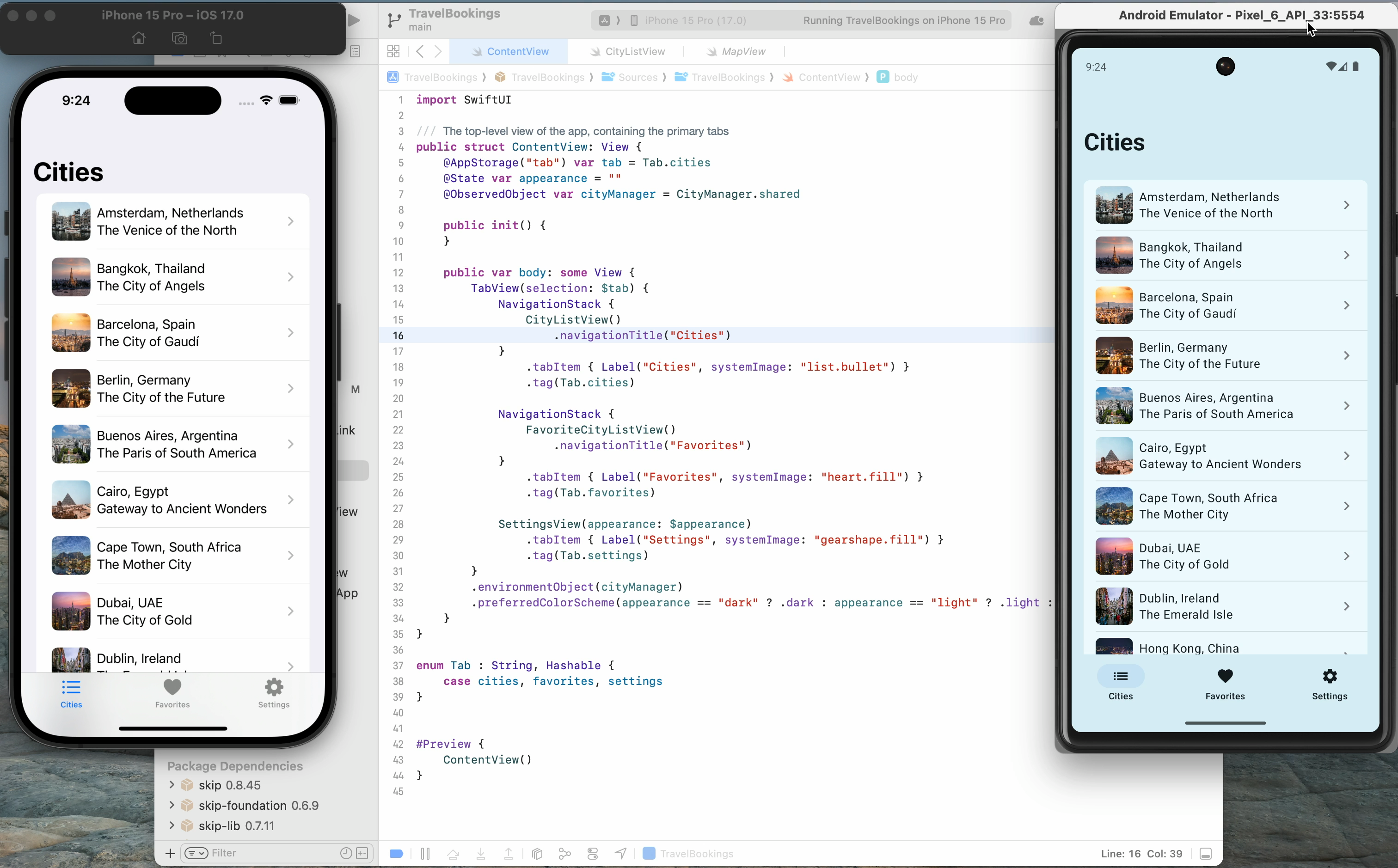
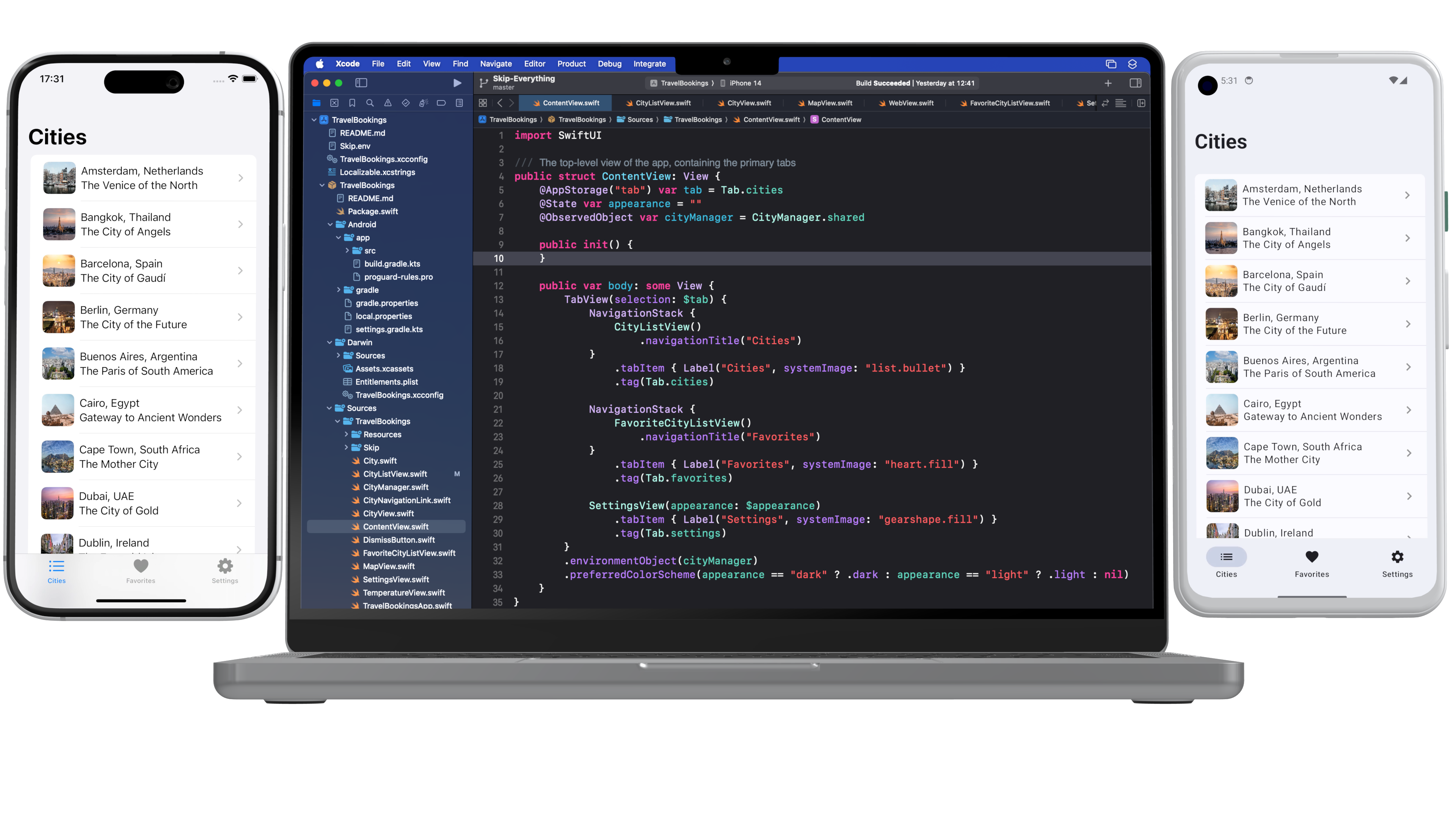
We've released a whole new sample application that shows off how Skip can make gorgeous apps for both iOS and Android. The Travel Bookings app demonstrates navigation, tabs, images, persistence, maps, weather, networking, and a whole lot more. Check it out at /docs/samples/skipapp-bookings .

skip-splash-poster.png

Symbols and Images in Asset Catalogs

Images and icons are an essential part of any modern application. Skip has had good support for SwiftUI's AsyncImage for a while now, but we recently also added support for asset catalogs, enabling you to bundle static images and exported symbols directly in your app. And we support many of the common variants for assets, such as light and dark variants for images, as well as different weights for symbols. Read more about the new asset catalog support at /docs/modules/skip-ui/#images .

Major Performance Enhancements

We are delighted to report that we’ve reduced the number of re-compositions SkipUI performs on Android, resulting in a huge performance boost to some common operations like navigation. If your tabs or navigation bar was feeling a bit sluggish, run File / Packages / Update to Latest Package Versions on your project to grab skip-ui 0.9.1 and enjoy the speed boost!

Tip: Embedding Kotlin Calls Directly in Swift

Unlike other cross-platform app development frameworks, custom native integration in Skip is a breeze. Rather than requiring cumbersome bridging infrastructure or platform channels, with Skip you merely add your Kotlin calls in an `#if SKIP` block, and it will be executed directly on the transpiled side. And since Skip does not intrude into the iOS side of your app, you'll continue to be able to integrate with any of the Darwin platform APIs directly, including UIKit and other Objective-C frameworks (as well as C and C++). Read more about the platform customization options at /docs/platformcustomization .

Accessibility Improvements

May 16th was Global Accessibility Awareness Day. Skip celebrated by adding support for many additional SwiftUI accessibility modifiers. Being a truly universal app means not just reaching all the devices that people have, but also making those apps usable by everyone. Skip is proud to enable you to build uncompromisingly excellent apps that can reach the entire world: every device, every language, and every ability.

Take Our Survey!

Our Skip Developer Survey is a great way to provide feedback and help us define Skip's direction in the coming weeks and months. It only takes a few minutes, and will help define Skip's focus and features: https://skip.tools/survey .

Edge-to-edge Mode

In the "Improve the Experience of your Android App" session at Google I/O, the Android team promoted the use of the new edge-to-edge support APIs in Jetpack Compose, saying that “users significantly prefer edge-to-edge screens to non-edge-to-edge screens, and users feel these screens are more satisfying and premium.”

We agree, and so Skip now enables Android edge-to-edge mode by default in all new projects. Use the SwiftUI safe area APIs to control how your content renders under system bars. And you can enable edge-to-edge in existing projects with only a couple lines of code: /docs/modules/skip-ui/#enabling-or-disabling-edge-to-edge .

Skip Webinar Series

Sign up for our Skip webinar to see a hands-on tour of how Skip can help you build apps that reach the entire mobile marketplace. We take questions and answers throughout, so this is a great opportunity to get some direct interaction with the Skip engineers. Sign up at https://skip.tools/webinar/ or watch a past webinar at /tour/ .

Get Your Project Featured

We are assembling a list of Skip projects to feature on our web site. If you have built – or are currently building – an interesting app using Skip, send us an email at support@skip.tools and we may promote it on our customers page! And, as always, we are seeking testimonials from happy Skip users that we can share with the rest of the community.

That's All Folks!

You can follow us on Mastodon at https://mas.to/@skiptools , and join in the Skip discussions at http://forums.skip.dev/ . The Skip FAQ at /docs/faq/ is there to answer any questions, and be sure to check out the video tours at /tour/ .

Happy Skipping!

Negative Padding in Compose

Skip’s open-source SkipUI library implements the SwiftUI API for Android. To do so, SkipUI leverages Compose, Android’s own modern, declarative UI framework.

The parallels between SwiftUI and Compose are striking, especially when it comes to layout. SwiftUI uses HStack, VStack, and ZStack for basic layout, with modifiers like offset and padding to shift or pad the resulting placement. Compose uses Row, Column, and Box for basic layout, and it too has offset and padding modifiers. Compose has one odd omission, however: it doesn’t support negative padding! Supplying a negative value will throw an IllegalArgumentException.

SkipUI must support whatever SwiftUI supports, so internally we’ve replaced the standard Compose padding modifier with our own custom layout that works for both positive and negative values. We present that layout below, in case you find it useful in your own Compose work.

Notes:

  1. SkipUI’s implementation is tied to SwiftUI internals, so this is an untested and simplified port of the actual code.
  2. Important: If you plan to use this in pure Compose code, expose it as a custom modifier for a more fluent API.
@Composable fun PaddingLayout(modifier: Modifier, top: Dp = 0.dp, leading: Dp = 0.dp, bottom: Dp = 0.dp, trailing: Dp = 0.dp, content: @Composable () -> Unit) {
val density = LocalDensity.current
val topPx = with(density) { top.roundToPx() }
val bottomPx = with(density) { bottom.roundToPx() }
val leadingPx = with(density) { leading.roundToPx() }
val trailingPx = with(density) { trailing.roundToPx() }
Layout(modifier = modifier, content = {
// Compose content
content()
}) { measurables, constraints ->
if (measurables.isEmpty()) {
return layout(width: 0, height: 0) {}
}
// Subtract the padding from the available size the content can use
val updatedConstraints = constraints.copy(
minWidth = constraint(constraints.minWidth, subtracting = leadingPx + trailingPx),
minHeight = constraint(constraints.minHeight, subtracting = topPx + bottomPx),
maxWidth = constraint(constraints.maxWidth, subtracting = leadingPx + trailingPx),
maxHeight = constraint(constraints.maxHeight, subtracting = topPx + bottomPx)
)
val contentPlaceables = measurables.map { it.measure(updatedConstraints) }
// Layout within the padded size
layout(width = contentPlaceables[0].width + leadingPx + trailingPx, height = contentPlaceables[0].height + topPx + bottomPx) {
// Offset the content position by the leading and top padding
for (contentPlaceable in contentPlaceables) {
contentPlaceable.placeRelative(x = leadingPx, y = topPx)
}
}
}
}
// Subtract the given amount from a size constraint value, honoring Int.MAX_VALUE and preventing illegal negative constraints.
private fun constraint(value: Int, subtracting: Int): Int {
if (value == Int.MAX_VALUE) {
return value
}
return max(0, value - subtracting)
}

We hope that you find this useful! If you have questions or suggestions for improvements, please reach out to us on Mastodon @skiptools@mas.to, via chat skiptools.slack.com, or in our discussion forums.

The Flutter Kerfuffle

News recently broke that Google is laying off members of the Dart and Flutter teams. At the same time that Microsoft is ending Xamarin support, many Flutter users are left wondering about the future of the technology stack on which they’ve built their apps.

For what it’s worth, we don’t buy into the speculation that Flutter is about the be killed off. While we believe that Skip has the correct approach to cross-platform mobile development, Flutter is an excellent product with a devoted community. A recent post by an insider notes that the Google layoffs were broad and didn’t single out the Flutter and Dart teams. Nevertheless, this episode emphasizes the need to always consider the ejectability of the core technologies you use.

“And every one who hears these sayings of Mine and does not do them will be likened to a foolish man who built his house on the sand.”

A software framework is said to be ejectable if you can remove it without completely breaking your app. Ejectability is not binary: having to remove a given framework might only require you to excise certain features, and some frameworks are easier to replace in our apps than others.

Unfortunately, most cross-platform development tools are not ejectable to any degree. If official Flutter support were end-of-lifed, there would not be any path for Flutter codebases to migrate to another technology stack. Dart is a nice language and Widgets are cool, but Apple is not about to transition from Swift and SwiftUI, nor Android from Kotlin and Jetpack Compose. Languages like Dart and Javascript will forever be “alien” on both iOS and Android, just as Swift and Kotlin will be the primary, supported, and vendor-recommended languages for the foreseeable future.

Flutter apps would continue to work, and the community would likely maintain the Flutter engine and libraries for quite some time. But the pace of integration with the latest Android and iOS features would slow, and businesses who care about the long-term prospects for their apps would look to move on. Unfortunately, their only option would be something seasoned developers avoid for good reason: a complete re-write.

To be clear, we do not believe that Flutter support is going to end any time soon, and the same goes for other popular cross-platform solutions like React Native. But you should also not take the decision to use these frameworks lightly, because they are not ejectable. If support unexpectedly ends - or if a new Apple or Android platform or feature arrives that these non-native frameworks are not able to integrate with - you have no off-ramp.

Skip’s approach to cross-platform development is fundamentally different. You work in a single codebase, but Skip creates fully native apps for each platform: Swift and SwiftUI on iOS, and Kotlin and Compose on Android. This is in keeping with the plainly-stated, unambiguous advice from the platform vendors themselves:

SwiftUI is the preferred app-builder technology -Apple

Jetpack Compose is Android’s recommended modern toolkit -Google

A cross-platform Skip app is a modern iOS app. Your shared code is written in Xcode using Swift and SwiftUI. For example, here is a simple weather model:

import Foundation
struct Weather : Decodable {
let latitude: Double
let longitude: Double
let time: Double
let timezone: String
}
extension Weather {
/// Fetches the weather from the open-meteo API
static func fetch(latitude: Double, longitude: Double) async throws -> Weather {
let url = URL(string: "https://api.open-meteo.com/v1/forecast?latitude=\(latitude)&longitude=\(longitude)&current_weather=true")!
var request = URLRequest(url: url)
let (data, response) = try await URLSession.shared.data(for: request)
return try JSONDecoder().decode(Weather.self, from: data)
}
}

At build time, the Skip tool integrates with Xcode to transpile your iOS codebase into a native Android app written in Kotlin.

As you can see in the sample above, your Swift code does not require any dependencies on Skip. Even integrating Android customization into your app is accomplished without Skip libraries. If you remove all traces of Skip, your iOS app will continue to build and run in Xcode exactly as before.

On the Android side, the Kotlin source code and artifacts that Skip generates are yours, regardless of whether you continue to use Skip. Unlike the iOS app, the translated Android app does rely on Skip libraries to mirror the Foundation, SwiftUI and other Apple APIs that your iOS code likely uses. These libraries, however, are free and open source. Critically, they are not a “runtime” or “engine”. You can continue to use them - or not - without hampering your ability to expand the app and integrate new Android features.

Here is the Kotlin that Skip generates from the sample weather model above. It is not significantly different than Kotlin you’d write by hand. It is longer than the source Swift only because Kotlin does not have built-in JSON decoding, so Skip must add it. (SwiftUI code translated to Skip’s Compose-based UI library for Android is much less idiomatic. If you stopped using Skip you’d likely want to migrate to pure Compose over time, but there would be no immediate need to do so.)

import skip.foundation.*
internal class Weather: Decodable {
internal val latitude: Double
internal val longitude: Double
internal val time: Double
internal val timezone: String
constructor(latitude: Double, longitude: Double, time: Double, timezone: String) {
this.latitude = latitude
this.longitude = longitude
this.time = time
this.timezone = timezone
}
constructor(from: Decoder) {
val container = from.container(keyedBy = CodingKeys::class)
this.latitude = container.decode(Double::class, forKey = CodingKeys.latitude)
this.longitude = container.decode(Double::class, forKey = CodingKeys.longitude)
this.time = container.decode(Double::class, forKey = CodingKeys.time)
this.timezone = container.decode(String::class, forKey = CodingKeys.timezone)
}
companion object: DecodableCompanion<Weather> {
/// Fetches the weather from the open-meteo API
internal suspend fun fetch(latitude: Double, longitude: Double): Weather = Async.run l@{
val url = URL(string = "https://api.open-meteo.com/v1/forecast?latitude=${latitude}&longitude=${longitude}&current_weather=true")
var request = URLRequest(url = url)
val (data, response) = URLSession.shared.data(for_ = request)
return@l JSONDecoder().decode(Weather::class, from = data)
}
override fun init(from: Decoder): Weather = Weather(from = from)
private fun CodingKeys(rawValue: String): CodingKeys? {
return when (rawValue) {
"latitude" -> CodingKeys.latitude
"longitude" -> CodingKeys.longitude
"time" -> CodingKeys.time
"timezone" -> CodingKeys.timezone
else -> null
}
}
}
private enum class CodingKeys(override val rawValue: String, @Suppress("UNUSED_PARAMETER") unusedp: Nothing? = null): CodingKey, RawRepresentable<String> {
latitude("latitude"),
longitude("longitude"),
time("time"),
timezone("timezone");
}
}

You can see more examples of the Swift-to-Kotlin translation in our Transpilation Reference.

Skip is fully ejectable. When you eject Skip, you are left with a native iOS app and a native Android app, both using their respective platform vendor-recommended technologies. You can immediately continue to iterate on these apps, with no rewrites and no pause in your ability to integrate new platform features.

We believe that Flutter’s future is secure, despite what some commentary has speculated. You should, however, carefully consider ejectability alongside the many other factors that go into choosing the cross-platform framework that’s right for your business needs.