Skip on the Compile Swift Podcast
We are grateful to Peter Witham for having us come back on his excellent Compile Swift podcast! We discussed the launch of the Skip Developer Program, our Early Adopter discounts, many of Skip’s benefits and how Skip compares to other cross-platform app development solutions, and delved into some low-level development and design topics.
The show is available at compileswift.com ↗, where you can also listen to our previous appearance from last year ↗.
We’re looking forward to appearing again at some point in the future. Peter is a delightful host, and we had a great time chatting with him.
Transcript
Section titled “Transcript”Peter: 00:01 What’s up, folks? Welcome to another episode of the Compulsified podcast or video cast depending on which way you’re listening and watching this. We have some return visitors today. I have Abe and Marc with me, and they have, some tools that have been on before. This is extremely popular episode and they have some new milestones and wanted to come back and you the audience said, yep, we wanna hear about this.
Peter: 00:27 So skip.tools, just very quickly. I mentioned it here. This is you may recall the other episode, I’ll put a link in the show notes, where you can use Swift to make Android applications so you get to live the dream. But I’m gonna let them introduce themselves here. So, Abe or Marc, whichever wants to go first, please jump in and introduce yourself.
Abe: 00:47 Yeah. Hi. I am Abe White and I’m one of the creators along with Marc of skip dot tools.
Marc: 00:55 And I’m Marc Prud’hommeaux. I am the other half of the, of the Skip team.
Peter: 01:00 Great. And we are so thrilled to have you back. I’m not kidding. Everybody was you know, I got a lot of questions, a lot of interest in the tools when you came on before. So this this tells me that you guys are definitely on the right track, but you’ve you’ve got some new milestones and I think when I was looking, I think it was about June last year if you can believe that that we were discussing this.
Peter: 01:24 So let’s go and dive in here. For those who, shamefully have not listened to the last episode, please, tell us what Skip tools are and how it works and what they can do with them.
Abe: 01:38 Sure. I’ll take a crack at it. So Skip is a Swift to Kotlin language transpiler, plus a set of open source libraries, plus an Xcode plug in. So together, what you get is a cross platform framework that lets you create fully native iOS and Android apps from Swift and SwiftUI in Xcode.
Peter: 02:01 And I gotta say I mentioned before on the previous episode, it works amazingly well. I I was expecting to have to jump through hoops. You know, the usual thing. Right? You know, anytime it’s a cross platform kind of scenario, it’s okay.
Peter: 02:17 You know, you you import something or you include it, and you have to do a whole bunch of boilerplate code to make it work. But to my absolute delight it worked first time and, I’m happy to say that even with the documentation because being a developer, of course, I I read just enough documentation which is basically nothing and, tried to spin it up and run it and it worked beautifully and, very performant as well. That’s the other key thing here is that stood out was how well the performance, takes place when you even when you’re running it in the simulator. So talk about that how does this this system actually work? Sort of what talk and and walk us through you you set up your Xcode project but take it from there because I think it’ll be really interesting for folks to realize this isn’t just one of those wrapping a binary around some library.
Abe: 03:21 So, Marc, do you wanna take a crack at
Marc: 03:23 it? Yeah. Well, so Skip, we we come from sort of a different angle as a lot of these other tools where we really embrace embrace the native Xcode workflow of of designing and developing a pure native iOS application using SwiftUI. And we don’t really do anything on the Swift side. And so that’s one of the reasons why, at least, the Swift side is really fast.
Marc: 03:46 And then we are leveraging the fairly relatively new Xcode build plug in system, that sort of augments the entire build workflow by taking your modules written in Swift and, more or less, the background, transpiling them into Kotlin modules, going on a sort of module by module basis. And that really takes advantage of a lot of the efficiencies that the whole Xcode and Swift project package manager system has in terms of being able to compile 1 module just once and not having to to recompile if nothing has changed. And so taking all that together really leads to a very high performance for the iOS side, it’s just as fast as building and deploying a regular iOS application. And then sort of as a secondary effect, you’re you’re transpiling and then compiling using the native Android tools and then running on either the emulator or the device, your transpiled, Android application.
Peter: 04:54 Yeah. And this was something that, like I say when I did it before, it was kind of that skeptical, I guess, thing. Yeah. But what’s the performance really like? You know, but it really is folks.
Peter: 05:10 It it really is, something that you can use it’s not like some of these other cross platforms where you you you see a little lag and and as a developer you’re like, oh, I see what’s going on here. There’s a layer under here doing the translation. But this is either extremely performant that I don’t notice it or as you say it it’s it’s kind of working with the native controls. And I was looking at the website earlier today and the progress that you have made since we last got together, in June last year. And I was looking in particular you have that page with kind of the demo and some of the controls and things like that.
Peter: 05:54 And it’s come a long way. So sort of give us a history of here of what you’ve been working on since we last spoke, progression. I know before as well, we said about there were still some areas of the hardware that were not quite in the system yet. I record the camera, for example, wasn’t in there natively. So what what progress have you made on on the hardware front?
Peter: 06:23 And please point out some of the some of the key things that have really left a long way in the since the last time we got together.
Abe: 06:32 Sure. I’ll start. And I wanna back up a second and address the performance because you mentioned it again. And there are 2 aspects to that. Marc talked about the build performance, which is something that we’ve worked a lot on to make sure that, as he said, iOS is gonna be as fast as it is in Xcode normally because we’re not doing anything.
Abe: 06:49 But on the Android side that we’ve made sure that our transpiler is performant, that it takes advantage of the module system. And we found actually that the Android tools, are very performant as well when they can detect it and nothing has changed in a certain module. And, the other aspect of performance, of course, is is the runtime performance of your app. And, you mentioned that, and that’s something where our our approach of using native code and the native UI toolkits, basically makes us have no lag. On on iOS, of course, we have none at all because we’re not messing with your iOS code.
Abe: 07:27 It’s running as you coded it, the native Swift and SwiftUI. And on the Android side, we’re transpiling into native Kotlin, and our SwiftUI implementation is built on top of native Compose code. So there is a a bit of translation from from the SwiftUI to the compose, but it’s just a small it’s a library on top. It’s not a separate one time. There’s no extra garbage collection.
Abe: 07:50 There’s nothing like that that’s gonna sort of get in the way of the the performance you’d expect of a handwritten, Android app really.
Peter: 07:59 You
Abe: 07:59 know, sorry. And then and then to move on to what we’ve been up to, I’ll let Marc start and I can add on.
Marc: 08:08 Yeah. Well, we’ve been up to a lot. We’ve really since we last talked, fleshed out a lot of the missing pieces of the transpiler so that at this point, we support the vast majority of the Swift language in terms of converting those low level language features into their equivalent Kotlin, structures in in insofar as is possible. You know, Kotlin, in some ways, is not entirely as expressive as Swift, But but you can really you can really go a long, long ways before you run into any of the limitations. We support generics.
Marc: 08:44 We support async await, which was a really big improvement. You know, we support structs. We support all the native swift data types. And that’s on the the transpiler tooling side. And then there’s a whole separate ecosystem of libraries that that we’ve developed, some of which are the equivalent to the libraries that you more or less take it you know, assume are gonna be present for your Swift app, the foundation libraries, and the SwiftUI libraries, and some of the frameworks like, observability and things like that.
Marc: 09:24 So not only those, but also expanding the ecosystem into the sort of utilities that app developers use day to day, like a SQL layer to interact with the the locally installed SQLite database on your phone, that works in exactly the same way on both devices. And and then beyond that, some sort of optional, modules that are extremely popular, like Firebase. We have good support for Firestore now, and sort of the beginnings of some of the other Firebase, array of modules that, that a lot of people are relying on. So yeah. Well, I’ll leave it right there, but that that’s more or less what we’ve been up to in the in the months that we’ve, since we’ve talked to you.
Abe: 10:10 Just gonna say in addition, as a lot of, independent developers know, especially, there’s a lot that goes into productization and making sure that something’s ready for sale. And so Marc, in particular, is in a ton of work on the website and the licensing and purchase flow and just everything that goes into actually moving ChromaTech preview to a released product.
Peter: 10:33 That sounds an awful lot, Marc. Like, Abe is basically saying he made you do the documentation, which, of course, is the bit we all did for. Right?
Abe: 10:40 I actually did a lot of the documentation. We we we collaborated on that, but Marc did have the lion’s share of all those other miscellaneous tasks that go into selling a product, which is, yeah. It’s it’s a mountain of work. Fantastic.
Marc: 10:54 Yeah. Abe Abe has done, I would say, the majority of the documentation, and I’ve probably done a lot of the cobbling together of it all using various Jekyll and PHP and things like that to turn it into sort of the the website that that developers are using day to day to to get the documentation. And that’s actually an area that we’re really proud of. We feel like the documentation is, referencing the the, referencing the the module information and and details about how to package and deploy your applications. Because a lot of a lot of our users are people who are coming to it from a, Swift standpoint and really don’t know anything about Android development.
Marc: 11:43 And it’s a very much a parallel world, but it’s a very sort of bizarro alien world. And so not only do we need to describe how the you know, our own tools work and our own modules work, we also need to make sure they understand how Android works and how you can open your project in Android Studio and debug it there, and how you can package things for deployment, and how you can add permissions and metadata and fonts, actually. That was something I was working on just yesterday. And that that’s all that that’s all really critical, we feel, to the kind of mission of the product.
Abe: 12:20 Time for a break.
Peter: 12:22 Hey, folks. If you like what you’re hearing in this podcast and you wanna help this podcast to continue going forward and having great guests and great conversations, I invite you to become a Patreon supporter. You can go to patreon.comforward/compile swift, where you will get ad free versions of the podcast along with other content.
Abe: 12:43 Break time over.
Peter: 12:44 Yeah. And in fact I’m I’ve I got the website up here and you’ve gone and you’ve got, the the walk through videos as well, which I think is important because as you say for developers, we are notorious for skip through skip through, find what we’re looking for. And and so having it there in video format as well where you can quickly scan through, find the code you’re looking for or go in and refer to the documentation. And and I think I there’s certainly a lot on here compared to the the last time that I I remember looking, you know. And of course, you’ve got the there’s the the blog on there as well.
Peter: 13:24 That’s always nice to see because it’s always nice to see, know, developers communicating with developers. Right? And it’s all great good reference material. And one of the things that I see that’s that’s on there now as well, but I don’t think we covered this last time if I remember rightly, is that you also have the pricing on there now and that licensing structure and it’s nicely formalized because that’s that’s always a concern these days. Right?
Peter: 13:51 Is, not only purchasing licenses, but what does that enable me to do? Is it a for example, it’s is it a a me license? Is it a developer? Is it a per project license? You know, there’s so many different ways these days and I I as I’m looking at it here, you also have an introductory pricing we should point out and and folks there’ll be links in the show notes.
Peter: 14:17 But I’m curious how you came up with what you feel is the the right licensing model and but, yeah. Someone wanna cover that?
Abe: 14:26 Sure. I can certainly. Yeah. So I’ll just quickly outline the current pricing. We have what we’re calling the early adopter release.
Abe: 14:34 So I think when we talked to you last, we’re in tech preview phase. It was just free for everyone, and now we’ve moved to an actual release. It is still an early adopter release, because we do know that certain API isn’t there yet, and, basically, what we’re saying is it’s stable. You can use it to build apps. It works great, but if you’re coming at it from the iOS side in particular, be prepared to learn a little bit of Android for certain things that you’ll probably wanna do that aren’t there yet.
Abe: 15:01 So I think we’ve talked about it last time, but we made that a heavy focus of the whole design of the system is how easy it is to segment right into Android specific code. You can do it right in line in your Swift. You don’t have to set up protocols and all these things. It’s just just start calling Java and Kotlin APIs. You can integrate Compose views.
Abe: 15:24 You can integrate with all sorts of Android specific data structures and things because the transpiler unifies the type systems between the Swift and and Kotlin. So that was it’s always been a focus. What we’re saying with the early adopter releases, you’re gonna take advantage of a little bit of that right now. Most likely, unless it’s a very simple app. So we decided that because we’re in that stage, we wanted to give a discount, and what we came up with right now is, Skip.
Abe: 15:52 First of all, it’s free for any open source project, and that’s a permanent thing. If you’re doing open source, you can use Skip for free. If you’re a small business where you earn less than a certain amount per year, then you can currently also use Skip for free for your 1st year. It’s an annual subscription is the way we’ve licensed it. You can do anything that the product can do with that license.
Abe: 16:17 There are no limitations on number of apps or per deployment or anything like that, and it’s currently free. Normally, we list it as $99 a year for those small business users per developer. And then if you are a larger business, it’s currently 50% off. It’s $500 per developer per year, discounted from a 1,000 normal price. And, Marc, do you want to elaborate?
Marc: 16:46 Yeah. No. Abe really covered all the bases. You know, we we feel like there’s the open source. We feel that that’s a positive thing to offer to people.
Marc: 16:57 And also we get benefit too because people can contribute to our foundational libraries, which are themselves open source. And that’s actually how Skip is able to run on our libraries without needing a license because they are they are under the open source licenses. And then for small business, we figured $99. Everyone’s paying $99 to Apple anyway to build and develop on the iPhone. So $99 to get an equivalent Android, version seemed like it’s a good fit for indies, and also small business and educational organizations as well.
Marc: 17:34 They all fall under this this small small business, $99 a year, currently discounted down to 0. And then the Skip Professional, that’s really for enterprises who are building apps that either are foundational part of their business or are themselves bringing in a lot of money. You know, again, $1,000, that’s not very much. And I’ve done a lot of contracting, and you burn through that in, like, a day of of iOS development. And if you can have a smaller team be able to build your dual platform application with that, we think it really pays for itself in a matter of days, if not hour.
Abe: 18:11 Time for a break.
Peter: 18:13 Hey, everybody. It’s Peter Whittam here from the Compulsory podcast. I wanna tell you about Setapp. Setup is a service that provides a subscription fee of just $10 a month and you get access to over 200 Mac applications and it’s also available now on iOS as part of that deal. I use the service because it just has a ton of really good first rate apps that I use all the time.
Peter: 18:40 And for me, it’s invaluable as a developer to have access to tools for things like APIs, for planning projects, writing emails, writing documentation, and you get all of these things including database apps, all of that kind of stuff right there on the set app service for just $10 a month. You can use as many or as few applications as you need. If you’re interested in checking this out, go to peterwhitham.competerwhitham dotcomforward/setapp, s e t a p p. And you can see the details there, and it’s got a link that you can go over and start using the service and see how it works out for you. I strongly recommend this to every Mac user.
Abe: 19:24 Break time over.
Peter: 19:26 And first of all, thank you for for the open source. You know, open sourcing not only, like you say, the foundation there which works for us as a community, works for you as helping to to grow. But also just I like it when these folks do this open source licensing and there’s some give and take there on both sides is how that’s supposed to work and in return you get to to use this product. So thank you for that. But I I also think that the like you say the small business and the professional, these are extremely good pricing structures, I think.
Peter: 20:09 If if I always look at it and say to myself if I can’t make back the money that I would spend on tools, for like this for example, I have other problems than the what I’m paying for my tools. Right? And especially when you think about that professional level where, I mean I’ve got licenses for products that are are way more than that and it and it’s almost one of those you have to get the license even if you’re not necessarily taking taking advantage of some of the things that it provides you because you’re you’re a large business or something like that. So I think these are very reasonable prices and I’m hoping that folks are are taking advantage of this. And and I’m hoping that you’re seeing a lot of interest from folks and as well a lot of community feedback, I would imagine, as to which direction to focus and how’s that working out?
Peter: 21:13 Are you getting folks who are saying look we really need x y z support? And I know you mentioned Firebase, of course hugely popular big one, right, especially for the Android platforms. So it’s great to hear that that’s in there now. But it sounds to me like you you this is a massive milestone from from when we last spoke. Not only from a technical aspect but, from from a business aspect for you guys as well.
Peter: 21:42 So how’s it been? You know, are you seeing good interest from folks out there?
Marc: 21:47 Yeah. We’ve gotten quite a lot of interest, especially with the early adopter discounts. So we’re we’ve been really excited with with the uptake so far. And as you point out we’re we’re really focused on making sure these early adopters are happy and have everything they need. So really, whenever anyone posts anything, files an issue, posts on our community discussions, or even just emails us, we really bend over backwards to you know, if we’re missing a feature, if there’s, like, a part of the any of the low level modules that needs to be filled in we just go ahead and we put that to the top of our priority list, and and we work through that.
Marc: 22:31 So that’s a big part of this early adopter program is not just that people get a really huge discount, but also they get a lot of say in what winds up getting getting implemented. And as we bring ads that are more and more customers with more and more diverse needs, that’s obviously gonna wind up slowing down a little bit, in terms of just our own bandwidth for filling things in. Yeah. But I I we always try to you know, we always point out to people that there’s the transpiler itself, which is really something that we can only improve. Like, if it if if there’s some feature of the language that, Skip doesn’t yet support, that’s something that we need to implement.
Marc: 23:11 But everything else are all you know, all these modules are open source. Individuals can fork these, and they can fill in that feature that they’re missing. And it’s it’s a lot easier than people often assume. People often think, oh, I need to do all sorts of crazy bridging like you need to do in these other cross platform frameworks and stuff like that. But very often, it’s just a matter of having, like, an if skip block and then dropping down and doing the right Kotlin to get your equivalent feature working, and then just committing it.
Marc: 23:41 And we make a tag release, and everyone gets it. So, so, yeah, we’ve been we’ve been really happy with, with the uptake so far.
Abe: 23:48 Yeah. Fantastic. I wanted to mention when when we talked about Firestore earlier that that is, we call skip 0 implementation. Basically, when you use Firestore through skip, you just code to the Firestore’s regular iOS API. And Marc actually did the implementation there, and he was able to just call out in our Firestore library to the to either the if you’re just using it from iOS side, this is going straight to the Firestore iOS stuff.
Abe: 24:19 But, on the Android side, just call out to Firestore’s equivalent Android API. So all the complexity of the fact that you’re on a different platform is totally hidden, and you’re just coding as if you’re coding an iOS app using FireSource official, API. So you can often do that with with any API that you want to add support for is just look at what it what the iOS API is, and just find the equivalent call you need to make in Kotlin or Java or whatever. And, you get this sort of transparent solution.
Peter: 24:52 And I love that because the the if there’s one thing that frustrates me no end and and it’s because of my limited skills. So I’ll say it before the audience says it. But, it is when I wanna use something and, this happens to me a lot for example with a lot of the game engines out there. And you go to use them and you’re like, okay you I wanna do something that on the surface seems really simple. Like store some information in Firestore.
Peter: 25:22 I’m gonna use that for a leaderboard or something like that. And the next thing I know, I’m diving head first into writing, like you say, these bridging the gap and I no longer feel like I’m writing my app. I’m writing all of this code that I may or may not understand just to get my app to transport the data to the back end and and bring it back again. And there’s nothing worse than, this happens to me a lot. Like I said, the game engines, you’re a few days in and you don’t feel like you’ve gotten anywhere and you’re trying to you’re sitting there saying to yourself, when was the last time I actually did anything on the app itself?
Peter: 26:03 You know. So thank you for solving some of those problems and and working through that. And like you say, it’s I think it’s important that people understand you get to do as the developers, you get to do what you do best. Right? Which is focus on making apps do what you need them to do and making fantastic experiences for people without having to have a whole bunch of boilerplate code in between to make all the various things happen.
Peter: 26:35 And definitely make sure people understand this as well. You know, we’ve we’ve mentioned it but make sure it’s clear for folks. If at any point you can’t do what you need to do in on the Android side, that’s fine. Just go do it in Android. Right?
Peter: 26:52 You know, you can seamlessly blend the 2 as opposed to being forced to like, okay, I’ve got to solve this problem in Swift and try and make it work. And that that is, I think a really important point to make which is if you’re fortunate that maybe you’re an iOS developer with Swift, but you know some Android folks or you’ve got Android developers on the teams and it’s not really your thing, at any point you can jump back over to that native side and let them solve the problem for you there and and just interoperate between the 2. And I think that that’s that’s a really big deal for people to understand. It’s not like some of these other platforms like React Native and things where sometimes they’re opinionated and you you’ve got to do it the way they want you to do it. Right?
Abe: 27:45 Yes. As I said, it was a big focus of development, and it was also something we learned through the tech preview was, getting feedback from some people saying, hey. Like, we we actually want to do more in Android, for various reasons. And, we had the mechanisms in place already, but just wasn’t a point of stress in our sort of documentation and in our examples. And, over time, I think we’ve we’ve stressed that a little more that it’s really up to you which parts you’re doing Android, which parts you’re doing Swift and SwiftUI.
Abe: 28:15 And it’s our job just to make it very easy to blend the 2, and I think we’ve we’ve done a great job doing that.
Peter: 28:21 Yeah. I did too. And like I say for me, talking to you now and seeing where you’re at now compared to where you were last time, and I you know what? I was impressed last time. So to now move on from that technical preview to, I I guess, for one of by putting it, a more confident yes.
Peter: 28:43 You can use this and ship it scenario as opposed to a lot of the times with these early technologies, especially during technical preview, it’s what I call it look for the asterisk. Right? It’s like, yeah, you can use this but your experience may vary. So it’s always fantastic, I would imagine, to feel like you’ve finally checked that box and moved on to that next milestone that says we got something. We feel good about it.
Peter: 29:11 You know, folks start beating on it in in a non lab scenario. Right? Out in the real world, go with it, feel confident about it, and and we’re here to keep moving it forward. So I would imagine you must be absolutely delighted with with being able to check that box and move on to the next thing. Right?
Marc: 29:31 Yeah. Absolutely. And in a lot of ways, it’s a lot easier for us than it is for some of these other frameworks because we don’t actually have a runtime of any sort. You know, we we’re converting your Swift code into Kotlin, but it’s running on all of the native Android SDK on top of Google’s own bulletproof Jetpack Compose. You know, there’s there’s very little that we’re actually doing at runtime, other than our sort of our our libraries that do a lot of work like the SQL library and things like that.
Marc: 30:06 But for the most part, it’s just the only thing that really we’re doing at runtime on the Android side is more or less putting together the pieces of what you want to see happen and what is already implemented in these sort of venerable, very mature preexisting libraries. And that’s in contrast to some other cross platform frameworks that are actually an engine. You know, they’re actually doing things like drawing pixels on the screen. They’re actually having their own run loop. They’ve got all sorts of complexity that they need to deal with, whereas we are more or less just leaning on these both you know, on the iOS side, of course, we do almost nothing.
Marc: 30:50 And on the Android side, we’re just, like, leaning on the existing vendor supported very mature underlying toolkits.
Abe: 30:58 Yeah. That that does allow us to implement things really quickly sometimes. I mean, usually, if people request something that’s missing from, for example, like a SwiftUI thing that’s missing or something like that. You know, it’s it’s a day turnaround maybe to and that’s with all the testing and releasing, and everything else we have to do. And you mentioned the milestone.
Abe: 31:17 Yeah. Just, it is hugely satisfying to have that. It is also interesting, because it means we have to focus on some of the things we’re we’re less experienced or as developers in, which is the marketing side and all those other things that go into having a real product. So, there’s never a shortage, I think, of the things to do. You hit one milestone, and and it’s just on to the next technical one, and at the same time now you have to balance a lot of the business side as well.
Peter: 31:44 Is there anything that we haven’t covered here that you wanted to to bring up? Because here’s the thing. Right? I know you’re gonna have an a next milestone. So we’re gonna be talking again for sure.
Peter: 31:58 But is there anything here that that we haven’t covered that you wanted to mention?
Marc: 32:02 Yeah. Yeah. Actually, I, wrote up a blog post about it, just a few weeks ago, but that’s an area that I personally am very excited with. What you know, as as you probably know, C, Swift has a really good native integration with c. It’s very fluid.
Marc: 32:18 You can just call C functions whenever you want. It’s it’s the way that you would talk to, say, like, SQLite or something like that if you’re just doing a low level a low level inter integration with pre existing libraries. And so one of the things that, I wanted to do is be able to do that on the Android side as well so that we could support really high performance low level things like cryptographic libraries. And also is how we integrate with the equivalent JavaScript core on Android. And it’s also how we do the skip SQL on Android.
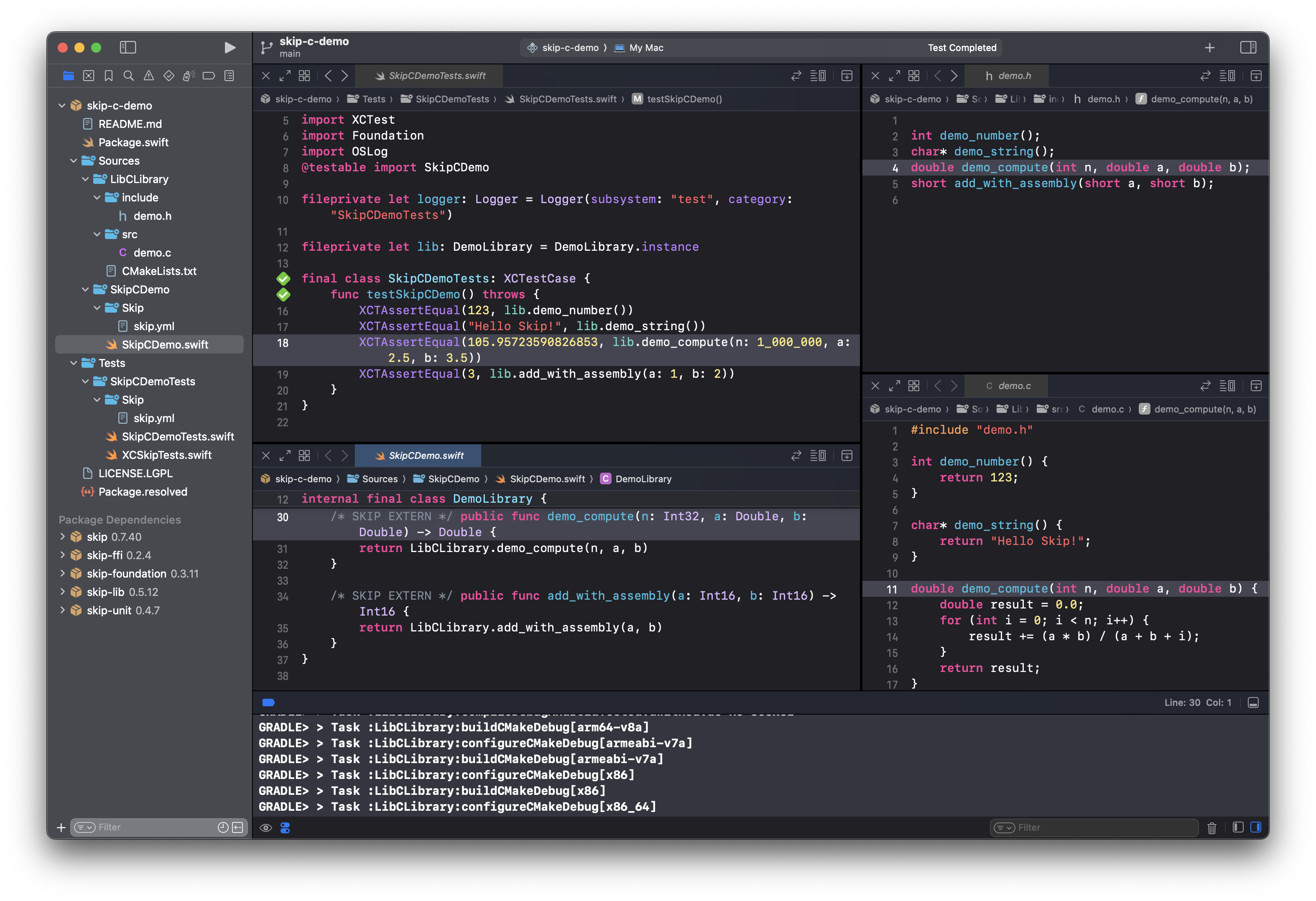
Marc: 32:56 And the way that we wound up implementing it is not to get too much into the weeds of Kotlin and Java and how Java uses JNI and things like that to integrate with C. But there’s a library called JNA, which allows Java code to call directly down into C code, and then have callbacks and integrate with structs and things like that. So I implemented this skip FFI layer that more or less eases it doesn’t completely eliminate the complexity, but eases the mechanism by which you can, call into C libraries. And so we use that to integrate with the existing native libraries that are available on on all Android apps. But then on top of that, we also implemented support for, the Android NDK, specifically using CMake build files to be able to build your own C libraries.
Marc: 33:53 So, some examples of that are, like our, skip, LTS for, libtom or ltc, libtomcrypt, which is a set of cryptographic primitives, that’s very cross platform. And so we can drop that into the Swift side, and just call into those libraries. And on the Android side, we use the CMake integration to build it, for each of these supported Android architectures. You know, Android is a little bit different than Swift in that it can be deployed on ARM 32, ARM 64 Intel 32, Intel 64, and then probably at some point in the near future, RISC 5. And so you’ve gotta build 3 or 4 or 5 different versions of every C library that you wanna ship with your Android application.
Marc: 34:47 But it’s really essential for super high performance code because you would never actually do that stuff in Kotlin or in Java. It’s just it’s just not it’s not gonna be fast enough. And so the combination of being able to drop in your own C code into your application, plus Skip’s ability to create that bridging layer. And then it’ll be up to you to have some sort of Swift level encompassing nice API on top of it to make it more ergonomic for your your client developers to use. But it allows you to have super high performance, low level code that’s universal that’ll work on your iOS application and on your Android application.
Marc: 35:34 And that is definitely an area where I think we can continue to explore, and expand in order to have just best in class performance for low level operations. And so that that’s definitely an area that has been a bit of a side project except for the things where we really need it, like skip SQL. But it’s, it’s a really exciting sort of research area that that we’ve been working on.
Peter: 36:03 That’s interesting. And that that’s actually pretty huge because we know developers even if you’ve never done C, you can escape it. Right? At some point, you’ve encountered it even if you haven’t realized it. So it’s huge that at the base level you can say, oh, you want you wanna make this a C library and then just work with it there?
Peter: 36:26 Great. Have at it. Right? You know? And and so that is a a big deal right there.
Peter: 36:31 And I’m sure so many folks out there appreciate that and love the fact that that’s an option for them now. Right? You know, is that they can do this. That’s fantastic and I’m like you’re saying, performance there as well because I know from like the iOS side when we’re talking about dropping down into like objective-C down into C and things like that, that that’s when you’re talking like, okay especially when you’re, say, making games, for example, where you’ve got to squeeze every last little bit of performance out of the rendering engines and texture libraries and and all of these kind of things and like you say cryptography. To be able to drop down to that level and really fine tune that is a really interesting option that takes it way beyond that that higher level of sort of just cross platform technologies and you you can really get down deep in there.
Peter: 37:27 So that’s actually a big deal right there, folks. Yeah. That’s cool.
Marc: 37:30 And that and that goes a lot to sort of our one of the things we feel makes our product fairly distinctive is that we really do have world beating performance not just because we’re embracing, at the at the highest level, the native toolkits SwiftUI, which uses UI kit on iOS, and Jetpack Compose, which uses the native Android view system. But also because you have the possibility of having just absolutely unbeatable performance if you need to go down to that level. And that’s something that you just won’t ever really have if you’re writing your app in, like, JavaScript or Dart or something like that or are constrained by some of the limitations of those of those languages.
Peter: 38:17 Right. You’re not hitting a a bottleneck anywhere. Right? Because because I think that’s the other thing too is anytime we think about something that’s not truly native to a platform, say Android, iOS, whatever your platform is. At some point you’re always thinking, okay.
Peter: 38:35 You know, deep down in here I’m gonna hit a bottleneck.
Marc: 38:38 Yeah. Definitely. And also the other advantage is that while Swift does not have garbage collection and so is is very performant, there’s no escaping the fact that Kotlin and Java do. You just can’t get away from that. And when you’re doing things where you really need to control the kind of memory watermark levels, in order to have an app that doesn’t get kicked out of the system and and is respectful of system resources, then it becomes a lot more important on the Android side to be able to have access to easy access to that kind those kind of levels of performance, assuming you’re comfortable writing in a memory unsafe language like C, which is a big if.
Marc: 39:22 But it’s there for you. You know, there’s there’s no there’s no artificial barrier that prevents you from having having access to that.
Peter: 39:30 Alright. Anything else here?
Abe: 39:32 No. I mean, the last thing I’ll say is just, we’re very thankful to everyone who’s tried Skip and given us feedback. We value that a lot, and I’d encourage, if you haven’t and you’re interested at all go ahead and start your evaluation. That’s totally free, and, it doesn’t even require getting a license or anything to evaluate. And if you want to extend it, even this indie license right now is free.
Abe: 39:55 So, it’s it’s no better time really to to try it out. And please, if you do send us bug reports, send us feedback, things that are working for you, feature requests, all these things. Now is the time because as Marc, pointed out earlier, it’s it’s really a time when when we’re jumping on any feedback we get and making sure that we prioritize that.
Marc: 40:17 I’ll second that because it’s it’s critical to us to know what it is that people people need. You know, some of some of the work that we’re doing at this point where the transpiler is is basically done, is almost as mature as it’s gonna get a lot of the things that we’re doing are things that we are picking and choosing based on what we assume people want. But when these early adopters reach out to us and say, oh, I need this thing done, that’s you know, it goes right to the top of our priority list. And so we really you know, if and when people sign up for the evaluation and for you know, one of the licenses just reach out, talk to us, tell us what you need, tell us what deficiencies you think there are, and and we’ll make it work.
Peter: 41:02 And I did wanna ask. I I forgot to ask. Is do you know is there a a timeline for this pricing before it goes up?
Abe: 41:10 Yeah. I mean, we can say that it it’s definitely a limited time thing, but we don’t have a definite timeline yet. It’s sort of when we feel comfortable, leaving the early adopter label behind and saying this is just a release one.
Peter: 41:24 Yeah. Okay. Alright. Okay, folks. So they’ve they’ve hit this major milestone.
Peter: 41:30 I am super confident they’re gonna hit another one real soon. So, I’m hoping that they’ll they’ll be very gracious to come back, for a 3rd time if they’re if they’re not tired of me already. I don’t know. The accent throws them off. Right?
Peter: 41:43 You know? But Abe and Marc, thank you again so much for coming back. It it was truly an honor to have you the first time. It’s an honour to celebrate the the the progress that you’ve made with you all and again, the the audience absolutely loved the last episode. I’m sure it’s gonna be the same here.
Peter: 42:06 But thank you so much for your time today. And, with that I’ll hand it over to you. Anything that you wanna put in here before we close out?
Marc: 42:16 Yeah. Well, I wanna say thank you so much for having us again on your show. You know, the first one that was really great for us to sort of get the message out there. And now we can invite people to to to really come and and and come to skip. Tools look over the introductory videos.
Marc: 42:37 You can get up and running on it in just a matter of of minutes, really. And then try out your evaluation. We really feel there’s no reason why you can’t bring your iOS app to Android and double your market share. You know, it’s it’s a little bit more work, but the benefits are astronomical. So we really feel like Skip fits a perfect, perfect place, in any mobile developer’s toolkit.
Marc: 43:11 And, and, yeah, we hope to we really hope that we, hear from you the audience, and, and what your experiences are and what you need from Skip. And thank you again.
Peter: 43:22 Alright, folks. Well, that’s what we got for you. It’s, it’s an interesting world that we live in. I always say that. And the the tools like this keep opening up those opportunities for us to explore new things.
Peter: 43:34 And as Marc said you may be building an iOS today, but there’s an untapped market out there on Android if you’ve not thought about it. And these these kind of tools are making that life so much easier for you to to explore that. So go check them out. Again, all the links in the show notes. With that folks, you know where you can reach me and this podcast, Compilescript.com.
Peter: 43:56 And let me know what you think. Right? You know, and if you want, reach out to me and I’ll put you in contact with Marc May but go to skip.tools. And with that, I’ll speak to you in the next one.