Skip to content

sdk

2 posts with the tag “sdk”

An official Swift SDK for Android

When we first launched Skip in 2023, the notion of using Swift to create universal mobile applications was novel. While some projects had dabbled with custom Swift toolchains to share some of their business logic between iOS and Android, no one had ever undertaken the effort to enable building the entire application stack — from the low-level networking and persistence all the way up to the user interface — using just the Swift language.

But the time was right. SwiftUI was just reaching maturity, and its declarative design was flexible enough to target not only the mobile phone form factor, but also to scale all the way up to the full desktop and all the way down to the smartwatch. Expanding SwiftUI’s architecture to the “other” mobile platform was a daunting engineering challenge, but it made perfect sense from the standpoint of facilitating the creation of a whole app using a single language.

Developers who have adopted Skip for their dual-platform app development have loved it. But there has always been an undercurrent of caution and reservation about the future of the project, especially from larger enterprises for whom the architecture decisions were central to their business’ future. As we’ve written in the past, the best-in-class apps that top the charts on both the App Store and Play Store are not written once, but twice: they are written first in Swift for iOS, and then they are re-written in Kotlin for Android. Despite being enormously laborious to coordinate and maintain, writing the app twice has always been considered the safe choice, not just because it enables optimal performance and a truly native user interface, but also because they are using the languages and APIs that are recommended and supported by the operating system vendors themselves. How could an independent project by a small team possibly offer the same guarantees of technological durability?

Such concerns have presented a challenge and barrier against the adoption of Skip for cross-platform app development since the beginning. And so we joined together with some other visionaries and founded the Swift on Android Community Working Group1 earlier this year. Our goal was to collaborate in harnessing and coordinating the energies of various developers and businesses that had each dabbled in using Swift in some way for their Android apps.

The workgroup had so much excitement behind it that a few months later, it was blessed by the Swift Platform Steering Group as an official workgroup2, which meant that we had the backing and support of the Swift community as a whole. This was huge: Swift on Android was no longer a niche interest for risk-taking startups and indie developers, but was going to evolve into a fully-supported platform for the Swift language.

Work began in earnest. Since last year, Skip has been using an unofficial preview build of the toolchain and native Swift SDK for Android to power our “Skip Fuse” mode3. Using this technology as a base — which had evolved over the years in a somewhat haphazard fashion — we began the long process of getting it in shape for official approval and release: cleanup, bug fixes, ripping out unsupported dependencies, harmonizing the structure with other Swift SDKs, packaging, quality control, and continuous integration.

The culmination of all these efforts has at last arrived! As announced on the swift.org blog4, we are now publishing the Swift SDK as an officially supported platform. The Swift SDK for Android is available alongside the Static Linux (Musl) and WebAssembly (Wasm) SDKs, and will be available in nightly snapshot releases throughout the Swift 6.3 release cycle.

As mentioned, Skip is currently using our own preview release build of this SDK for our native Skip Fuse mode. So switching over to this official SDK will be smooth and painless for our current customers. We anticipate that the final Swift 6.3 release will be the point where we include it by default in the Skip installation and setup instructions.

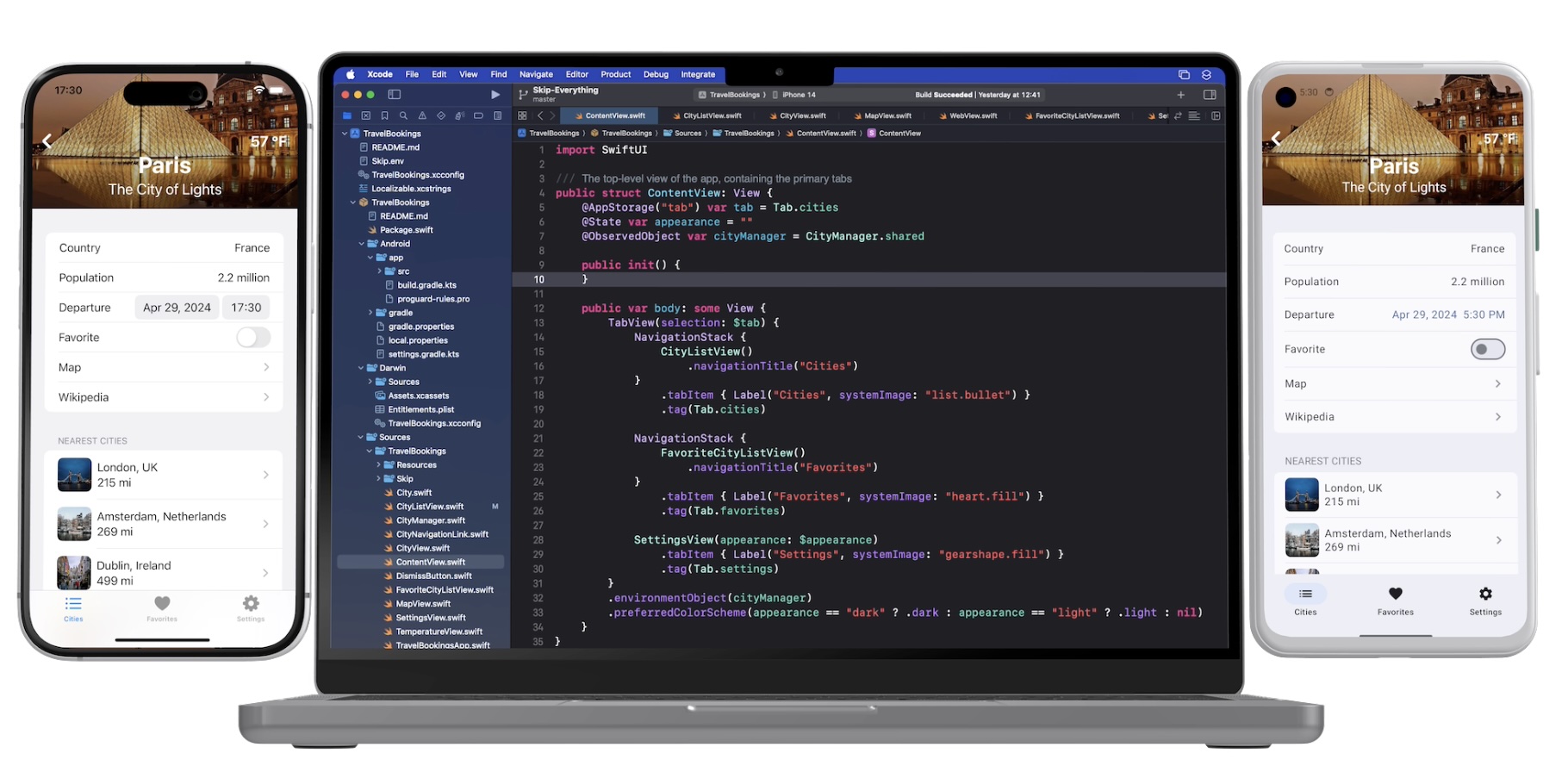
Note that this SDK is not just theoretical, but is in active use today in many Skip-powered applications. Our own Skip Showcase5 app has been running using this SDK, and provides a comprehensive sample of what is possible when you combine native Swift with Skip’s SwiftUI implementation for Android.

Since we announced the availability of the Swift SDK for Android, there has been an explosion of interest in the project. Many heretofore skeptics are realizing that this is real, and are seeing that Swift is a viable choice as the one language for their entire application stack — on all platforms. No longer do developers need to make the agonizing choice between writing an application in two separate native languages, versus settling on an inefficient and alien language like JavaScript or Dart for their shared codebase.

For Skip itself, this development grants us an enormous amount of confidence-building support. Swift on Android is here to stay. And so even if Skip as a product were to somehow disappear tomorrow, any investment that is made in Swift for Android development would continue be a viable and supported path going forward. Swift on Android is available today, it has official backing by the Swift project, and it is here to stay. The future is bright!

Screenshot of Skip Showcase native app
Download on the Google Play Store Download on the Apple App Store
  1. Swift on Android Working Group, Community Showcase, February 10, 2025: https://forums.swift.org/t/swift-on-android-working-group/77780

  2. Announcing the Android Workgroup, June 25, 2025: https://forums.swift.org/t/announcing-the-android-workgroup/80666

  3. Native Swift on Android, Part 1: Setup, Compiling, Running, and Testing: /blog/native-swift-on-android-1/

  4. Announcing the Swift SDK for Android: https://www.swift.org/blog/nightly-swift-sdk-for-android/

  5. Skip Showcase /docs/samples/skipapp-showcase-fuse/

Native Swift on Android, Part 1: Setup, Compiling, Running, and Testing

You may already be familiar with Skip as a tool for bringing your Swift iOS apps to Android. Skip takes a novel transpilation approach, where we integrate with the Xcode build system to convert your Swift code into Kotlin. This allows us to create an Android library for every build of your Swift package, or to launch an Android version of your SwiftUI app on every Xcode Run.

We’ve discussed the advantages of a transpilation-based strategy in the past. But despite the fact that Android is a Java/Kotlin-oriented platform, there are also significant benefits to compiled code. Skip has featured support for integrating with C code on both Android and iOS for a long time. It only makes sense that our transpiled Swift code should also integrate with compiled Swift code.

Swift Android Logo {: style=“text-align: center; width: 200px; margin: auto;”}
And so we are excited to announce the first technology preview of a native Swift toolchain and driver for Android! This toolset enables developers to build and run Swift executables and test cases on a connected Android device or emulator.

On a macOS development machine with Xcode and Homebrew installed, you can install the Swift 6.0 Android toolchain by opening a terminal and running:

brew install skiptools/skip/swift-android-toolchain@6.0

This will download the Swift Android SDK, along with all the dependencies it needs to build, run, and test Swift packages on Android.

If you’re an existing Skip user, make sure to also update your skip copy to version 1.1.1+:

skip upgrade

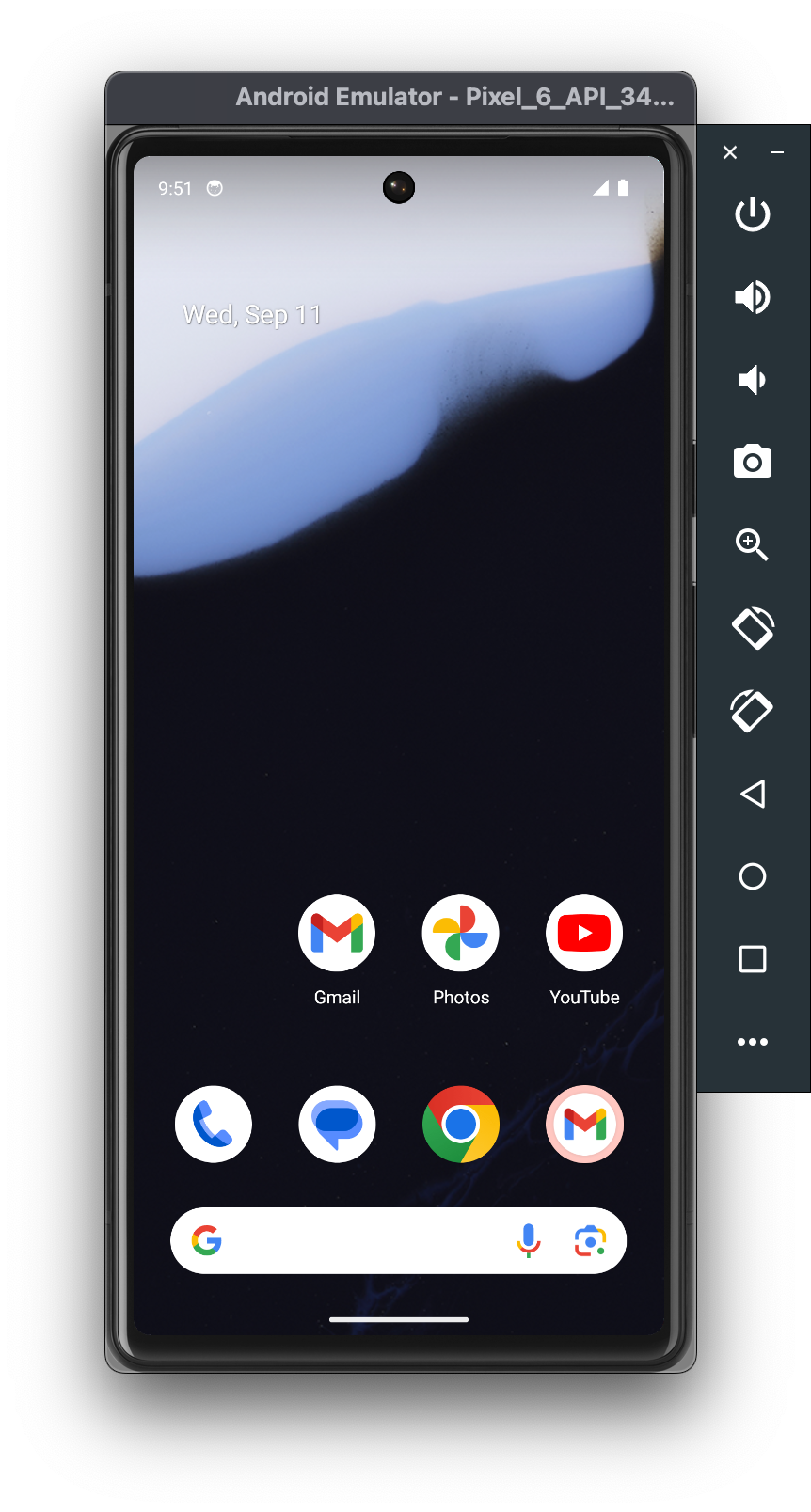
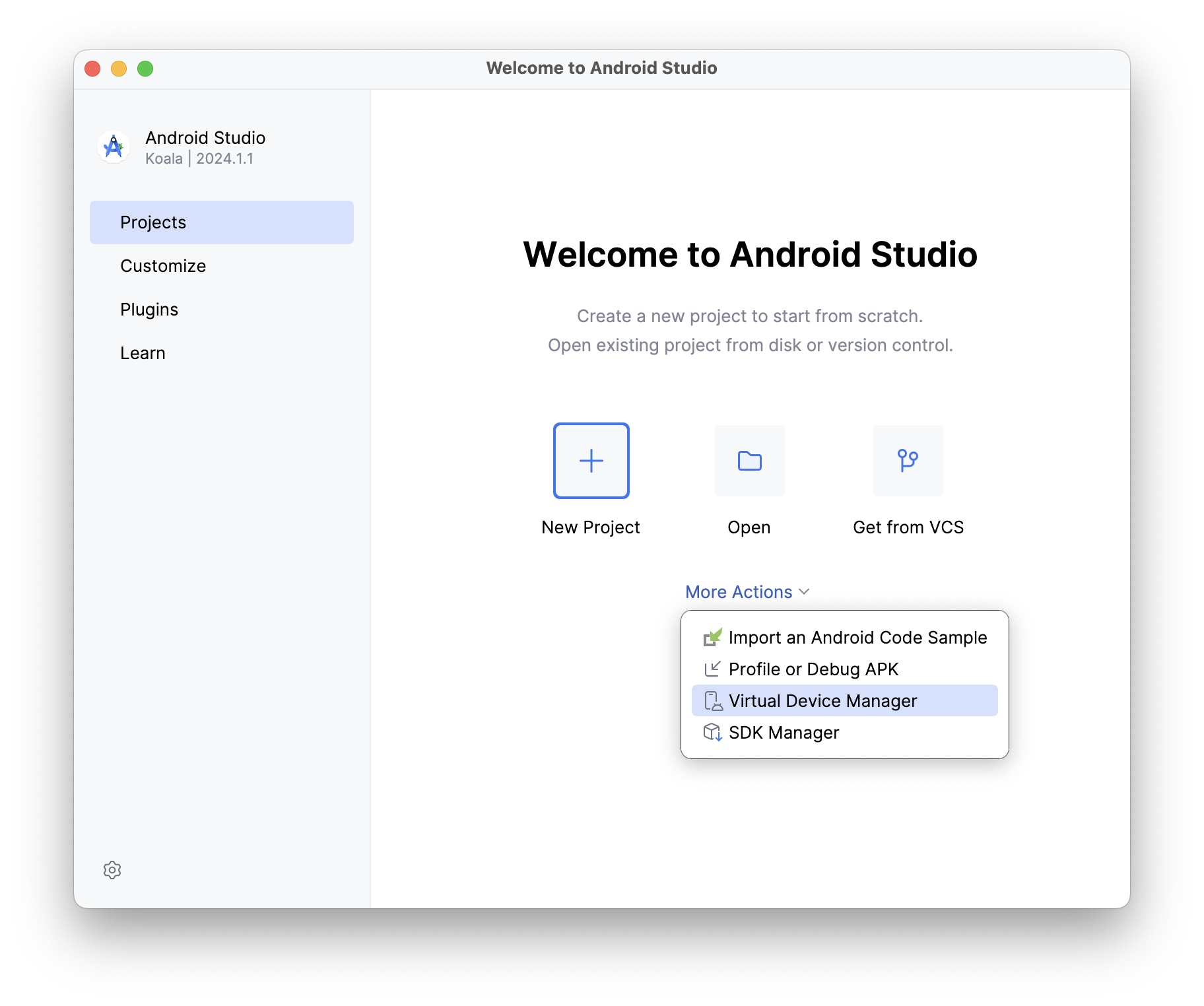
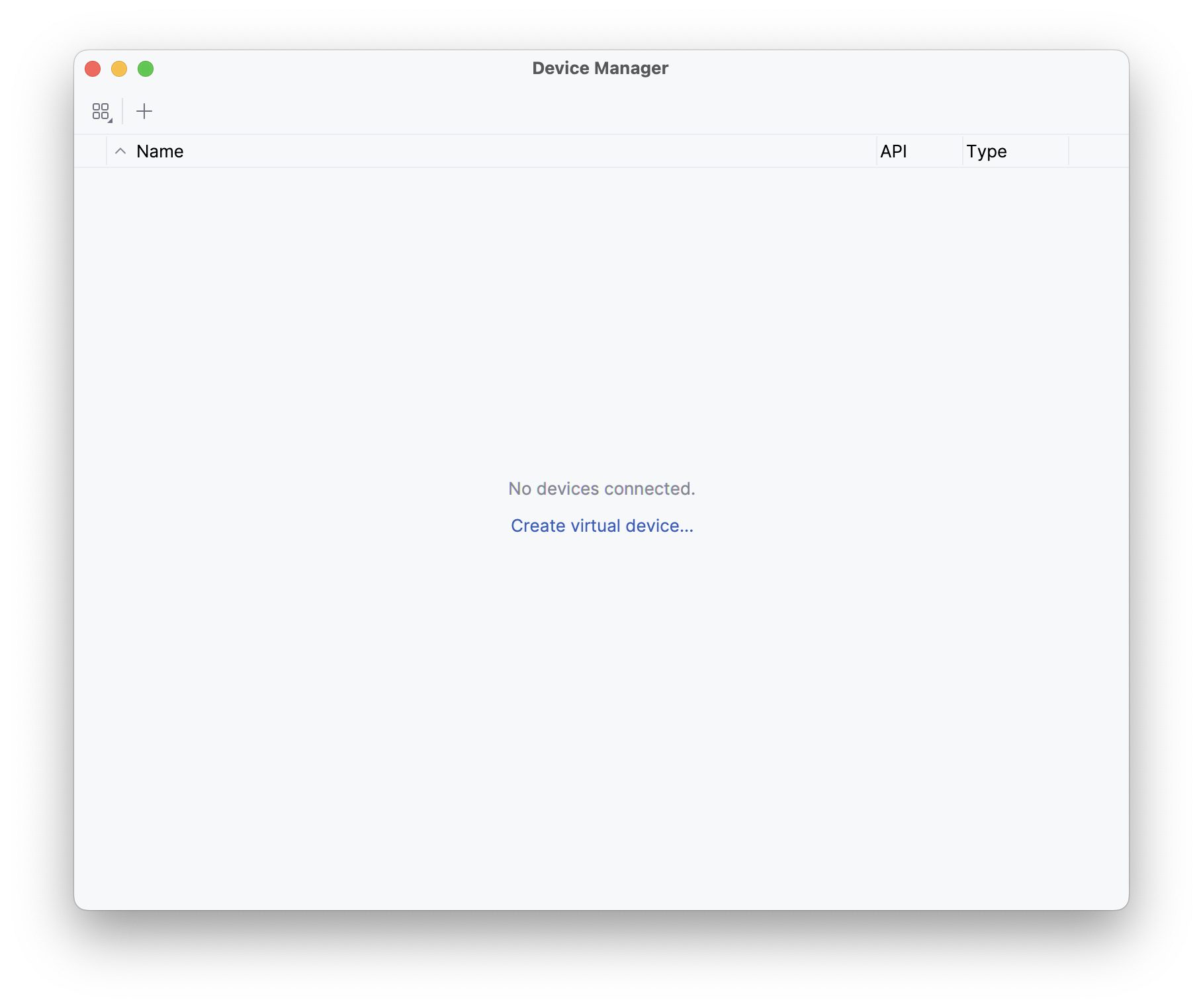
Unless you have an Android device handy, you will need to install the Android emulator in order to run executables and test cases in a simulated Android environment. The simplest way to do this is to download and install Android Studio, then launch it and open the “Virtual Device Manager” from the “More Actions” (or ellipsis menu) of the “Welcome to Android Studio” dialog. On the resulting “Device Manager” screen, select “Create virtual device”.

Android Emulator Setup 1: Welcome Screen Android Emulator Setup 2: Device Manager

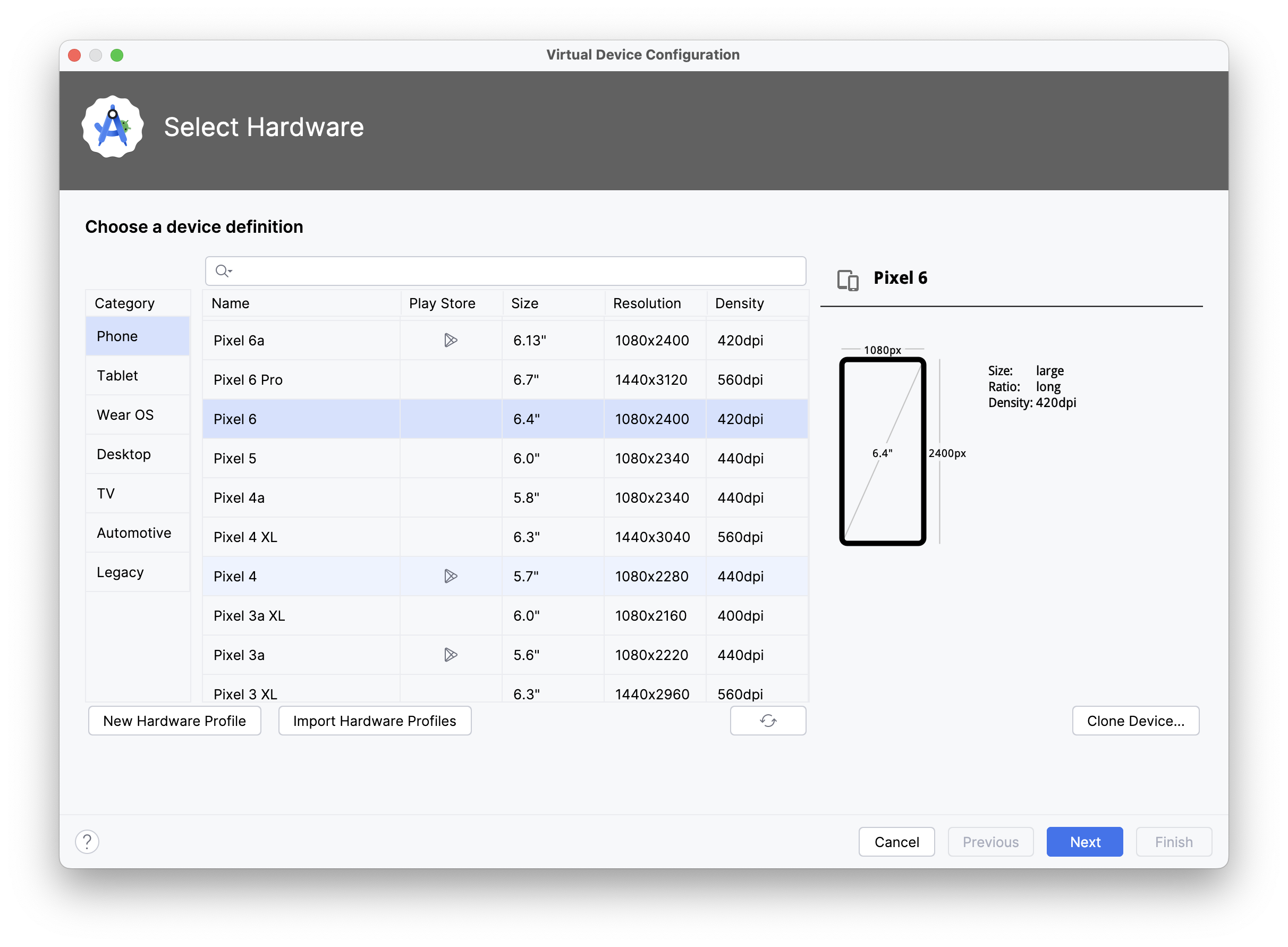
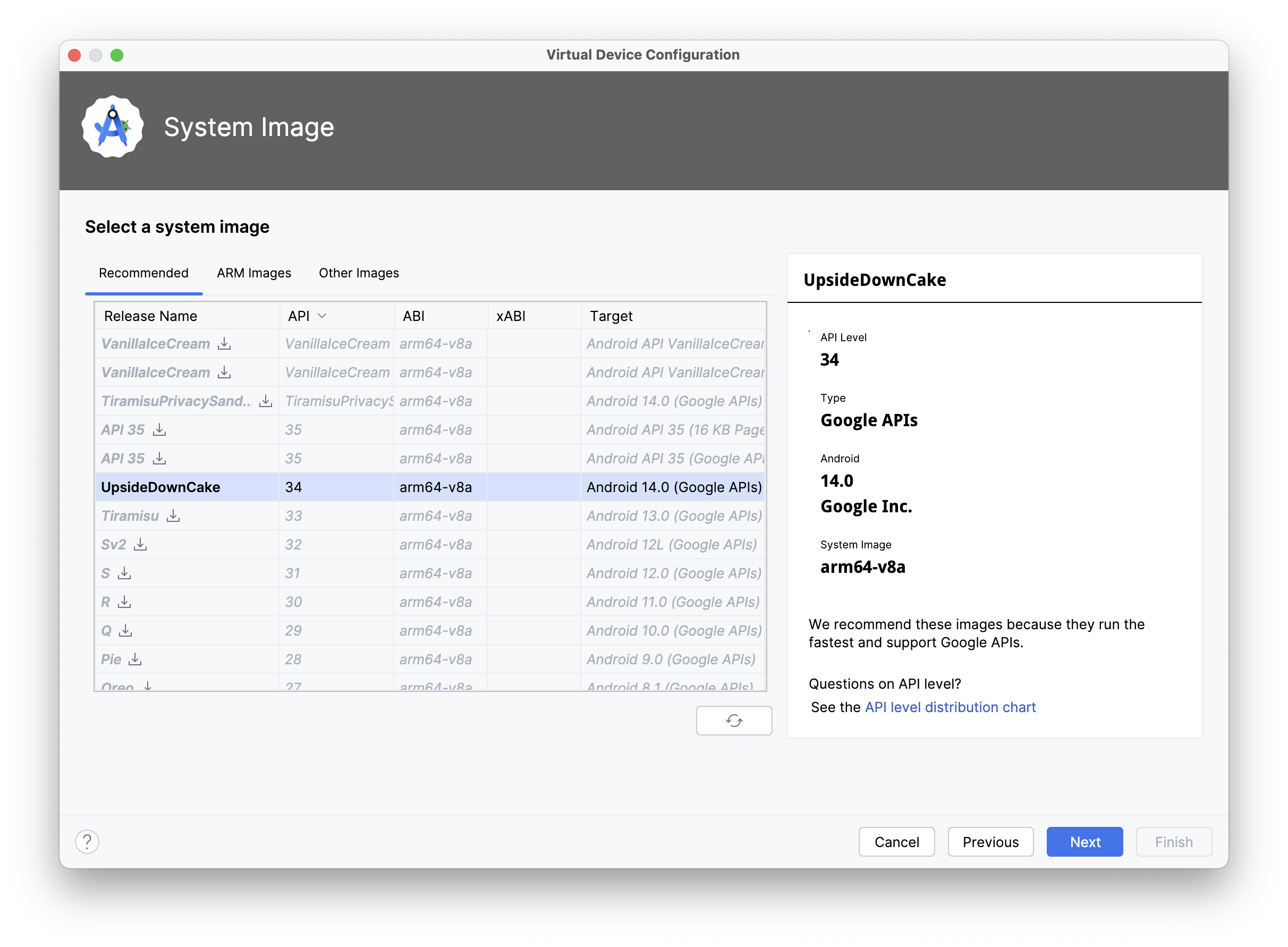
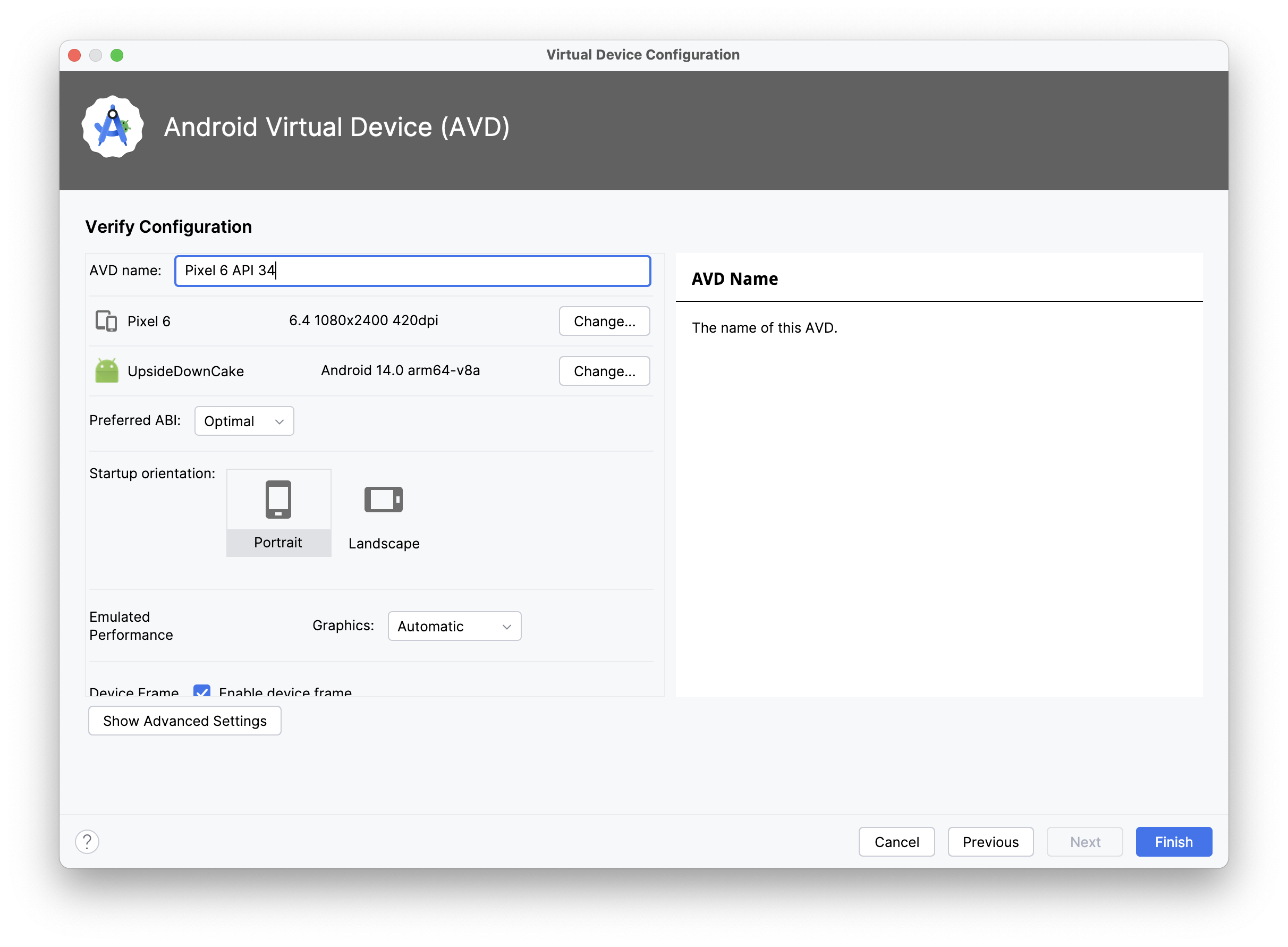
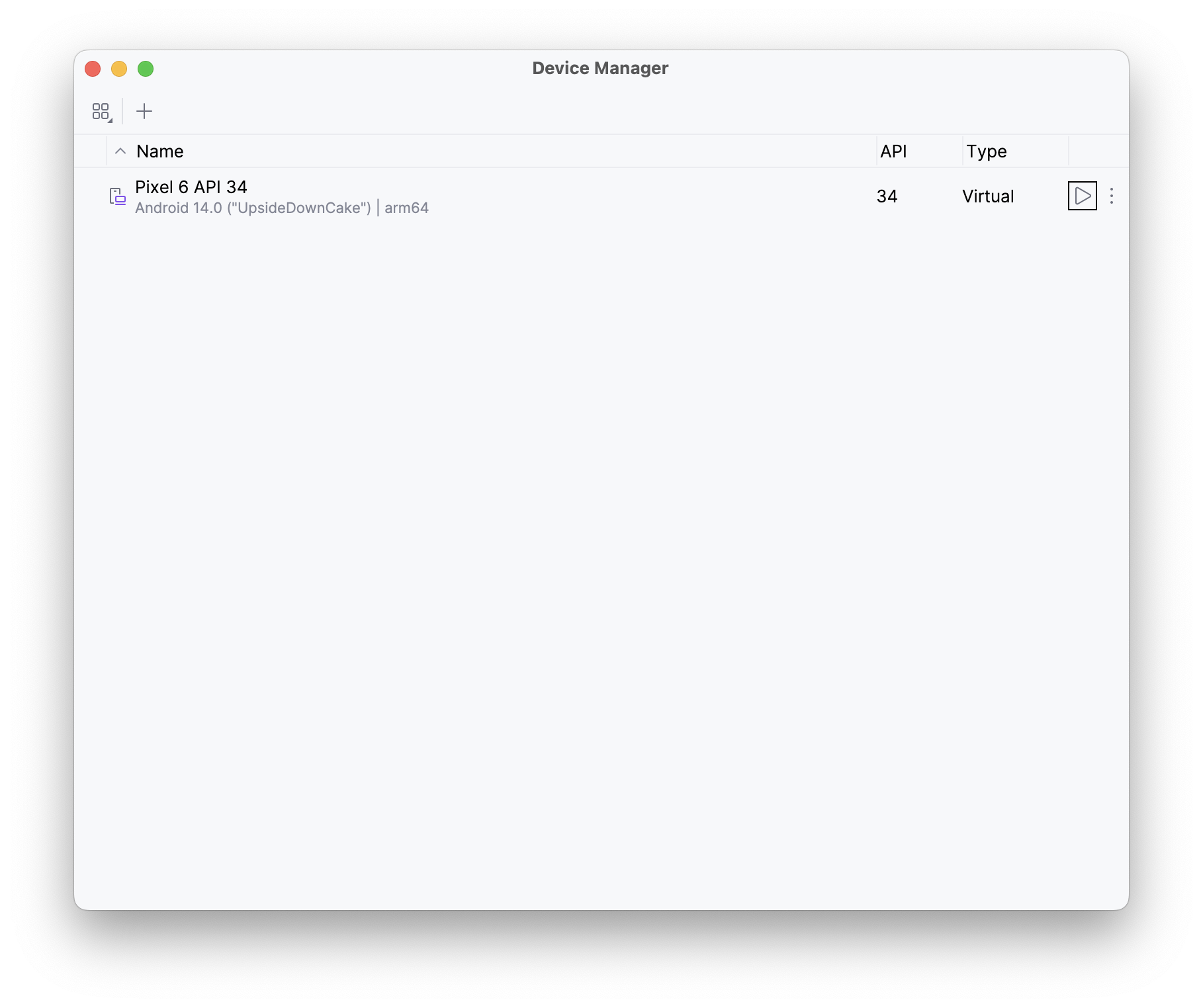
On the “Select Hardware” screen, select a device (e.g., “Pixel 6”) and then on the “Select a system image” screen select one of the recommended images (e.g., “UpsideDownCake”, a.k.a. API 34), and then on the next screen name the device and select “Finish”. When you return to the “Device Manager” screen, you will see a new device (like “Pixel 6 API 34”), which you can then launch with the triangular play button. A little window titled “Android Emulator” will appear and the operating system will boot.

Android Emulator Setup 3: Select Hardware Android Emulator Setup 4: Select System Image Android Emulator Setup 5: Verify Connfiguration
Android Emulator Setup 6: Device Manager Android Emulator Setup 6: Running Emulator

Running Swift “Hello World” on Android

Section titled “Running Swift “Hello World” on Android”

Now that you have everything set up and have launched an Android emulator (or connected a physical Android device with developer mode enabled), it’s time to run some Swift!

Open a terminal and create a new Swift command-line executable called “HelloSwift”:

% mkdir HelloSwift
% cd HelloSwift
% swift package init --type=executable
Creating executable package: HelloSwift
Creating Package.swift
Creating Sources/main.swift

Just to make sure it works on macOS, run the program with the standard swift run command:

% swift run HelloSwift
Building for debugging...
Build of product 'HelloSwift' complete! (1.80s)
Hello, world!

And now, we will build and run it on the Android emulator (or device) using the Swift Android driver, which we include as part of the skip tool that was installed along with the toolchain:

% skip android run HelloSwift
Building for debugging...
Build complete! (10.90s)
[✓] Check Swift Package (0.68s)
[✓] Connecting to Android (0.05s)
[✓] Copying executable files (0.25s)
Hello, world!

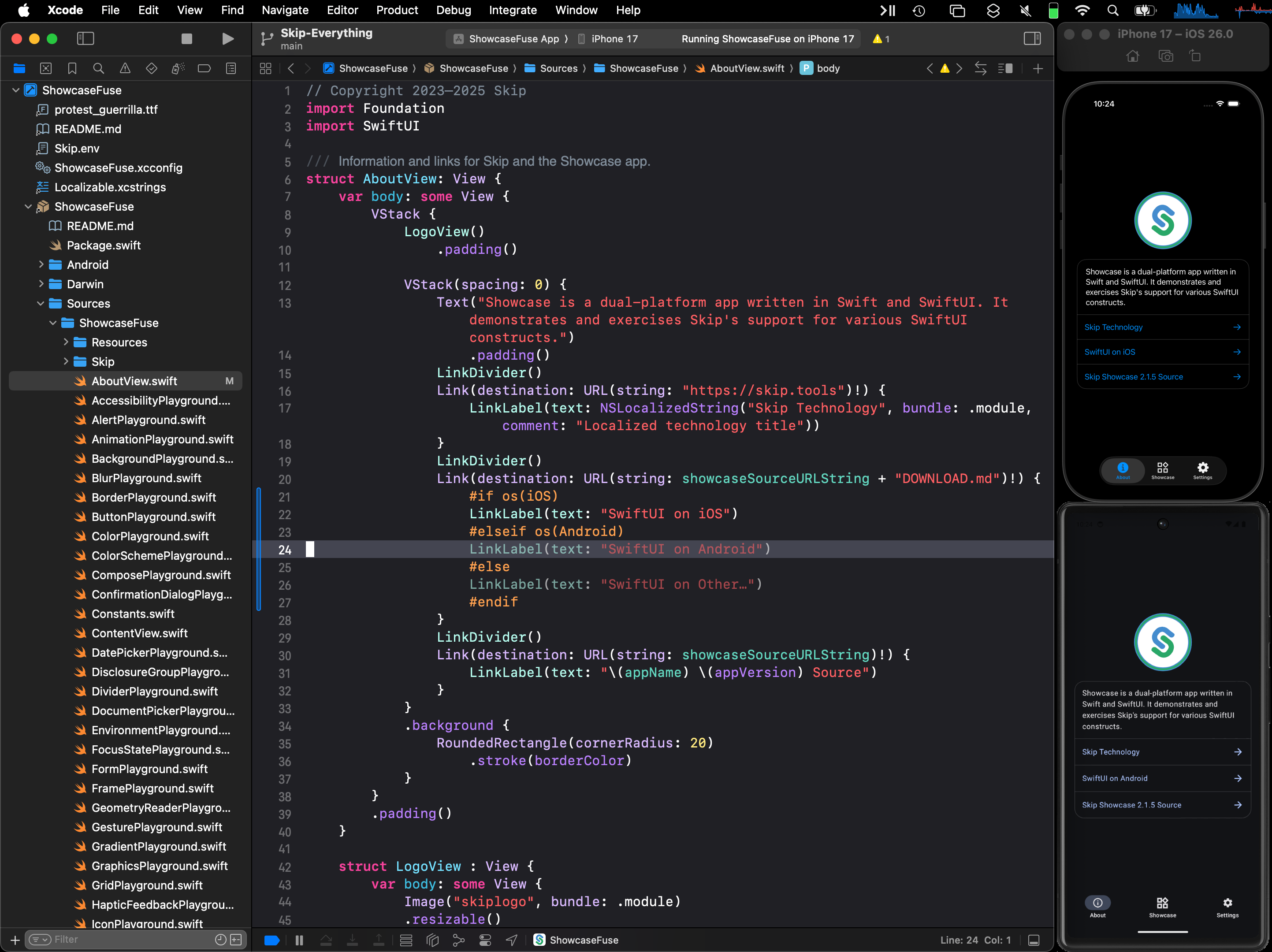
Viola! There’s Swift running on Android. And just to prove to that we are really running on a different host, edit the Sources/main.swift file with your favorite editor (or run xed Sources/main.swift to edit it in Xcode), and add a platform check:

#if os(Android)
print("Hello, Android!")
#elseif os(macOS)
print("Hello, macOS!")
#else
print("Hello, someone other platform…")
#endif

Then run it on both macOS and Android:

% swift run HelloSwift
Building for debugging...
Build of product 'HelloSwift' complete! (0.47s)
Hello, macOS!
% skip android run HelloSwift
Building for debugging...
Build complete! (0.89s)
[✓] Check Swift Package (0.23s)
[✓] Connecting to Android (0.04s)
[✓] Copying executable files (0.23s)
Hello, Android!

Command-line tools are fun, but to really exercise Swift on Android, we want to be able to run test suites. This is how developers interested in creating cross-platform frameworks will be able to check for – and resolve – issues with their Swift code arising from platform differences.

Fortunately the skip android driver includes not just the run command, but also the test command, which will connect to the Android emulator/device and run through an XCTest test suite in the same way as swift test does for macOS.

To demonstrate, we can run the test suite for Apple’s swift-algorithms package, to make sure it runs correctly on Android:

% git clone https://github.com/apple/swift-algorithms.git
Cloning into 'swift-algorithms'...
Resolving deltas: 100% (1054/1054), done.
% cd swift-algorithms
% skip android test
Fetching https://github.com/apple/swift-numerics.git from cache
Fetched https://github.com/apple/swift-numerics.git from cache (0.87s)
Computing version for https://github.com/apple/swift-numerics.git
Computed https://github.com/apple/swift-numerics.git at 1.0.2 (0.57s)
Creating working copy for https://github.com/apple/swift-numerics.git
Working copy of https://github.com/apple/swift-numerics.git resolved at 1.0.2
Building for debugging...
[92/93] Linking swift-algorithmsPackageTests.xctest
Build complete! (25.91s)
[✓] Check Swift Package (0.74s)
[✓] Connecting to Android (0.06s)
[✓] Copying test files (0.27s)
Test Suite 'All tests' started at 2024-09-10 20:24:17.770
Test Suite 'swift-algorithms-C7A0585A-0DC2-4937-869A-8FD5E482398C.xctest' started at 2024-09-10 20:24:17.776
Test Suite 'AdjacentPairsTests' started at 2024-09-10 20:24:17.776
Test Case 'AdjacentPairsTests.testEmptySequence' started at 2024-09-10 20:24:17.776
Test Case 'AdjacentPairsTests.testEmptySequence' passed (0.001 seconds)
Test Case 'WindowsTests.testWindowsSecondAndLast' started at 2024-09-10 20:24:20.480
Test Case 'WindowsTests.testWindowsSecondAndLast' passed (0.0 seconds)
Test Suite 'WindowsTests' passed at 2024-09-10 20:24:20.480
Executed 8 tests, with 0 failures (0 unexpected) in 0.004 (0.004) seconds
Test Suite 'swift-algorithms-C7A0585A-0DC2-4937-869A-8FD5E482398C.xctest' passed at 2024-09-10 20:24:20.480
Executed 212 tests, with 0 failures (0 unexpected) in 2.702 (2.702) seconds
Test Suite 'All tests' passed at 2024-09-10 20:24:20.480
Executed 212 tests, with 0 failures (0 unexpected) in 2.702 (2.702) seconds

Everything passes. Hooray!

Not every package’s tests will pass so easily: Android is based on Linux – unlike the Darwin/BSD heritage of macOS and iOS – so there may be assumptions your code makes for Darwin that don’t hold true on Linux. Running through a comprehensive test suite is the best way to begin isolating, and then addressing, these platform differences.

Command line executables and unit tests are all well and good, but “Hello World” is not an app. To create an actual Android app, with access to device capabilities and a graphical user interface, you need to work with the Android SDK, which is written in Java and Kotlin. And you need to package and distribute the app in Android’s own idiomatic way, with self-contained libraries embedded in the application’s assembly.

This is where integration with Skip’s broader ecosystem comes into play. Additional installments of this series explore Skip’s system for transparently bridging compiled Swift to Java, Kotlin, and transpiled Swift - including Skip’s existing SwiftUI support for Android. This allows the best of all worlds: transpiled Swift to talk to Android libraries, SwiftUI on top of Jetpack Compose, and business logic and algorithms implemented in compiled Swift!

Screenshot

Additional posts in the native Swift on Android series:

The Swift toolchain for Android is the culmination of many years of community effort, in which we (the Skip team) have played only a very small part.

Even before Swift was made open-source, people have been tinkering with getting it running on Android, starting with Romain Goyet’s “Running Swift code on Android” attempts in 2015, which got some basic Swift compiling and running on an Android device. A more practical example came with Geordie J’s “How we put an app in the Android Play Store using Swift” in 2016, where Swift was used in an actual shipping Android app. Then in 2018, Readdle published “Swift for Android: Our Experience and Tools” on integrating Swift into their Spark app for Android. These articles provide valuable technical insight into the mechanics and complexities involved with cross-compiling Swift for a new platform.

In more recent years, the Swift community has had various collaborative and independent endeavors to develop a usable Swift-on-Android toolchain. Some of the most prominent contributors on GitHub are @finagolfin, @vgorloff, @andriydruk, @compnerd, and @hyp. Our work merely builds atop of their tireless efforts, and we expect to continue collaborating with them in the hopes that Android eventually becomes a fully-supported platform for the Swift language.

Looking towards the future, we are eager for the final release of Swift 6.0, which will enable us to publish a toolchain that supports all the great new concurrency features, as well as the Swift Foundation reimplementation of the Foundation C/Objective-C libraries, which will give us the the ability to provide better integration between Foundation idioms (bundles, resources, user defaults, notifications, logging, etc.) and the standard Android patterns. A toolchain is only the first step in making native Swift a viable tool for building high-quality Android apps, but it is an essential component that we are very excited to be adding to the Skip ecosystem.