As 2025 comes to a close, we’ve been reflecting on how far Skip has advanced this year. What began nearly three years ago with a simple desire to enable cross-platform app development with Swift and SwiftUI has grown into a thriving ecosystem, a strong community of developers and contributors, and a platform powering real production apps across iOS and Android.
This year wasn’t just about growth in numbers. It was about expanding depth and breadth: deeper integrations, stronger foundations, and a clearer vision for the future of native Swift across the dominant mobile platforms.
Native Swift on Android Becomes Officially Supported
The highlight of 2025 by far was the official release of the Swift SDK for Android on swift.org, along with Skip’s support in the form of Skip Fuse. Prior to the advent of Skip Fuse, Skip operated solely in transpiled mode (now called “Skip Lite”), which converts Swift source code to Kotlin. Skip Fuse, on the other hand, builds natively-compiled Swift targeting the Android platform, which both eliminates the limitations imposed by source transpilation, as well as unlocks the universe of thousands of native Swift packages that are compatible with the Android platform.
Interest in the Swift SDK for Android has exploded since the initial announcement ↗ and follow-up ↗ blog posts on swift.org. We at Skip are proud to be founding members of the Swift Android workgroup ↗, and we are committed to the platform’s enduring stability and support. And where the scope of the workgroup ends, we complete the picture by providing the tooling, libraries, and support needed to build universal apps from a single Swift codebase.
The launch of iOS 26 and the emergence of Liquid Glass as the new interface style was a pivotal moment for the cross-platform app development technosphere, as well as a powerful validation of Skip’s core philosophy. From day one, Skip has avoided intermediating or re-implementing SwiftUI on iOS or other Apple platforms. By staying fully native, Skip was able to support Liquid Glass on Day 1, automatically benefiting every Skip-based app without rewrites or workarounds (see our blog post on the topic).
In contrast, other cross-platform toolkits — such as Flutter and Compose Multiplatform — have found themselves stranded, incapable of adopting Liquid Glass and stuck on the previous UI generation with their mimicked faux-native components. For iOS users, that means outdated interfaces and an exacerbation of an already uncanny-valley non-native experience. For developers, it means frustration, limitation, and an inability to achieve the highest-quality app experience that their businesses demand.
Skip’s belief is that by embracing native platforms wholly — not abstracting them away — is the best path forward, both for users and developers. SkipUI maps un-intermediated SwiftUI on iOS to native Jetpack Compose on Android, guaranteeing that the user experience is always performant and familiar to users of the respective platforms.
A stock Skip app has just a few core dependencies: SkipUI, which provides a bridge from the SwiftUI API to a native Compose UI on Android, along with SkipFoundation, SkipModel, and SkipLib. But Skip also facilitates a thriving ecosystem of optional libraries, providing features and integrations that unlock the vast capabilities of third-party libraries and services and provide a unified dual-platform API surface.
Throughout 2025, Skip’s library ecosystem has matured and expanded dramatically. The community and core team introduced a wide range of new dual-platform frameworks designed to solve real-world problems without compromise. Some of our most popular integrations, like SQLite, Bluetooth, Firebase, Supabase, and WebView, have improved greatly through the help of outside contributions. These APIs were refined, edge cases were resolved, documentation improved, and real production feedback shaped work on of these frameworks.
In addition, we have some newer entrants to the Skip ecosystem, including:
SkipNFC and SkipDevice for unlocking low-level hardware capabilities
SkipStripe for Stripe for payments and subscriptions
SkipPostHog for analytics and product insights
SkipAuth0 for authentication and identity
SkipSocketIO for real-time communication through the Socket.IO libraries
These integration frameworks aren’t always just simple wrappers; they are designed to feel idiomatic in Swift, be composable with SwiftUI, and act faithfully with each platform’s underlying capabilities. And all of these platforms work equally with with transpiled Skip Lite as well as compiled Skip Fuse. A partial list of these Skip modules can be found at the Skip Module Index.
As exciting as 2025 was, we’re even more energized by what’s ahead. Our roadmap for 2026 includes:
A growing catalog of integration frameworks for popular libraries, services, and backend platforms
Continued expansion and refinement of SkipFuse and Swift-on-Android tooling
Performance improvements, better diagnostics, and enhanced developer ergonomics
Enhanced IDE integration, both with our existing Xcode support as well as emerging alternatives for iOS development
A new series of deep-dive blog posts exploring real-world Skip architectures, advanced SwiftUI patterns, and platform-specific best practices
Most importantly, we’ll continue building Skip in close collaboration with the community that made this year possible. If you haven’t yet tried Skip, there’s no better time than now to sign up for your free evaluation and start creating universal mobile apps that are free from compromises.
In our series on using native Swift on Android, we have covered the basics of the Swift-Android toolchain in Part 1, bridging between compiled Swift and Kotlin in Part 2, and the creation of a cross-platform app with a shared Swift model layer in Part 3.
We are pleased to unveil the culmination of all of this work: Skip 1.5 now has the ability to create a 100% native Swift and SwiftUI app for both iOS and Android! You can now enjoy the safety, efficiency, and expressiveness of pure Swift throughout your entire cross-platform app, including the ability to tap into the vast ecosystem of Swift packages to support your app development.
This blog post will go over the process of creating and developing a Swift cross-platform app, explore the underlying technologies, and discuss our current status and next steps.
Assuming the app initialized successfully, your project will open in Xcode. Run the app against an iPhone simulator destination (the first build may take some time) and your app will launch on both the iOS simulator and the running Android emulator at the same time!
The skip init command creates a template app to get you started. It is a TabView containing a “Welcome” view, a list of editable and re-orderable “Items”, and a “Settings” view:
Rather than importing SwiftUI, you will notice that the Sources/HowdySkip/ContentView.swift ↗ file instead imports SkipFuseUI. When building for iOS, this simply redirects to a SwiftUI import. Skip’s philosophy is to not intrude on the iOS side of the application: on Darwin platforms you are still using direct, non-intermediated SwiftUI, just as if you were building an app without Skip at all.
On Android, however, the SkipFuseUI module bridges the SwiftUI API onto Jetpack Compose ↗, Android’s modern Kotlin ↗ UI toolkit. It does this through the intermediate SkipUI module. Bridging to pure Jetpack Compose gives Android users a fully native user experience rather than the uncanny-valley replica generated by many cross-platform frameworks.
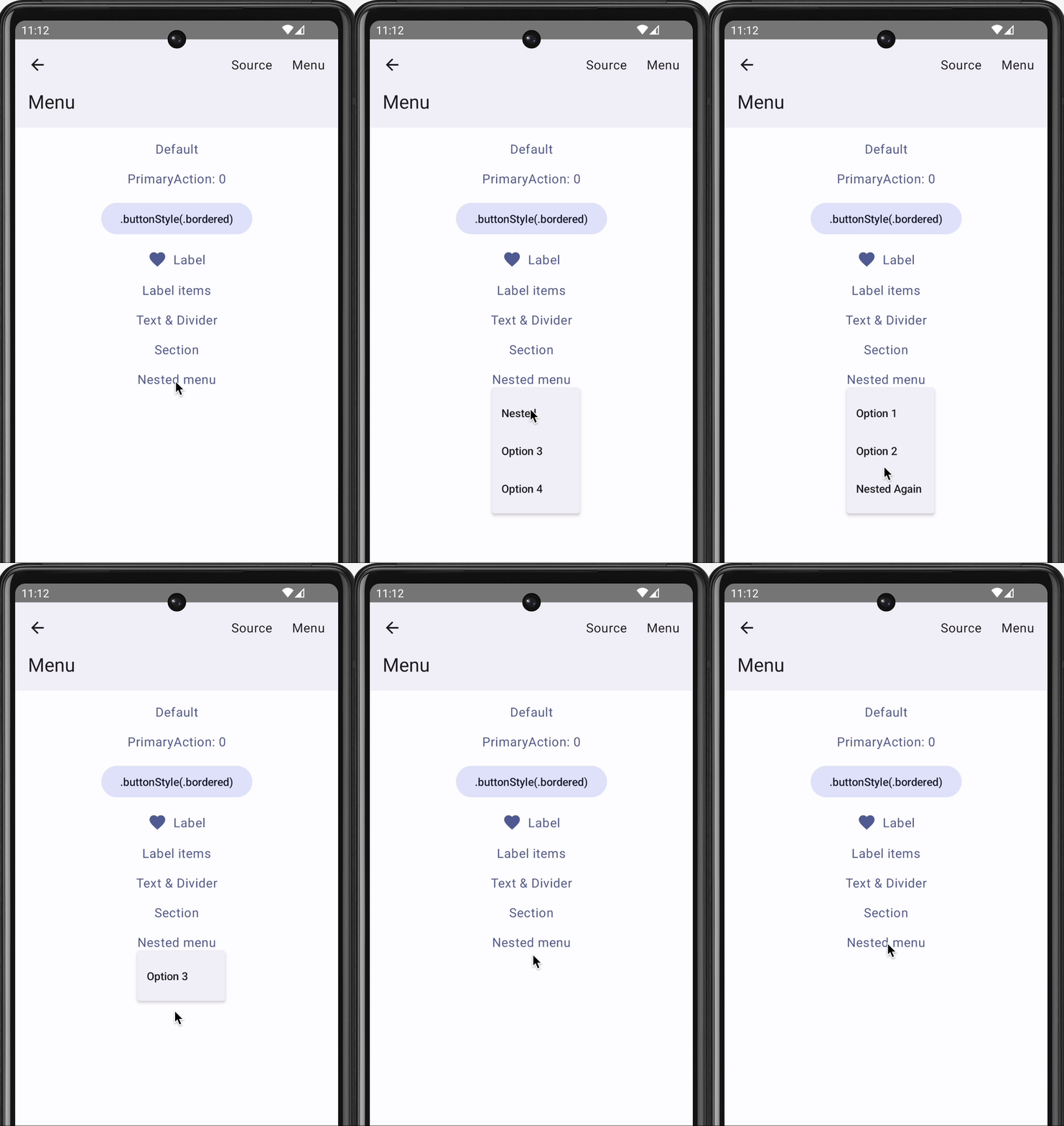
Consult the SkipUI module’s documentation for a listing of currently-supported SwiftUI constructs on Android. You can also examine the ShowcaseFuse ↗ cross-platform sample app, which displays and exercises most supported SwiftUI components:
The “Items” tab displays an editable list of items which are managed by Sources/HowdySkip/ViewModel.swift ↗, which handles loading and saving the list of items to a simple JSON file. This code uses standard Foundation types (URL, Data, Date, FileManager, JSONEncoder, JSONDecoder, etc.) to handle the management and persistence of the items. Note that unlike the SwiftUI in ContentView, none of this code is bridged into Kotlin: it is using the Apple swift-foundation ↗ types directly, just as on iOS.
Despite only using native Foundation types, you will notice that ViewModel.swift imports SkipFuse. Just as SkipFuseUI bridges your UI to Android, SkipFuse bridges model-layer code. We use it here to enable our @Observable view model to communicate changes to the Jetpack Compose user interface. This is discussed further in Part 2 of the series. You generally don’t need to be concerned with the details other than to remember to import SkipFuse (or SkipFuseUI) any time you implement an @Observable.
The final tab of the sample app is the “Settings” screen. This exposes various settings and displays some information about the app. It also presents a little heart emoji, which is blue on iOS and green on Android.
We use the green heart emoji to demonstrate a powerful feature of Skip: the ability to embed code that directly calls Kotlin and Jetpack Compose APIs! Examining the SettingsView in ContentView.swift ↗, you will see the inclusion of a PlatformHeartView, whose implementation looks like this:
/// A view that shows a blue heart on iOS and a green heart on Android.
struct PlatformHeartView : View {
var body: some View {
#if !os(Android)
Text(verbatim: "💙")
#else
ComposeView {
HeartComposer()
}
#endif
}
}
#if SKIP
/// Use a ContentComposer to integrate Compose content. This code will be transpiled to Kotlin.
What is going on here? Notice that on Android, we’re rendering the heart with a ComposeView, a special SwiftUI view for including Jetpack Compose content in the form of a ContentComposer.
/// Encapsulation of Composable content.
publicprotocol ContentComposer {
@ComposablefuncCompose(context: ComposeContext)
}
But how can we define @Composable functions and call Android APIs from within our native Swift code?
The magic lies in Skip’s ability to transpile Swift code into Kotlin, and SkipFuse’s ability to bridge between Kotlin and your compiled Swift. Any code in a #if SKIP block will be transformed into the equivalent Kotlin, so it is free to call other Kotlin and Java APIs directly. The generated #if SKIP Kotlin will also be automatically bridged so that you can call it from your native Swift.
The ability to effectively embed Kotlin code is immensely powerful. It not only provides direct access Jetpack Compose and the Android SDK, but also enables you to tap into the complete Android ecosystem of libraries through Kotlin and Java dependencies.
Of course, using native Swift allows you to take advantage of the vast and growing ecosystem of available Swift packages as well. In our post on Bringing Swift Packages to Android we introduced the swift-everywhere.org ↗ site that tracks packages that are successfully building for Android. Since that post, community members have been implementing Android support, bringing the number of known packages that can be used on Android to 2,240! Popular projects like Alamofire ↗, flatbuffers ↗, SwiftSoup ↗, swift-protobuf ↗, and swift-sqlcipher ↗ (just to name a few) can be added directly to your app and used in the same way on both iOS and Android.
Skip’s unique ability to directly call both Swift and Kotlin/Java APIs separates it from most cross-platform development frameworks, where integrating with the host system often requires bespoke adapters and extra layers of indirection.
As a demonstration and validation of this technology, we have published one of our sample apps, Skip Showcase ↗, to both the Google Play Store and Apple App Store. This fully native Swift app demonstrates parity between SwiftUI components on iOS and Android.
Despite being generally available, Skip’s native support is currently a technology preview. We are working on updating our documentation, finding and squashing remaining bugs and limitations, reducing build times, and generating smaller Android binaries. Even as a preview, however, you can build complete, production-ready cross-platform Swift apps, as Skip Notes demonstrates.
Cross-platform Swift and SwiftUI have been a dream of ours for a long time. We are immensely excited about the possibilities this unlocks for creating truly best-in-class apps for both iOS and Android from a single codebase!
This is the third installment in our series exploring native Swift on Android. In Part 1 we discuss bringing the Swift compiler and toolchain to Android. Part 2 introduces Skip’s tooling and technology for Swift Android app development and leads you through the creation of your first cross-platform Swift app.
The app we create in Part 2 uses a compiled Swift model layer and a shared SwiftUI interface, which Skip transpiles ↗ to Jetpack Compose on Android. The following diagram illustrates this dual-platform, single-codebase architecture:
In this article, by contrast, we create separate iOS and Android apps. The iOS app and shared model layer are written in Swift and SwiftUI using Xcode. The Android app is written in Kotlin ↗ and Jetpack Compose ↗ using Android Studio, and it imports the compiled Swift model as a dependency. This structure allows you to reuse the lower layers of your app logic while fully embracing the standard IDEs and UI toolkits on each platform:
Our sample apps in this installment are iOS and Android versions of TravelPosters, a simple scrolling grid displaying posters of famous cities. Each poster displays the city’s name and current temperature. You can mark your favorites, and these favorites are remembered across app launches.
Our shared TravelPostersModel, therefore, has the following responsibilities:
Provide a list of cities. Each city must supply its name and a poster image URL.
Fetch the current temperature for each city.
Allow the addition and removal of cities from an observable set of favorites.
Persist and restore the set of favorites across uses of the app.
And given that our model will power both iOS and Android apps, we should add the following table-stakes Android requirements:
We must be able to access our Swift model API naturally in Kotlin, just as in Swift.
Our mutable set of favorites must be observable not only to SwiftUI state tracking, but to Jetpack Compose state tracking as well.
Fortunately, Swift is more than up to the task of meeting our model’s general requirements, and Skip’s SkipFuse technology will handle transparently bridging it all to Kotlin and Compose!
If you plan on following along and you haven’t already installed Skip, follow Part 2’s installation instructions. This will quickly get you up and running with Skip, its requirements, and the native Swift Android toolchain.
As a good, modern citizen of the Swift ecosystem, Skip works atop Swift Package Manager ↗. Our shared model will be a Swift package configured to use skipstone, the Skip build plugin. You could create this package and configure its use of Skip by hand, but Skip provides tooling to help.
First, create the folder structure we’ll use to hold our shared model as well as our iOS and Android apps. You do not have to house your apps together, but this is the structure we’ll use in this article.
mkdir travelposters
cd travelposters
mkdir iOS
mkdir Android
Now use the skip tool to create the shared model package:
This command generates a travel-posters-model SwiftPM package containing the TravelPostersModel Swift module. The --native-model option ensures that the module will already be configured to compile natively on Android, and to bridge its public API to Kotlin. Our particular needs, however, require a couple of additional steps.
We know that parts of our model will be @Observable. In order for @Observables to work on Android, we need a dependency on skip-model. Edit the generated Package.swift to add it:
The --native-model option we passed to skip init will configure Skip to automatically bridge our model’s public API from compiled Swift to Android’s ART ↗ Java runtime. This is done through the skip.yml configuration file included in every Skip module. By default, however, Skip assumes that you’ll be bridging to transpiled Swift and SwiftUI code. Instead, we’ll be consuming the model from pure Kotlin, so we want to optimize the bridging for Kotlin compatibility. We do this by editing the Sources/TravelPostersModel/Skip/skip.yml file to look like this:
skip:
mode: 'native'
bridging:
enabled: true
options: 'kotlincompat'
You can read more about the magic of bridging in the documentation.
With these updates in place, we’re now ready to iterate on our shared Swift model code!
The beauty of cross-platform Swift code is how boring it is. You can browse our model’s complete content on GitHub ↗, but it looks more or less exactly as you’d expect given the previously-enumerated requirements. It has some Codable structs to represent cities and weather:
While this code is generally pretty standard, it does contain a few concessions to the realities of current Swift support on Android:
In files that create an OSLog.Logger or that define an @Observable type, we also import SkipFuse. In fact, Skip will surface a build warning in Xcode if you attempt to define an @Observable in a bridged file that doesn’t import the SkipFuse framework!
SkipFuse is an umbrella framework that “fuses” the Swift and Android worlds. It makes sure that your OSLog messages are routed to Android’s Logcat logging service, that your @Observable state is tracked by Jetpack Compose, and more - all without changes to your normal code path.
You may notice other unfamiliar import patterns as well. For example, Foundation on Linux and Android is divided into Foundation, FoundationNetworking, FoundationInternationalization, and FoundationXML. So in Weather.swift ↗ where we use URLSession, we have the following imports:
import Foundation
#ifcanImport(FoundationNetworking)
import FoundationNetworking
#endif
Though we do not need them here, you may encounter #if os(Android) checks to conditionalize code for Android or Darwin platforms in other Android-supporting codebases, just as you’ll often find #if os(macOS) conditions in macOS-supporting codebases.
We’re loading our cities JSON from a static string, but more tyically you would load the contents from a resource. SkipFuse supports bundling Swift module resources as idiomatic Android assets ↗.
While many Swift packages like Apple’s swift-algorithms ↗ compile cleanly for Android out of the box, others will require minor changes, and still others - particularly those that tie into the hardware or use one of Apple’s many OS “Kits” - may never work on Android. Swift on Android is still in its infancy, and it will take time for developers to build and test their packages on this new-to-Swift platform.
You can read much more about both the advantages and the limitations of native Swift on Android in our full native Swift documentation. For the most part, though, relax and enjoy coding with the full power and expressiveness of Swift!
Due to limitations on build plugins, building the travel-posters-model package in Xcode does not perform an Android build. It only builds for iOS. Rather, there are two simple ways to build for Android: use skip export to create an Android library archive, which we explore later in this article, or run the unit tests.
Skip configures every native module with an extra unit test that builds the module for Android, transpiles your XCTests to JUnit tests, and runs them. Thus you’ll see two sets of results on every test run: first from XCTest and then from JUnit on Android. Frequently running your tests is a great way to catch both logic bugs and Android compilation errors early. Read more in the native testing documentation.
Because our model is a standard SwiftPM package, you incorporate and use it on iOS like any other package. We briefly outline the steps we took to create and configure our sample iOS app below. Feel free to skip this section!
Use Xcode to create a new Workspace in the travelposters directory alongside the travel-posters-model package.
Use Xcode to create a new App project in the travelposters/iOS directory. Close the project after creating it, because we’re going to add it to our Workspace instead.
Add the travel-posters-model package to your Workspace.
Add the iOS/TravelPosters/TravelPosters.xcodeproj app to your Workspace.
Add a package dependency from the app to the travel-posters-model local package.
You can now use your Xcode Workspace to iterate on both the shared model package and your iOS app. Browse the complete iOS TravelPosters app here ↗.
We create our TravelPosters Android app using Android Studio, starting with the “Empty Activity” template. Tell Android Studio to place the app in our travelposters/Android folder.
Next, make Android/lib, Android/lib/debug, and Android/lib/release directories. This is where we’ll place our compiled Swift model and Skip libraries.
We must also configure our project to use the new lib directories. Edit the app module’s build.gradle.kts file to add these and other necessary dependencies:
...
dependencies {
...
implementation("org.jetbrains.kotlin:kotlin-reflect:2.1.0") // For reflection used by Skip
implementation("io.coil-kt:coil-compose:2.7.0") // For AsyncImage used to display posters
debugImplementation(fileTree(mapOf(
"dir" to "../lib/debug",
"include" to listOf("*.aar", "*.jar"),
"exclude" to listOf<String>()
)))
releaseImplementation(fileTree(mapOf(
"dir" to "../lib/release",
"include" to listOf("*.aar", "*.jar"),
"exclude" to listOf<String>()
)))
}
To prevent errors in the deployed app, include the following in build.gradle.kts as well:
android {
packaging {
jniLibs {
// doNotStrip is needed to prevent errors like: java.lang.UnsatisfiedLinkError: dlopen failed: empty/missing DT_HASH/DT_GNU_HASH in "/data/app/…/base.apk!/lib/arm64-v8a/libdispatch.so" (new hash type from the future?) (see: https://github.com/finagolfin/swift-android-sdk/issues/67)
keepDebugSymbols.add("**/*.so")
}
}
}
Finally, our app needs internet access permissions to fetch weather and display remote images. Update its AndroidManifest.xml file:
Find the complete TravelPosters Android app here ↗. The next sections detail how to export our shared model to the Android app and how to use it from our Kotlin code.
We’ve configured our Android app to look in the Android/lib/debug and Android/lib/release folders for our model, but how do we populate these folders?
The skip export command generates Android archives of a target Swift package and all of its dependencies. It has many options, which you can explore with skip export help. The following Terminal command builds our travel-posters-model and its dependencies for Android in debug mode and places the resulting .aar library archives in the Android/lib/debug directory:
There are many ways to automate this process, from simple scripting to git submodules to publishing the Android travel-posters-model output to a local Maven repository. Use whatever system fits your team’s workflow best.
For example, to re-build and re-launch the app after making changes to the Swift code, you might run:
Now that we’ve set up the Android app to depend on our shared Swift model, what is it like to actually use the model in Kotlin and Compose code? The answer is that - thanks to SkipFuse bridging - it’s surprisingly natural!
Before we dive into using our model, though, we have to make a single call in our Android app’s main Activity to initialize integration. Skip has extended Foundation.ProcessInfo for this purpose:
No additional changes to Android’s normal startup code path are needed.
This article is not a tutorial on using Jetpack Compose. Rather, we will focus on the places where our Android UI interacts with Swift, starting with the CityList function for displaying the scrolling list of posters:
val favoriteIDs = cityManager.favoriteIDs.toMutableList()
if (isFavorite &&!favoriteIDs.contains(city.id)) {
favoriteIDs.add(city.id)
cityManager.favoriteIDs = favoriteIDs
} elseif (!isFavorite) {
favoriteIDs.remove(city.id)
cityManager.favoriteIDs = favoriteIDs
}
})
}
}
}
}
We’ve annotated the code above with four numbered comments. Let’s explain each:
Our TravelPostersModel module is exposed to Kotlin in the travel.posters.model package. Skip simply divides your CamelCase Swift module names into ”.”-separated Kotlin package names. Single-word packages are reserved in Kotlin, so if your module name consists of a single word, Skip appends “.module”. For example, module Util turns into Kotlin package util.module.
Your Swift types and API have equivalent names and signatures in Kotlin.
The Swift CityManager.allCities property of type [City] bridges to a Kotlin kotlin.collections.List<City>. Consult the bridging reference to learn more about specific type mappings.
Here we’re performing standard Compose state hoisting to manage the favorites list. Notice that we simply update our model - we do not explicitly trigger a change to the UI. Like SwiftUI, Compose automatically reacts to change in observed state, and SkipFuse ensures that our @Observable CityManager is fully and transparently integrated in Compose state tracking.
Each item in the city list is a CityPoster. Let’s examine that function as well:
Once again, we’ve added numbered comments to points of interest in the code above:
In addition to bridging your own types as well as built-in types like numbers, strings, arrays, and dictionaries, SkipFuse translates common Foundation types like Data, Date, URL, and UUID to their Kotlin equivalents. In this case the City.imageURL property of type Foundation.URL maps to a java.net.URI. Again, see the bridging reference for details.
Our Weather.fetch Swift function is marked throws. If the native call produces an error, the bridged Kotlin call with throw a standard Kotlin exception.
Weather.fetch is an async Swift function. Skip therefore generates a Kotlin suspend function and integrates the call with Kotlin coroutines. Hence the use of a LaunchedEffect in our Compose code.
As you can see, you invoke your Swift APIs naturally in Kotlin - almost exactly as if they were written in Kotlin themselves! Swift custom types, built-in types, and common Foundation types all translate to Kotlin/Java equivalents, thrown errors cause Kotlin exceptions, async Swift functions use Kotlin coroutines, etc. The goal is that using a module written in Swift should be almost indistinguishable from using a package written in Kotlin.
If you haven’t already, check out Part 1 and especially Part 2 of this series.
If you’d like to learn much more about SkipFuse, bridging, and native Swift on Android, consider reading our Native Swift Tech Preview documentation.
You may also be interested in the nascent swift-java ↗ project, which is designed to facilitate communication between server-side Swift and Java libraries. While that is a very different environment than Android apps interacting with modern Kotlin APIs, they do overlap, and you might find swift-java's bridging approach useful. We anticipate that as it matures, this bridge and Skip’s native bridging will begin to align more closely in their techniques and implementation details.
Many cross-platform solutions allow you to share code, but they typically come with serious downsides:
Performance issues from the use of interpreters and/or complex runtimes (Javascript)
High memory watermarks and unpredictable hitches caused by garbage collection (Javascript, Kotlin)
Lack of transparent integration with SwiftUI and/or Compose state tracking (C/C++)
Portability and memory safety concerns (C/C++)
Swift exhibits none of these problems. Its safety, efficiency, and expressiveness make it an ideal choice for cross-platform development. Swift is already a first-class citizen on Apple platforms, and Skip’s native tooling and technology ensures seamless integration with Android and Compose as well.
Whether you’re creating a single dual-platform app like we did in Part 1, separate iOS and Android apps with a shared model layer and bespoke interfaces like we did in this article, or anything in between, sharing code with Swift can save you significant time and effort when writing your app. More important than the up front savings, though, is the savings over time. A shared Swift codebase will eliminate endless hours of repeated bug fixes, enhancements, team coordination, and general maintenance over the life of your software.
We’re thrilled to announce the release of Skip 1.0!
Skip brings Swift app development to Android. Share Swift business logic, or write entire cross-platform apps in SwiftUI.
Skip is the only tool that enables you to develop genuinely native apps for both major mobile platforms with a single codebase. Under the hood, it uses the vendor-recommended technologies on each OS: Swift and SwiftUI on iOS, Kotlin and Compose on Android. So your apps don’t just “look native”, they are native, with no additional resource-hogging runtime and no uncanny-valley UI replicas.
Skip also gives you complete access to platform libraries. Directly call any Swift or Objective C API on iOS, and any Kotlin or Java API on Android - no complex bridging required!
Skip has been in development for over a year. It has an enthusiastic community of users developing a wide range of apps and continually improving Skip’s ecosystem of cross-platform open source libraries.
Honed and updated over the years, Apple’s Scrumdinger tutorial ↗ is an hours-long step-by-step guide to building a complete, modern SwiftUI app. It exercises both built-in UI components and custom drawing, and it takes advantage of Swift language features like Codable for persistence. As its rather unique name implies, the Scrumdinger app allows users to create and manage agile programming scrums ↗ on their phones.
This blog post begins where Apple’s tutorial ends. We’ll start with the final Scrumdinger source code and walk you through the process of bringing the full app to Android using Skip. You’ll learn the general steps involved in bringing an existing app to Android, and you’ll become familiar with the types of issues you may encounter and how to overcome them. Let’s get started!
Download and expand the zip file. Assuming you have the latest Xcode ↗ installed, you can run the iPhone app by opening TranscribingSpeechToText/Complete/Scrumdinger.xcodeproj. The first time you attempt to open it, you may need to confirm that you trust the download. Once Xcode has loaded the project, select the iOS Simulator you’d like to use and hit the Run button!
Play around with the app - this is what we’re going to bring to Android. First, however, we need to install Skip.
Skip ↗ is a tool for building fully native iOS and Android apps from a single Swift and SwiftUI codebase. It works by transpiling your Swift into Android’s Kotlin ↗ development language and adapting your SwiftUI to Android’s native Jetpack Compose ↗ UI framework.
Skip’s Android version of Scrumdinger won’t be pixel-identical to the iOS version, and it shouldn’t be. Rather, we believe in using the native UI framework and controls on each platform. This gives the best possible user experience, avoiding the uncanny-valley feel of non-native solutions.
Follow the Getting Started guide to install Skip and your Android environment, including Android Studio ↗. Next, launch Android Studio and open the Virtual Device Manager from the ellipsis menu of the Welcome dialog. From there, Create Device (e.g., “Pixel 6”) and then start the Emulator. Skip needs a connected Android device or Emulator to run the Android version of your app.
Now we’re ready to turn Scrumdinger into a dual-platform Skip app.
It isn’t too hard to update an existing Swift Package Manager package to use Skip. Updating an existing app, however, is a different story. Building for Android requires a specific folder structure and xcodeproj configuration. We recommend creating a new Skip Xcode project, then importing the old project’s code and resources.
Enter the following command in Terminal to initialize Scrumskipper, your dual-platform version of the Scrumdinger app.
This will create a template SwiftUI app and open it in Xcode. Let’s run the template as-is to make sure it’s working: select your desired iOS Simulator in Xcode, and hit the Run button. If you just installed or updated Skip, you may have to trust the Skip plugin:
If all goes well, you should see something like the following:
Great! Next, copy Scrumdinger’s source code to Scrumskipper:
Drag the Scrumdinger/Models and Scrumdinger/Views folders from Scrumdinger’s Xcode window into the Scrumskipper/Sources/Scrumskipper/ folder in Scrumskipper’s window.
Replace Scrumskipper’s ContentView body with the content of Scrumdinger’s primary WindowGroup. Scrumskipper’s ContentView should now look like this:
import SwiftUI
publicstruct ContentView: View {
@StateObjectprivatevar store =ScrumStore()
@Stateprivatevar errorWrapper: ErrorWrapper?
publicinit() {
}
publicvar body: some View {
ScrumsView(scrums: $store.scrums) {
Task {
do {
tryawait store.save(scrums: store.scrums)
} catch {
errorWrapper =ErrorWrapper(error: error,
guidance: "Try again later.")
}
}
}
.task {
do {
tryawait store.load()
} catch {
errorWrapper =ErrorWrapper(error: error,
guidance: "Scrumdinger will load sample data and continue.")
}
}
.sheet(item: $errorWrapper) {
store.scrums= DailyScrum.sampleData
} content: { wrapper in
ErrorView(errorWrapper: wrapper)
}
}
}
#Preview {
ContentView()
}
That’s it! You’ve now created Scrumskipper, a dual-platform app with all of Scrumdinger’s source code.
It’s the moment of truth: hit that Xcode Run button!
Almost immediately, you’ll get an API unavailable error like this one:
This is our first hint that migrating an existing iOS codebase to Android is not trivial, even with Skip. Starting a new app with Skip can be a lot of fun, because it’s relatively easy to avoid problematic patterns and APIs, and you can tackle any issues one at a time as they appear. But when you take on an existing codebase, you get hit with everything at once. Even if Skip perfectly translates 95+% of your original Swift source and API calls - code that was certainly never intended to be cross-platform - that can leave dozens or even hundreds of errors to deal with!
It’s important to remember, though, that while fixing that remaining 5% can be a slog ↗, it is still 20 times less work than a 100% Android rewrite! And once you’ve worked through the errors, you’ll have a wonderfully maintainable, unified Swift and SwiftUI codebase moving forward. So let’s roll up our sleeves and get started, beginning with the error above.
The pictured error message says that the Color(_ name:) constructor isn’t available in Skip. Each of Skip’s major frameworks includes a listing you can consult of the API that is supported on Android. These listings are constantly expanding as we port additional functionality. For example, here is the table of supported SwiftUI.
When an API is unsupported, that does not mean you can’t use it in your app! Skip never forces you to compromise your iOS app. Rather, it means that you have to find a solution for your Android version. That could mean contributing an implementation for the missing API, but more often you’ll just want to take a different Android code path. To keep your iOS code intact but create an alternate Android code path, use #if SKIP (or #if !SKIP) compiler directives. The Skip documentation covers compiler directives and other platform customization techniques in detail. Let’s update the problematic code in Theme.swift to use named colors on iOS, but fall back to a constant color on Android until we implement a solution:
Change:
var mainColor: Color {
Color(rawValue)
}
To:
var mainColor: Color {
#if !SKIP
Color(rawValue)
#else
// TODO
Color.yellow
#endif
}
This technique works for SwiftUI modifiers as well. For example, while Skip is able to translate many of SwiftUI’s accessibility modifiers for Android (in fact Skip’s native-UI approach excels in accessibility), it doesn’t have a translation for the .accessibilityElement(children:) modifier. So, update from this:
HStack {
Label("Length", systemImage: "clock")
Spacer()
Text("\(scrum.lengthInMinutes) minutes")
}
.accessibilityElement(children: .combine)
To this:
HStack {
Label("Length", systemImage: "clock")
Spacer()
Text("\(scrum.lengthInMinutes) minutes")
}
#if !SKIP
.accessibilityElement(children: .combine)
#endif
The iOS version of the app is unaffected, and the Android build can proceed without the unsupported modifier.
Getting Scrumskipper to successfully build as an iOS and Android app is a repetition of the process we began above:
Hit the Run button.
View the next batch of Xcode errors from the transpiler or the Kotlin compiler.
Use compiler directives to exclude the source causing the error from the Android build.
If you see this process through as we did, you’ll end up using #if SKIP and #if !SKIP approximately 25 times in the ~1,500 lines of Scrumdinger’s Swift and SwiftUI source. In addition to the aforementioned Color(_ name:) and .accessibilityElement(children:) APIs, here is a full accounting of Scrumdinger code that causes errors:
The Speech and AVFoundation frameworks used in Scrumdinger are not supported. While Skip does have a minimal AVFoundation implementation for Android, it is not complete as of this writing. These are examples of cases where you would likely use Skip’s dependency support to integrate Android-specific libraries for the missing functionality.
Timer.tolerance is not supported.
.ultraThinMaterial is not supported.
ListFormatter is not supported. We replaced ListFormatter.localizedString(byJoining: attendees.map { $0.name }) with attendees.map { $0.name }.joined(separator: ", ").
SwiftUI’s ProgressViewStyle is not yet supported.
SwiftUI’s LabelStyle is not yet supported.
The Theme enum’s name property causes an error because all Kotlin enums inherit a built-in, non-overridable name property already. We changed the property to themeName.
You can view the final result in the source of our skipapp-scrumskippersample app.
After using compiler directives to work around these errors, we have liftoff! Scrumskipper launches on both the iOS Simulator and Android Emulator. Clearly, however, it needs additional work.
As you explore the app, you’ll find many things that are missing or broken. Fortunately, it turns out that the problems are all easily fixed. View our sample app to see the completed code. We give a brief description of each issue below.
Copying over Scrumdinger’s source code wasn’t quite enough. We forgot to copy its ding.wav resource and more importantly, the Info.plist keys that give the app permission to use the microphone and speech recognition. Without these keys, the iOS app will crash when you attempt to start a meeting.
Scrumdinger uses SF Symbols for all of its in-app images. Android obviously doesn’t include these out of the box, but Skip allows you to easily add symbols to your app. Just place vector images with the desired symbol names in your Module asset catalog, as described here. For the purposes of this demo, we exported the symbols from Apple’s SF Symbols app.
We made two additional tweaks to MeetingView. First, the custom MeetingTimerView was not rendering at all on Android. Layout issues like this are rare, but they do occur. Second, we didn’t want the Android navigation bar background to be visible. We added a couple of #if SKIP blocks to the view body to correct these issues:
Scrums were not being saved and restored in the Android version of the app. It turns out that Scrumdinger saved its state on transition to ScenePhase.inactive, but Android doesn’t use this phase! Android apps transition directly from active to background and back. The following simple change fixed the issue:
Remember how we were going to circle back to the Theme enum’s named colors on Android? We decided to forgo the asset catalog colors altogether and just define each color programmatically with RGB values.
Take a moment to reflect on how amazing it is that Apple’s canonical SwiftUI iPhone sample now runs as a fully native Android app. Though Skip excels at new development and the process for bringing Scrumdinger’s existing code to Android wasn’t trivial, it was still an order of magnitude faster than a re-write and did not risk regressions to the iOS version. Moreover, future maintenance and improvements will be extremely efficient thanks to having a single shared Swift and SwiftUI codebase.
The Android version doesn’t yet have all the features of the iOS one, but additional Android functionality can be added over time. Skip never forces you to compromise your iOS app, provides a fast path to a native Android version using your existing code, and has excellent integration abilities to enhance and specialize your Android app when the effort warrants it.
Kotlin Multiplatform (KMP) is a technology that enables Kotlin to be compiled natively and used in non-Java environments. Google recommends using KMP for sharing business logic between Android and iOS platforms1.
In many ways, Skip and KMP are inverses of each other, in that:
Skip brings your Swift/iOS codebase to Android.
KMP brings your Kotlin/Android codebase to iOS.
The mechanics powering these transformations are different – Skip uses source transpilation to convert Swift into idiomatic Kotlin, whereas KMP compiles Kotlin into native code that presents an Objective-C interface – but the high-level benefits are the same: you can maintain a single codebase for both your iOS and Android app.
We think that Skip is the right way to tackle the challenge of creating genuinely native dual-platform apps. Skip gives you an uncompromised iOS-first development approach: your code is used as-is on iOS devices, with zero bridging and no added runtime or garbage collector2. Our SkipUI adaptor framework – which takes your SwiftUI and converts it into Jetpack Compose – allows you to create genuinely native user interfaces for both platforms. And while the Compose Multiplatform3 project adds cross-platform Compose support to KMP, it eschews native components on iOS by default. It utilizes a Flutter-like strategy instead, painting interface elements onto a Skia canvas. This can result in a sub-par experience for iOS users in terms of aesthetics, performance, accessibility, and feel, not to mention limitations on native component integration (something Skip excels at). We believe that a premium, no-compromises user experience requires embracing the platform’s native UI toolkit.
If we put the UI layer aside, however, using KMP for logic and model code does have some great benefits. With KMP, you can target not just Android and iOS, but also the web, desktop, and server-side environments, whereas Skip is focused squarely on mobile app development. You can also write and build KMP code on a variety of platforms: macOS, Windows, and Linux. Finally, some organizations might already be heavily invested in the Kotlin/Java ecosystem.
And so it may be the case that you have business logic in one or more KMP modules that you want to use in a cross-platform Android and iOS app. The trend among organizations that have adopted KMP has been to build separate native apps for each platform – using Jetpack Compose (or Views) on Android and SwiftUI (or UIKit) on iOS – and then import their KMP business logic module into those apps. This is much the same as writing two separate apps, but with the benefit that some of the business logic can use a shared codebase.
This happens to be a perfect fit for Skip. With Skip/KMP integration, you can build the UI of your app from a single Swift codebase, and at the same time use the KMP module from both the Swift and (transpiled) Kotlin sides of the app. You get all the benefits of a genuinely native user interface, and can still leverage any existing investment in a shared Kotlin codebase. The remainder of this post will outline the details of integrating and accessing a KMP module from a Skip app project.
When viewed from the Android side, a KMP module is simply a traditional Kotlin/Gradle project dependency: you add it to your build.gradle.kts and import the Kotlin packages in the same way as you use any other Kotlin package. The KMP module has no knowledge of, or dependency on, any Skip libraries or tools.
The iOS side is a bit more involved: the KMP project must be compiled and exported as a native library4 that can be imported into the iOS project. This is done by compiling the KMP project to native code and then exporting it to an xcframework, which is a multi-platform binary framework bundle that is supported by Xcode and SwiftPM.
The resulting project and dependency layout will look like this:
In the Package.swift file for the skip-kmp-sample ↗ library, we have the Skip-enabled “SkipKMPSample” target with a dependency on a binary target specifying the location and checksum of the compiled xcframework. This enables us to access the Objective-C compiled interface for the KMP library, which is in the separate kmp-library-sample ↗ repository containing the Kotlin and Gradle project that builds the library.
For the transpiled Kotlin side of the Skip framework, we add a Gradle source dependency5 to that same repository. This is accomplished by using the module’s skip.yml file to add the dependency on the same tagged version as the published xcframework:
The result is that the Kotlin side of the Skip project will depend on the Kotlin library, and the Swift side of the Skip project will access the natively-compiled xcframework of the KMP library via its exported Objective-C interface.
Using KMP code from a Skip app is generally the same as using KMP from any other app. As already mentioned, on the Android side, the KMP module is included directly as Kotlin code, and compiled to JVM bytecode along with the rest of your app. On the iOS side, the code is compiled natively to each of the supported architectures (ARM iOS, ARM/X86 iOS Simulator, and ARM/X86 macOS) and bundled into an xcframework. As part of this packaging the KMP compiler generates an Objective-C interface to the native code. This interface can then be used from your Swift through the automatic Objective-C bridging provided by the Swift language.
A simple example can be illustrated using the following Kotlin class:
class SampleClass(var stringField: String, var intField: Int, val doubleField: Double) {
funaddNumbers() : Double {
return intField + doubleField
}
suspendfunasyncFunction(duration: Long) {
delay(duration)
}
@Throws(Exception::class)
funthrowingFunction() {
throwException("This function always throws")
}
}
The Objective-C header created by the Kotlin/Native compiler for this class will look like this:
This Swift interface derived from the generated Objective-C is idiomatic, much in the same way that Skip’s transpiled code is idiomatic Kotlin. This results in code that can be used from both sides of your dual-platform Swift project using the same interface. For example, this Swift code will work on both sides of a Skip project, where the Swift code instantiates the Objective-C class, and the transpiled Kotlin code instantiates the Java class.
funcperformAdd()->Double {
let instance =SampleClass(stringField: "XYZ", intField: Int32(123), doubleField: 12.23)
The type mapping ↗ section of the Interoperability with Swift/Objective-C documentation goes over the automatic conversion of various Kotlin types into their closest Objective-C equivalents. This, in turn, will affect how the Swift types are represented.
These type mappings will typically be the same as the type mappings used by Skip to represent Swift types in Kotlin (such as a Kotlin Short being represented by a Swift Int16), but they don’t always line up exactly. In these cases, there may need to be some manual coercion of types inside an #if SKIP block to get both the Swift and transpiled Kotlin to behave the same.
Kotlin doesn’t have functions that declare that they might throw an exception (like Swift and Java), but if you add the @Throws annotation to a function, the Kotlin/Native compiler will generate Objective-C that accepts a trailing NSError pointer argument, which is, in turn, represented in Swift as a throwing function. For example, the following Kotlin:
In the same way that Skip transforms Swift async functions into Kotlin coroutines, the Kotlin/Native compiler will generate Objective-C with a trailing completionHandler parameter that will be represented in Swift as an async throwing function.
Considering that Skip was not designed with KMP integration in mind – nor vice-versa – it is remarkable how well they work together out of the box. Classes, functions, async, throwable: all work without any special consideration by the Skip transpiler.
That being said, the integration is not perfect. You may encounter some of the following issues:
Primitive Boxing: KMP will box primitives when wrapping in collection types like arrays. For example, a Kotlin function that returns an [Int] will be represented in Objective-C as an NSArray<MPLInt *>, where MPLInt is an NSNumber type. And while the automatic Objective-C bridging will handle converting the NSArray into a Swift Array, it will not know enough about MPLInt to convert it into a Swift Int32, so that sort of conversion will need to be handled manually.
Static Functions: KMP doesn’t map object functions to Objective-C static functions in the way that Skip assumes, but rather handles a Kotlin object as a singleton instance of the type accessible through a shared property.
More can be read about platform-specific behavior in the Kotlin/Native iOS integration ↗ docs.
To experiment with your own Skip/KMP integrations, we recommend starting with our pair of example repositories:
kmp-library-sample ↗: a basic KMP project that presents a source Kotlin dependency, and whose releases ↗ publish a binary xcframework artifact.
skip-kmp-sample ↗: a basic Skip project that depends on the kmp-library-sample’s published xcframework on the Swift side, and has a source dependency on the kmp-library-sample gradle project on the Kotlin side. The test cases in this project utilize Skip’s parity testing to ensure that the tests pass on each supported architecture: macOS and Robolectric for local testing, as well as iOS and Android for connected testing.
These two projects work together to provide a minimal working example of Skip’s KMP integration, and can be used as the basis for further development.
Skip presents an iOS-first, full-stack approach to writing apps for iOS and Android. From the low-level logic layers to the high-level user interface, Skip provides a vertically integrated stack of frameworks that enable the creation of best-in-class apps using the native UI toolkits for both of the dominant mobile platforms.
Kotlin Multiplatform has benefits too: KMP modules can be written and tested on multiple platforms, and they can target platforms beyond mobile. For this reason, KMP can be a compelling option for people who want to share their mobile app code with the web, desktop, or server-side applications.
KMP code fits nicely with Skip projects, because its idiomatic native Objective-C representation means that, for the most part, it can be used seamlessly from both the source Swift and transpiled Kotlin sides of a project. Whether you are creating KMP modules because you are invested in the Kotlin/Java ecosystem, or because you are starting to migrate away from an Android-centric app infrastructure, Skip provides the ideal complement to your existing KMP code. You can have the genuinely native user interface for both platforms that Skip provides, while at the same time utilizing the Kotlin code that you may have built up over time. It is truly the best of both worlds!
“We use Kotlin Multiplatform within Google and recommend using KMP for sharing business logic between Android and iOS platforms.” – https://developer.android.com/kotlin/multiplatform ↗. The mobile-specific form of KMP had been known as KMM, or “Kotlin Multiplatform Mobile”, until they recently deprecated the term ↗. ↩
Details about how a KMP project can be used to create an xcframework can be found at https://kotlinlang.org/docs/apple-framework.html ↗, and you can reference our kmp-library-sample ↗ project for a concrete example. This is another interesting reversal of the normal way of doing things, where the Swift side of an app typically has source dependencies on other SwiftPM packages and the Kotlin side typically has binary dependencies on jar/aar artifacts published to a Maven repository. When depending on a KMP project, this is reversed: the Swift side has a binary dependency on the xcframework built from the KMP project, and the Kotlin side has a source dependency on the KMP project’s Kotlin/Gradle project. ↩
Note that we could have alternatively depended on a compiled .aar published as a pom to a Maven repository, but for expedience we find that using source dependencies are the easiest way to link directly to another git repository. ↩
Skip’s open-source SkipUI library ↗ implements the SwiftUI API for Android. To do so, SkipUI leverages Compose ↗, Android’s own modern, declarative UI framework.
The parallels between SwiftUI and Compose are striking, especially when it comes to layout. SwiftUI uses HStack, VStack, and ZStack for basic layout, with modifiers like offset and padding to shift or pad the resulting placement. Compose uses Row, Column, and Box for basic layout, and it too has offset and padding modifiers. Compose has one odd omission, however: it doesn’t support negative padding! Supplying a negative value will throw an IllegalArgumentException.
SkipUI must support whatever SwiftUI supports, so internally we’ve replaced the standard Compose padding modifier with our own custom layout that works for both positive and negative values. We present that layout below, in case you find it useful in your own Compose work.
Notes:
SkipUI’s implementation is tied to SwiftUI internals, so this is an untested and simplified port of the actual code.
Important: If you plan to use this in pure Compose code, expose it as a custom modifier ↗ for a more fluent API.
News recently broke ↗ that Google is laying off members of the Dart and Flutter teams. At the same time that Microsoft is ending Xamarin support ↗, many Flutter users are left wondering about the future of the technology stack on which they’ve built their apps.
For what it’s worth, we don’t buy into the speculation that Flutter is about the be killed off. While we believe that Skip has the correct approach to cross-platform mobile development, Flutter is an excellent product with a devoted community. A recent post ↗ by an insider notes that the Google layoffs were broad and didn’t single out the Flutter and Dart teams. Nevertheless, this episode emphasizes the need to always consider the ejectability of the core technologies you use.
“And every one who hears these sayings of Mine and does not do them will be likened to a foolish man who built his house on the sand.”
A software framework is said to be ejectable if you can remove it without completely breaking your app. Ejectability is not binary: having to remove a given framework might only require you to excise certain features, and some frameworks are easier to replace in our apps than others.
Unfortunately, most cross-platform development tools are not ejectable to any degree. If official Flutter support were end-of-lifed, there would not be any path for Flutter codebases to migrate to another technology stack. Dart ↗ is a nice language and Widgets ↗ are cool, but Apple is not about to transition from Swift ↗ and SwiftUI ↗, nor Android from Kotlin ↗ and Jetpack Compose ↗. Languages like Dart and Javascript will forever be
“alien” on both iOS and Android, just as Swift and Kotlin will be the primary, supported, and vendor-recommended languages for the foreseeable future.
Flutter apps would continue to work, and the community would likely maintain the Flutter engine and libraries for quite some time. But the pace of integration with the latest Android and iOS features would slow, and businesses who care about the long-term prospects for their apps would look to move on. Unfortunately, their only option would be something seasoned developers avoid for good reason ↗: a complete re-write.
To be clear, we do not believe that Flutter support is going to end any time soon, and the same goes for other popular cross-platform solutions like React Native. But you should also not take the decision to use these frameworks lightly, because they are not ejectable. If support unexpectedly ends - or if a new Apple or Android platform or feature arrives that these non-native frameworks are not able to integrate with - you have no off-ramp.
Skip’s approach to cross-platform development is fundamentally different. You work in a single codebase, but Skip creates fully native apps for each platform: Swift and SwiftUI on iOS, and Kotlin and Compose on Android. This is in keeping with the plainly-stated, unambiguous advice from the platform vendors themselves:
SwiftUI is the preferred app-builder technology -Apple ↗
Jetpack Compose is Android’s recommended modern toolkit -Google ↗
A cross-platform Skip app is a modern iOS app. Your shared code is written in Xcode using Swift and SwiftUI. For example, here is a simple weather model:
At build time, the Skip tool integrates with Xcode to transpile your iOS codebase into a native Android app written in Kotlin.
As you can see in the sample above, your Swift code does not require any dependencies on Skip. Even integrating Android customization into your app is accomplished without Skip libraries. If you remove all traces of Skip, your iOS app will continue to build and run in Xcode exactly as before.
On the Android side, the Kotlin source code and artifacts that Skip generates are yours, regardless of whether you continue to use Skip. Unlike the iOS app, the translated Android app does rely on Skip libraries to mirror the Foundation, SwiftUI and other Apple APIs that your iOS code likely uses. These libraries, however, are free and open source ↗. Critically, they are not a “runtime” or “engine”. You can continue to use them - or not - without hampering your ability to expand the app and integrate new Android features.
Here is the Kotlin that Skip generates from the sample weather model above. It is not significantly different than Kotlin you’d write by hand. It is longer than the source Swift only because Kotlin does not have built-in JSON decoding, so Skip must add it. (SwiftUI code translated to Skip’s Compose-based UI library for Android is much less idiomatic. If you stopped using Skip you’d likely want to migrate to pure Compose over time, but there would be no immediate need to do so.)
You can see more examples of the Swift-to-Kotlin translation in our Transpilation Reference.
Skip is fully ejectable. When you eject Skip, you are left with a native iOS app and a native Android app, both using their respective platform vendor-recommended technologies. You can immediately continue to iterate on these apps, with no rewrites and no pause in your ability to integrate new platform features.
We believe that Flutter’s future is secure, despite what some commentary has speculated. You should, however, carefully consider ejectability alongside the many other factors that go into choosing the cross-platform framework that’s right for your business needs.
Back in 2008 when Abe and I were working on our first iPhone app Stanza, there was a very influential blog post by Loren Brichter, the developer of a popular Twitter client app (back when such things were not only permitted, but encouraged), titled: ”Fast Scrolling in Tweetie1”, which opened with:
Scrolling is the primary method of interaction on the iPhone. It has to be fast. It has to be fast.
This is as true in 2024 as it was in 2008. Which makes it all the more surprising that people are still shipping apps that exhibit scrolling issues. Animation jank, muddy inertia, and dropped frames are among the most common issues that plague applications that were built with frameworks that eschew the platform-native list controls and decide to re-invent the wheel. Scrolling is one of the most commonly cited examples of these apps feeling to users like they are in the “uncanny valley” – that oft-indescribable sense that an app feels not quite right.
Back in 2008, making a high-performance list control for iOS could be quite an involved chore. Anyone who recalls fighting with UIKit’s UITableView and all its warts will remember with a shudder just how persnickety the control could be, and how painful coordinating the mess of Objective-C data sources and delegates would invariably become.
Thankfully, the emergence of SwiftUI in 2019 meant that creating a buttery-smooth list control with thousands of elements is as simple as 5 lines:
List {
ForEach(1..<1_000) { i in
NavigationLink("Item \(i)", value: i)
}
}
This example is lifted directly out of the project generated by skip init, as shown in the getting started guide. Run this on your iPhone and fling-scroll the list to your heart's content: never a stutter or pause to be found, and the physics of the interaction feel perfectly correct for the device. This is because SwiftUI's List doesn't re-invent the underlying UIKit list components, but rather it manages them for you. All the complexity and error-prone bookkeeping of the underlying UIKit controls are automatically taken care of.
On the Android side, the equivalent Jetpack Compose list control is a LazyColumn. Compose names are different from SwiftUI, but the effect is the same – you can create a silky-smooth list control with just this 5-line snippet:
LazyColumn {
items(List(1000) { it }) { item ->
Text(text ="Item ${item}")
}
}
And in the same way as SwiftUI’s List wraps and manages the underlying UIKit family of Objective-C classes, Compose’s Kotlin LazyColumn sidesteps having to use the Java RecyclerView and LinearLayoutManager classes from the older Android SDK and manages all the complexity of displaying a high-performance list of items. When coming from the old-school imperative APIs, creating user interfaces with the modern declarative style is a breath of fresh air.
The fact that these vendor-supported toolkits – SwiftUI and Compose – are built atop the platform-native scrolling mechanics stands in contrast with some of the other cross-platform frameworks created in “alien” languages like Dart and JavaScript, that instead attempt to implement all this complexity on their own.
Back in 2012, Benjamin Sandofsky wrote about “The Framework Tax2”:
For native apps, performance is critical to a great user experience. Users notice jerky scrolling, and performance can make or break a feature
Back then, the popular solutions purporting to simplify cross-platform app development were simple WebView-based wrappers designed to make JavaScript and HTML look and feel like a real app. These particular attempts have fallen out of fashion and have been replaced by newer offerings like Flutter, React Native, and Xamarin that use Dart, JavaScript, and C# (respectively) to attempt to abstract away the platform-native frameworks and provide their own homogeneous API for developers to create their apps with.
But what hasn’t changed is that each of these attempts still adds a layer of indirection and overhead to the app, as has been analyzed and confirmed by academic research3. They all require writing your app in a separate language and IDE, and then bundling the distributed app with a separate garbage-collected runtime layer, as well as often including a graphics engine that performs the low-level drawing. All of these frameworks introduce overhead: battery-killing inefficiencies4, pauses from garbage-collection, animation jank from the graphics technology5, or friction resulting from bridging between an alien language and the platform’s native language. For an overview of these issues, see our Skip comparison page.
And that’s the difference with Skip: when you create your app using Skip, you are coding directly to Apple’s SwiftUI – in Swift – on iOS, and transpiling directly Google’s Jetpack Compose – in Kotlin – on Android. These are the official, vendor-recommended languages and toolkits for creating modern apps. They are as fast as they can conceivably be, and they will continue to be supported by the platform vendors in perpetuity. By transpiling your Swift into Kotlin, Skip avoids the overhead of abstracting the platform from an alien language, but instead embraces each platforms’s strengths and performance potential.
That’s why we are convinced that Skip is the right approach for creating mobile apps while still retaining the benefit of a single codebase. Quite simply, it enables your app to be the uncompromisingly best experience it can possibly be. So go ahead: scroll like it’s 2008, when the mobile world was new, apps were fast, and Tweetie was all the rage!
After writing this, Abe informed me that not only did he, while at Twitter, architect the transition from Loren Brichter’s CoreGraphics-based drawing to UIKit Views in the Twitter app, but he also happened to be working with Benjamin Sandofsky at the time as well. I had no idea. Small world!
{: style=“font-size: 0.8em;”}
Damian Białkowski and Jakub Smołka. “Evaluation of Flutter framework time efficiency in context of user interface tasks.” In: Journal of Computer Sciences Institute 25 https://ph.pollub.pl/index.php/jcsi/article/view/3007 ↗↩
Swift and SwiftUI are Apple’s recommended technologies for app development, and with good reason. Their emphasis on safety, efficiency, and expressiveness have made it easier than ever to build fast, polished, and robust apps for the Apple ecosystem.
Recent stories about Swift on Windows ↗, Swift on the Playdate ↗, and a SwiftUI-like library for Gnome ↗ highlight developers’ desire to take advantage of Swift and SwiftUI in other environments too, and advances in Swift tooling have facilitated the porting process. We’re excited to share how Skip combines several Swift platform technologies to bring Swift and SwiftUI development to Android.
There are multiple paths to supporting Swift on Android, and - like everything in engineering - each comes with its own set of tradeoffs. We chose transpilation as our primary mechanism. Transpiling your Swift source to Android’s native Kotlin ↗ language maximizes interoperability, allowing you to call Kotlin and Java APIs directly from Swift - a key concern when you want to take advantage of Android-specific features in your apps.
The result is a workflow in which you work in Xcode, writing standard Swift and SwiftUI. Our build plugin leaves your source code untouched, but generates, packages, and builds the equivalent Kotlin and Jetpack Compose alongside it. One Swift and SwiftUI codebase, two fully native apps.
Let’s take a closer look at the Swift platform technologies that make this possible.
SwiftSyntax ↗ is an open source Swift library by Apple that provides powerful tools for parsing and transforming Swift source code. SwiftSyntax has existed for some time, but it has only recently risen to prominence as the library powering Swift macros ↗.
Our transpiler uses SwiftSyntax to parse your Swift code into a highly detailed syntax tree. Once we have this tree, we’re able to analyze it and translate it into an equivalent syntax tree for Kotlin ↗, the modern JVM-based language used in Android development. The fidelity that SwiftSyntax provides not only allows us to perfectly capture the semantics of the Swift source, but even to preserve your comments and formatting. The Kotlin we output is often indistinguishable from hand-written code.
Example Swift:
protocol Action {
associatedtypeR
var name: String { get }
funcperform()throws-> R
}
/// Action to add two integers
struct AddAction: Action, Equatable {
let lhs: Int// Left hand side
let rhs: Int// Right hand side
var name: String {
return"Add"
}
funcperform()->Int {
return lhs + rhs
}
}
Transpiles to:
internalinterface Action<R> {
val name: String
funperform(): R
}
/// Action to add two integers
internalclass AddAction: Action<Int> {
internalval lhs: Int // Left hand side
internalval rhs: Int // Right hand side
overrideval name: String
get() ="Add"
overridefunperform(): Int = lhs + rhs
constructor(lhs: Int, rhs: Int) {
this.lhs = lhs
this.rhs = rhs
}
overridefunequals(other: Any?): Boolean {
if (other !is AddAction) returnfalse
return lhs == other.lhs && rhs == other.rhs
}
}
ViewBuilders ↗ - a special case of Swift’s ResultBuilders ↗ - lie at the heart of SwiftUI’s easy-to-use syntax. SwiftSyntax is able to perfectly parse these as well, but this is one area where our output does not look hand-written. Kotlin doesn’t support the expressive ViewBuilder syntax, and Jetpack Compose ↗ - Android’s modern UI framework - is based on nested function calls instead. The transpilation from ViewBuilders to function calls is effective, but it results in mechanical-looking code.
You can see all of this in action at our Swift-to-Kotlin transpiler samples.
Translating Swift into Kotlin is interesting, but a complete cross-platform solution must also integrate with your development workflow, support the Swift and SwiftUI APIs you’re accustomed to using, and scale to multi-module projects. For these needs, we leverage Swift Package Manager ↗.
Swift Package Manager (SwiftPM) is the standard dependency management tool for Swift projects, and it has become an integral part of the Swift ecosystem. We use SwiftPM’s plugin support, dependency resolution, and module system.
Swift Package Manager Plugins ↗ are a way to extend the functionality of SwiftPM. They allow developers to securely add custom commands or behaviors to the package manager. Parts of the plugin API are specifically designed for reading source code and generating additional source code, and we utilizes these capabilities to invoke our transpiler. Thanks to Xcode’s seamless SwiftPM integration, this happens transparently on every build, and any transpilation errors are surfaced right inline.
We maintain a suite of open source libraries to mirror standard frameworks like Foundation, Observation, and SwiftUI for Android. SwiftPM allows you to easily integrate these libraries into your project, keep them up to date, and manage their transitive dependencies. Because SwiftPM’s Package.swift files have all the capabilities of Swift, we can add logic allowing you to exclude these Android libraries when performing Apple platform release builds, keeping your Apple releases free from any dependencies on Skip.
As the size of a project grows, so does the importance of modularization. SwiftPM makes it as easy as possible to break up your code into modules that you can test and iterate on independently. Compartmentalizing your codebase can also significantly improve compilation speeds, as modules that haven’t changed don’t need to be recompiled. We’re able to use this optimization as well, avoiding re-transpiling and recompiling for Android when a module hasn’t been modified.
Unit testing is critical for verifying functionality and ensuring that what worked yesterday will still work tomorrow. This is doubly important for code that runs on multiple platforms.
XCTest ↗ is Apple’s native framework for writing and running unit tests in Swift. Through our open source SkipUnit library, we support the XCTest API on top of JUnit ↗, the venerable Java unit testing framework.
Being able to run a unified set of Swift unit tests across your Apple and Android targets is a critical aspect of any Swift-on-Android solution. In fact the Skip modules themselves rely heavily on this testing support: we use GitHub actions to run our suite of Swift unit tests across both iOS and Android on every commit to prevent regressions.
While Swift and SwiftUI are often associated with development for Apple devices, their principles and paradigms are universal, and their use across platforms is spreading. Advances in the Swift ecosystem have unlocked powerful integration possibilities. We leverage these advances to bring Swift and SwiftUI to Android with Skip, allowing you to create fully native cross-platform libraries and apps from a single Swift and SwiftUI codebase.
Skip’s open-source SkipUI library ↗ implements the SwiftUI API for Android. To do so, SkipUI leverages Compose ↗, Android’s own modern, declarative UI framework.
The SwiftUI shadow(color:radius:x:y:) modifier adds a drop shadow with a customizable color, blur radius, and offset to any SwiftUI content. Implementing this in Compose posed a problem, because Compose’s own shadow(elevation:shape:clip:ambientColor:spotColor:) modifier works very differently. The most critical difference is readily apparent from the modifier’s signature: you have to supply the shadow’s shape (or be satisfied with the rectangular default). SwiftUI’s shadow, on the other hand, is more akin to a real shadow, automatically mirroring the outline of its target content.
Luckily, Compose is a powerful UI framework. We were able to create a composable function that adds a drop shadow to any content, without affecting your layout and while mirroring the content’s shape (as defined by its non-transparent pixels) exactly. To do so, we used a combination of techniques:
Modifier.drawWithContent to re-render the given content as its own shadow
A custom ColorMatrix to paint the content in the specified shadow color
Layout to place the shadow behind the content with the specified offset, without affecting your layout
The resulting code is below. Note: SkipUI’s implementation is tied to SwiftUI internals, so this is an untested and simplified port of the actual code.
// Compose the given content with a drop shadow on all
Skip’s open-source SkipUI library ↗ implements the SwiftUI API for Android. To do so, SkipUI leverages Compose ↗, Android’s own modern, declarative UI framework.
While implementing SwiftUI’s Menu, we discovered that Compose doesn’t build in support for nested dropdown menus. Googling revealed that we weren’t the only devs wondering how to present a sub-menu from a Compose menu item, but the answers we found ↗ didn’t meet our needs. The code below represents our own simple, general solution to nested dropdown menus in Compose.
Note: SkipUI’s implementation is tied to SwiftUI internals, so this is an untested and simplified port of the actual code.
// Simple menu model. You could expand this for icons, section
// headings, dividers, etc
class MenuModel(title: String, val items: List<MenuItem>): MenuItem(title, {})
openclass MenuItem(val title: String, val action: () -> Unit)
// Display a menu model, whose items can include nested menu models
@Composable funDropdownMenu(menu: MenuModel) {
val isMenuExpanded =remember { mutableStateOf(false) }
val nestedMenu =remember { mutableStateOf<MenuModel?>(null) }
val coroutineScope =rememberCoroutineScope()
// Action to replace the currently-displayed menu with the
// given one on item selection. The hardcoded delays are
// unfortunate but improve the user experience
val replaceMenu: (MenuModel?) -> Unit = { menu ->
coroutineScope.launch {
// Allow selection animation before dismiss
delay(200)
isMenuExpanded.value=false
// Prevent flash of primary menu on nested dismiss
Skip enables you to build the best possible apps, for the widest possible audience, using a single codebase. Our goal with Skip is to enable individuals and small teams to create apps for both the iPhone and Android using the native first-party toolkits for those platforms: SwiftUI and Jetpack Compose. We believe this is the best possible experience for users of iPhone and Android devices.
We spent 2023 building the underlying technology to enable this project. The SkipStone transpiler takes your code written in Swift for iOS and converts it into Kotlin for Android. The open-source SkipStack frameworks provide runtime support: they transparently bridge the various Darwin and iOS software layers into their Android equivalents. This includes SkipUI, which takes your SwiftUI interface and turns it into the equivalent Jetpack Compose code, as well as SkipFoundation, which bridges the low-level Foundation framework to the Java APIs used by Android apps. Bringing it all together is the Skip Xcode plugin that automatically runs the transpiler when you build your project and converts your entire Swift package into a buildable Android gradle project.
The end result is a magical development experience: you develop in Xcode and run your SwiftUI app in the iOS Simulator, and Skip seamlessly transpiles and launches your Compose app in the Android emulator. Change some code and re-run, and within seconds both your iOS app and Android app are rebuilt and run side-by-side, ready for testing. The Skip Tour video provides a taste of this process.
In 2024 we will be expanding our ecosystems of Skip frameworks beyond SwiftUI and Foundation. Aside from user interface widgets and operating system integration, a modern mobile app needs a variety of capabilities: graphics and animation, SQL databases, push notifications, media players, cloud storage, payment integrations, parsers for common data formats, cryptography, game technologies, et cetera.
There are many existing libraries, both 1st and 3rd party, for both Android and iOS that fulfill these needs. Our goal is not to re-invent them, but rather to build common abstractions atop them. For example, the new SkipAV framework for playing music and videos is not created from scratch, but is rather implemented on top of iOS’s AVKit and Android’s ExoPlayer. This enables Skip apps to take advantage of each platform’s best-in-class libraries that have matured over the years, while at the same time maintaining a single dual-platform API for developer convenience.
These frameworks are all free and open-source software that Android and iOS app developers can use in their apps. We sell the Skip transpiler itself, but the ecosystem of Skip frameworks can be used – independently of the Skip transpiler – whether or not you are a customer. We choose to make them free software not merely as a value-add for our own customers, but also to grant you, the developer, the confidence that anything you build with Skip will remain under your purview, and that you retain the agency to continue to iterate on your app, with or without the Skip transpiler.
The realization of genuinely native apps for both major mobile platforms, created from a single codebase in a single language, has been a dream for a long time. 2024 will be an exciting year.

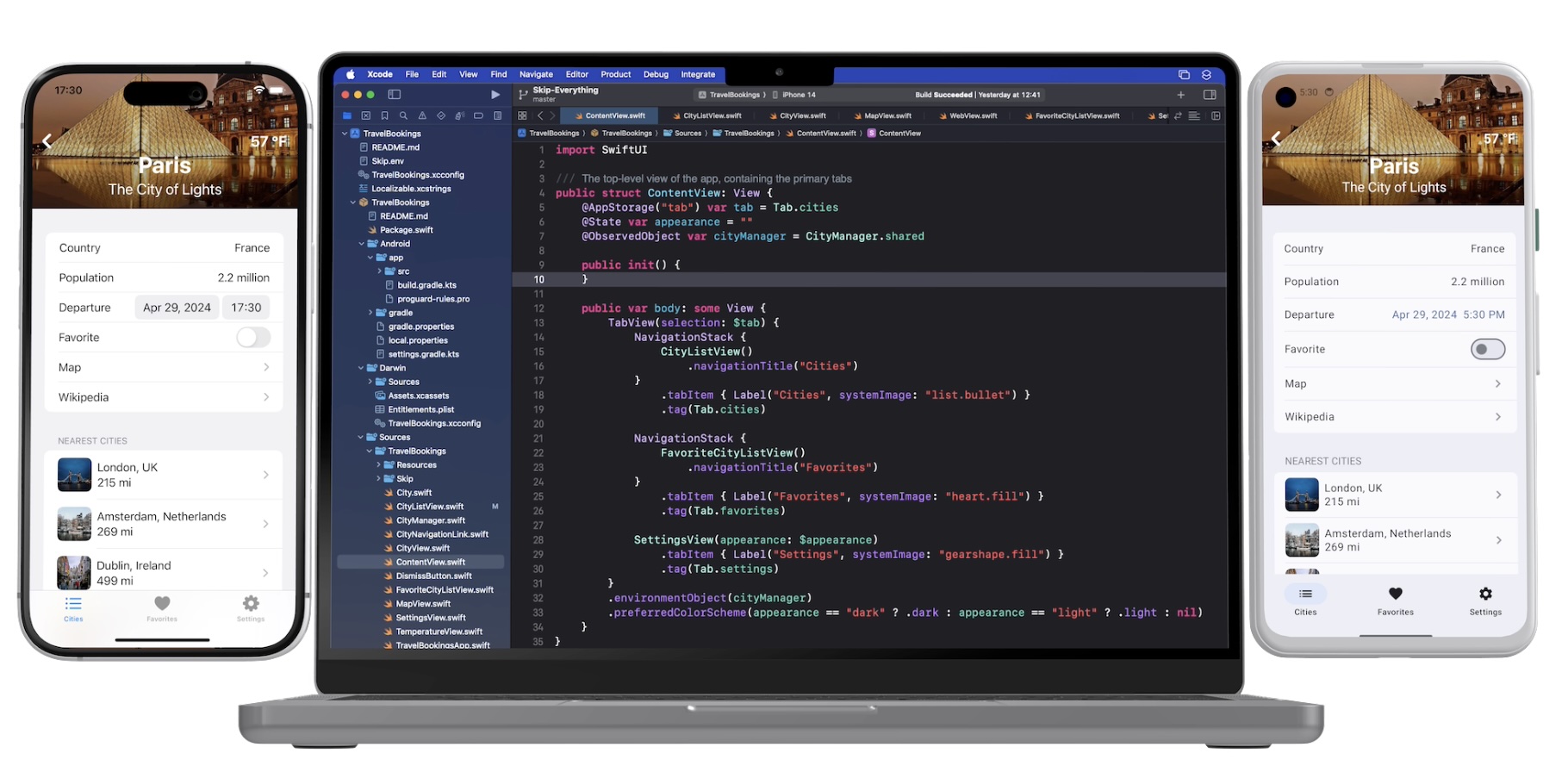


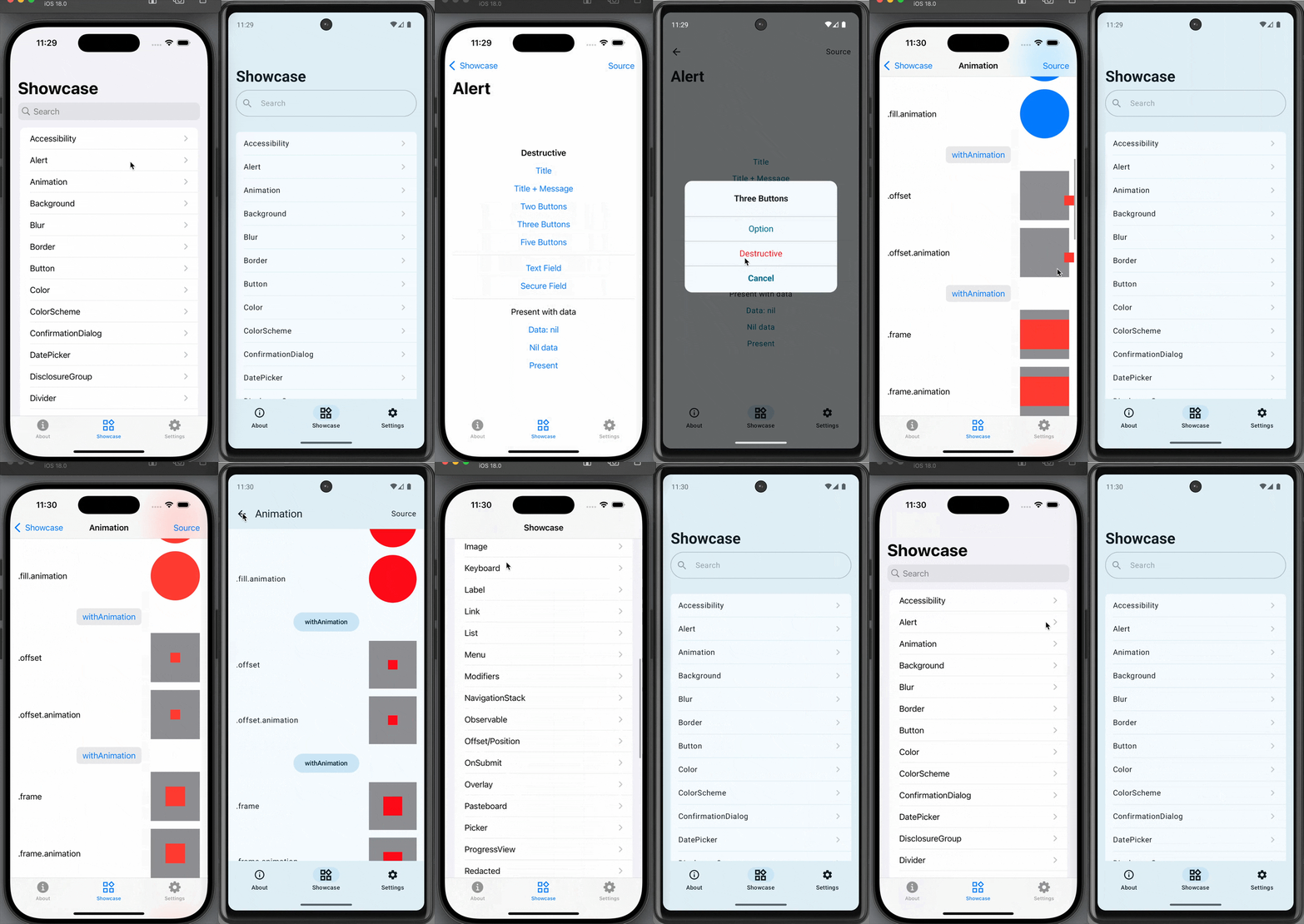
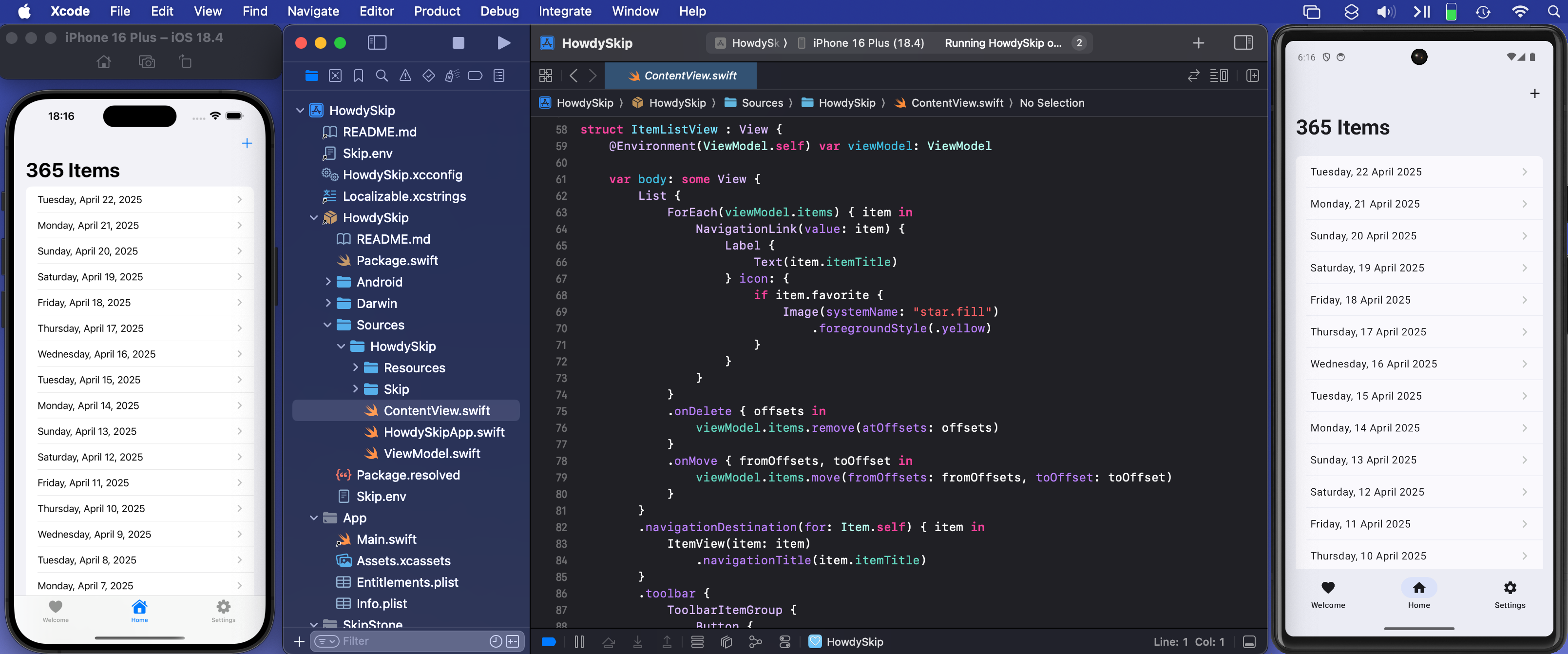
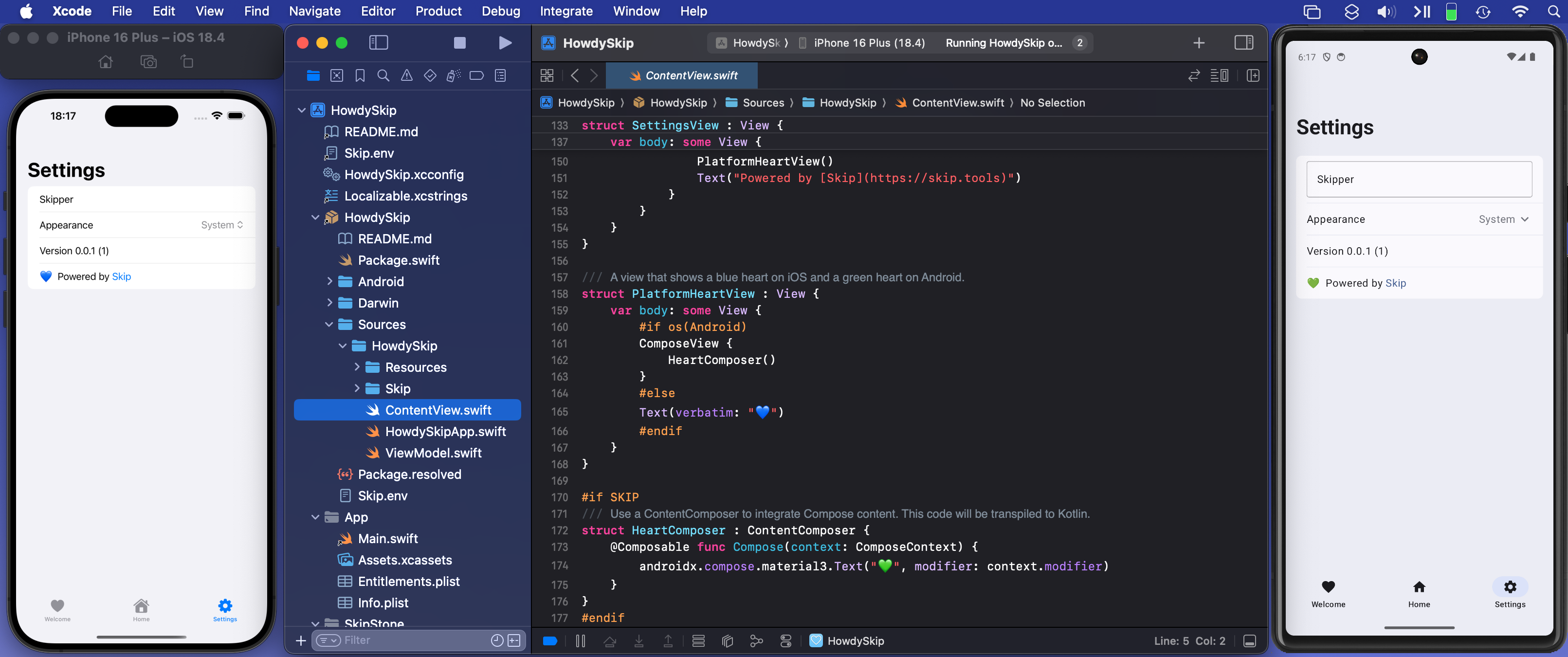

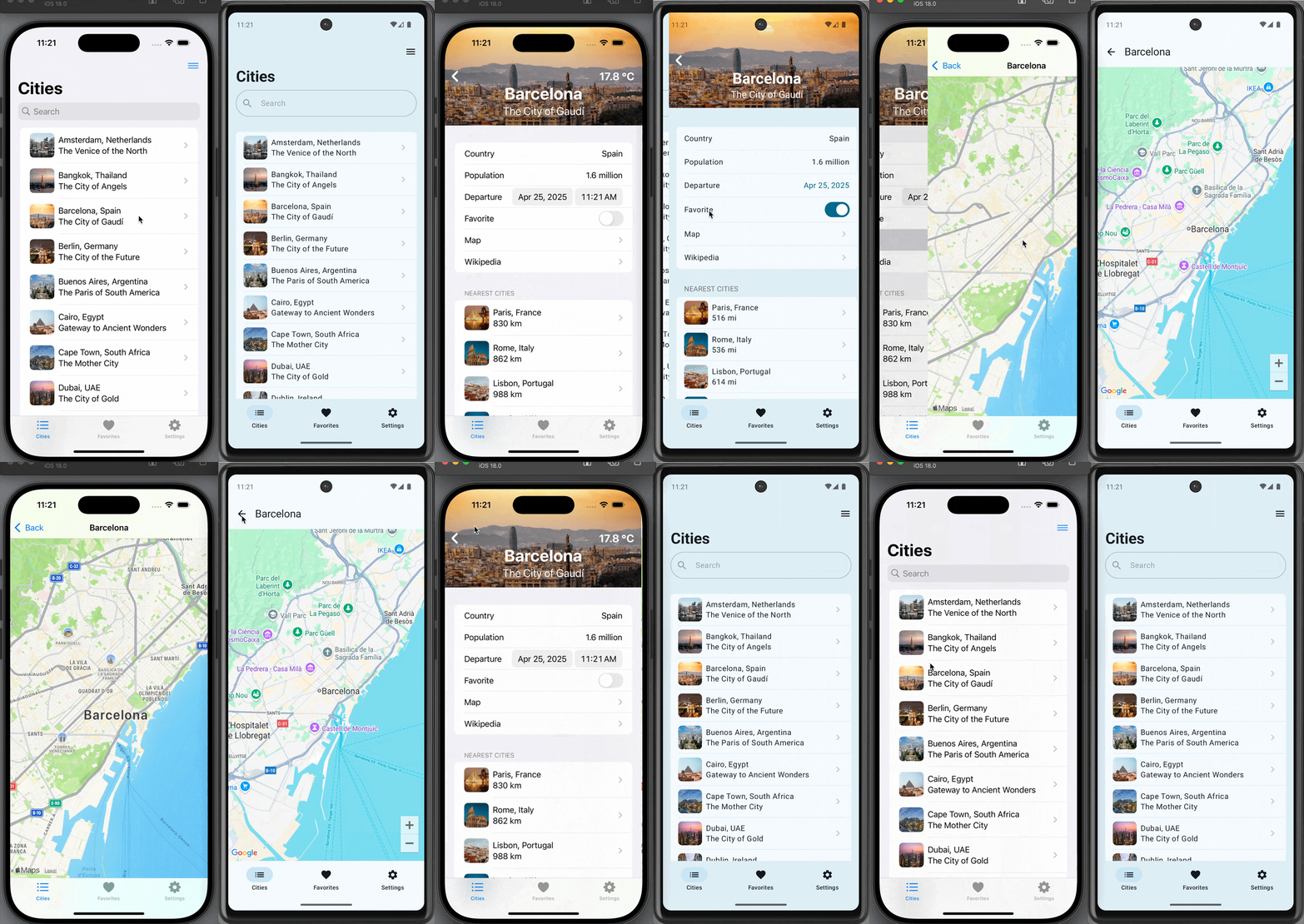




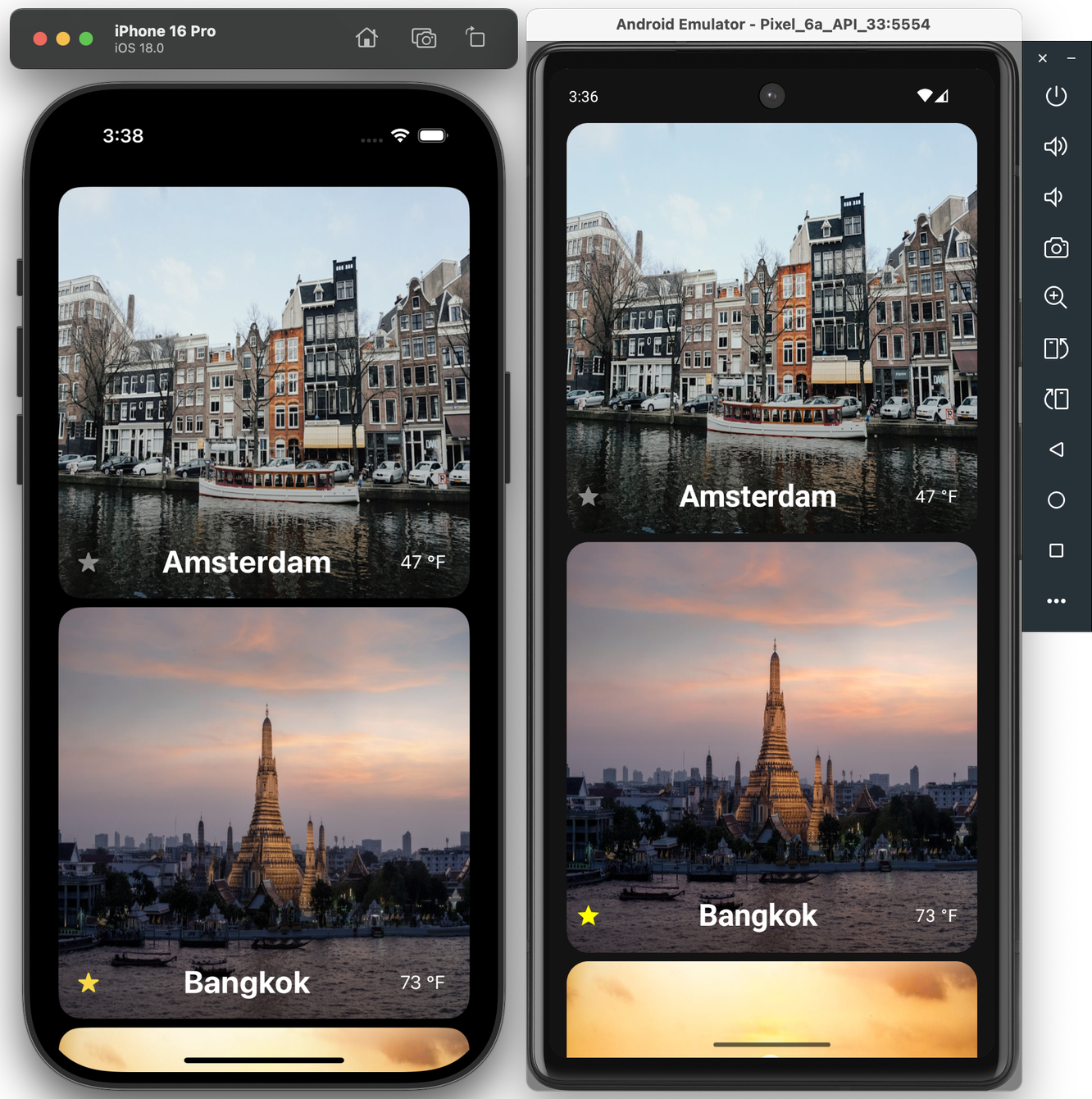

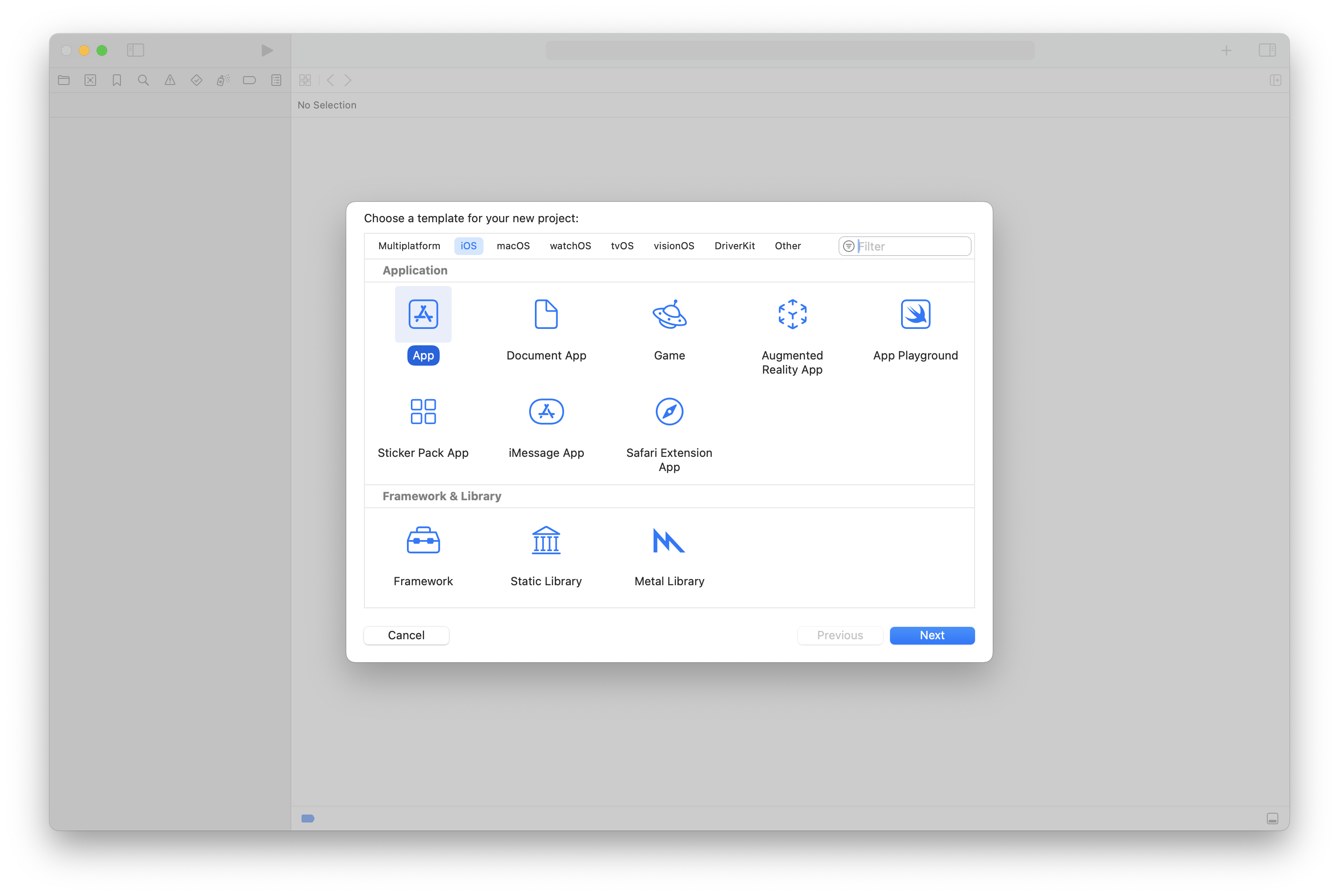
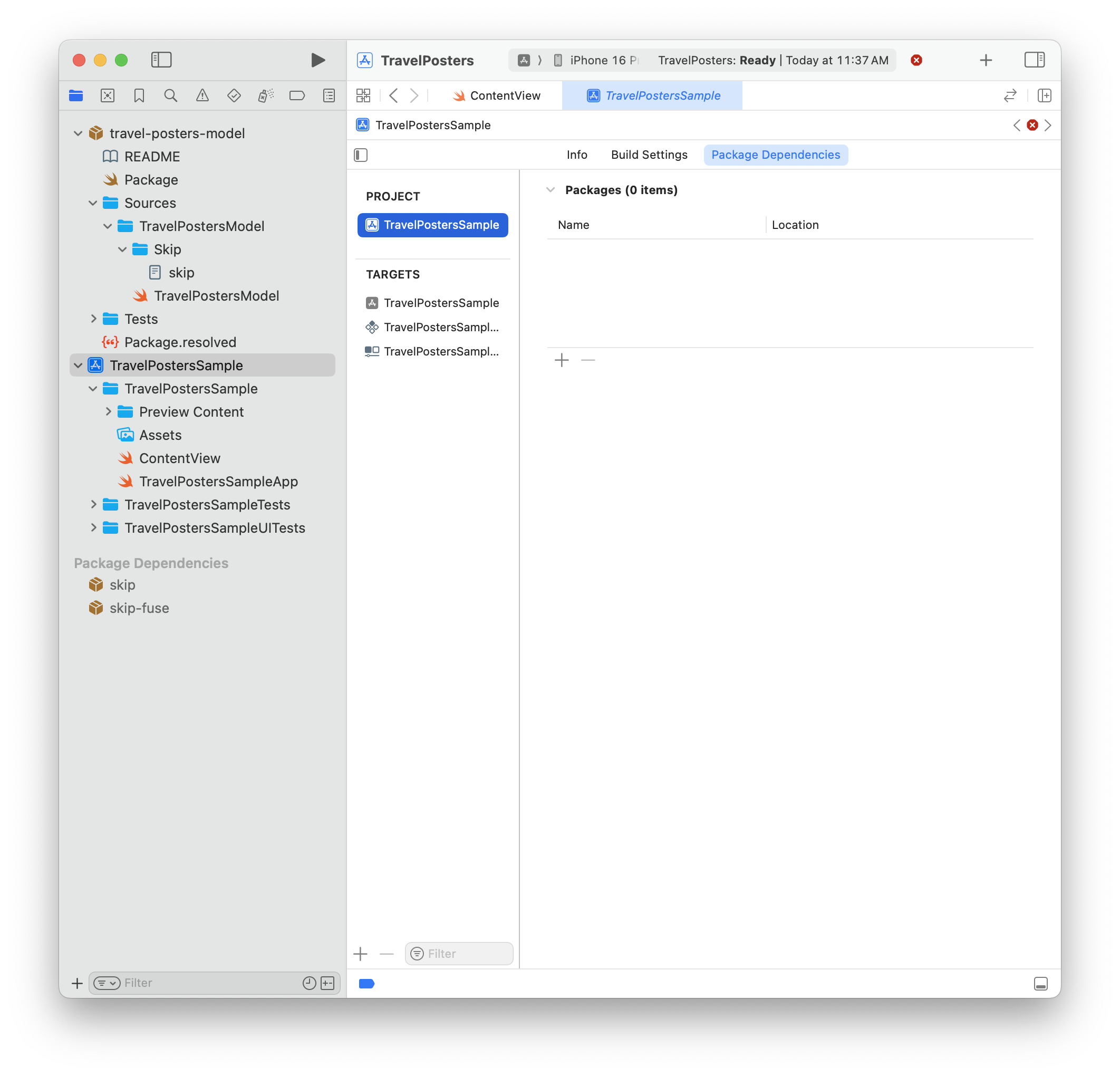
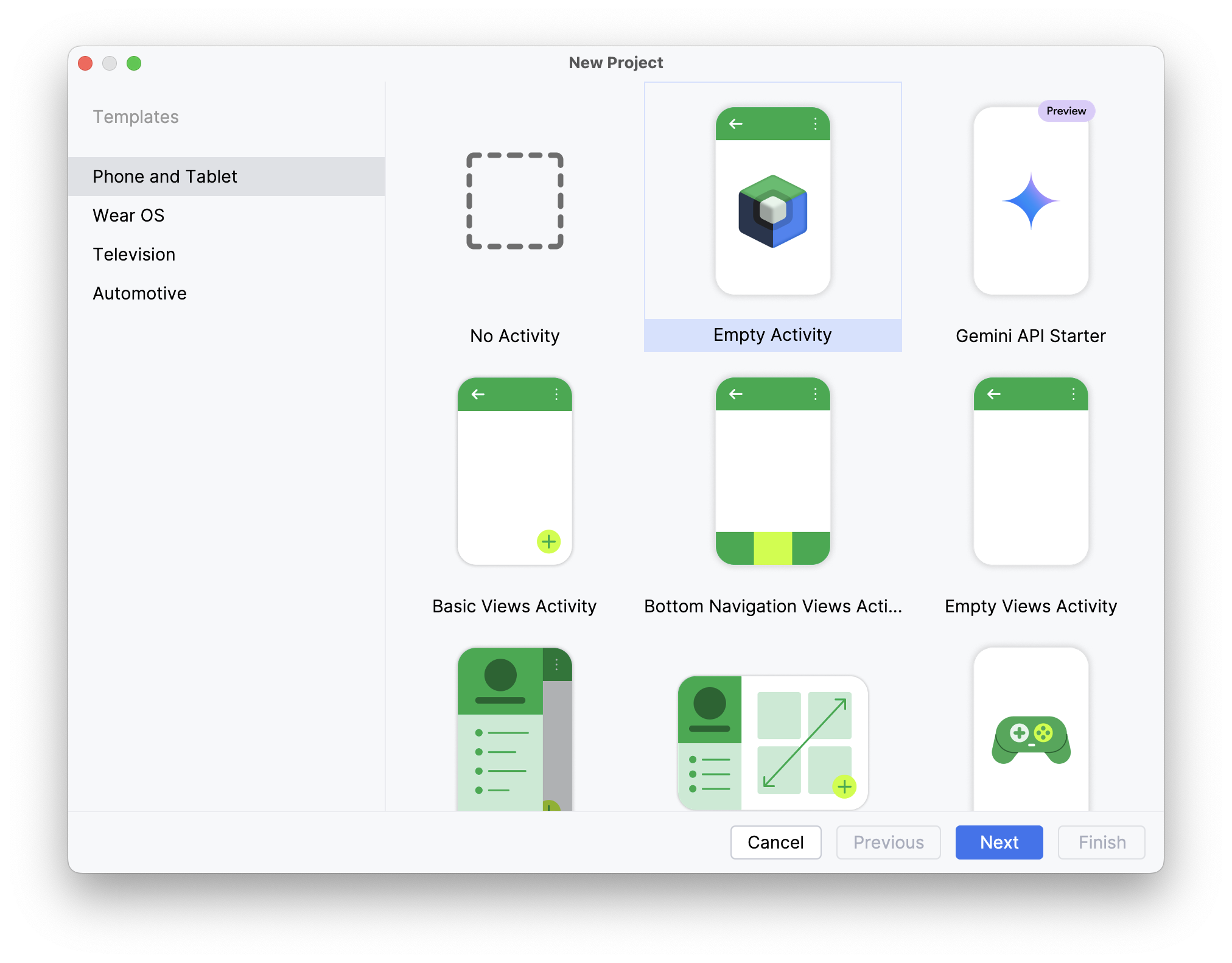


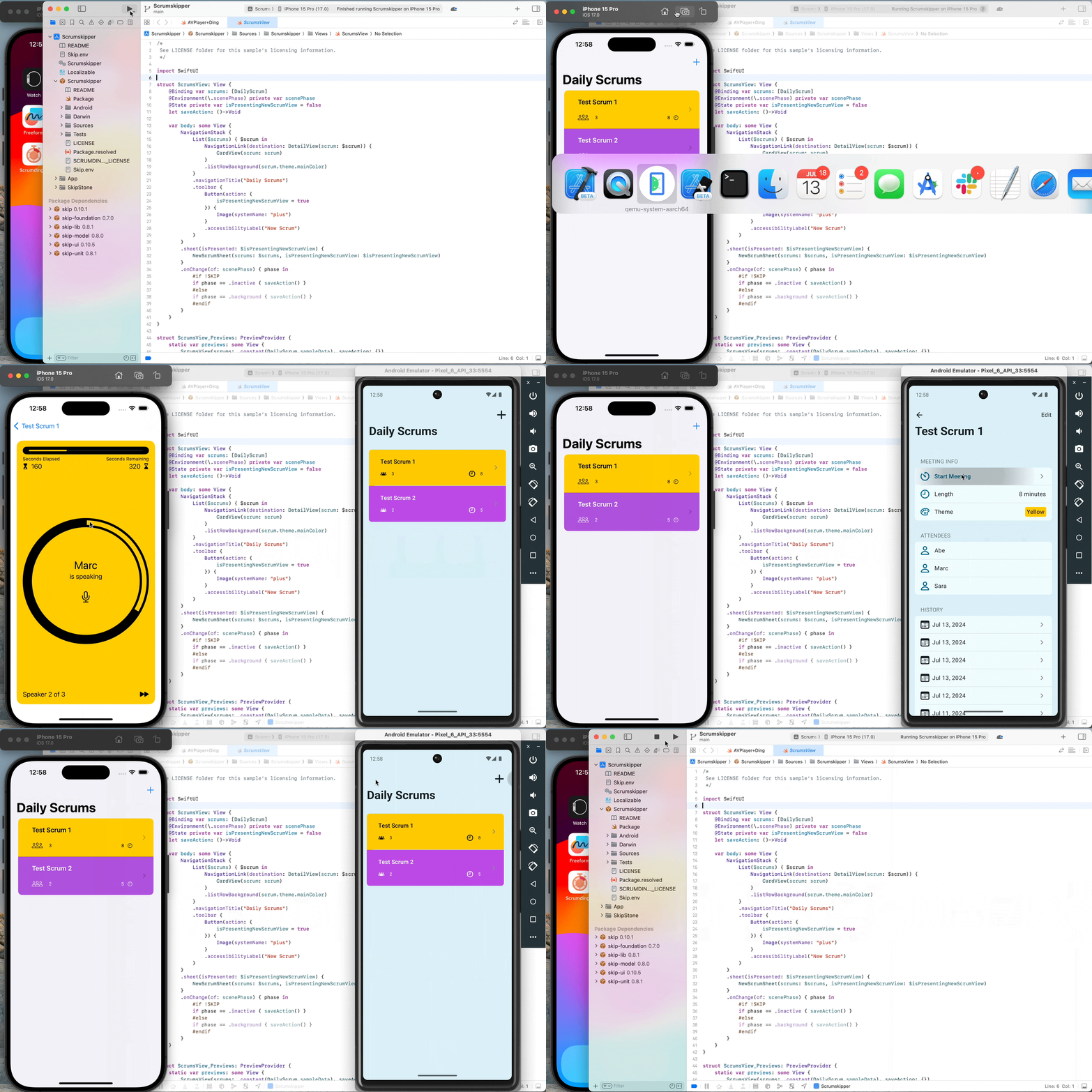
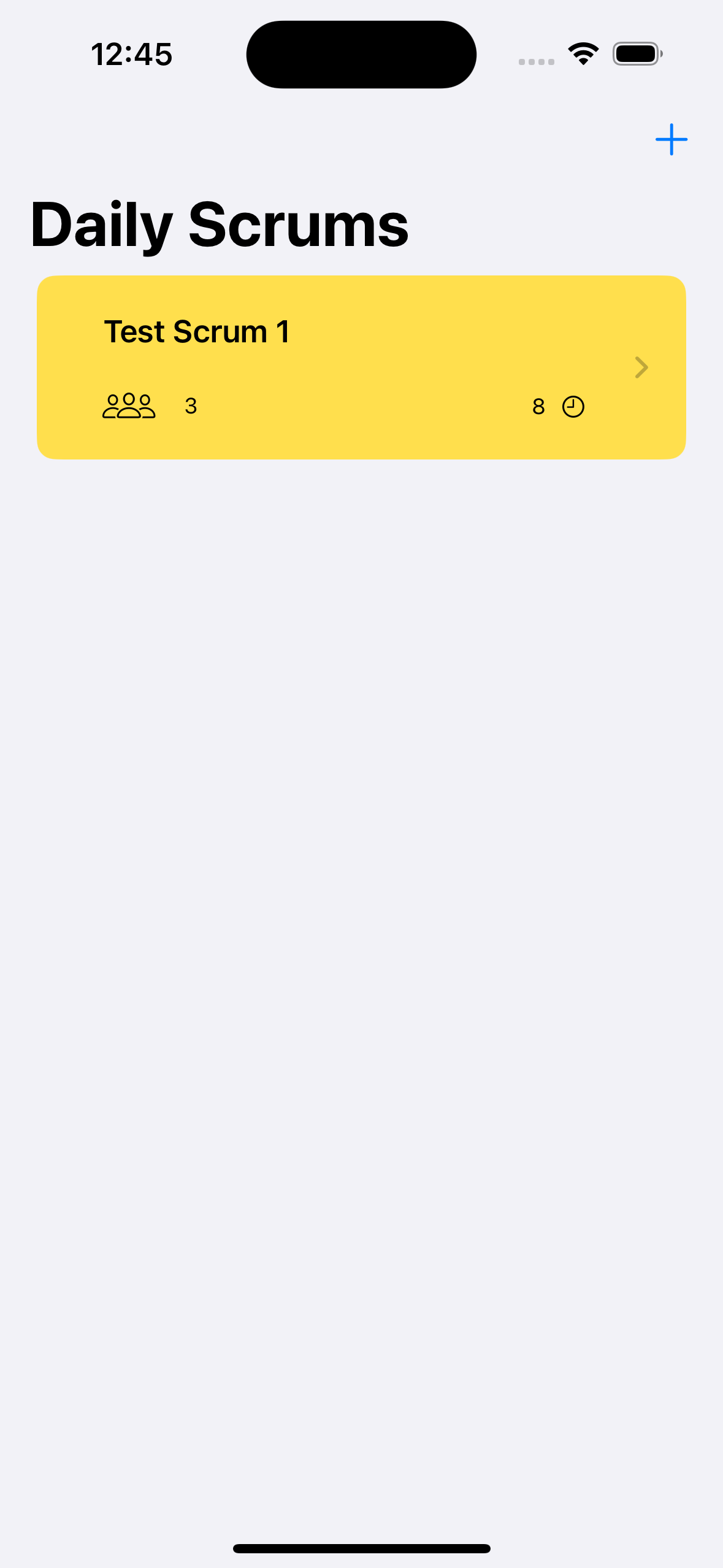
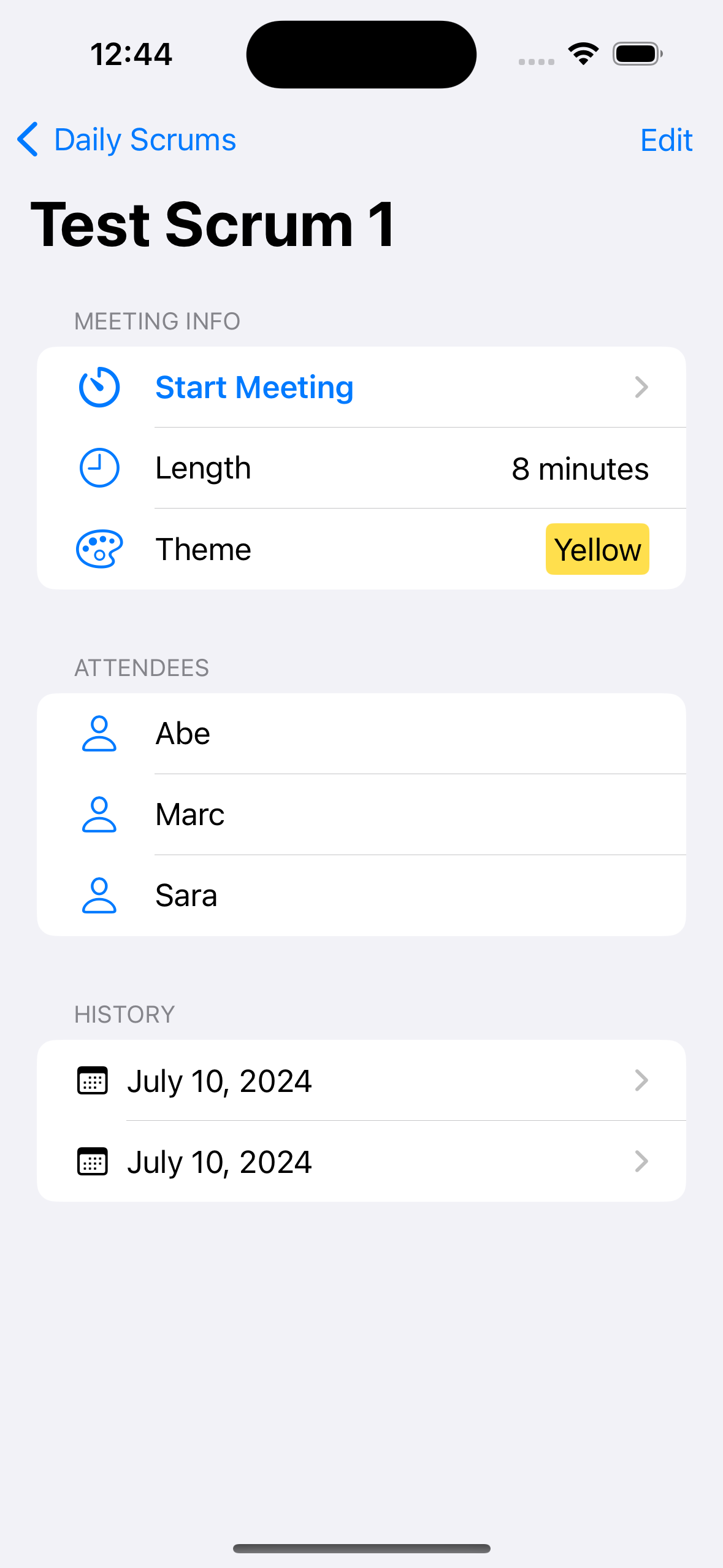
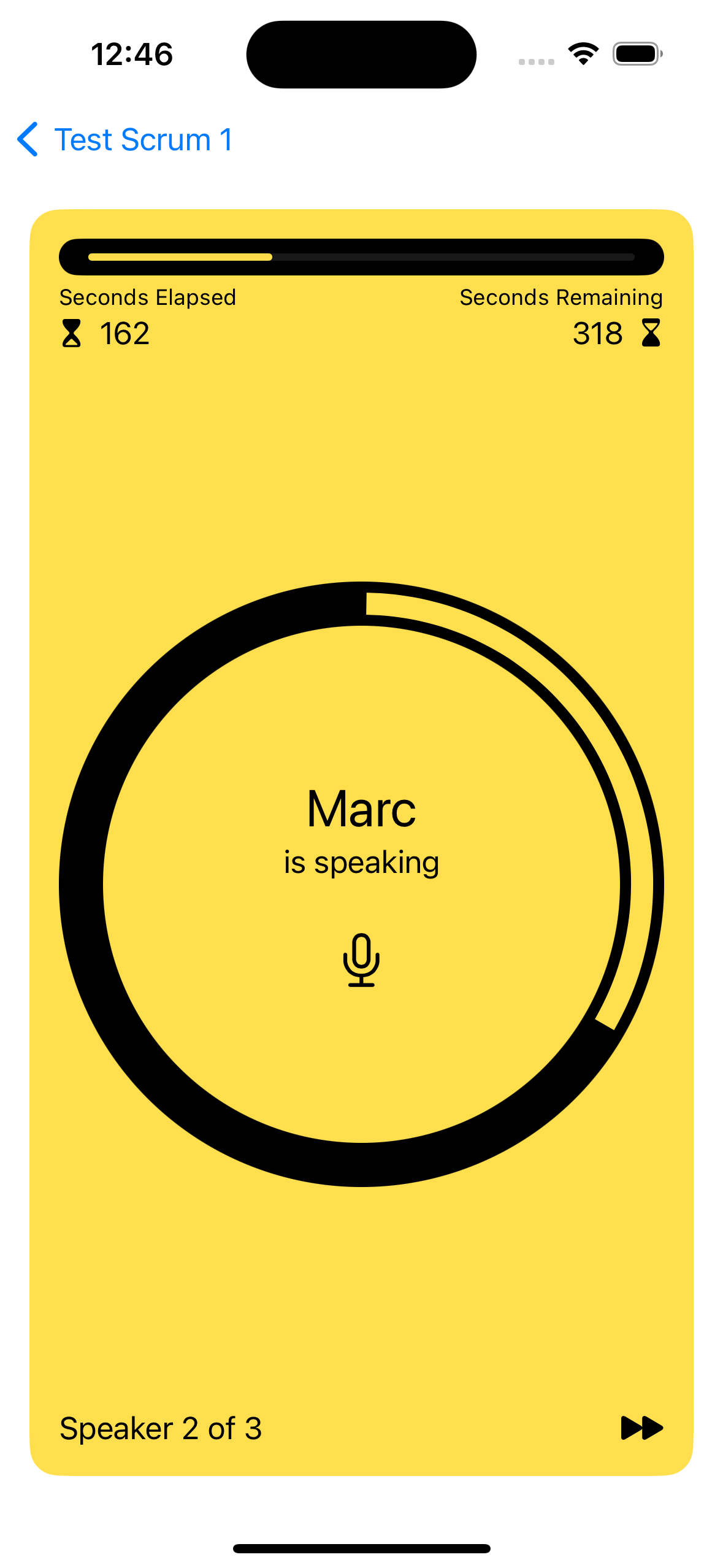
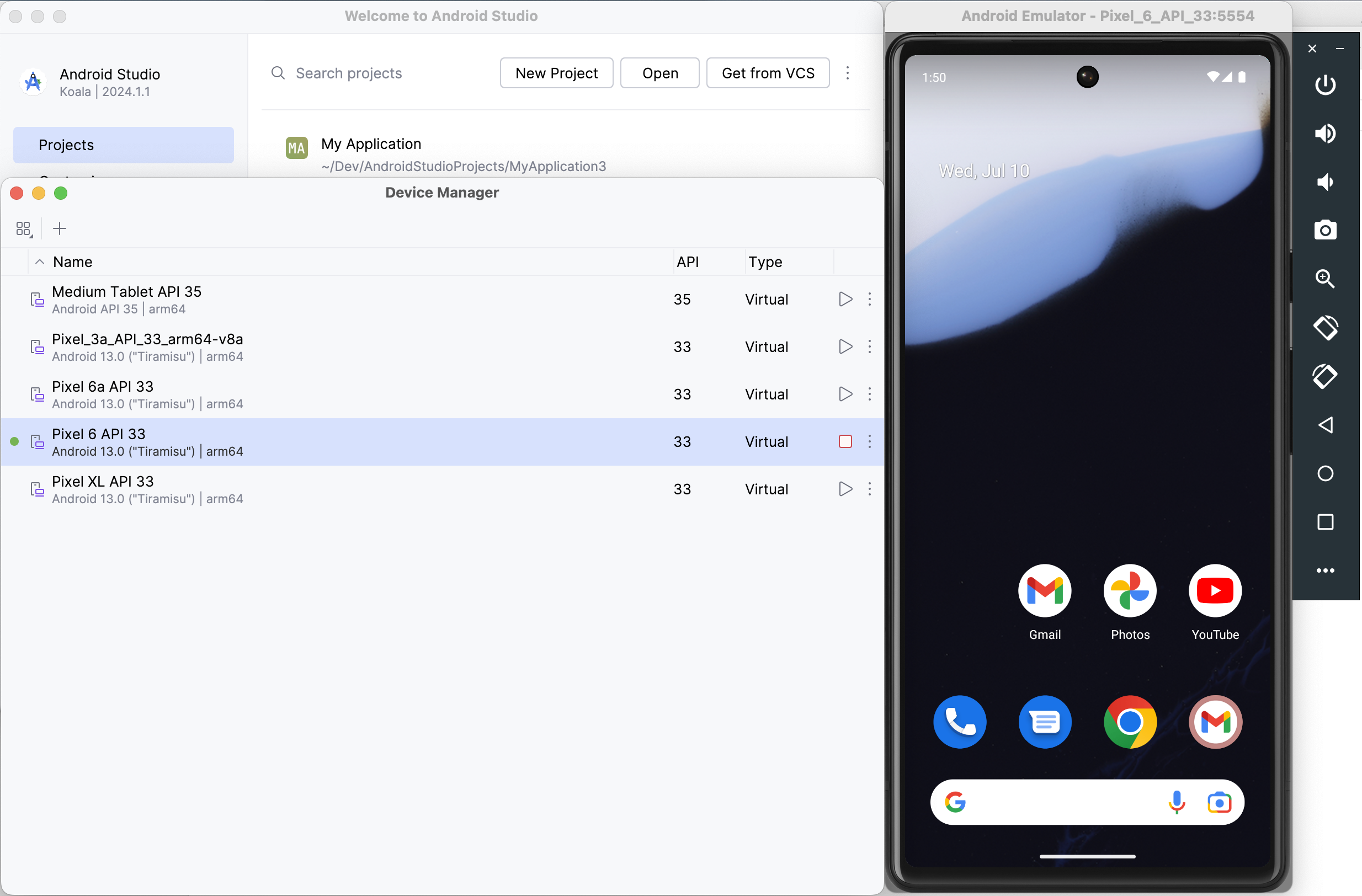
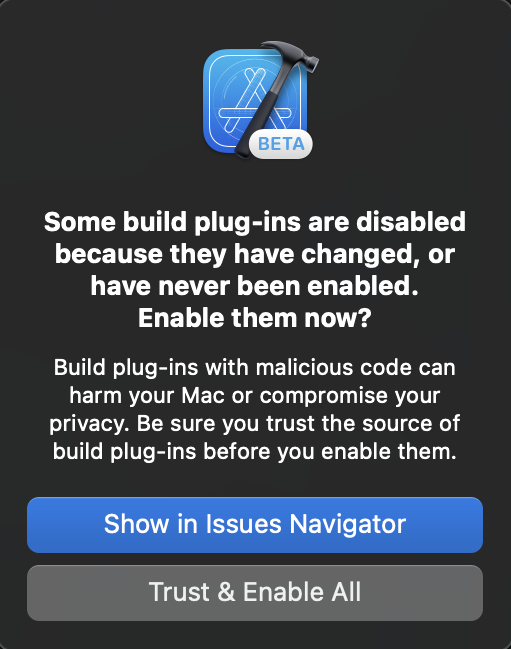
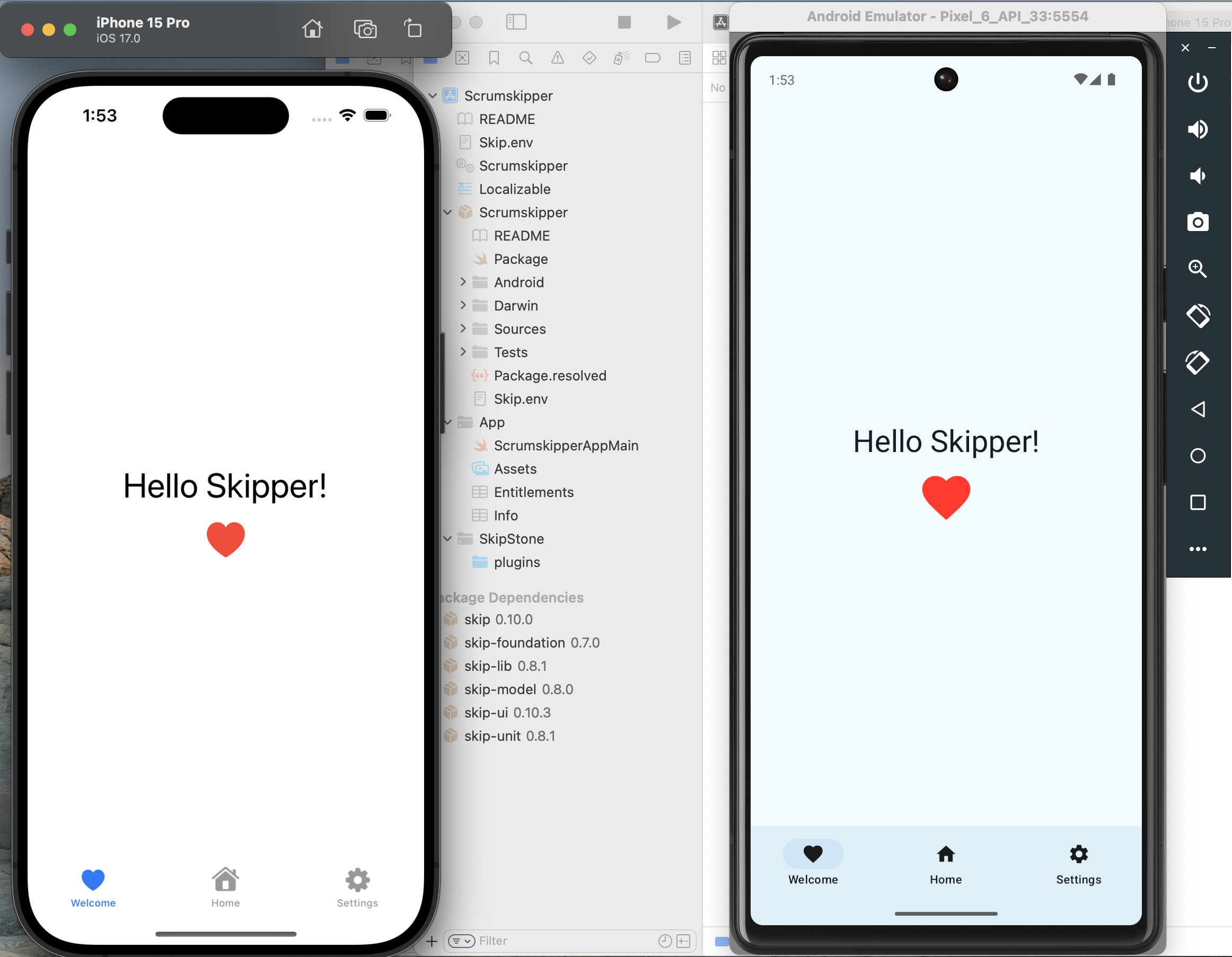
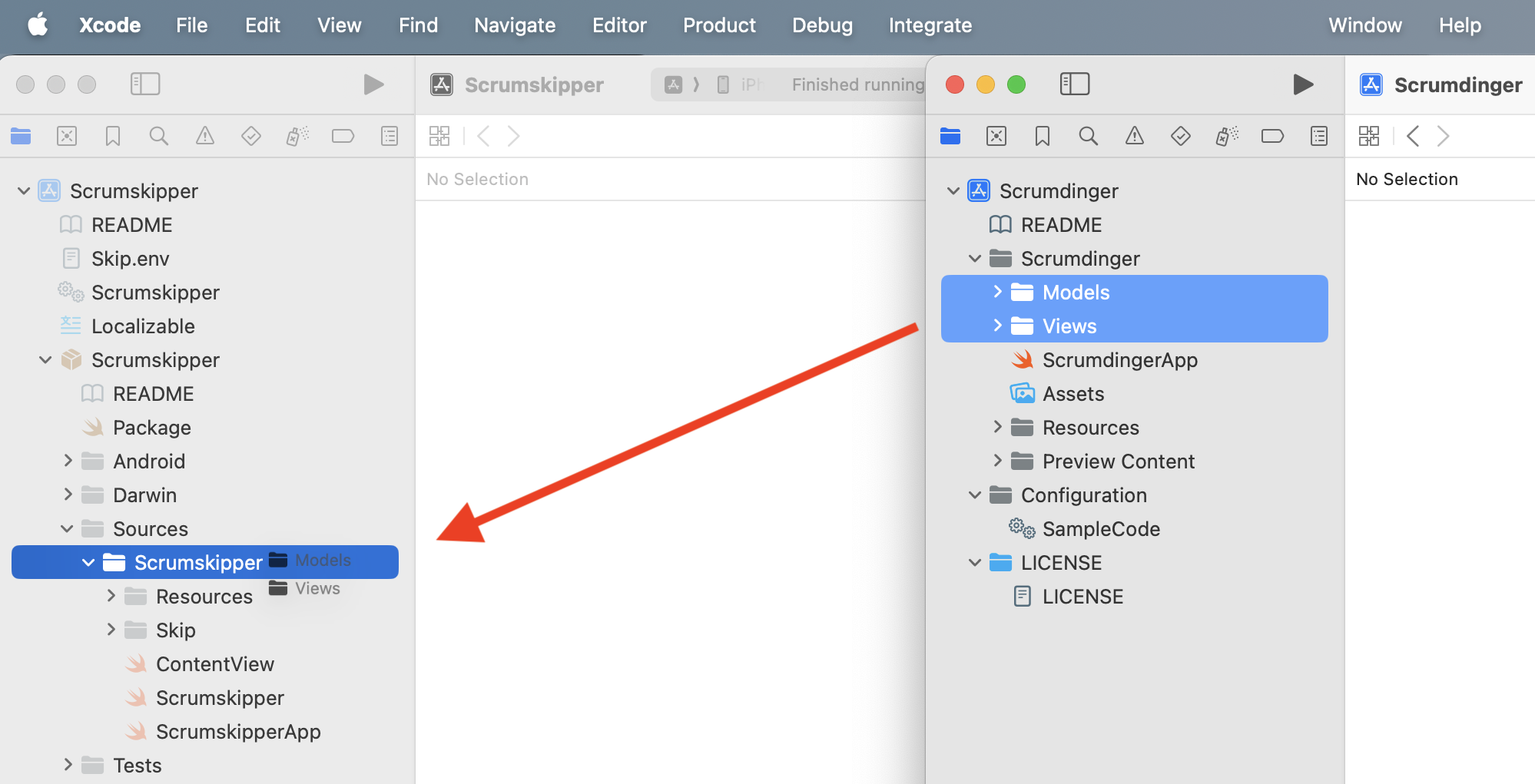
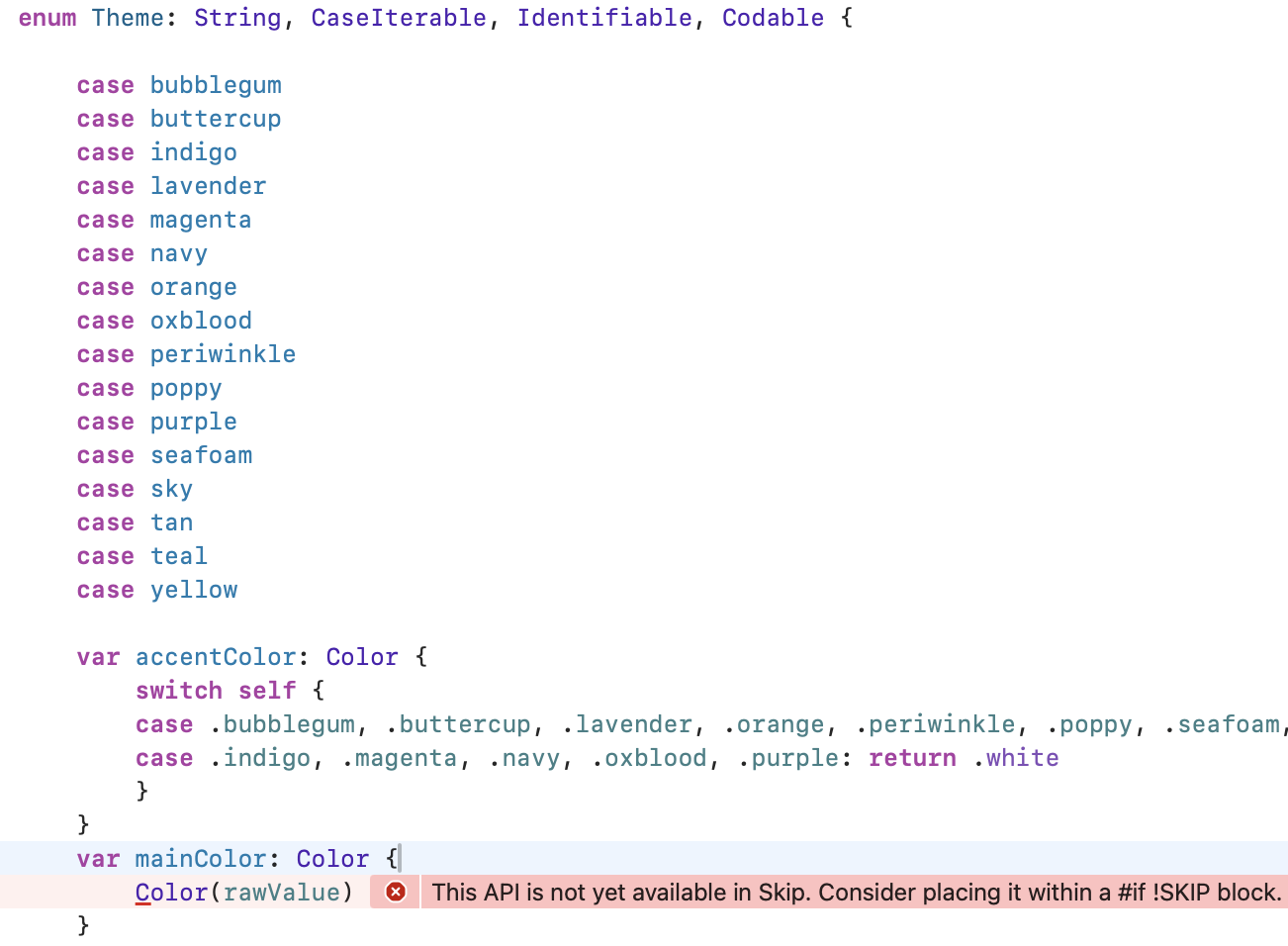
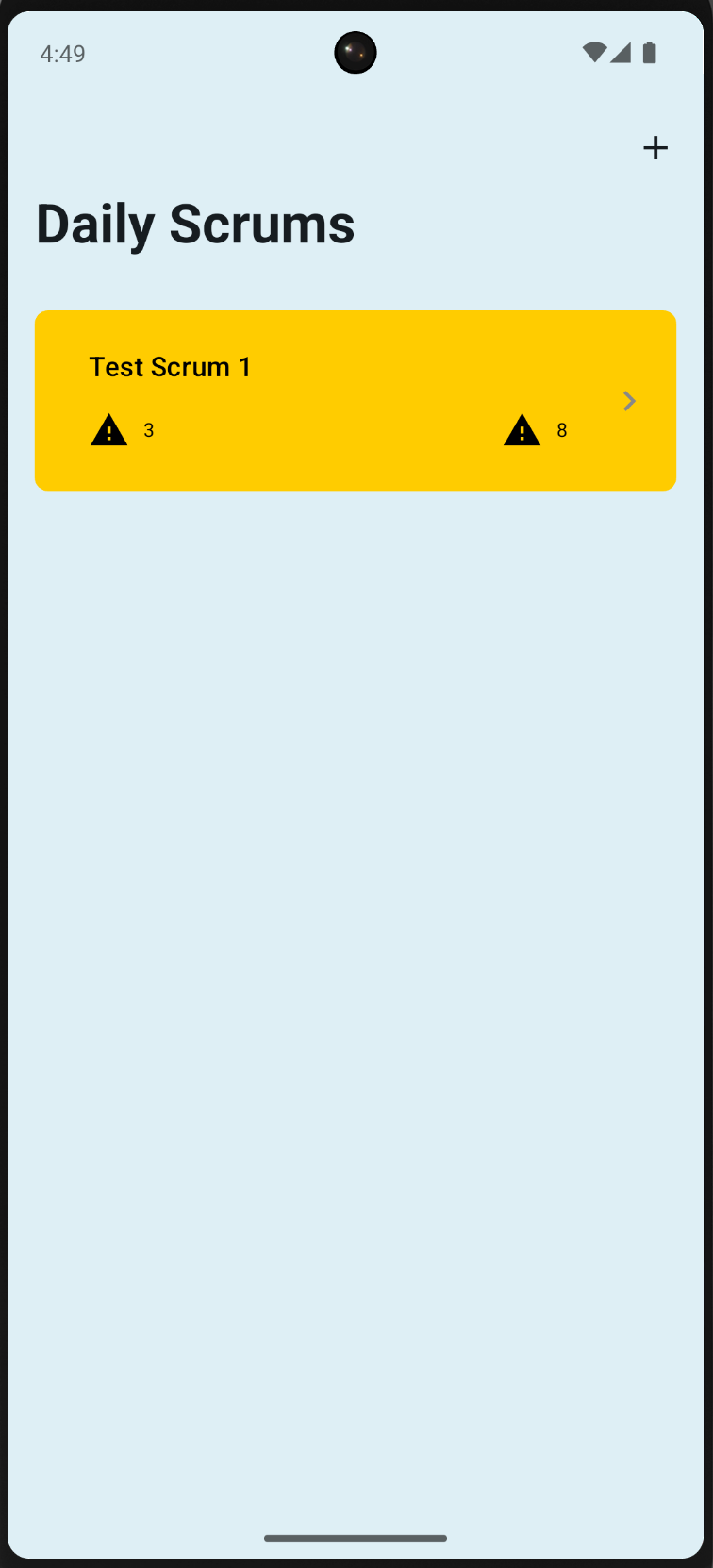
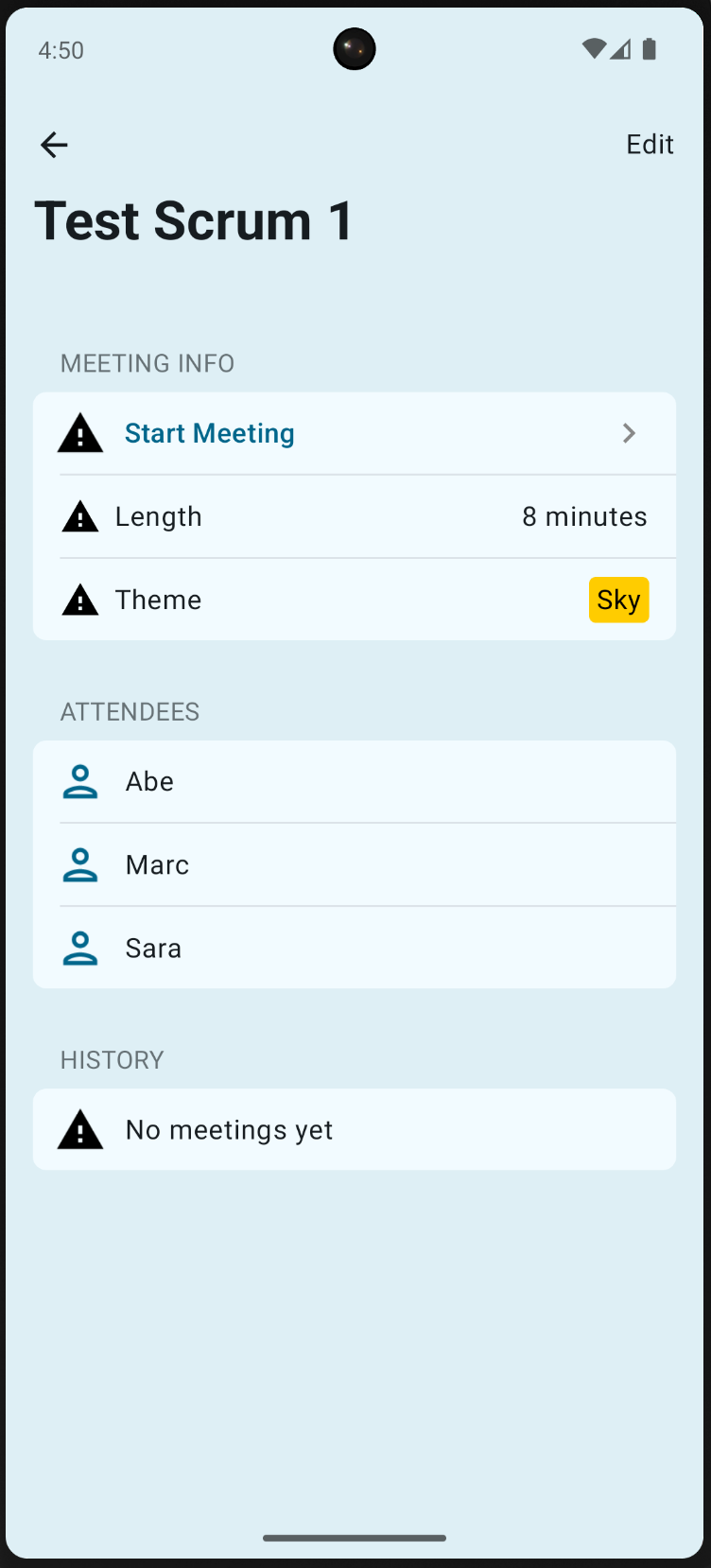
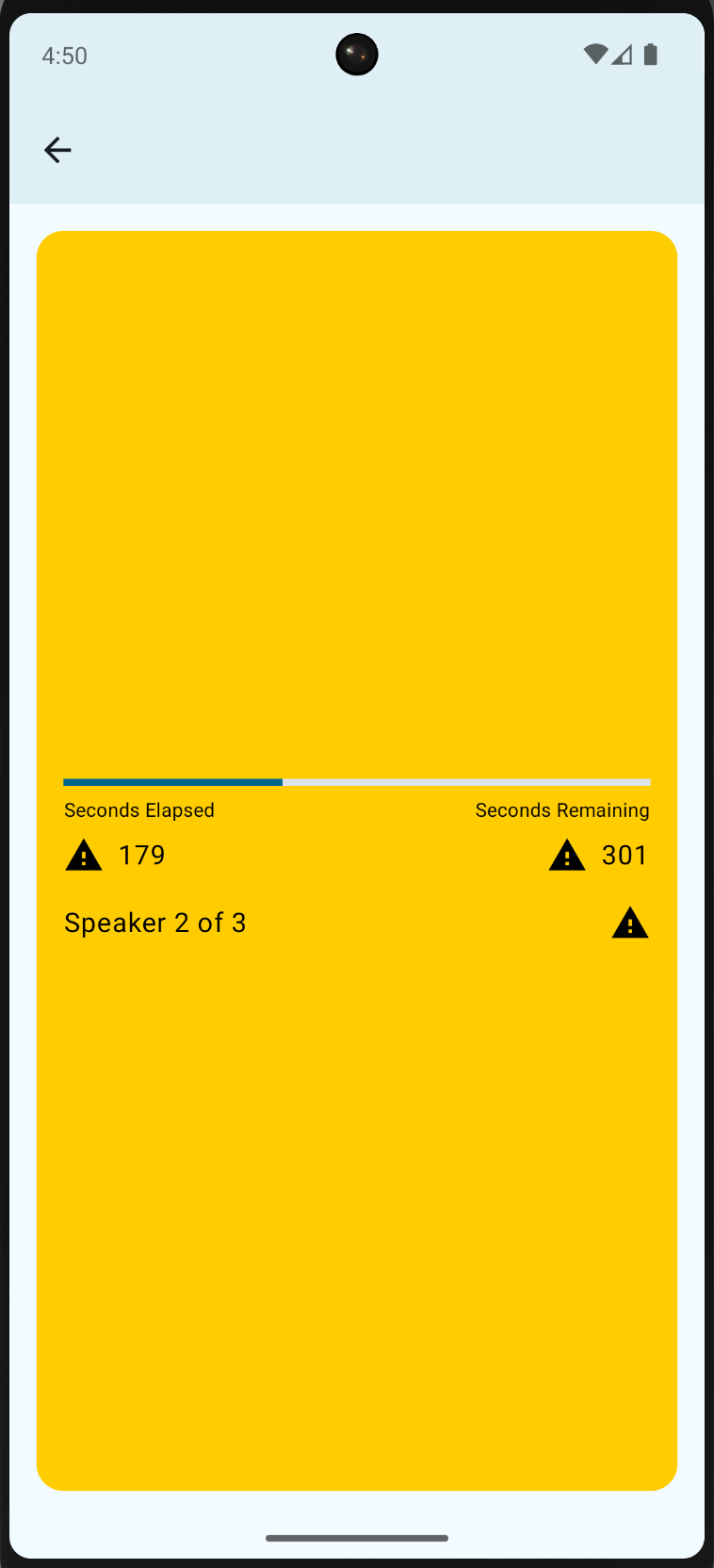
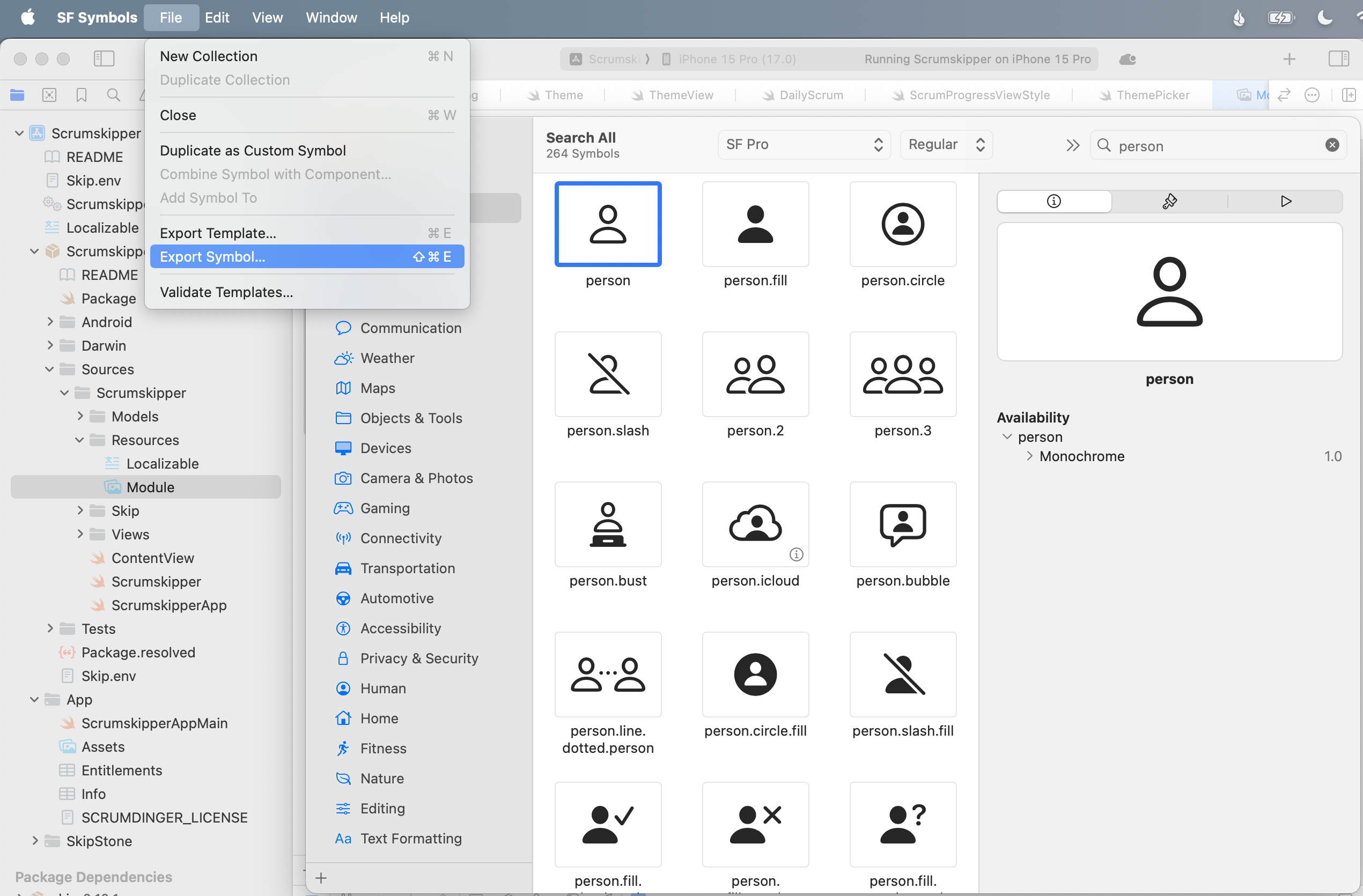
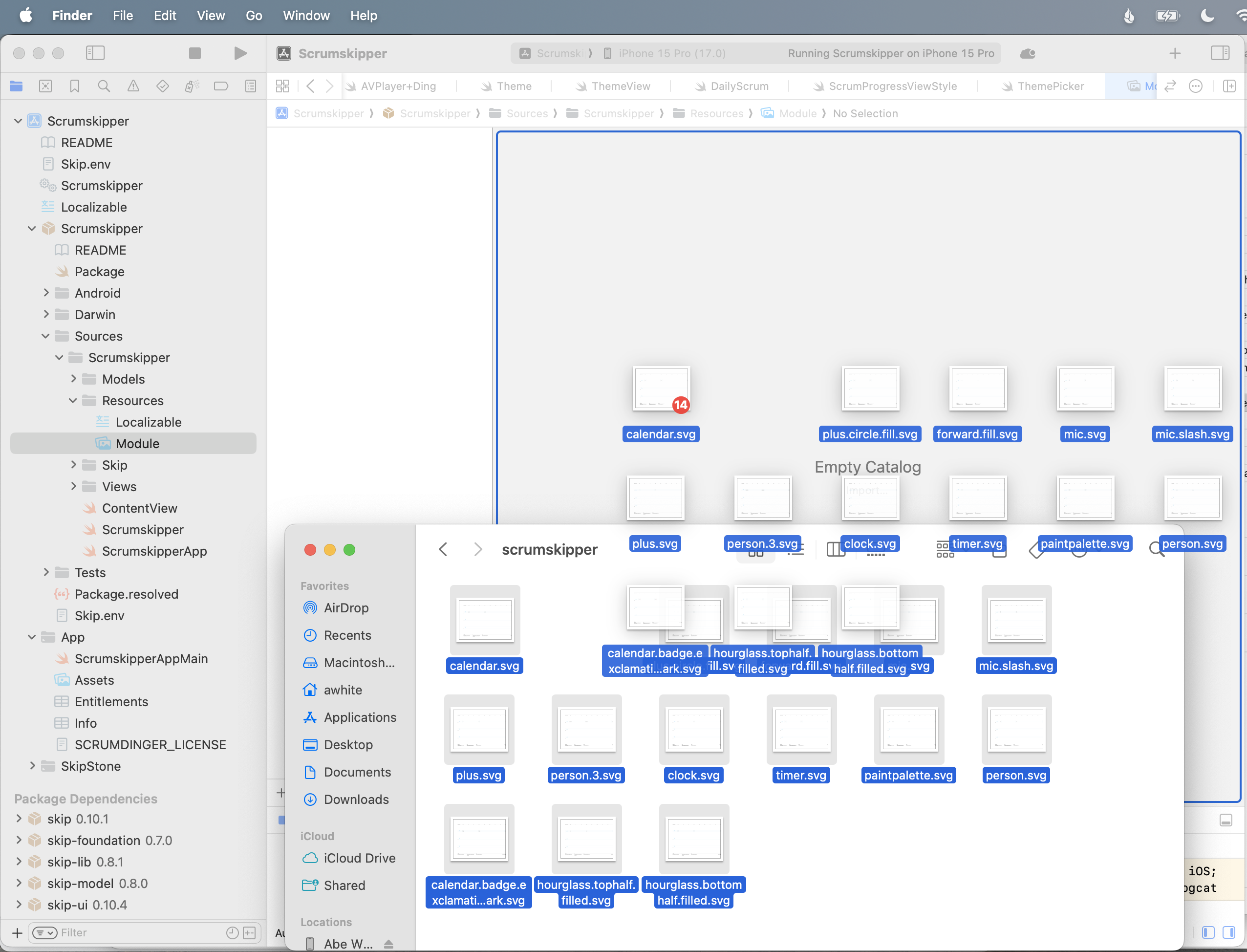
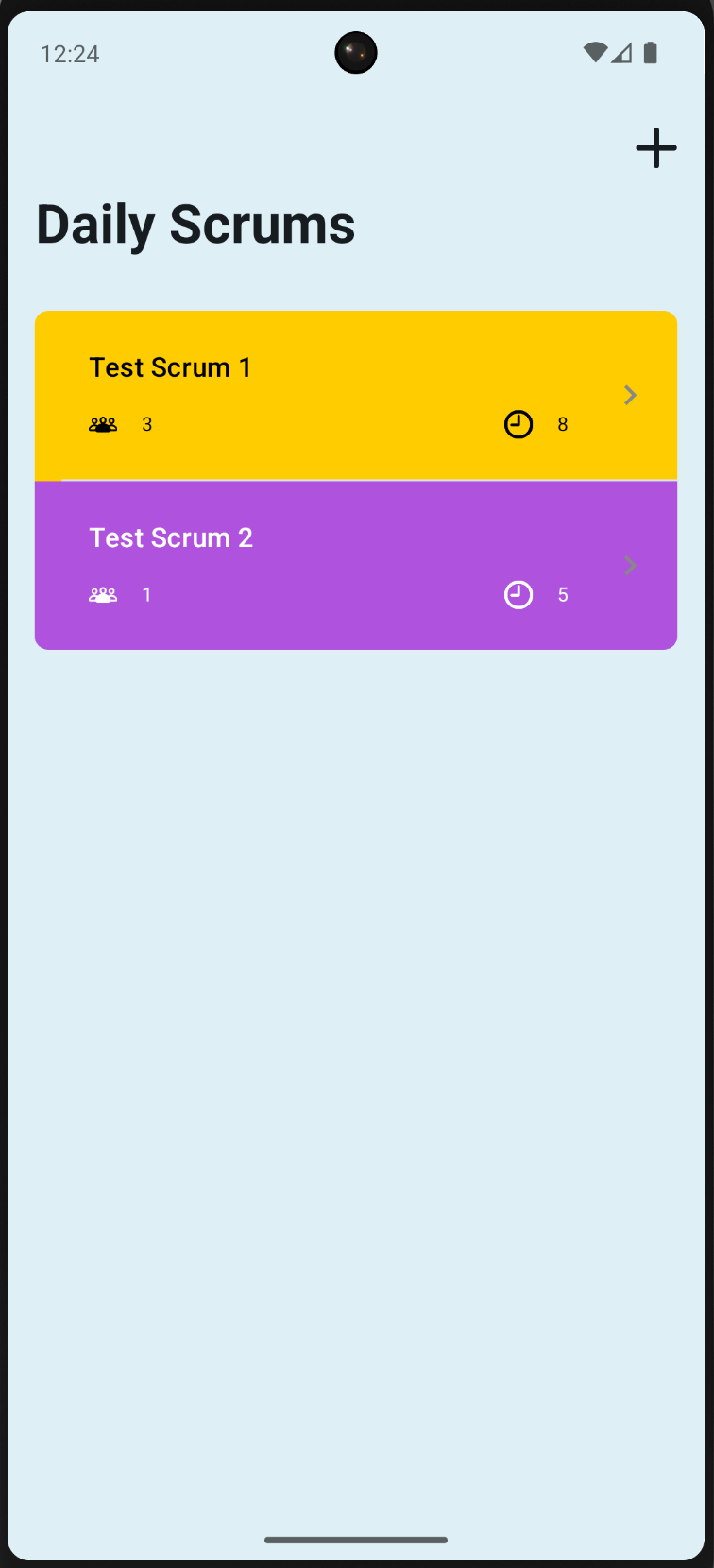
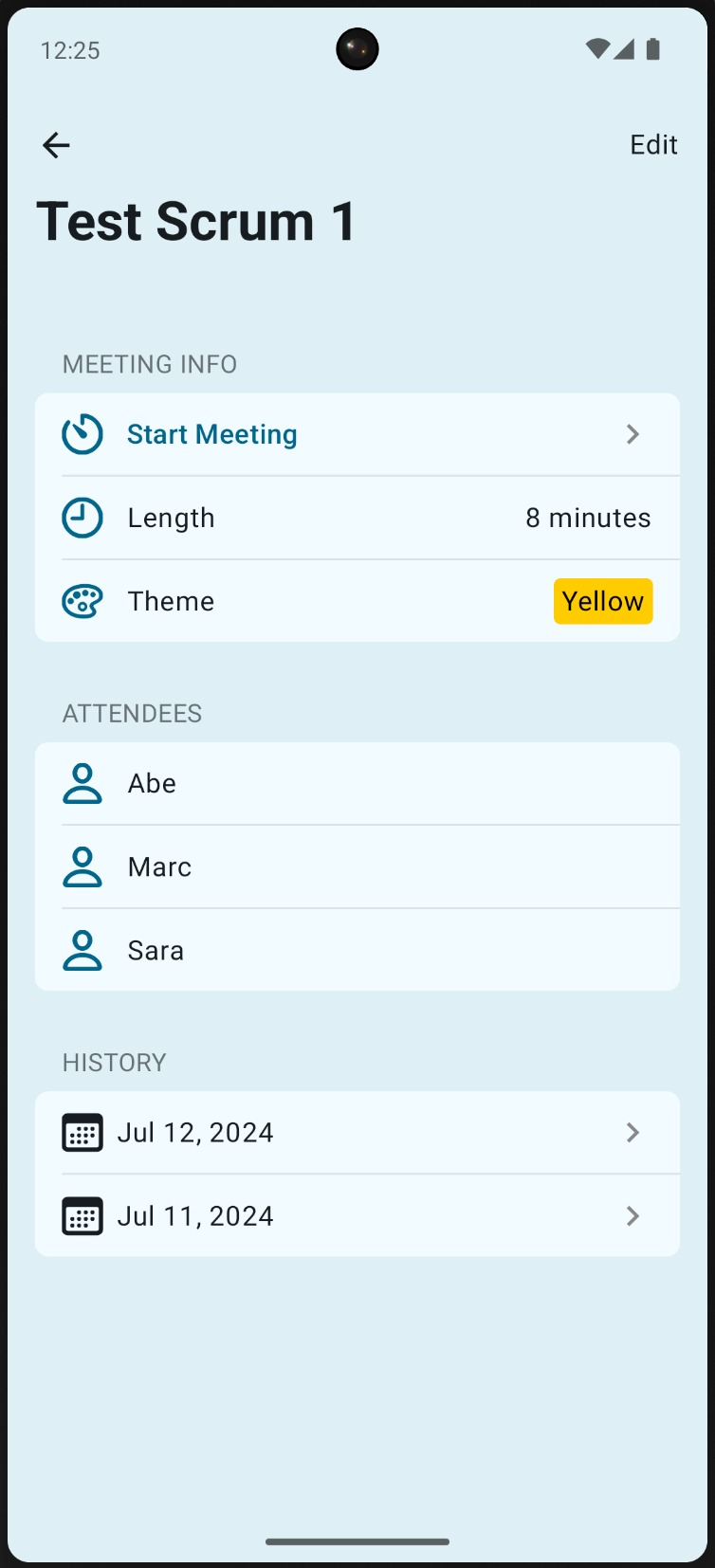
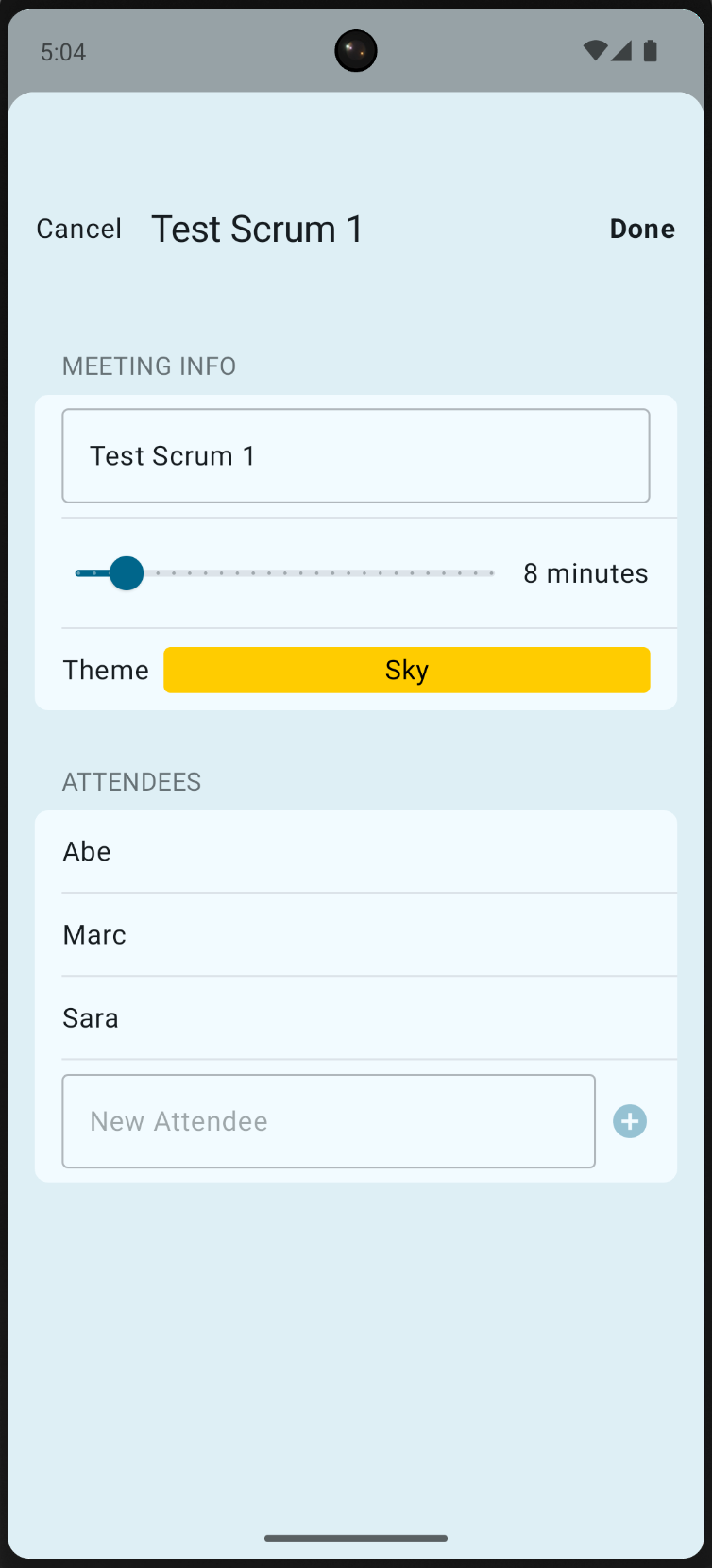
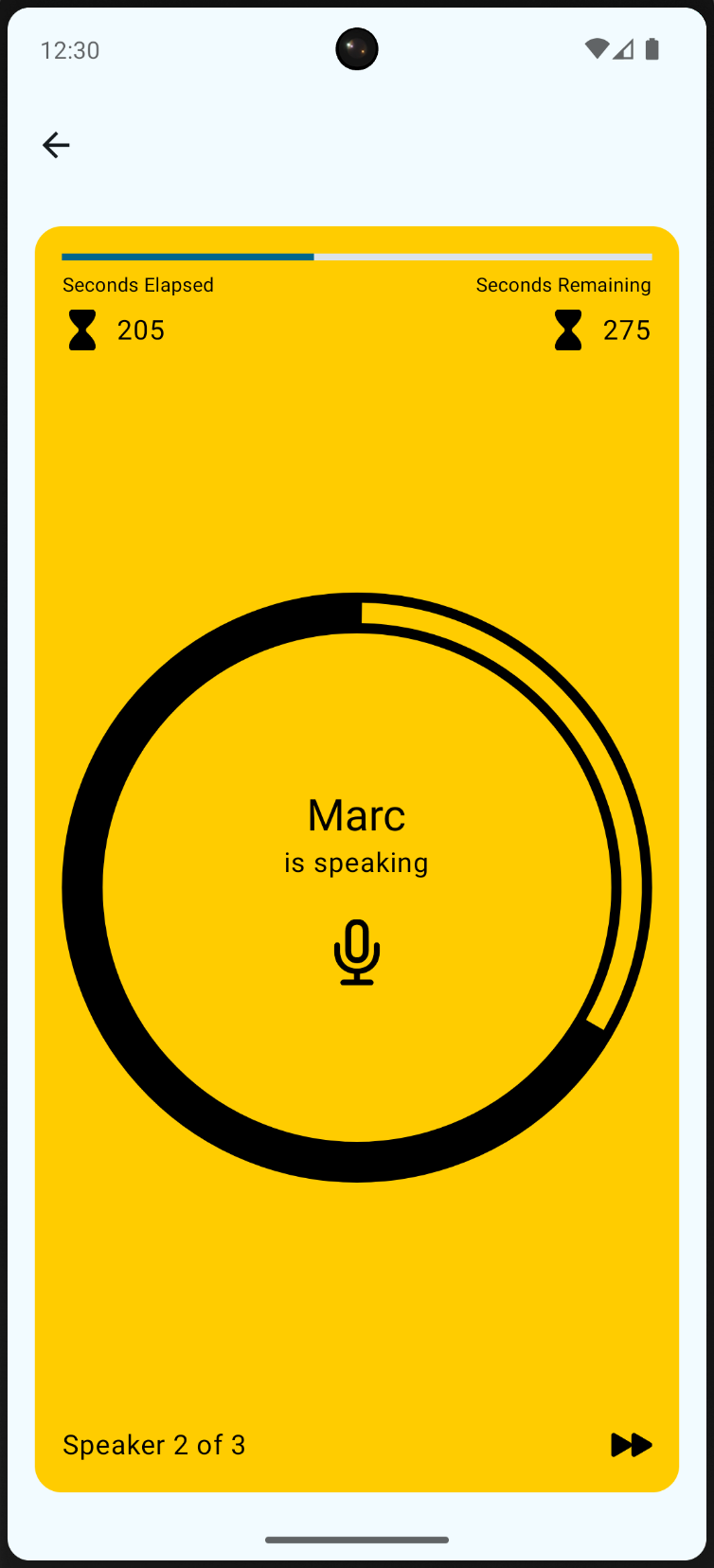
 {: style=“text-align: center; width: 50%; margin: auto;”}
 {: style=“text-align: center; width: 50%; margin: auto;”}