
Picker
이 콘텐츠는 아직 번역되지 않았습니다.
Skip support for SwiftUI.Picker ↗ on Android. Consult the SkipUI module for a complete list of supported SwiftUI.
The following example screens and source code is from SkipUI’s
Showcase sample app
PickerPlayground.swift ↗
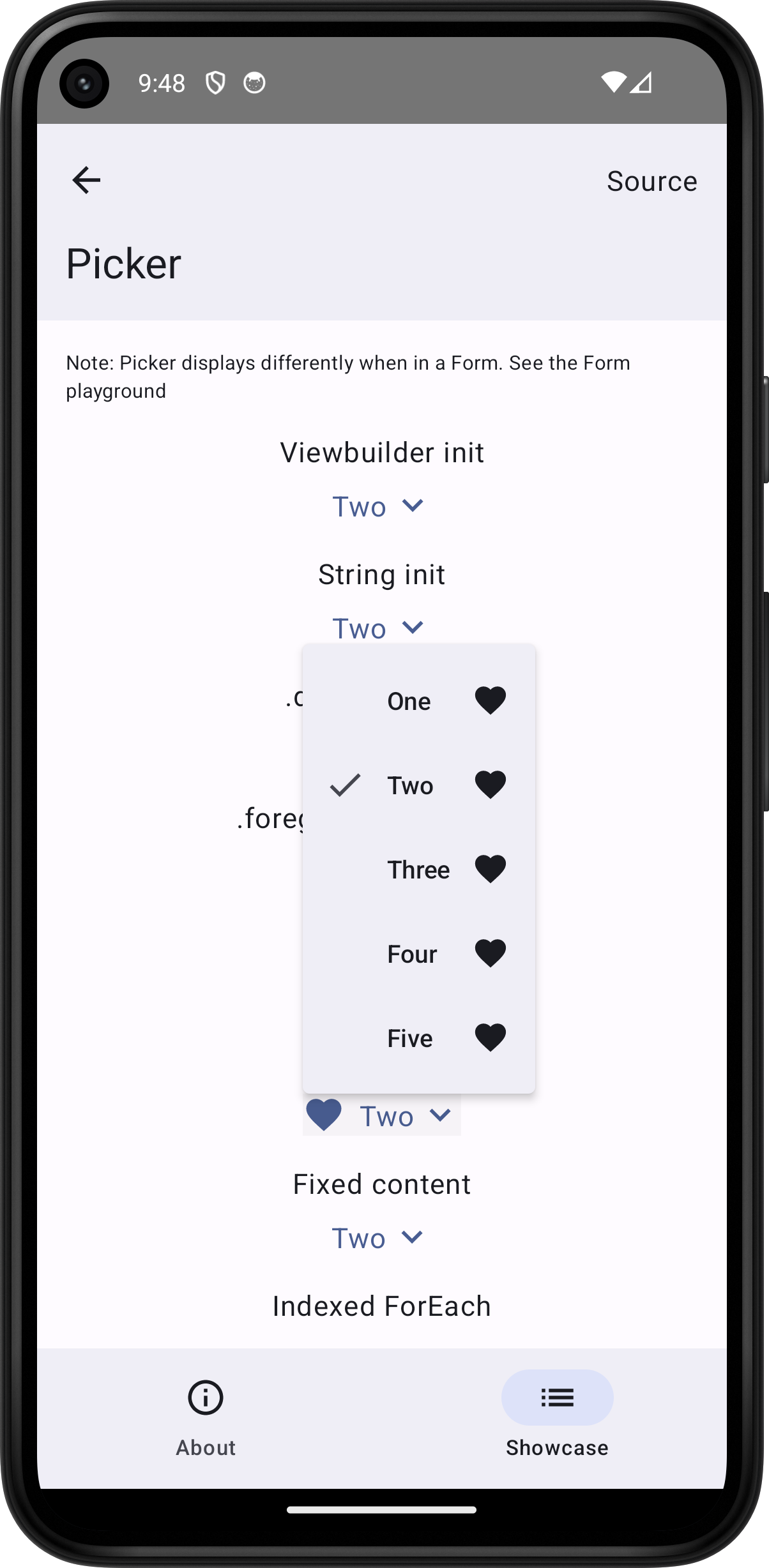
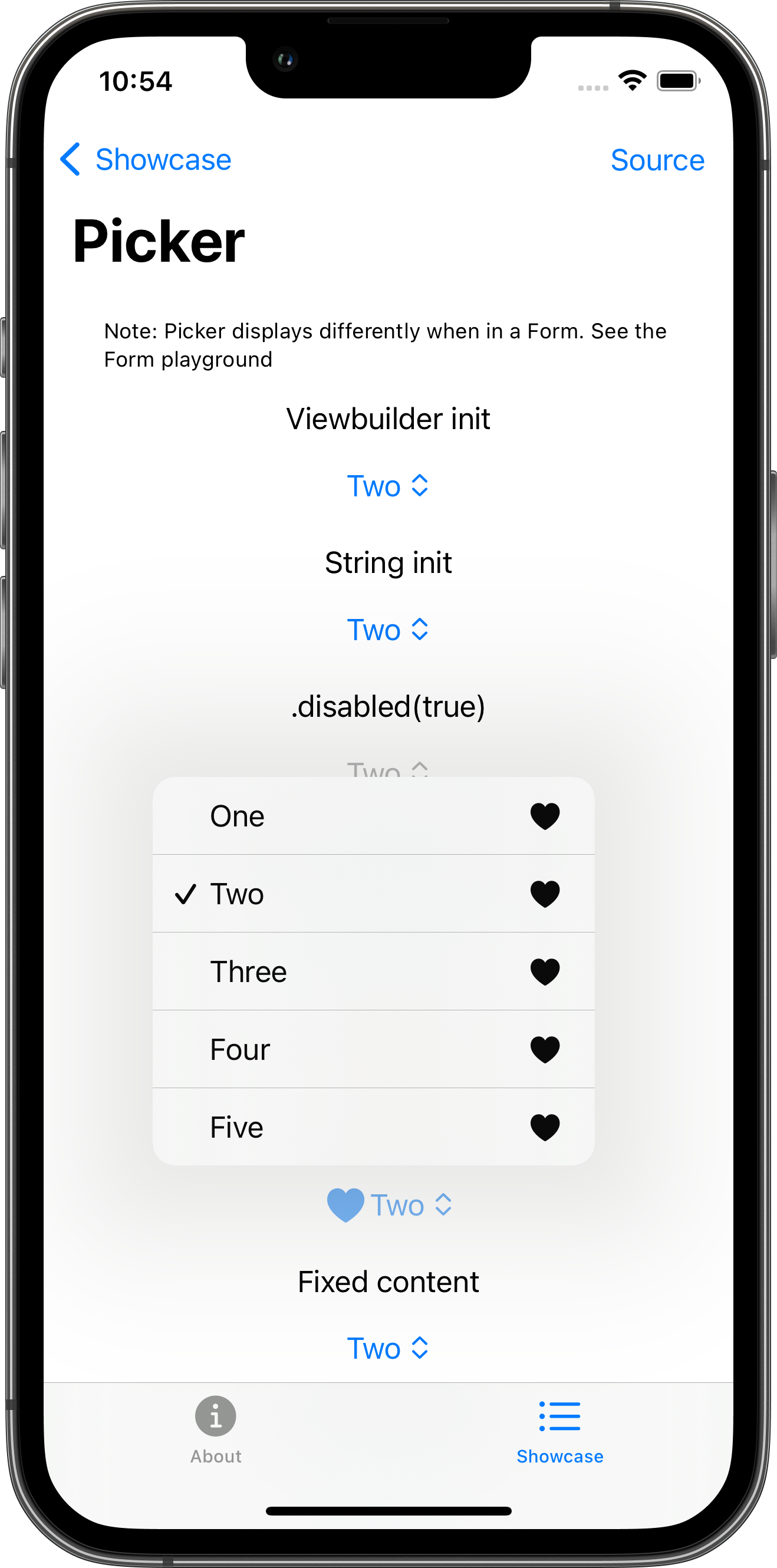
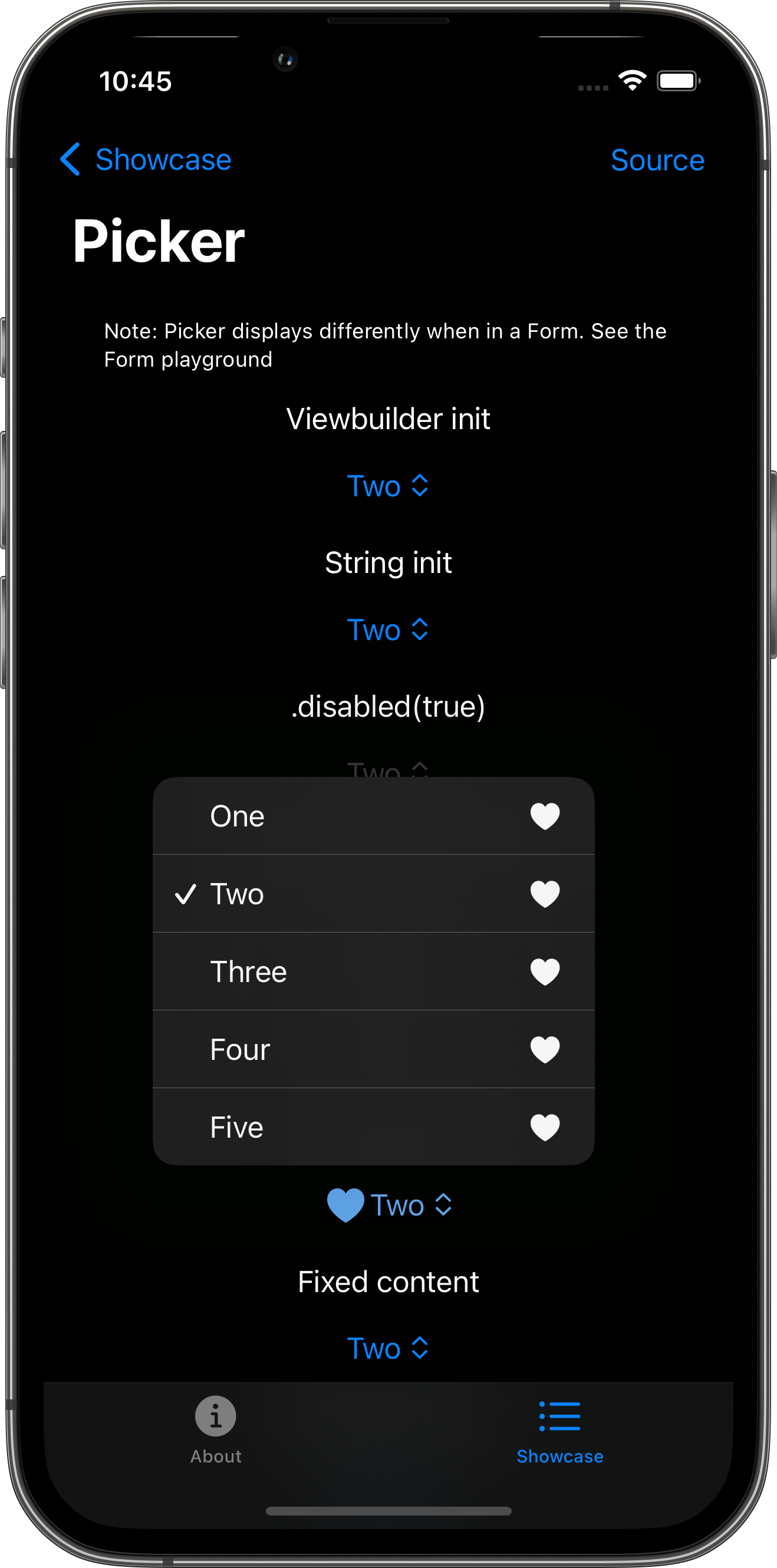
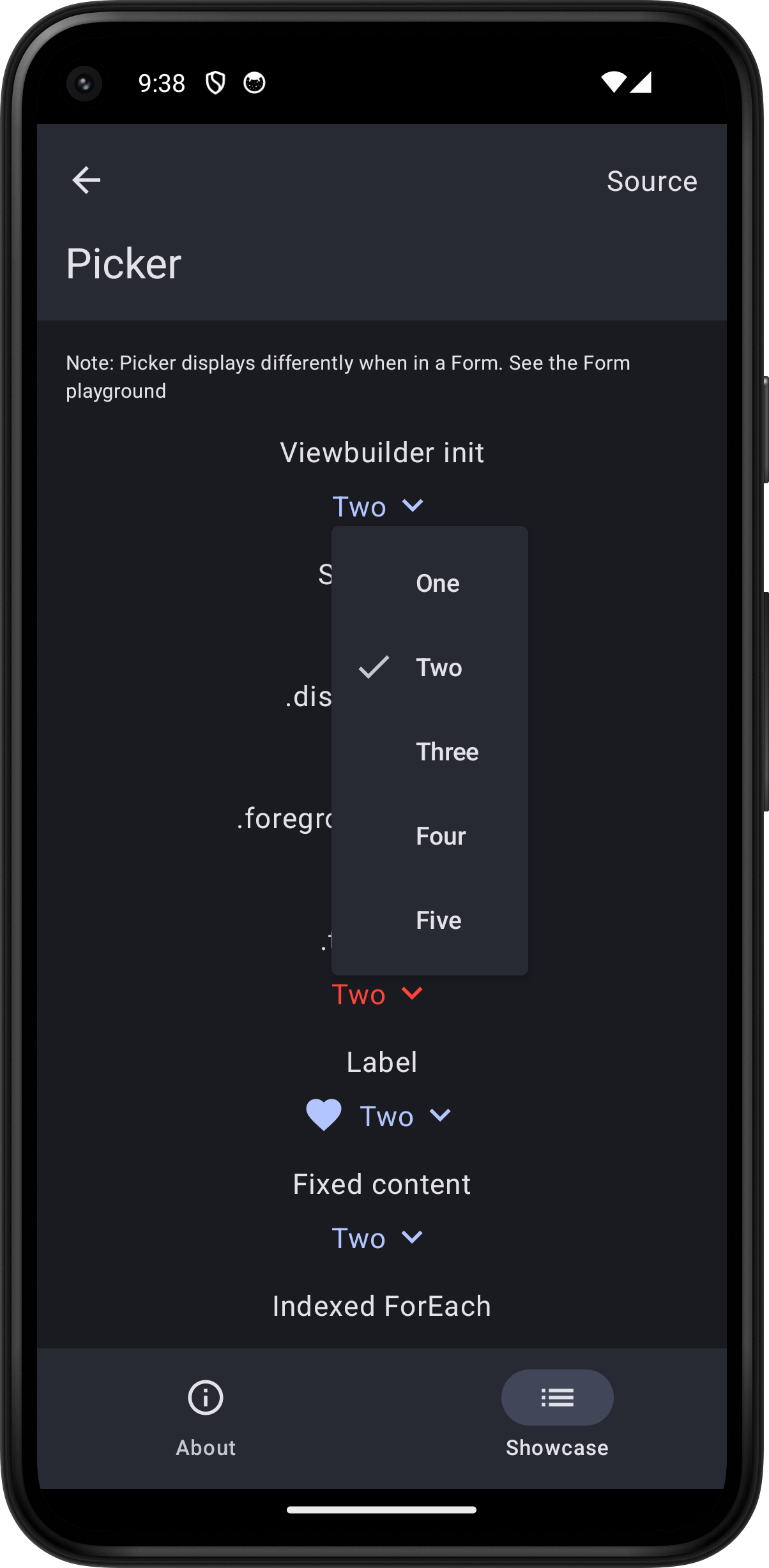
import SwiftUI
struct PickerPlayground: View {    let values = ["One", "Two", "Three", "Four", "Five"]    @State var selectedValue = "Two"
    var body: some View {        ScrollView {            VStack(spacing: 16.0) {                Text("Note: Picker displays differently when in a Form. See the Form playground")                    .font(.caption)                VStack {                    Text("Viewbuilder init")                    Picker(selection: $selectedValue) {                        ForEach(values, id: \.self) {                            Text($0)                        }                    } label: {                        Text("Label")                    }                }                VStack {                    Text("String init")                    Picker("Label", selection: $selectedValue) {                        ForEach(values, id: \.self) {                            Text($0)                        }                    }                }                VStack {                    Text(".disabled(true)")                    Picker("Label", selection: $selectedValue) {                        ForEach(values, id: \.self) {                            Text($0)                        }                    }                    .disabled(true)                }                VStack {                    Text(".foregroundStyle(.red)")                    Picker("Label", selection: $selectedValue) {                        ForEach(values, id: \.self) {                            Text($0)                        }                    }                    .foregroundStyle(.red)                }                VStack {                    Text(".tint(.red)")                    Picker("Label", selection: $selectedValue) {                        ForEach(values, id: \.self) {                            Text($0)                        }                    }                    .tint(.red)                }                VStack {                    Text("Label")                    Picker("Label", selection: $selectedValue) {                        ForEach(values, id: \.self) {                            Label($0, systemImage: "heart.fill")                        }                    }                }                VStack {                    Text("Fixed content")                    Picker("Label", selection: $selectedValue) {                        Text(verbatim: values[0]).tag(values[0])                        Text(verbatim: values[1]).tag(values[1])                        Text(verbatim: values[2]).tag(values[2])                        Text(verbatim: values[3]).tag(values[3])                        Text(verbatim: values[4]).tag(values[4])                    }                }                VStack {                    Text("Indexed ForEach")                    Picker("Label", selection: $selectedValue) {                        ForEach(0..<5) { index in                            Text(verbatim: values[index]).tag(values[index])                        }                    }                }                #if os(macOS)                #else                Picker(".pickerStyle(.navigationLink)", selection: $selectedValue) {                    ForEach(values, id: \.self) {                        Text($0)                    }                }                .pickerStyle(.navigationLink)                Picker("Label .navigationLink", selection: $selectedValue) {                    ForEach(values, id: \.self) {                        Label($0, systemImage: "heart.fill")                    }                }                .pickerStyle(.navigationLink)                #endif            }            .padding()        }        .toolbar {            PlaygroundSourceLink(file: "TogglePlayground.swift")        }    }}